To scrape a website with Python ethically, fetch pages with requests, parse them with Beautiful Soup, and wrap every step in restraint: check robots.txt first, send one honest User-Agent, wait a few seconds between requests, back off the moment you get a 429, and collect only the fields you actually need. The code is ordinary; the discipline around it is what makes it defensible. A first working script takes about 30 minutes for a beginner, and the pilot run on a handful of pages is where the real learning happens.
I have watched a lot of first scrapers get written, and the pattern is almost always the same. Someone writes 20 lines that pull a list of titles, it works on a sandbox, then it quietly breaks three months later after a site redesign, or gets a cease-and-desist letter they never expected. The fix is not cleverer code. It is deciding what you are allowed to collect before you write a single line of it, and making the script obey that decision automatically.
So this is a workflow, not a snippet dump. You will get a complete script at the end, but the first section is about permission, because that is the part you cannot fix later.
Table of Contents
- What You Need
- Step-by-Step: How to Scrape a Website With Python Ethically
- Plan how to scrape a website with Python ethically
- Inspect the page and choose stable selectors
- Fetch one page responsibly with Requests
- Parse content with Beautiful Soup
- Add rate limits and collection boundaries
- Save the results and test on a small sample
- Extend the script carefully for pagination
- Common Mistakes
- Frequently Asked Questions
- Is it legal to scrape a website with Python?
- What does robots.txt actually tell scrapers?
- Should I scrape a website or use its official API?
- How do I scrape JavaScript-rendered pages with Python?
- How many requests should a responsible Python scraper send?
- Conclusion
What You Need
You need five things, and only the first one takes real thought.
- Python 3.11 or newer, checked with
python --version. - A code editor. VS Code is the common choice; anything that shows you the file you are editing will do.
- The two packages this guide uses:
requestsfor HTTP andbeautifulsoup4for parsing. - Browser developer tools, for inspecting the markup before you write a selector.
- A written scope of what you plan to collect and evidence that collecting it is allowed. This is the item people skip.
Set up the environment first. A virtual environment keeps the two packages out of your system Python and makes the project reproducible on another machine.
python -m venv .venv
source .venv/bin/activate        # Windows: .venvScriptsactivate
python -m pip install requests beautifulsoup4
Pin the versions once the script works, so a library update never breaks a run you already trust.
python -m pip freeze > requirements.txt
That is the setup. If source fails on Windows, use the .venvScriptsactivate form, and if you are on an older distribution Python, the venv module may be missing entirely, in which case install the OS package first.
Step-by-Step: How to Scrape a Website With Python Ethically
Plan how to scrape a website with Python ethically
Before any code: write down the exact URLs you intend to fetch, which fields you need from each one, and why collecting them is permitted. Automated access to a public page is not automatically allowed, and the single most misunderstood point in this space is that robots.txt and the terms of service are two different things. robots.txt is a signal about crawl paths; the terms of service are the contract, and a site can have one that permits crawling while the other forbids it.
Run through five checks before you continue:
- Terms of service. Look for a clause about automated access, crawling, or data mining. If it prohibits scraping, stop and look for an API or ask the owner in writing.
- robots.txt. Fetch the file and read it. It is specified in RFC 9309, and it tells you which paths crawlers are invited to avoid.
- Copyright and licensing. Facts are generally not protected, but the specific text, images, and database structure on the page can be.
- Personal data. If the output contains names, emails, or anything that identifies a person, you have a GDPR or equivalent problem, and public availability does not dissolve it.
- Volume. Decide your page cap now, while you are being sensible about it. Most sandboxes and public sites are fine with a few hundred pages a day at a human pace.
Then pick a pilot set of three to five permitted URLs and treat them as the test. The output of the planning step is a one-paragraph note: the URLs, the fields, the page cap, the delay you will use, and the reason it is allowed. Keep that note next to the script.
Inspect the page and choose stable selectors
You choose the selectors in your browser first, not in Python, because the browser console gives you a real page to test against and Python does not. Right-click the element you want, choose Inspect, and read up two or three levels to find the container that holds the list of records rather than a single item.
Test a candidate selector in the console before you type it into a script:
document.querySelectorAll("div.quote").length
document.querySelector("div.quote span.text").textContent
If the count is 0, your selector is wrong. If the count is 1 when you expected 25, you have picked a wrapper instead of the repeated element.
Prefer, in order: a stable id, a data-* attribute, a semantic element with a class, then a positional CSS path like div.grid > div:nth-child(3) > a. That last one breaks the first time anyone adds a banner. Class names generated by JavaScript build tools, such as css-1x2y3z, are worse still because they change on every deploy with no notice.
One practical note from the developer forums: real-world markup is messy, and people who work on this daily tend to reach for lxml and XPath when Beautiful Soup selectors start returning empty results on nested markup. Start with html.parser since it has no build step, and keep lxml in your back pocket.
Fetch one page responsibly with Requests
You send exactly one request, with an honest User-Agent, and you inspect the response before you parse anything. Here is the fetch layer on its own, with the comments doing the explaining:
import requests

USER_AGENT = "QuotesScraper/1.0 (+https://yourdomain.example/bot-info)"

session = requests.Session()
session.headers.update({
    "User-Agent": USER_AGENT,
    "Accept": "text/html,application/xhtml+xml",
})

url = "https://quotes.toscrape.com/page/1/"

# timeout is (connect seconds, read seconds) - never omit it
response = session.get(url, timeout=(5, 20), allow_redirects=True)

print("status:", response.status_code)
print("final url:", response.url)
print("content type:", response.headers.get("Content-Type"))

if response.status_code in (429, 500, 502, 503, 504):
    raise SystemExit("server is pushing back - stop and read the back-off section")

response.raise_for_status()

if "html" not in response.headers.get("Content-Type", ""):
    raise SystemExit("not HTML - probably a CAPTCHA or a redirect to a consent page")
Four things in there matter. The User-Agent names your tool and gives a URL where a human can find you, which is the whole difference between honest identification and deception. The timeout stops a hung connection from pinning your process open forever. raise_for_status() turns a 404 or 403 into an exception you can catch instead of an HTML page you silently parse and find empty. And the status check happens before that, because 429 and 503 are not errors to retry immediately, they are the server asking you to slow down.
About the User-Agent: rotating it is the most widely taught trick in scraping tutorials and the one that changes your legal position the most. A single static string with a contact address is easy to honour, easy to block, and easy to explain to a human being. A rotating pool of fake browser strings is a deliberate attempt to look like someone you are not, and it is the behavior that turns a grey area into a dispute.
Parse content with Beautiful Soup
Now you turn that HTML into records. The parser has no ethics of its own, so the care goes into skipping entries you cannot read rather than into rescuing them:
from bs4 import BeautifulSoup

soup = BeautifulSoup(response.text, "html.parser")

rows = []
for card in soup.select("div.quote"):
    text = card.select_one("span.text")
    author = card.select_one("small")
    link = card.select_one("a")

    if not text or not author:
        continue    # malformed card - skip it, do not crash the run

    rows.append({
        "quote": text.get_text(strip=True),
        "author": author.get_text(strip=True),
        "source_url": urljoin(url, link["href"]) if link else "",
    })

print(len(rows), "records")
print(rows[0] if rows else "no records - your selector is wrong, not the parser")
Expected output on the first page is 10 records, each with a quote, an author, and a full URL. If you get zero, the problem is almost always the container selector from the previous step, not Beautiful Soup, so go back and re-test it in the console.
You will also hit encoding trouble eventually. A response that declares one charset in the header and sends another in the meta tag produces mojibake, and the fix is to trust response.text when the server declares UTF-8 and pass response.content to Beautiful Soup with an explicit parser when it does not.
Add rate limits and collection boundaries
This is the section that separates a script from a nuisance. Three things, and all three are non-negotiable: a delay between requests, a hard cap on pages, and a refusal to run in parallel.
import random
import time

MAX_PAGES = 20
MIN_DELAY, MAX_DELAY = 2.0, 5.0

for page in range(1, MAX_PAGES + 1):
    # ...fetch and parse one page here...
    jitter = random.uniform(MIN_DELAY, MAX_DELAY)
    print("sleeping", round(jitter, 2), "s before the next page")
    time.sleep(jitter)
Jitter matters more than most people expect. A fixed two-second delay from 500 clients is a machine-gun; a random two-to-five second delay is not. Concurrency is the other half, and the answer is one. If you use requests, you are single-threaded unless you added threading yourself, so leave it that way. If you use Scrapy, CONCURRENT_REQUESTS defaults to 16, which is a lot for one origin server, and you should drop it to 1.
Back off when the server asks, and the standard pattern is exponential. Each retry waits roughly twice as long as the last, and after a few failures you stop rather than trying again harder:
def fetch(url, session, retries=3):
    backoff = 10
    for attempt in range(1, retries + 1):
        response = session.get(url, timeout=(5, 20))
        if response.status_code in (429, 500, 502, 503, 504):
            print("status", response.status_code, "- backing off", backoff, "s")
            time.sleep(backoff)
            backoff *= 2
            continue
        response.raise_for_status()
        return response
    raise SystemExit("repeated back-off - this run is over, re-read the rate before retrying")
And the boundary that most tutorials skip: your script must stop when it hits a login form, a paywall, a CAPTCHA, an access-denied page, or a block page. Those are access controls, and working around them is a different activity from reading public pages. Set a flag in the loop that breaks out of the crawl the moment a response looks like a wall instead of content.
Scrapy does most of this for you if you prefer it, and the settings are the clearest expression of the rules in the standard library:
# settings.py
ROBOTSTXT_OBEY = True
USER_AGENT = "QuotesScraper/1.0 (+https://yourdomain.example/bot-info)"
DOWNLOAD_DELAY = 5
CONCURRENT_REQUESTS = 1
AUTOTHROTTLE_ENABLED = True
AUTOTHROTTLE_TARGET_CONCURRENCY = 1.0
RETRY_ENABLED = True
RETRY_BACKOFF_BASE = 30
Save the results and test on a small sample
Write the output with UTF-8 so accented names survive, and keep the source URL and a timestamp on every record. That pair is what lets you re-check a row six months later and know where it came from.
import csv
import json
from datetime import datetime, timezone

stamp = datetime.now(timezone.utc).isoformat(timespec="seconds")

fields = ["quote", "author", "source_url", "fetched_at"]

with open("quotes.csv", "w", newline="", encoding="utf-8") as fh:
    writer = csv.DictWriter(fh, fieldnames=fields)
    writer.writeheader()
    for row in rows:
        writer.writerow({**row, "fetched_at": stamp})

with open("quotes.json", "w", encoding="utf-8") as fh:
    json.dump(rows, fh, ensure_ascii=False, indent=2)
Then check the output rather than assuming it is right. Open the CSV and compare three random rows against the pages in your browser, and look specifically for:
- Duplicate URLs, which mean your pagination loop is circling rather than advancing.
- Empty fields, which usually mean a selector matched a container that changed shape partway down the page.
- Garbled characters, which mean the response encoding disagreed with the header.
- More records than the page visibly contains, which means you grabbed a hidden or repeated block.
Run against five pages before you run against five hundred. If the sample is clean, the scale-up is a one-line change to MAX_PAGES, and if it is not clean you have found the problem at the cheapest possible moment.
Extend the script carefully for pagination
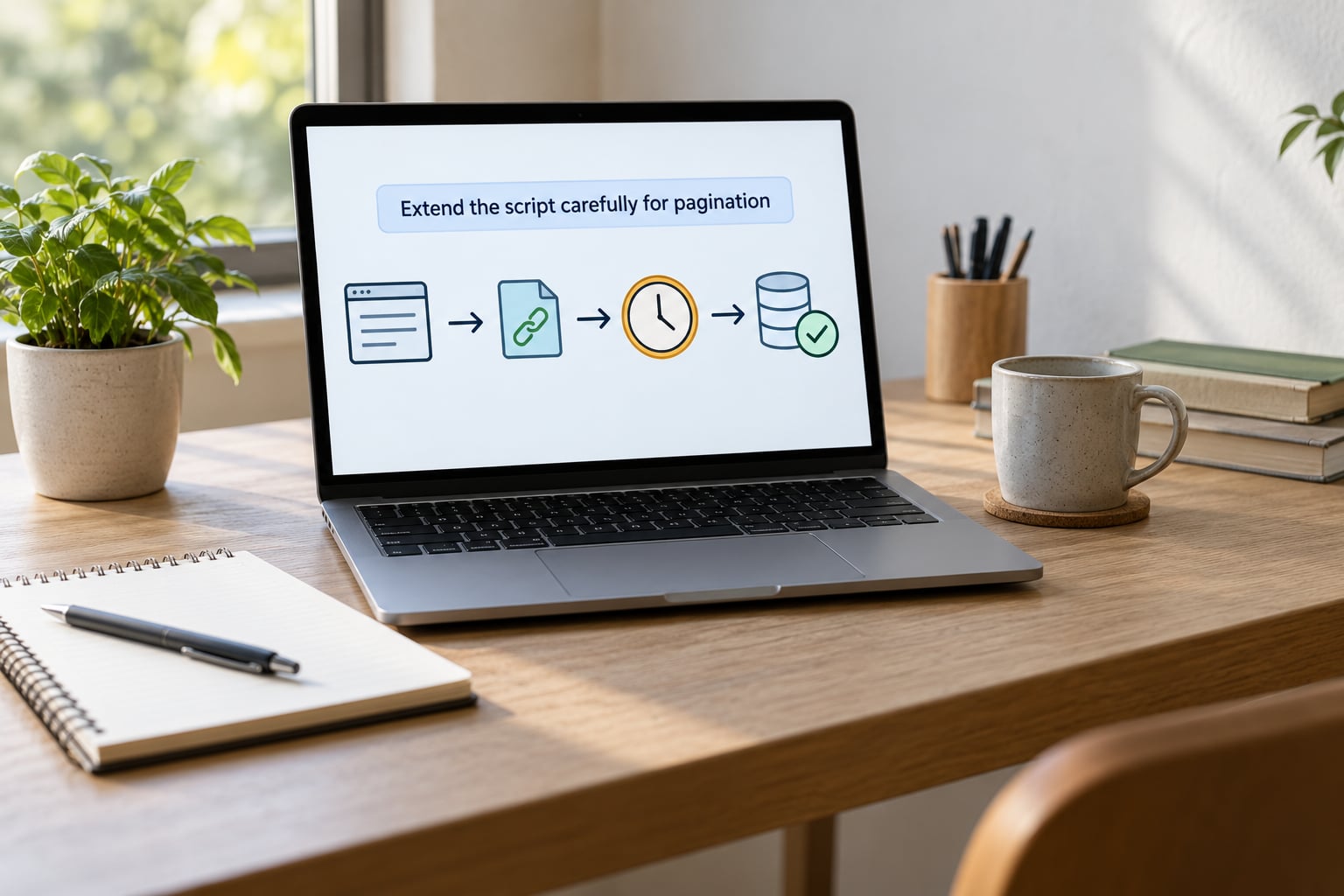
Following a next-page link is only appropriate inside the scope you already approved, and the loop needs three guards: a visited-URL set so it cannot loop forever, the page cap from your planning step, and a domain check so a malformed relative link cannot walk you off the site entirely.
from urllib.parse import urljoin
from urllib.robotparser import RobotFileParser

rp = RobotFileParser()
rp.set_url(urljoin(url, "/robots.txt"))
rp.read()

# read the Crawl-delay the site asked for, and fall back to your own default
server_delay = rp.crawl_delay(USER_AGENT) or rp.crawl_delay("*")
delay = server_delay if server_delay else random.uniform(MIN_DELAY, MAX_DELAY)

seen_urls = {url}
current, pages_done = url, 0

while pages_done < MAX_PAGES:
    if not rp.can_fetch(USER_AGENT, current):
        print("robots.txt disallows", current, "- stopping")
        break

    response = session.get(current, timeout=(5, 20))
    response.raise_for_status()
    soup = BeautifulSoup(response.text, "html.parser")

    # ...extract records from soup here...

    next_link = soup.select_one("li.next a")
    if not next_link:
        break

    nxt = urljoin(current, next_link["href"])
    if nxt in seen_urls:
        break          # we are circling, not paginating
    if not nxt.startswith("https://quotes.toscrape.com/"):
        break          # link points somewhere outside the approved scope

    seen_urls.add(nxt)
    current = nxt
    pages_done += 1
    time.sleep(delay)
That loop will stop on its own for the boring reasons, which is the goal. When a site paginates with an infinite scroll instead of links, you cannot follow it without JavaScript, and the honest move is a small headless browser rather than a rewrite of the same request loop.
Common Mistakes
These are the failures that show up again and again, with the fix next to each one.
- Ignoring the access rules because the page loaded fine. A 200 response is not permission. The rules live in the terms of service and in robots.txt, and you read them before you fetch.
- Sending requests as fast as the connection allows. Add jitter, cap the pages, keep concurrency at one.
- Building selectors from generated class names. Anchor on ids, data attributes, and semantics instead.
- Faking or rotating the User-Agent. One honest string with a contact URL. Rotating it is deception, and it is the thing that creates exposure rather than avoiding it.
- Assuming the response is HTML. Check the Content-Type before parsing, and treat a CAPTCHA page as a stop signal.
- Omitting the timeout. A hung socket is a hung script.
- Ignoring redirects. Log the final URL, because a redirect to a consent or block page is information.
- Collecting more than you need. Fetch the fields you will use. Data you never read is data you still have to protect.
- Automating a login or paywall. If access requires an account, ask the owner for the data or the API instead.
Two tables condense most of it. The first maps each rule to the line that implements it, which is the fastest way to audit a script someone else wrote.
| Ethical rule | How to implement it in Python |
|---|---|
| Read the crawl rules first | urllib.robotparser.RobotFileParser.can_fetch before every URL |
| Honour the requested pace | rp.crawl_delay(UA) as the floor, or DOWNLOAD_DELAY in Scrapy |
| Identify yourself truthfully | One static User-Agent string with a contact URL |
| Stay slow and unpredictable | time.sleep(random.uniform(2, 5)) between requests |
| Back off when pushed back on | Exponential sleep on 429 and 503, then stop the run |
| Never fetch twice | A seen_urls set plus a local response cache |
| Collect the minimum | Explicit field list, personal fields left out entirely |
| Leave a trail | Log every URL, status code, and timestamp |
The second is the tool choice, which is usually decided in about ten minutes and regretted later if you get it wrong.
| Tool | Best for | Ethical note |
|---|---|---|
| requests + Beautiful Soup | One-off jobs and a few hundred pages | Easiest place to add the robots check, the delay, and the logging yourself |
| httpx | Async work or HTTP/2 targets | Same discipline; keep concurrency at one or two |
| Scrapy | Thousands of pages with retries and pipelines | ROBOTSTXT_OBEY and DOWNLOAD_DELAY handle most of the rules for you |
| Playwright or Selenium | JavaScript-rendered pages and infinite scroll | Far heavier server load, so widen your delay to several seconds per page |
| Browser extension or one-click tool | Occasional manual collection, no code | Fine for a handful of pages, awkward once you need scope and logging |
When you get blocked, work up a ladder rather than reaching for proxies. Slow down and check whether Crawl-delay in robots.txt asks for more than you were giving. Lower concurrency to one and add a longer delay. Email the site owner and ask for an API key or written permission, which is often answered in a day. Switch to the official API if one exists. And if none of that works and the site is clearly unwilling, stop. A block is an answer, and treating it as an obstacle to route around is exactly where the ethics stop.
There are cases where you should never start at all: an API exists and covers what you need, the content sits behind a login or a paywall, the terms of service name automated access as prohibited, or the output is personal data with no lawful basis behind it. Walking away costs you an afternoon. Being wrong costs considerably more.
Before you run, walk this list once. Have you read the terms of service, the robots.txt, and the copyright position? Do you have a written page cap and delay? Is your User-Agent honest and does it include a way to reach you? Have you excluded personal data? Do you have a stop condition for 429, 403, and CAPTCHA pages? After the run, check the log for status codes, confirm no duplicate URLs, spot-check three records against the live page, and confirm the file count matches your page cap.
One last note, since it comes up constantly: put the date on the page. Legal and technical guidance around scraping moves, and a reviewer who can see when this was last checked trusts the rest of it more. Last reviewed in 2026, and the code in this article runs on Python 3.11 and later with the package versions pinned in requirements.txt.
Frequently Asked Questions
Is it legal to scrape a website with Python?
Usually, yes, for publicly available pages, provided you stay inside the site’s terms of service, follow robots.txt, identify your bot honestly, and collect no more than you need. Courts in the United States have treated access to public web pages differently from unauthorized access to private systems. The exception that flips the answer is personal data under GDPR or similar rules, and anything behind a login. This is general information, not legal advice, so get counsel for commercial or production use.
What does robots.txt actually tell scrapers?
It tells you which paths crawlers are invited to avoid, specified in RFC 9309. Disallow lines name paths, Allow lines narrow or re-open them, and Crawl-delay asks for a minimum pause between requests. It is a signal, not a licence, and it does not override the terms of service. A missing file means no restrictions were published, not that everything is permitted, so check the terms of service before you rely on its absence.
Should I scrape a website or use its official API?
Use the official API whenever one exists and covers your data. It is faster, stable, documented, and the site owner chose to offer it, which makes it the obvious ethical choice. Scraping is the fallback for fields the API does not expose or for sites with no API at all. In your own tooling, a scheduled job that parses HTML is fragile in a way an API call usually is not, so a maintenance tax nobody mentions until the selectors break.
How do I scrape JavaScript-rendered pages with Python?
Use Playwright or Selenium, which drive a real browser so content that loads through JavaScript appears in the DOM. Two cautions. First, a headless browser loads many times more assets per page, so widen your delay to several seconds and keep the page cap low. Second, wait for the content selector rather than a fixed sleep, and check robots.txt for the API and asset paths, since some sites disallow those paths explicitly.
How many requests should a responsible Python scraper send?
Start at one request every two to five seconds with random jitter, and stay at concurrency one. If robots.txt publishes a Crawl-delay directive, treat that number as the minimum. Many crawlers share the same origin, so even a modest rate from a few hosts can be a real load. Your signals that you are too fast are 429 responses, rising latency, and eventually a block. Slow down when you see the first one rather than after the third.
Conclusion
Here is the order of operations that keeps a scraper defensible. Confirm the collection is permitted, read robots.txt and the terms of service, and write down the page cap and delay. Test your selectors in the browser console before writing any Python. Run against three to five pages with a jittered delay and a single request at a time, then check the output against the live page. Expand only if the collection is still permitted and still necessary.
If any part of that feels uncertain, email the site owner and ask. Most replies I have seen are either a yes with a rate limit or a pointer to the API, and both outcomes beat guessing. When you want the surrounding tooling, the scripting and automation coverage on this site is a reasonable next stop.