
A Git submodule is a record inside one repository that points at a specific commit in another, separate repository, so the second project appears as a subdirectory of the first while keeping its own commit history. You use one when that dependency has its own owners, its own release cycle, or needs to be pinned to an exact revision, and you skip it whenever a plain folder, a package manager, or a monorepo would do the same job with less friction.
The confusing part is not the definition. It is that almost every Git tutorial shows you the commands without showing you why you would ever want the setup. Once the reason is clear, the commands are easy.
Table of Contents
- What Is a Git Submodule?
- How Do Git Submodules Work?
- What Is a Git Submodule and When to Use It in Practice
- When Should You Use a Git Submodule?
- When Should You Avoid Using Git Submodules?
- How to Add and Update a Submodule
- Getting CI to check out submodules
- Common Submodule Problems and Fixes
- Submodules vs. Package Managers, Monorepos, and Vendoring
- A Practical Decision Checklist
- Converting an Existing Folder Into a Submodule
- How IDEs and Graphical Clients Handle Submodules
- Frequently Asked Questions
- Are Git submodules still worth using?
- Can a Git submodule point to a private repository?
- Does a Git submodule track the latest commit automatically?
- Can Git submodules be nested?
- What happens to a Git submodule when branches or commits are merged?
- Conclusion: Start With the Simplest Dependency Model
What Is a Git Submodule?
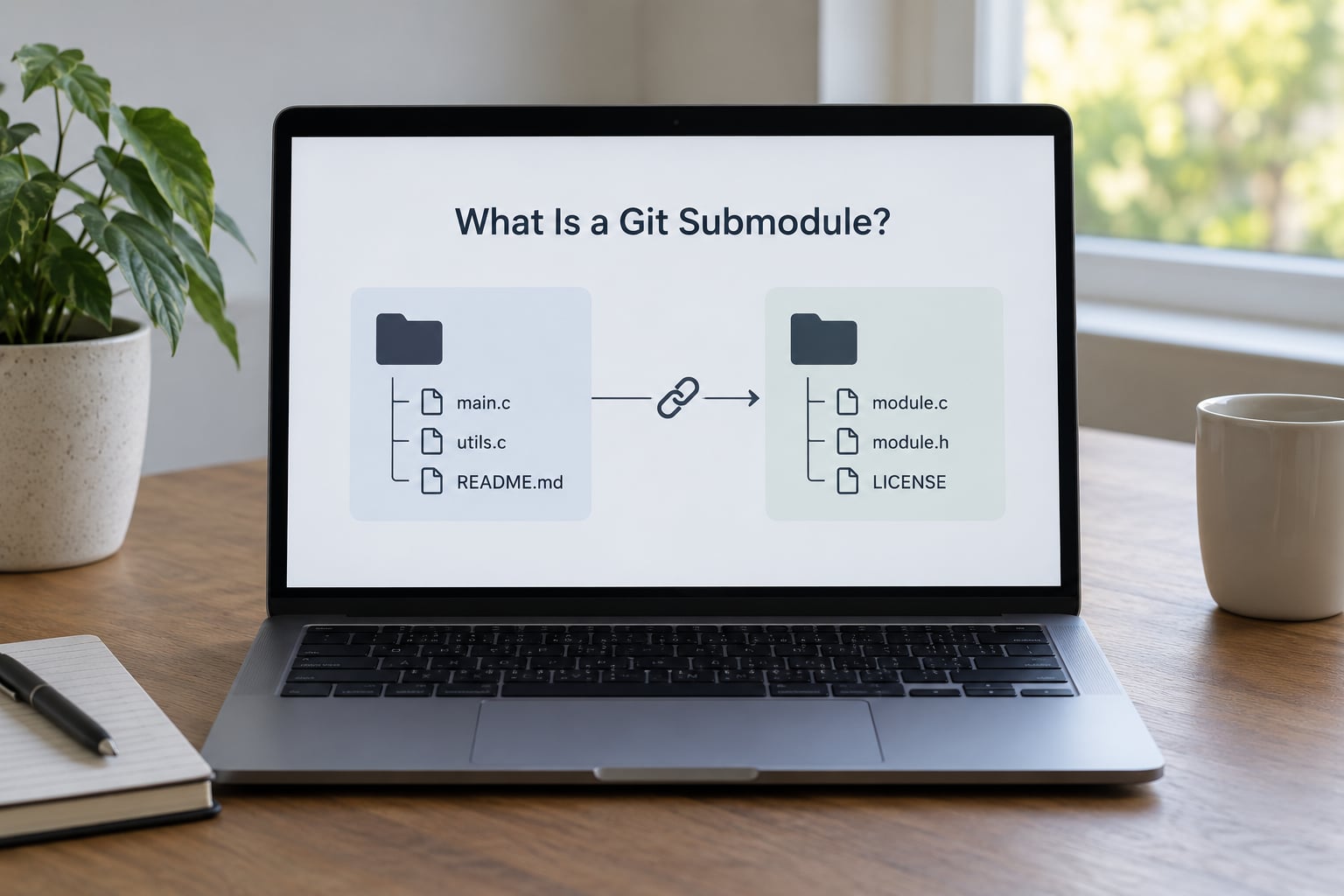
A Git submodule lets you keep another Git repository as a subdirectory of your own. The directory holds real files you can edit, build and run, but Git treats it as a single entry in the parent tree rather than a pile of individual files.
Concretely, Git writes a gitlink into your parent tree. It is a directory entry stored with the special file mode 160000, and its content is the commit hash of the child repository you chose. That is the whole mechanism. Your parent commit holds one line per submodule, and that line says “the exact revision of this other repo that I was tested against.”
Four terms show up constantly, so it is worth fixing them now:
- Superproject — the parent repository that contains the submodule. Some tools call it the main repo or the host repo.
- Submodule — the child repository mounted inside the superproject’s working tree.
- .gitmodules — a plain text file in the superproject that maps each submodule path to its remote URL and any per-path settings.
- Detached HEAD — the normal state of a submodule after you check out a pinned commit, which is where a lot of confusion comes from.
Here is what that is not. It is not a symlink, and it is not a copy of somebody’s files. When you copy a library into your repository you own every line of it forever, and upstream fixes never arrive unless you go get them. A submodule keeps the source local and editable while keeping the history and the upstream remote reachable.
It is also not a package manager. npm, Cargo, Go modules, Maven and Composer resolve versions, download artifacts and write lock files. A submodule does none of that. It records a commit somebody chose, by hand, and it never checks whether a newer one exists.
How Do Git Submodules Work?
When you add a submodule, Git does two separate things that people constantly mix up. It writes an entry into .gitmodules that maps a local path to a remote URL, and it records a gitlink in the tree at the current HEAD of that remote. Committing the superproject commits both.
When someone clones the superproject, the submodule directory is created but left empty. That is by design. A plain git clone never fetches child repositories, and asking it to would slow down every clone of every project that happens to embed one.
You fill the directory yourself with git submodule update --init. The --init part reads .gitmodules, registers each submodule in your local .git/config, and clones it. Then Git checks out the exact commit hash stored in the superproject’s gitlink, not the tip of the child repository’s default branch.
Add --recursive and it does the same for the submodules of your submodules, to whatever depth they nest.
What Is a Git Submodule and When to Use It in Practice
Take a common shape: an application repository and a shared authentication library that four other repositories also consume. Start with a webapp repository and a shared-auth repository, each with its own remote and its own history.
Inside webapp, adding the library produces a working tree like this:
webapp/
├── .gitmodules
├── src/
└── vendor/
    └── shared-auth/
And .gitmodules looks roughly like this:
[submodule "vendor/shared-auth"]
	path = vendor/shared-auth
	url = https://git.example.com/platform/shared-auth.git
	branch = main
The superproject commit now contains a 160000 entry for vendor/shared-auth holding a hash such as 3f9a1c7. Three things follow from that. A fresh clone gets an empty vendor/shared-auth until you run the update command. The branch line is only a hint Git uses when you explicitly ask for the latest upstream work, not something it acts on automatically. And if the library team ships a fix, your superproject commit does not change until you run the update and commit the new hash yourself.
That last point is the whole design. Pinning is the feature, and it is also the reason submodules feel awkward to people who expect dependencies to float.
When Should You Use a Git Submodule?
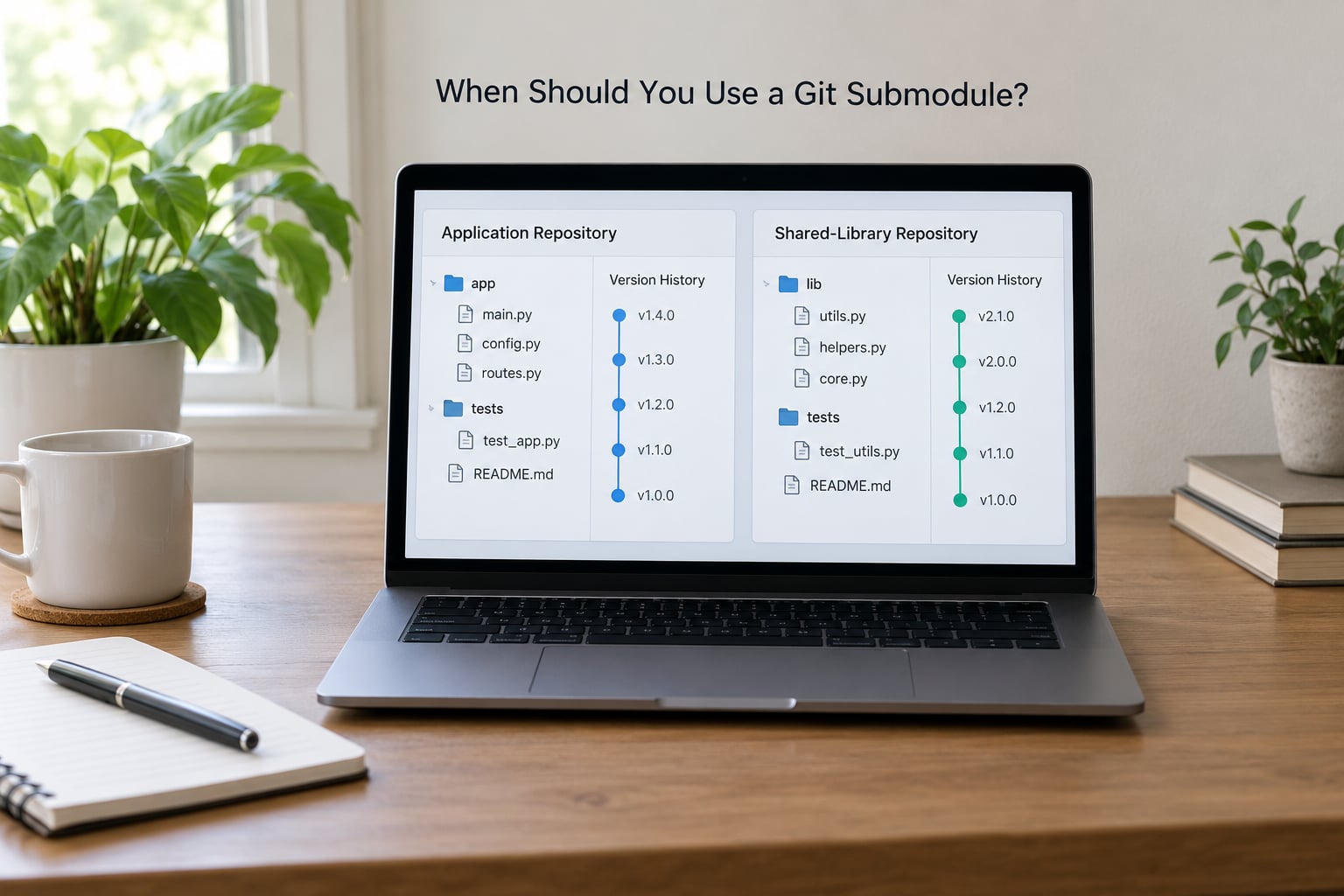
Submodules earn their keep in a narrow set of situations. If your situation matches one of these, they are a reasonable tool. If it does not, the alternatives in the next section will cost you less.
- The dependency has an independent release cycle and its own team. A design system, a plugin SDK or a platform library that ships on its own schedule is a natural fit. The library team keeps full control of its changelog, tags and release cadence, and consumers pin whatever revision works for them.
- You need the code pinned to an exact commit, forever. Some infrastructure, build tooling and embedded components are not packaged and not published to any registry. A submodule gives you a reproducible reference: the same superproject commit always means the same child commit, on any machine, at any time.
- The dependency is not available through a package manager. Cross-language components, internal libraries hosted on an internal Git server, and code you are migrating out of an old system often exist only as a Git repository. A submodule is the least-bad way to reference them.
- Several repositories need the same source with different versions. Ten services can each pin a different revision of one library and still all work, because each superproject records its own hash. Vendoring a single copy per repository gets you the same outcome but with a merge burden every time upstream changes.
- You want contributors to propose changes to the dependency through normal pull requests. Adding a submodule means the child repository is a real repository on the remote. Forking, branching and review happen where the code already lives, not in a patch file you generate from a vendored copy.
- You are consolidating existing split repositories without rewriting history. A submodule is a non-destructive first step. You can add it, prove the build works, and only then decide whether to merge everything into a monorepo.
One more case deserves a mention: a plugin or theme directory that is genuinely part of your product’s architecture. Some projects reference an upstream theme repository as a submodule and layer their own changes on a branch of it, which keeps the fork relationship explicit instead of hiding it in a copy.
When Should You Avoid Using Git Submodules?
Developers ask about the downsides of Git submodules constantly, and the honest answer is that the downsides are operational rather than technical. Nothing about the mechanism is broken. The friction lands on onboarding, on CI configuration and on tools that were never designed for nested repositories.
- Contributors get an empty directory and no error. A new clone looks like a broken checkout. Until someone runs the update command, the build fails with a confusing missing-path error, and the fix is not obvious to people who did not write the README.
- CI needs to be told. Most CI systems do not fetch submodules unless you ask. A pipeline can go green locally and fail on the runner with no message about submodules, and someone will lose an afternoon to it.
- Some IDEs and GU clients handle them badly. Teams report submodule bugs in Visual Studio and SourceTree in particular. File indexing breaks, the UI shows phantom changes, and staging from a graphical client can quietly stage the wrong thing.
- Pointer conflicts are confusing. When two branches update the same submodule, the merge conflict you get is about a commit hash, not about code. The message about a merge following a commit that is not found is genuinely puzzling the first time.
- There is no dependency resolution. Nothing checks that the version you pinned is the latest, deprecated or even still on your remote. That responsibility sits entirely with the person who runs the update.
- Push access requirements can bite. Submodules generally need read access to the child remote and push access to the superproject. Some hosted setups make the second part awkward, particularly for contributors who should not write to the main repository.
- Nested submodules multiply the problem. Every level needs initialization, and a failure three levels deep reports an error that points nowhere near the cause.
If most of those sound familiar to your team, you are describing a project that would be better served by a package manager, a subtree or a monorepo. A submodule is the right tool when ownership and release independence matter more than checkout simplicity.
How to Add and Update a Submodule
All commands run from the root of the superproject unless noted. The workflow is short enough to keep in one screen.
Add a submodule at a specific path:
git submodule add https://git.example.com/platform/shared-auth.git vendor/shared-auth
git commit -m "Add shared-auth submodule"
Adding with -b records which branch to track for later updates:
git submodule add -b main https://git.example.com/platform/shared-auth.git vendor/shared-authAdd a repository that has no remote, such as a local experiment, using a relative path:
git submodule add ../shared-auth.git vendor/shared-authClone a project and its submodules in one step:
git clone --recurse-submodules https://git.example.com/platform/webapp.gitIf the clone already happened, the equivalent is:
git submodule update --init --recursiveMany teams make that the default so nobody has to remember. In Git 2.13 and later you can set it per repository:
git config --local submodule.recurse true
git config --local push.recurseSubmodules check
git config --local fetch.recurseSubmodules on-demand
git config --local diff.submodule log
That last one is worth the minute it takes. It makes git status and git diff show which commits were added and removed instead of printing a bare modified marker.
Move the pin to the latest commit on the tracked branch:
git submodule update --remote vendor/shared-auth
git add vendor/shared-auth
git commit -m "Bump shared-auth"
Add --merge to merge the new revision into a local branch you were already on instead of detaching.
Pin to one specific commit:
cd vendor/shared-auth
git fetch origin
git checkout 3f9a1c7
cd ../..
git add vendor/shared-auth
git commit -m "Pin shared-auth to 3f9a1c7"
Work on the submodule itself, which is where the detached HEAD surprise happens:
cd vendor/shared-auth
git checkout -b fix/session-timeout
# make changes, then
git add -A
git commit -m "Fix session timeout"
git push -u origin fix/session-timeout
cd ../..
git add vendor/shared-auth
git commit -m "Point webapp at shared-auth fix"
Push both repositories, since Git will not do it for you:
git push --recurse-submodules=checkon-demand pushes only the submodules whose pointer changed in the commits being pushed, and check stops with an error if a submodule commit is missing upstream.
After the child remote URL changes:
git submodule sync --recursiveThat refreshes the recorded URLs from .gitmodules into your local config, which fixes clones that fail with a repository-not-found error.
Run a command across every submodule at once:
git submodule foreach 'git fetch --all'
git submodule foreach --recursive 'git status --short'
This is the escape hatch that makes submodules workable in a repo with a dozen of them.
Remove one cleanly:
git submodule deinit -f vendor/shared-auth
git rm -f vendor/shared-auth
rm -rf .git/modules/vendor/shared-auth
The last line only exists in Git 2.0 and later, where the child .git directories are moved under .git/modules instead of living in place.
Getting CI to check out submodules
This is where most teams find out they have a submodule, because the pipeline is the first clone with nobody watching. Both major CI systems need to be told explicitly.
# GitHub Actions
- uses: actions/checkout@v4
  with:
    submodules: recursive
    token: ${{ secrets.GITHUB_TOKEN }}
submodules: recursive pulls every level at once. Use submodules: true if your project has only one level of nesting, since recursive clones submodules of submodules too. If the child repository is private and separate from the superproject, the default token has no access to it, so supply a deploy key or a personal access token that can read that repository.
# GitLab CI
build:
  script:
    - git submodule update --init --recursive
    - make build
You can also set GIT_SUBMODULE_STRATEGY: recursive in the job’s variables if you would rather not repeat the command. Whichever you pick, test it against a pipeline that actually builds the child code, because a checkout that quietly produces empty directories will still go green on a job with no build step.
One more automation worth knowing about: a superproject pipeline will not trigger on commits pushed to a child repository. If you want CI to run when shared code changes, either trigger it from the child repository directly or set up a schedule that checks for new upstream commits and opens a pull request bumping the pin.
Common Submodule Problems and Fixes
Nearly every submodule complaint traces back to one of a handful of causes. Here is what breaks and what to do about it.
| Symptom | What is happening | Fix |
|---|---|---|
| Submodule directory is empty after cloning | A plain clone never fetches child repositories | git submodule update --init --recursive |
| Build fails on a missing path in CI | The pipeline did not opt into submodule checkout | Enable recursive submodules in the checkout step |
(detached HEAD) after entering a submodule | The superproject pins a commit, not a branch, so Git checks out a raw hash | git checkout -b my-branch inside the submodule, or git submodule update --remote --merge |
Merge conflict in vendor/shared-auth | Two branches moved the pointer to different commits | Resolve by checking out the revision you want and committing |
fatal: remote error: upload-pack: not our ref | The pinned commit no longer exists on the remote, usually after a force push | Ask the owner to restore the commit, or re-pin to a commit that still exists |
repository does not exist in a nested submodule | Initialization stopped one level up | Re-run with --recursive from the top-level repository |
| Clones fail after the child remote moved | Local config still holds the old URL | git submodule sync --recursive |
| Local edits inside a submodule vanish | Changes sat on a detached HEAD and were never committed or pushed | Check git reflog in the submodule; recover the commit and push it |
| Permission denied on a private child repo | Credentials are not available to the fetching process or the runner | Authenticate first, then re-run; for CI use a deploy key or a token |
The detached HEAD deserves more than a table row because it causes more lost work than anything else. After git submodule update, the submodule is parked on a commit with no branch attached. Commit work there and the commit exists, but it is reachable only through the reflog until something points at it. Push it, or move it onto a branch, before you leave the directory.
Setting status.submodulesummary or diff.submodule log in your local config makes the pointer changes visible, which is a cheap way to stop a pin bump from slipping into a commit unnoticed.
One thing to decide deliberately: if the child repo is private, a submodule URL plus your credentials can be all that stands between a stranger and the private source. Keep credentials out of .gitmodules, out of remote URLs and out of CI logs. On a shared runner, scope the token to read access on that one repository.
Submodules vs. Package Managers, Monorepos, and Vendoring
The question readers ask most often is what the alternatives actually give up. Each option trades a different thing away.
| Approach | How versions are tracked | Contributor setup | CI complexity | Best fit |
|---|---|---|---|---|
| Submodule | One commit hash per superproject commit | Extra update step on every clone | Must opt in to recursive checkout | Independently released shared source |
| Subtree | Copied history inside the parent repository | Nothing to do | Nothing to do | Vendored code you rarely go back to |
| Package manager | Semantic versions plus a lock file | Install command only | Install step only | Almost all application dependencies |
| Monorepo | One history for everything | Nothing to do | Build graph instead of nested clones | Tightly coupled code changed together |
| Vendored copy | Whatever snapshot you committed | Nothing to do | Nothing to do | Small, frozen, never-updated code |
Git subtree is the closest substitute. You push a subtree into the parent repository, after which the code and its history live there like any other directory. Cloning is simple and CI needs no configuration, which is exactly why it beats submodules for vendored code. The cost shows up when you want upstream changes: you merge or pull from the child remote into the parent, and those merges become permanent entries in your history. It works well for code you treat as frozen and badly for code you actively track upstream.
Package managers win whenever the ecosystem has one for your language. They resolve versions, verify integrity with hashes, produce a lock file and can install from a cache, so CI is faster. They also constrain what they can carry: binaries, generated files and build steps are awkward, and anything not published to a registry needs a private index. If the component can be published, publish it.
Monorepos remove the entire class of problem by keeping one history. Atomic commits across components become possible, onboarding is a single clone, and cross-component refactors stop being a coordination exercise. The tradeoffs are real too: large histories mean slower clones, you need build tooling to keep only what each service needs, and governance across teams that previously owned separate repositories has to be rebuilt from scratch. Moving an established set of repositories into a monorepo is a multi-month project, not a weekend.
Vendoring stays the right answer for small amounts of code that will never change again, and for licensing situations where a snapshot is required.
My rule of thumb: reach for a submodule when ownership and release cycles genuinely diverge, and reach for everything else first. Most teams that adopt submodules for ordinary dependencies end up regretting it, usually within a year of the first person to leave without documenting the update step.
A Practical Decision Checklist
Before you add the first submodule, walk through these seven questions. If you cannot answer “yes” to the first two, stop and pick a simpler model.
- Does this code have an owner and a release schedule separate from mine? Two teams, two release cadences and two sets of version numbers is the signal. One team with one release train does not need a submodule.
- Can the team run the extra clone and update step without being asked twice? If onboarding needs a wiki page to work, the design is wrong. New people hit the empty directory in their first hour.
- Is there no package manager story for it? Check your language’s registry and any private registry you already run before concluding that a submodule is required.
- Do all consumers need different versions? That is the case submodules handle better than almost anything else. If everyone needs the same version at the same time, a subtree or a lock file is simpler.
- Who actually updates the pin? Pin bumps need an owner and a rhythm, whether that is a quarterly sweep or a follow-the-upstream bot. Without one, projects drift onto year-old commits and nobody notices.
- Can your CI and your editors handle nested repositories? Test the exact pipeline and the exact IDEs your team uses before committing. Known bugs exist in some popular IDEs and graphical Git clients.
- How deep will the nesting go? A parent plus one level of child is manageable. Three levels of submodule inside submodule is where troubleshooting stops being productive.
If the answer is “we are not sure”, run a spike: add the submodule to a throwaway branch, wire up CI, have someone who has never seen the project clone it, and see whether it survives contact with a real onboarding.
Converting an Existing Folder Into a Submodule
Plenty of teams reach for submodules retroactively, when a shared library already lives as a plain directory inside a superproject. Converting one is a known recipe rather than guesswork, and you should do it on a branch with a clean working tree.
The first step is splitting the directory’s history out into its own repository with a subtree split:
git subtree split --prefix=vendor/shared-auth -b shared-auth-exportThat walks the full history of your project and replays only the commits that touched that path into a new branch. It is CPU-heavy on a large history, so expect it to sit for a while, and expect a git gc afterward on a multi-gigabyte repository.
Push that branch to a new empty remote, then swap the directory for a submodule reference:
git remote add shared-auth https://git.example.com/platform/shared-auth.git
git push shared-auth shared-auth-export:main
git rm -r vendor/shared-auth
git submodule add https://git.example.com/platform/shared-auth.git vendor/shared-auth
git commit -m "Convert shared-auth to a submodule"
The project stays the same size from here on: everything the old directory referenced now lives in the child remote, and the superproject keeps only a pointer. What you do not get is a smaller clone, because a submodule clone pulls the child history too, and you can trim that with a shallow fetch if size is the reason you are converting.
If your history is huge or the split is taking forever, git filter-branch --subdirectory-filter vendor/shared-auth does a similar job. It is slower still and Git prints a warning recommending git filter-repo, which is a separate tool you install yourself.
How IDEs and Graphical Clients Handle Submodules
Command line Git handles submodules correctly and predictably. Desktop interfaces are where things get patchy, and it is worth knowing before you commit a team.
Visual Studio has carried documented submodule bugs for years, including indexing failures where files inside a submodule are invisible to project search and build discovery. SourceTree has had similar complaints around staging and status display. Both are workable if everyone knows the rules, which is not the same as them being good.
VS Code and JetBrains IDEs handle the common case cleanly. They detect the submodule, show it as a separate Git root, and let you commit inside it from the editor. The practical habit that avoids confusion in every editor: the submodule is its own repository with its own staging area, so a change inside it cannot be committed from the superproject’s source control panel. Commit it in the child, then commit the pointer change in the parent.
Two editor-side behaviors surprise people. Source control decorations in the parent file tree treat submodule content as a single item, so an entire library can look clean or dirty as one unit. And some tools run their own background fetch, which will not populate an uninitialized submodule, leaving you with an empty folder and a green status bar.
Whatever your team uses, decide this once and write it in the onboarding notes: clone recursively, and treat the submodule directory as a separate repository. A short note in the repository README covers both, and it prevents the recurring question of why the folder is empty.
Frequently Asked Questions
Are Git submodules still worth using?
Yes, for a narrow set of cases. A submodule is worth it when the dependency has its own team and release cycle, when consumers need different versions of the same source, or when the code is not available through any package registry. For ordinary libraries, a package manager or a subtree is usually less work. The deciding question is whether separate ownership outweighs the extra clone and CI steps.
Can a Git submodule point to a private repository?
Yes. The URL recorded in .gitmodules can be any Git remote your credentials can reach, including private SSH and HTTPS remotes on an internal server. Each person or runner authenticating the clone needs read access to that child repository. Never put credentials in the submodule URL itself, since that file is committed and shared with everyone.
Does a Git submodule track the latest commit automatically?
No. The superproject records one exact commit hash, and cloning or updating checks out that pinned revision. Moving to a newer commit is always a deliberate step: run git submodule update u002du002dremote for the tracked branch, or check out a specific hash, then commit the new pointer in the superproject. Nothing pulls upstream changes on its own.
Can Git submodules be nested?
They can, and Git handles it, but each level adds friction. A child repository can itself contain submodules, and git submodule update u002du002dinit u002du002drecursive initializes them all from the top level. The practical cost is debugging: when initialization fails three levels down, the error message points at the top-level command, not at the repository that actually failed to clone.
What happens to a Git submodule when branches or commits are merged?
Git merges the pointer entries, not the child code. If both sides changed the submodule to different commits you get a conflict on a commit hash, which you resolve by checking out the revision you want and committing. If only one side moved the pointer, the merge takes that revision silently. The child repository itself is never merged, so a proper change requires a commit in the child first.
Conclusion: Start With the Simplest Dependency Model
What is a Git submodule, in one line: a pinned pointer to a commit in another repository, kept in your tree with the 160000 mode. Everything else is consequence. The empty directory is a consequence, the detached HEAD is a consequence, and so is the manual work of moving the pin forward.
Use one when ownership and release cycles are genuinely separate, or when consumers need different versions of the same source and no registry will carry it. For everything else, start with a package manager, then a subtree, then a monorepo, and only reach for submodules when the simpler model has actually failed you.
And before you commit a team to it, prove the case on a scratch branch. Wire up CI, have someone new clone the project cold, and see whether the extra step survives. That one afternoon tells you more than any amount of documentation.