
What is a kernel module and how to load one on Linux? A kernel module is a compiled block of code, stored as a .ko file, that the kernel loads into kernel space at runtime to add support for a device, driver or filesystem — no rebuild, no reboot. You load one with sudo modprobe module_name.
The distinction that trips up newcomers is that a module is not a program you run. It is code mapped into the same address space as the kernel itself, with the same privileges, so mistakes inside it take the whole machine down rather than one application.
Below is the workflow I use: confirm the running kernel, inspect the module, load it with modprobe, verify, then decide whether it needs to load at boot.
Table of Contents
- What a Kernel Module Is and What You Need Before Loading One
- Why Linux uses modules instead of one fixed kernel image
- What you need
- How to Load a Linux Kernel Module Step by Step
- Step 1: Identify the running kernel
- Step 2: Check the module and its dependencies
- Step 3: Load the kernel module
- Step 4: Unload or reload the module
- How to make a module load at boot
- Common kernel module loading mistakes
- Frequently Asked Questions
- How do I unload a kernel module?
- What is a modular kernel?
- Is modprobe safer than insmod?
- Where are kernel modules stored on Linux?
- How do I load a kernel module at boot automatically?
- How do I create my own Linux kernel module?
- Conclusion
What a Kernel Module Is and What You Need Before Loading One
In short: a kernel module (an LKM, loadable kernel module) is a relocatable object file, roughly a shared library for the kernel. The kernel maps it into its own address space, resolves its symbol references against the running kernel, and calls its init routine. When you remove it, the kernel drops that mapping and the capability goes away.
Linux is a monolithic kernel — one big address space, not separate processes communicating over a message bus — but it is built in a modular way. The distinction is worth holding onto, because it explains why modules exist at all.
Why Linux uses modules instead of one fixed kernel image
Hardware changes. Filesystems get added. A shipping kernel has to support far more than any single machine will ever touch. Compiling all of that into one image and asking people to rebuild and reboot for every new chipset would be unworkable, so support lives in loadable pieces instead.
Where Linux gives that up, it gives something back. A module adds a layer of indirection for every call it serves and occupies a little more memory than code compiled directly in, which is why distributions build performance-critical paths (your network stack, your scheduler) as built-in rather than loadable. For a driver that only matters when the hardware is plugged in, the trade is worth it.
What you need
- Root, or sudo. Loading a module writes to kernel space. There is no unprivileged path, and that is deliberate. In a container you additionally need the
CAP_SYS_MODULEcapability or--privileged. - A module built for the running kernel. Same release, same architecture, same configuration. More on this in Step 1, because it causes most failures.
- Kernel headers or a full build tree for the running release if you are compiling your own module. Distro packages usually name these
linux-headers-$(uname -r). - The kmod utilities:
lsmod,modinfo,modprobe,insmod,rmmod,depmod. - Kernel headers for the release you will boot into if you are compiling anything, and DKMS set up if the module is out-of-tree.
All of the commands in this guide are Linux-specific. Windows drivers are .sys files loaded by the kernel with its own tooling, and macOS uses kernel extensions (kext) that are practically deprecated. Neither uses modprobe.
If your distribution ships modules under /usr/lib/modules/ and you have seen older guides using /lib/modules/, both are normal. /lib is a symlink to /usr/lib on merged-usr systems such as current Debian, Ubuntu, Fedora and Arch. Always check with modinfo rather than assuming a path.
How to Load a Linux Kernel Module Step by Step
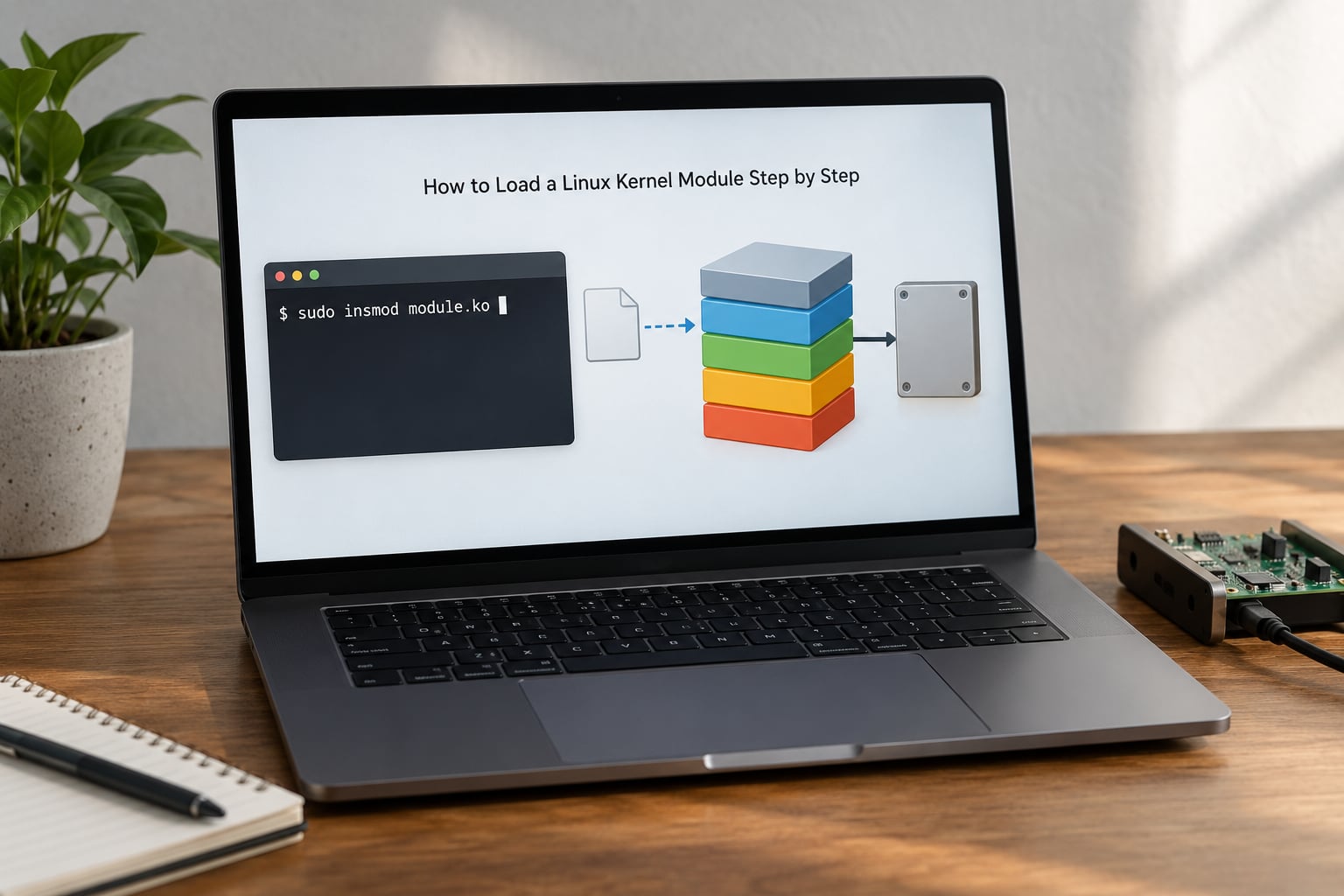
The whole sequence takes under a minute once the module is installed. The slow part is almost always diagnosing a module that refuses to load, so work the steps in order.
Step 1: Identify the running kernel
A module carries a vermagic string describing the exact kernel release, SMP, preempt and compiler it was built against. If that string does not match the running kernel, the kernel refuses the image. This is why copying a .ko file from another machine or another kernel version produces Invalid module format instead of a working driver.
uname -r
6.8.0-45-generic

uname -m
x86_64

ls /usr/lib/modules/$(uname -r)
That directory is the module tree for the kernel you are actually running. If it does not exist, the running kernel is not the one you just installed — this is the classic post-upgrade failure. You upgraded the kernel, the old one is still live until you reboot, and the module files for the running release were cleaned out. uname -r tells you the truth; trust it over what you think you installed.
One more check matters: whether the feature is a module at all. In the kernel config, =M means loadable and =Y means built into the image. A built-in feature cannot be loaded or unloaded at all, so modprobe will report the module as not found even though the functionality clearly works. Check with:
grep -E "CONFIG_<OPTION>" /boot/config-$(uname -r)
If the output ends in =y, you are done — support is already compiled in.
Step 2: Check the module and its dependencies
Modules usually depend on other modules. A filesystem module such as vfat needs fat, and a network driver needs the core networking stack. modprobe resolves that chain for you; insmod does not, which is the single biggest reason to prefer modprobe.
First, find the file:
modinfo -n vfat
/usr/lib/modules/6.8.0-45-generic/kernel/fs/fat/vfat.ko

find /usr/lib/modules/$(uname -r) -name "vfat.ko"
Then read what the module declares — description, license, author, aliases, parameters, dependencies, and the vermagic that Step 1 cares about:
modinfo vfat
Note that modinfo takes a module name, not a path. If you have a stray .ko file sitting in your home directory, the commands that resolve it are modinfo and modprobe by filename — but only after you know what it depends on.
Check whether it is already loaded, and see the dependency chain before touching anything:
lsmod | grep vfat
modprobe --show-depends vfat
insmod /lib/modules/6.8.0-45-generic/kernel/fs/fat/vfat.ko
--show-depends prints the exact insmod command for the full chain, in the order the modules must go in. It is the fastest way to understand what the kernel is about to do. If the module is already listed by lsmod, loading it again is a no-op — which is also why putting a line in a boot config “doesn’t work” when the module happens to be loaded already.
To regenerate the dependency index by hand (needed after dropping in a .ko file yourself), run sudo depmod -a as root. Without that step, modprobe cannot see your new file even when it is sitting in the right directory.
Step 3: Load the kernel module
This is the command. Run it as root:
sudo modprobe vfat
No output means success. modprobe is quiet on purpose, so silence is your primary confirmation. Verify it three ways:
lsmod | grep vfat
cat /proc/modules | grep vfat
dmesg | tail -n 20
lsmod and /proc/modules are the same data in different formats. The third column of lsmod is the use count, which I will come back to in Step 4. dmesg is where the module’s own log lines land, so if it loaded but the hardware is not detected, the problem is in the module, not the load.
Use insmod only when modprobe genuinely cannot help: the file is not installed in the module tree, and you are pointing at it directly.
sudo insmod ./my_driver.ko
insmod inserts exactly the file you name. It does not read the dependency index, does not resolve aliases, and will happily load a module built for the wrong kernel — the kernel rejects it, but the error you get is less informative than modprobe‘s. As a diagnostic, insmod on a specific file is useful precisely because it isolates whether the file itself is sound.
Which command should you reach for:
| Command | What it does | Resolves dependencies | Takes a full path |
|---|---|---|---|
modprobe name | Loads a module by name | Yes | No |
insmod /path/file.ko | Inserts one exact file | No | Yes |
modprobe -r name | Removes a module by name | Yes, for the chain | No |
rmmod name | Removes one exact module | No | No |
lsmod | Lists loaded modules and use counts | n/a | n/a |
modinfo name | Shows metadata for a module | n/a | n/a |
Parameters go on the command line or in a config file, both of which modprobe understands. insmod takes parameters too, but the module has to accept them as raw values:
sudo modprobe pcspkr
modinfo -p pcspkr

echo "options pcspkr index=0" | sudo tee /etc/modprobe.d/pcspkr.conf
All options for a single module belong on one line, comma separated. A module that accepts index= but not arbitrary values will reject the whole line, so check modinfo -p for the parameter names first.
Step 4: Unload or reload the module
Removal is the reverse operation, and it has one extra gate that catches nearly everyone:
sudo modprobe -r vfat
rmmod vfat
If a module is in use, the kernel refuses to remove it and tells you so:
rmmod: ERROR: Module vfat is in use.
That error is not a bug. Every module carries a reference count, shown as the third column of lsmod. A module whose count is above zero has at least one live user — an open file, a mounted filesystem, a bound device, a working syscall — and the kernel will not pull code out from under running code. Unloading a module that is genuinely in use would leave those users pointing at freed memory, which is how you get a panic.
So the fix is to find and stop the holder, not to force the removal. Stop the service or unmount the filesystem using it, then retry. modprobe -r handles the dependency chain and will refuse to unload something another module still needs. --force exists and I would not reach for it on a machine you care about — forcing a removal that the reference count says is unsafe is a good way to lose a filesystem.
To reload, remove then load. Some modules are not safely reloadable, so check modinfo for a stacore or unload-safety note, or just verify the unload succeeded before loading again.
A quick sanity check before you remove anything: sudo modprobe -r --show-depends vfat shows what the removal would take with it.
How to make a module load at boot
This is the most common confusion in this whole area, and it is mostly a matter of three different files doing three different jobs. Pick the one that matches your distribution:
| Method | Used by | What it does |
|---|---|---|
/etc/modules-load.d/name.conf | systemd distributions (Fedora, Arch, openSUSE) | Loaded early at boot by systemd-modules-load.service |
/etc/modules | Debian, Ubuntu | One module per line, loaded by systemd-modules-load via a generated unit |
MODULES=(...) in mkinitcpio.conf | Arch Linux | Baked into the initramfs, so it loads before the root filesystem is available |
install_modules+=(...) in dracut.conf | Fedora, RHEL family | Same role as mkinitcpio: loaded inside the initramfs |
The difference that matters is timing. /etc/modules and /etc/modules-load.d/ run after the real root filesystem is mounted, so they cannot bring in the storage driver you need to reach that root filesystem. If the module is required early — a disk controller, a network driver for a remote root, a filesystem you boot from — it has to go into the initramfs image instead.
For an ordinary module, systemd handles it:
echo "pcspkr" | sudo tee /etc/modules-load.d/pcspkr.conf
sudo systemctl restart systemd-modules-load.service
lsmod | grep pcspkr
On Debian and Ubuntu, append the name to /etc/modules instead, one per line, then run sudo update-initramfs -u if it affects boot. Existing lines that already loaded the module produce no visible change on reboot, which is a frequent source of “it did not work” reports; check the current state before and after with lsmod.
If you need a module to never load — resolving two drivers fighting over the same hardware, or silencing the PC speaker — the blacklist directive in /etc/modprobe.d/ only suppresses automatic loading by alias. It does not stop a manual modprobe. For a hard block, point the install path at /bin/false:
echo "install pcspkr /bin/false" | sudo tee /etc/modprobe.d/no-pcspkr.conf
For out-of-tree modules that must survive kernel upgrades, DKMS rebuilds them against each new kernel automatically. If a third-party module breaks every time you update, DKMS is the actual fix — the module is not the problem, the manual rebuild is.
Common kernel module loading mistakes
Nearly every failure reduces to a version mismatch, a missing dependency, or a missing privilege. The error text tells you which:
| What you see | What it means | What to do |
|---|---|---|
modprobe: FATAL: Module X not found in directory /lib/modules/$(uname -r) | No indexed module file for the running release | Check uname -r, confirm the tree exists, run sudo depmod -a, reboot into the kernel you installed |
Invalid module format or Exec format error | vermagic or architecture mismatch | Build or install the module for uname -r and uname -m; never copy a .ko between kernel versions |
modprobe: ERROR: could not insert 'X': Operation not permitted | Missing privilege, or Secure Boot refusing an unsigned module | Run as root; if you are in a container, add CAP_SYS_MODULE or use --privileged. Check Secure Boot status separately |
Unknown symbol in module | A dependency is missing or was built for another kernel | Run modprobe --show-depends X and load the chain in order, or sudo depmod -a |
rmmod: ERROR: Module X is in use | Reference count above zero | Stop the service, unmount, or detach the device, then remove it. Do not force it |
modprobe exits 1 with no message after a kernel upgrade | Running kernel no longer has a module tree on disk | Reboot into the newly installed kernel |
| Module loads but the device is not detected | Load succeeded, initialisation failed | Read dmesg | tail -n 30 — the module’s own log is the real error |
One more failure mode has no error message at all. With Secure Boot enabled, the kernel may require a valid signature (CONFIG_MODULE_SIG) and silently refuse unsigned out-of-tree modules. A loaded module that does not fully work, or a refusal with no log line, is worth checking against mokutil --sb-state. Loading unsigned code also marks the kernel as tainted, and a tainted kernel stops receiving support from some vendors — which is a real operational cost, not just a technical one.
Whatever you try, test on a machine you can reinstall. A mismatched module can panic the kernel outright, and on a headless server that means a console visit. Keep a live USB and a known-good SSH session open if the machine is remote.
Frequently Asked Questions
How do I unload a kernel module?
Use sudo modprobe -r module_name, or rmmod module_name for a single module with no dependency handling. Both need root. If the kernel answers Module is in use, the module has a reference count above zero: something still holds it, such as an open file, a mounted filesystem or a bound device. Stop the service or unmount first, then retry. Forcing the removal risks a panic.
What is a modular kernel?
A modular kernel is one where large parts of the kernel are built as loadable components instead of being compiled permanently into the core image. Those components can be inserted or removed at runtime. Linux is monolithic in design, with a single kernel address space, but modular in construction. The practical benefit is that drivers and filesystems ship and update independently of a full kernel rebuild.
Is modprobe safer than insmod?
Yes, for almost every case. modprobe takes a module name, looks it up in the indexed module tree, resolves dependencies through the generated index and loads them in the correct order, and reports a clear error when nothing matches. insmod inserts exactly the file path you give it, resolves nothing, and gives a less useful error when the module was built for a different kernel. Use insmod only for a .ko file that is not installed in the module tree.
Where are kernel modules stored on Linux?
They live under /usr/lib/modules/$(uname -r)/ on merged-usr distributions, with the older /lib/modules path often present as a symlink. Each subdirectory splits them into kernel, drivers, fs and net. The index files modules.dep and modules.alias are generated by depmod and are what modprobe actually reads. Run modinfo -n module_name to get the exact path of any installed module.
How do I load a kernel module at boot automatically?
On systemd distributions, create a file in /etc/modules-load.d/ containing one module name per line; on Debian and Ubuntu, add the name to /etc/modules instead. For a module needed before the root filesystem is available, such as a storage or network driver, it must be baked into the initramfs image using MODULES in mkinitcpio.conf on Arch or install_modules in dracut.conf on Fedora.
How do I create my own Linux kernel module?
Write a C file with a module_init function and a module_exit function, register them with module_init and module_exit, and build it with make -C /lib/modules/$(uname -r)/build M=$PWD modules against the headers for your running kernel. Load it with insmod ./yourmodule.ko, then read dmesg to confirm the init routine ran. Out-of-tree modules built this way must be rebuilt on every kernel upgrade, which is what DKMS automates.
Conclusion
Start with uname -r. That single command resolves most of the failures people hit, because a module built for any other kernel release will not load, and after an upgrade the running kernel is often not the one you just installed.
Then run modinfo module_name to confirm the file exists and its vermagic matches, load it with sudo modprobe module_name rather than insmod, and verify with lsmod | grep module_name. If it needs to survive a reboot, put it in /etc/modules-load.d/ on systemd systems or /etc/modules on Debian and Ubuntu — and into the initramfs if anything depends on it before root is mounted.