GitHub Actions is GitHub’s built-in automation service, and learning how to set up GitHub Actions for a Python project takes about twenty minutes for the first version. You add one YAML file under .github/workflows/, GitHub runs your test suite on a fresh virtual machine on every push and pull request, and nothing merges until the checks pass.
The payoff shows up on the second bug. You stop asking “did you run the tests?” in review comments, and you find out on Linux and Python 3.13 instead of on a user’s machine in production. This guide walks through the whole thing: the workflow file, dependency install, caching, linting, coverage, a version matrix, and the permissions block that keeps it boring in a good way.
Everything here is written for GitHub’s current action majors — actions/checkout@v6, actions/setup-python@v5, actions/upload-artifact@v4. Several popular tutorials still show actions/checkout@v1 from 2020, which is the fastest way to copy a broken config.
One heads-up before you start. GitHub gives every repository a limited number of free minutes per month on private projects, and a wide matrix burns through them quickly. Keep that in the back of your mind when step 6 tempts you into nine Python versions on three operating systems.
Table of Contents
- What You Need
- Step-by-Step: How to Set Up GitHub Actions for a Python Project
- 1. Prepare the Python Project
- 2. Create the GitHub Actions Workflow File
- 3. Configure the Python Version and Dependencies
- 4. Run Tests on Every Push and Pull Request
- 5. Add Linting, Formatting, and Coverage Checks
- 6. Run Tests Across Multiple Python Versions
- 7. Secure the Workflow and Fix Failures
- Common Mistakes
- Frequently Asked Questions
- Can you write GitHub Actions in Python?
- Why is my GitHub Actions workflow not running?
- How do I cache Python dependencies in GitHub Actions?
- How do I stop a pull request from merging when tests fail?
- Should I run all tests on every pull request?
- When should I use a container or a self-hosted runner?
- Conclusion
What You Need
A working Python project in a GitHub repository, and a test command that passes on your own machine. Everything else is optional.
- A GitHub repository with your code pushed and a default branch set (usually
main). Workflows only trigger against branches and commits that exist on GitHub, not on your laptop. - A dependency manifest. Either
requirements.txtorpyproject.toml. Without one, your CI job reinstalls nothing and your test run will fail on missing imports. - A passing test command.
pytestis the common choice. Confirm it runs green locally first, because a workflow cannot tell the difference between your bug and the runner’s setup. - Development dependencies available. If
pytestlives inrequirements-dev.txtor a[dependency-groups]block, your workflow needs to install that file too. - An account with write access if you want to add branch protection at the end.
If you are still on requirements.txt only, that is completely fine. Plenty of working projects never adopt pyproject.toml, and the workflow in this guide works with either.
Step-by-Step: How to Set Up GitHub Actions for a Python Project
1. Prepare the Python Project
Before you write any YAML, make sure your project has a shape GitHub can reproduce. The runner knows nothing about your editor, your virtual environment, or the packages you installed last Tuesday.
Run your tests locally from a clean checkout with a fresh virtual environment. If they fail locally, they will fail in CI, and you will spend an hour debugging YAML instead of Python. Once the command is reliably green, note it — you will paste it straight into the workflow.
A typical repository looks like this:
my-project/
├── .github/
│   └── workflows/
│       └── ci.yml
├── src/
│   └── my_project/
│       ├── __init__.py
│       └── core.py
├── tests/
│   └── test_core.py
├── pyproject.toml
└── requirements-dev.txt
Two details matter here. Keep tests in a predictable place — tests/ or a test_ prefix on files — because pytest’s default discovery rules handle both without extra flags. And commit your dependency files, since the caching step later builds its key by hashing them.
2. Create the GitHub Actions Workflow File
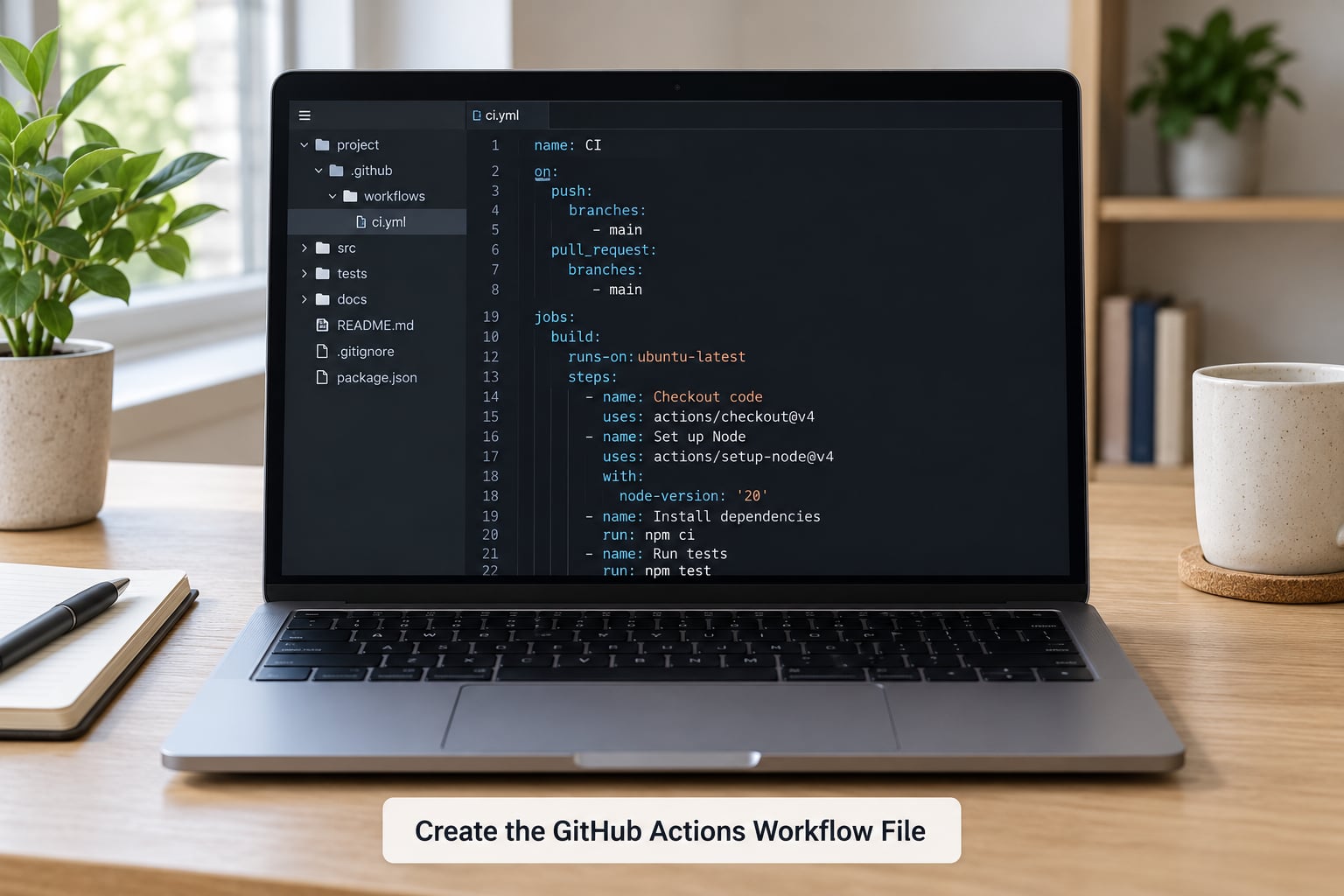
The workflow goes in .github/workflows/ at the root of your repository, and the filename must end in .yml or .yaml. Get that path wrong and GitHub silently ignores the file — no error, no run, nothing in the Actions tab.
Create the folder in your editor, add a file called ci.yml, and commit it. You can also use the web editor on GitHub: choose Actions in the repo menu, then New workflow. The Python starter template it offers is a fine reference, but pasting your own file gives you more control.
Three terms describe the file’s structure, and they show up everywhere in this guide:
- Workflow — the whole YAML file. One workflow can hold several jobs.
- Job — a unit of work that runs on one runner, such as
testorlint. Jobs run in parallel by default and can be made to depend on each other withneeds:. - Step — one task inside a job. A step either runs a pre-built action via
uses:or a shell command viarun:.
3. Configure the Python Version and Dependencies
This is the step that turns a generic workflow into a Python one. It installs the interpreter, restores your dependencies, and installs the project itself in a repeatable way.
name: CI

on:
  push:
    branches: [main]
  pull_request:

permissions:
  contents: read

jobs:
  test:
    runs-on: ubuntu-latest
    steps:
      - name: Check out the repository
        uses: actions/checkout@v6

      - name: Set up Python
        uses: actions/setup-python@v5
        with:
          python-version: "3.12"
          cache: "pip"
          cache-dependency-path: requirements.txt

      - name: Install dependencies
        run: |
          python -m pip install --upgrade pip
          pip install -r requirements.txt
          pip install -r requirements-dev.txt
          pip install -e .
Two details deserve explanation. First, always pin python-version explicitly. The GitHub-hosted runners ship a default Python, but it is a moving target and it differs per operating system, so a job that passed in June can break in August with no change on your side.
Second, cache: "pip" inside setup-python is the easy path. GitHub stores your pip download and wheel caches between runs and restores them automatically, keyed off requirements.txt. If you keep no requirements file, point cache-dependency-path at pyproject.toml, or drop the option and manage caching with actions/cache@v4 yourself.
The pip install -e . line matters more than it looks. Without it, your tests import an installed copy of your package rather than your working tree, and coverage numbers quietly mean nothing. Skip that line if your project is not installed as a package, such as a plain script collection.
Poetry and uv. If you use Poetry, replace the install block with pip install pipx then poetry install --no-root plus an explicit poetry install --only dev, or set virtualenvs.in-project true so the environment lands in .venv where your cache expects it. uv users can install it in one line and swap the install block for uv sync --all-extras. Both work fine in the job above; nothing else changes.
4. Run Tests on Every Push and Pull Request
The on: block decides when the workflow fires. For a Python project, two triggers cover almost everything:
on:
  push:
    branches: [main]
  pull_request:
push to main keeps your main branch honest. pull_request with no filter runs on every pull request regardless of branch, which is what you want to catch problems before merge. Leave out branches under push if you also want CI on feature branches — some teams prefer that, at the cost of more runs.
Now run the tests. Append this to the job:
      - name: Run the test suite
        run: pytest tests/ -v --junitxml=junit-report.xml

      - name: Upload test results
        if: always()
        uses: actions/upload-artifact@v4
        with:
          name: junit-report
          path: junit-report.xml
The if: always() matters more than it looks. Without it, the artifact step is skipped exactly when you need it most, because a failing test stops the job before the upload runs.
After you push the workflow file, open the repository’s Actions tab and watch the run. A green check mark next to the workflow name means the job executed and exited zero. Note that a step only fails the build when the command returns a non-zero exit code — a shell script that swallows a failure will report success regardless.
Keep environment variables in env: at the job level rather than inline in the run: string, and mark anything sensitive as a repository secret in Settings → Secrets and variables → Actions rather than committing it.
5. Add Linting, Formatting, and Coverage Checks
A test suite that passes on untested code is not much of a safety net. Most Python projects want two more fast jobs: one that checks style and types, and one that gates on coverage.
  lint:
    runs-on: ubuntu-latest
    steps:
      - uses: actions/checkout@v6
      - uses: actions/setup-python@v5
        with:
          python-version: "3.12"
          cache: "pip"
      - run: |
          python -m pip install --upgrade pip
          pip install ruff mypy
          pip install -e .
      - name: Lint with Ruff
        run: ruff check .
      - name: Check formatting
        run: ruff format --check .
      - name: Type check
        run: mypy src/
Ruff replaces flake8, isort, pyupgrade and several others in a single fast binary, which is why most new pipelines start there instead of Black and isort. The type check is the one people skip and later regret — mypy catches a whole class of bugs before runtime.
For coverage, add pytest-cov to your dev dependencies and run:
      - name: Test with coverage
        run: |
          pytest tests/
            --cov=src/my_project
            --cov-report=xml
            --cov-report=term-missing
            --cov-fail-under=80
The --cov-fail-under=80 flag is what turns coverage from a report into a gate. Without it, coverage prints a number and the job passes no matter how far it fell. Start the threshold a little below your current figure, then raise it.
On speed: lint and type checks usually finish in seconds, so run them as separate parallel jobs instead of stacking them into the test job. What you want to avoid is running two tools that report the same problems — Ruff’s linter and flake8 together produce duplicate noise and a longer pipeline for no extra signal.
6. Run Tests Across Multiple Python Versions
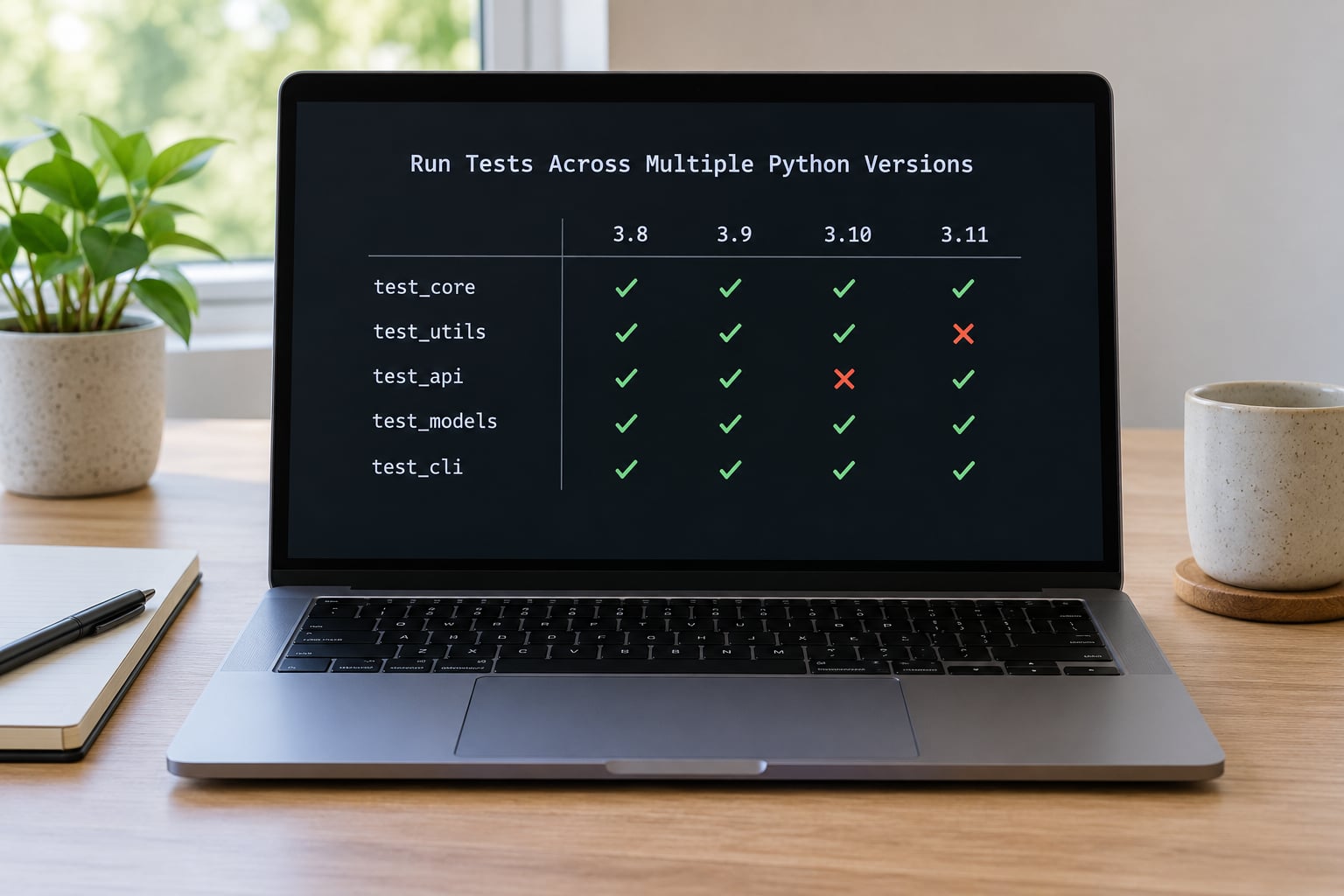
Your code works on your machine. A matrix tells you whether it works on everyone else’s.
  test:
    runs-on: ${{ matrix.os }}
    strategy:
      fail-fast: false
      matrix:
        python-version: ["3.10", "3.11", "3.12", "3.13"]
        os: [ubuntu-latest, macos-latest, windows-latest]
        exclude:
          - python-version: "3.10"
            os: macos-latest
    steps:
      - uses: actions/checkout@v6
      - uses: actions/setup-python@v5
        with:
          python-version: ${{ matrix.python-version }}
          cache: "pip"
      - run: |
          python -m pip install --upgrade pip
          pip install -r requirements.txt
          pip install -r requirements-dev.txt
          pip install -e .
      - run: pytest tests/ -v
Every combination of the two lists becomes its own job. fail-fast: false is the setting people miss: by default, one failing job cancels the rest, so you lose the Windows result exactly when you needed to see it.
exclude: is how you drop combinations you do not support. Versions go in quotes because unquoted 3.10 parses as the number 3.1, which is a genuinely confusing error to chase.
On cost and runtime: a 4-by-3 matrix is twelve jobs, and on private repositories those minutes come out of your monthly allowance. The pragmatic middle ground is Linux-only across all supported versions, plus Windows and macOS on the one version you ship with. If your code has no OS-specific code paths at all, skip the OS dimension entirely.
To distinguish real compatibility failures from known-broken combinations, add continue-on-error: true to a specific step rather than excluding the whole cell. The job reports its result but does not block the pull request, and required status checks stay clean.
7. Secure the Workflow and Fix Failures
Workflows run repository code on GitHub infrastructure with access to your secrets, so the defaults are worth tightening.
The permissions: block at the top of your workflow sets the default scope to read-only, and you grant more only where a job needs it. For most Python pipelines, contents: read is all you ever want.
permissions:
  contents: read
Two rules cover most of the rest. Pin third-party actions to a full commit SHA rather than a tag, since tags can be moved — a major version tag is a convenience, not a security boundary. And pull requests from forks do not receive repository secrets, because an untrusted contributor could otherwise read them by editing a workflow. That restriction is not a bug, and no configuration change will get secrets into a fork’s CI run.
When a run fails, work through it in this order: click the failing step in the Actions UI and read the log from the first error line downward, not the last traceback; reproduce the exact command locally in a clean virtual environment with the same Python version; then fix the cause. If the fix belongs in the workflow, add the underlying file to the cache key inputs so stale caches cannot hide the problem.
For a Python library that publishes to PyPI, the modern path is Trusted Publishing: add a trusted publisher on PyPI, give the publish job id-token: write, and skip long-lived API tokens entirely. Keep that step separate from the test job so a package is never uploaded from a run that also executes untrusted code.
Common Mistakes
Almost every broken Python workflow is one of these eight things, and each has a symptom you can look up directly.
| Symptom | Cause | Fix |
|---|---|---|
| No run appears in the Actions tab | File saved as .github/workflows/ci.yaml.txt, or nested one folder too deep | Confirm the path is .github/workflows/ at repo root and the extension is .yml or .yaml |
| Workflow listed but never triggers on PRs | Workflow file only exists on a feature branch, or the PR comes from a fork with workflow changes | Commit the workflow to the default branch first; fork PRs get the base branch version of the workflow |
Invalid workflow file or step never runs | YAML indentation, usually a tab or a misaligned list | Use spaces only, re-indent the block, and re-push |
ModuleNotFoundError for your own package | pip install -e . missing from the install step | Add the editable install after dependency installation |
| Passes on Linux, fails on Windows | Hardcoded forward slashes in paths, or a bash-only command running under PowerShell | Use pathlib.Path in tests, and set shell: bash or pwsh deliberately |
| Cache miss on every run | Key hashes a file that is not committed, so the hash never changes | Point cache-dependency-path at the manifest you actually commit |
| Poetry environment ignored by cache | Virtual environment created outside the project directory | Set virtualenvs.in-project true so it resolves to .venv |
| Secrets empty in a pull request run | PR comes from a fork | Expected behaviour — gate on internal branches, not by trying to grant secrets to forks |
Two habits keep the pipeline healthy over time. Prune old workflow runs automatically, since artifacts and logs accumulate quietly in the repository’s Actions usage. And pin your action majors deliberately — when checkout moves to a new major, that is a change you make and test, not one you inherit from a template someone copied in 2022.
Frequently Asked Questions
Can you write GitHub Actions in Python?
No — workflows are defined in YAML, not Python. You run Python inside the run: steps of a job, and you can package that logic into a composite action or a reusable workflow so multi-line YAML shrinks to a single uses: line. Plenty of teams do exactly that, but the file GitHub reads is still YAML.
Why is my GitHub Actions workflow not running?
The file is usually in the wrong place, has the wrong extension, or was never committed to the default branch. Workflows only fire for commits that exist on GitHub, and pull requests from forks run the base branch copy of the workflow. Check Settings, then Actions, then your workflow name — a missing workflow is not listed at all.
How do I cache Python dependencies in GitHub Actions?
Set cache: pip on actions/setup-python and point cache-dependency-path at the dependency file you commit, such as requirements.txt or pyproject.toml. GitHub hashes that file and restores the matching pip cache automatically. The cache only helps when the hash changes with real dependency changes, so never key it on an uncommitted lock file.
How do I stop a pull request from merging when tests fail?
Add a branch protection rule on your default branch under Settings, then Branches, then Add rule. Require status checks to pass and select the check names your workflow produces, typically test plus any matrix job names. Once saved, GitHub blocks the merge button until those jobs report success.
Should I run all tests on every pull request?
Run the fast checks on every pull request and the slow ones on demand or on a schedule. Full multi-version matrices on every PR are the usual reason CI bills spike. A common split is lint and type checks on all PRs, tests across all versions on pushes to main, and the slow end-to-end suite nightly.
When should I use a container or a self-hosted runner?
Use a container when your tests need system libraries that the runner does not have, since a container image pins the whole environment. Use a self-hosted runner when you need hardware, an internal network, or to avoid per-minute billing. For most Python libraries, ubuntu-latest plus a version matrix is simpler and cheaper.
Conclusion
Start with the smallest thing that works: a ci.yml in .github/workflows/ that checks out the repo, sets up Python with an explicit version, installs your dependencies, and runs pytest. Push it and watch the Actions tab.
Once that is green, add three things in order — a lint and type job, a coverage threshold, then the version matrix. Each one is a small diff against a workflow you already trust, and you will know which one broke when the checks turn red.