
A good commit message is a short, specific line in the imperative mood, kept under 50 characters, that says what changed, followed by a blank line and an optional body explaining why. Git keeps that text forever, so it is the only documentation a change ever gets. Write it in about 30 seconds before you commit.
Most bad messages aren’t sloppy, they’re empty. fix, update, wip tell a teammate nothing, and six months later nobody — including you — can find the change without reading the diff line by line. The habit is cheap to build and pays off every time somebody runs git bisect, reverts your release, or generates a changelog.
Table of Contents
- What You Need
- Step-by-Step: How to Write a Good Commit Message
- 1. Review What Actually Changed
- 2. Choose a Clear, Imperative Subject
- 3. Add Context When the Subject Is Not Enough
- 4. Reference Issues, Dependencies, and Constraints
- 5. Follow the Project’s Existing Style
- 6. Check the Commit Before You Publish It
- Common Mistakes
- Frequently Asked Questions
- How long should a Git commit message be?
- Should commit messages use imperative or present tense?
- What is the Conventional Commits format?
- How should a commit message reference an issue number?
- When should a commit message include a body?
- How do I amend a commit message after committing?
- Conclusion
What You Need
Four things, and you already have three of them.
- A Git repository with the change staged. Run
git statusbefore you write anything. If files are unstaged, your message will describe a change that isn’t in the commit at all. - The change itself understood. You need to know why you made it, not just what files you touched. If you can’t answer that, take another look at the diff first.
- The project’s convention. Check the last 20 entries in
git log --oneline. Whatever pattern already dominates beats any personal preference you have. - An editor that opens on every commit. Terminal Vim, VS Code, whatever you use. Multi-line messages are much easier to write in a real editor than in a quoted
git commit -margument.
Optional but worth ten minutes: a commit template so the structure prompts you every time.
git config --global commit.template ~/.gitmessageThen put a skeleton in that file. Git opens it whenever you type git commit with no -m flag.
# <type>(scope): <imperative subject, max 50 chars>
#
# Why this change is needed. Wrap at 72 characters.
# Explain the problem, not the line-by-line diff.
#
# Fixes #123
# BREAKING CHANGE: describe the incompatibility
# Co-authored-by: Name <email>
Delete the comment lines before committing. Leaving the prompts in is harmless, but a clean message reads better.
Step-by-Step: How to Write a Good Commit Message
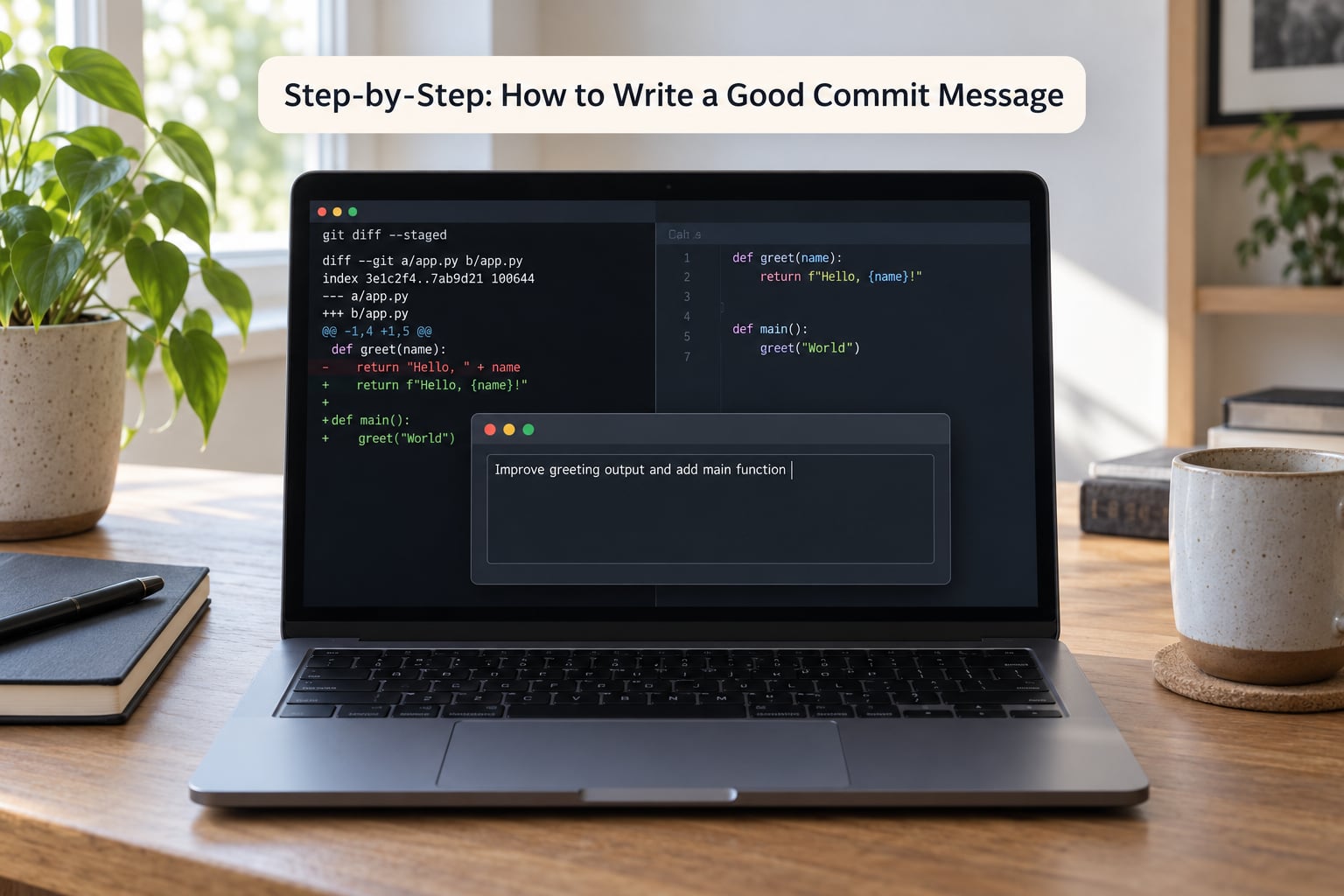
1. Review What Actually Changed
Start with the staged diff, not the file list.
git diff --stagedAs you read, answer three questions for yourself: what purpose does this change serve, how wide is its scope, and what happens to the user or the system because of it. Those three answers are your material. A rename plus a two-line formatting fix has a different purpose than a session token rotation, and the messages should not look alike.
You’ll know this step worked when you can describe the change in one sentence without re-opening the diff. Write that sentence down — it becomes the subject line in step 2.
2. Choose a Clear, Imperative Subject
A good subject starts with a specific action verb and describes what the change does once applied. Keep it under 50 characters, capitalize the first letter, and leave off the trailing period.
fix(auth): reject expired refresh tokens
feat(api): add rate limiting to login endpoint
docs: explain the staging database reset step
Imperative mood means you write “add”, not “added” or “adds”. The reason is simple: a commit subject is read as an instruction to the codebase, and it stays readable that way after the tense of the moment has passed. Past tense reads as a diary entry — fine for describing what happened in a release note, awkward as the headline of a diff.
The test is Chris Beams’ sentence-completion check, and it’s the fastest way to catch a vague subject: “If applied, this commit will…”
update code        -> will... what?
fix stuff          -> will... what?
add retries        -> will add retries to the payment client
A developer in the comment thread on helderberto’s Dev.to post suggested a sharper version of the same idea — picture someone named Derek writing the message, and ask what Derek was trying to do. “Derek was trying to fix stuff” tells you nothing. “Derek was trying to stop duplicate webhook deliveries” tells you everything.
If your subject needs a comma to survive, it’s two commits. The developers on r/programming keep coming back to this: focused, atomic, bisectable histories are the whole discipline. A commit that does two unrelated things can’t be reverted on its own.
3. Add Context When the Subject Is Not Enough
Put a blank line after the subject, then wrap the body at 72 characters. That wrap width is not arbitrary — 72 columns with a four-space indent for Git’s own comment prefix fits an 80-column terminal without wrapping.
fix(auth): reject expired refresh tokens

The token endpoint kept issuing 30-day refresh tokens to
clients whose access token had already expired. Those clients
then called the API with a dead token and got a hard 401 with
no way to recover without a full re-login.

We now validate exp at refresh time and return 401 with a
WWW-Authenticate header so the mobile client knows to
re-authenticate silently.

This is a behaviour change for the Android client, which
currently treats any 401 as a network failure.
Notice what that body does and does not do. It explains the problem and the consequence, and it flags a risk. It does not narrate which functions were edited — the diff is right there for that. Write the what and the why, skip the how.
Use git log -1 to check your formatting. If the subject and body run together, you forgot the blank line.
4. Reference Issues, Dependencies, and Constraints
Anything machine-readable belongs in the footer, separated from the body by a blank line.
fix(api): stop retrying on 400 responses

Fixes #2841
Co-authored-by: Sam Okafor <[email protected]>
BREAKING CHANGE: the client must stop retrying 4xx responses;
retrying a rejected request now returns an error after one attempt.
GitHub and GitLab close an issue automatically when a commit on the default branch carries Fixes #2841, Closes #2841, or Resolves #2841. If you put the ticket ID in the subject instead, your message is cluttered and some trackers will not parse it.
For work that depends on something else, name it: Depends on #2903. For a change that breaks compatibility, the BREAKING CHANGE trailer is what makes Conventional Commits tooling bump your major version. Co-authored-by is picked up by GitHub and counts toward a contributor’s graph — a small courtesy that matters on open source work.
5. Follow the Project’s Existing Style

Read ten lines of git log before your first commit in an unfamiliar repo. If every subject starts with feat: or carries a ticket ID, match that. A team convention that is 80% consistent beats a personal style that is 100% different, because consistency is what makes git log --oneline readable for everybody.
The most common team convention is Conventional Commits: a type, an optional scope in parentheses, a colon, then the imperative subject.
<type>(<scope>): <subject>

feat(parser): add array literal support
fix(auth): reject expired refresh tokens
docs(readme): correct the local setup steps
refactor(store): extract the retry policy
chore(deps): bump the test runner to 4.2
test(parser): cover nested array literals
perf(store): cache parsed config on disk
That gives you eleven types that cover nearly everything: feat, fix, docs, style, refactor, perf, test, build, ci, chore, and revert. Skip the prefix entirely on small personal repos — a dotfiles repo doesn’t need chore(dotfiles): six times a day.
Once a team agrees on a format, you can enforce it in two commands. Commitlint checks the message against a config; a Husky hook runs that check on every commit.
npm install --save-dev @commitlint/cli @commitlint/config-conventional husky
npx husky init
echo "npx --no -- commitlint --edit $1" > .husky/commit-msg
chmod +x .husky/commit-msg
Add a commitlint.config.js at the repo root:
module.exports = {
  extends: ['@commitlint/config-conventional'],
  rules: {
    'subject-case': [0],
    'subject-max-length': [2, 'always', 72],
  },
};
Now git commit refuses a malformed subject. One honest warning from the Hacker News discussion on this topic: the moment a linter enforces a format, some people start gaming the linter rather than thinking. Pick rules that make bad messages fail, not rules that make typing fast.
6. Check the Commit Before You Publish It
Spend fifteen seconds on a five-step check before git push.
- Read the subject out loud. If you stumble, it’s too long or too vague.
- Confirm the subject describes one coherent change, not two.
- Check that the body explains why, and that it doesn’t repeat the diff.
- Verify issue references and trailers are correct — a wrong ticket number silently files against the wrong ticket.
- Run
git show --stat HEADto confirm the commit contains what you think it does.
That last one catches the classic mistake: git commit -a sweeping in a stray file you didn’t mean to touch. If the stat list looks wrong, git reset --soft HEAD~1, unstage the offender, and commit again.
And if the message needs fixing after a push, amend and force-push — but only on a branch nobody else is working from. On a shared branch, ask the team first; rewriting history someone already pulled is a worse problem than a mediocre subject.
Common Mistakes
These are the messages I see over and over, with a fix for each.
| Bad message | Better version | Why |
|---|---|---|
| fix | fix(auth): reject expired refresh tokens | Names the area and the actual behaviour change |
| update code | docs(readme): correct the local setup steps | Says what changed and where to look |
| wip | Don’t commit; amend or reset instead | Work in progress belongs on a draft branch, not in shared history |
| Fixed bug in login page | fix(auth): reject expired refresh tokens | Imperative mood, no trailing period, no vague “bug” |
| Various changes to the API | Three separate commits, one per concern | Mixed commits cannot be reverted or bisected independently |
| Refactored the code as discussed in the meeting | refactor(store): extract the retry policy | Says what changed rather than where the conversation happened |
| Added a new function that takes a config object and returns… | feat(config): add loadConfig with env fallback | Subject stays a headline; the detail belongs in the body |
| fix #412 | fix(api): return 429 when quota is exceeded (Fixes #412) | A ticket ID alone gives no idea what the code does |
Five habits that fix most of it:
- Read your last ten subjects together. Patterns jump out that a single line hides.
- Commit often, as r/learnprogramming etiquette threads advise — small commits are easy to describe, because the change is small.
- Don’t reformat unrelated code in the same commit. It buries the real edit under hundreds of whitespace lines.
- Write the message before you push, not after a reviewer asks what changed.
- If the subject needs the word “and”, split the commit.
Frequently Asked Questions
How long should a Git commit message be?
Keep the subject line to 50 characters or fewer and let the body run as long as the explanation needs, wrapped at 72 characters per line. A short subject fits in git log u002du002doneline without truncation and stays readable in a terminal. Long bodies are normal in real projects, so do not cram detail into a headline that ends up cut off.
Should commit messages use imperative or present tense?
Use the imperative mood: add, fix, remove, not added, fixed, removes. A commit subject reads as an instruction describing what the change does once applied, which stays accurate no matter when someone reads it. Past tense works for release notes describing what happened. It reads oddly as a diff headline because the tense freezes the moment of writing.
What is the Conventional Commits format?
Conventional Commits structure a subject as type, optional scope in parentheses, a colon, then an imperative description, for example feat(auth): add token rotation. Common types include feat, fix, docs, style, refactor, perf, test, build, ci, chore and revert. Append a BREAKING CHANGE footer for incompatible changes so release tooling can bump the major version automatically.
How should a commit message reference an issue number?
Put issue references in the footer, after a blank line, using Fixes #123, Closes #123 or Resolves #123. GitHub and GitLab close the ticket automatically when such a commit reaches the default branch. Keeping the ID out of the subject leaves room for a meaningful headline. Use Depends on #456 when one commit cannot ship without another.
When should a commit message include a body?
Add a body whenever the reason is not obvious from the diff: a bug fix, a behaviour change, a trade-off you rejected, or a performance decision. Skip it for typo fixes and pure renames where the subject says everything. A useful body explains the problem and the consequence in a few wrapped lines, without narrating the diff line by line.
How do I amend a commit message after committing?
Run git commit u002du002damend u002du002dno-edit to reuse the message, or git commit u002du002damend to open the editor and rewrite it. Then push with git push u002du002dforce-with-lease rather than plain u002du002dforce. Only amend commits you have not shared. To fix older messages on your own branch, run git rebase -i HEAD~3, mark the commits as reword, and edit each message in turn.
Conclusion
Open the staged diff, write one sentence about why the change exists, turn it into a subject under 50 characters starting with an action verb, and add a body only if the diff can’t answer the why on its own. Check it with git show --stat HEAD before you push. That loop takes about thirty seconds and turns a pile of anonymous commits into a history people can actually search.