PCIe lanes are the individual serial data paths that connect your CPU and chipset to devices like a graphics card or an NVMe SSD. A slot marked x16 carries sixteen of those paths side by side, and each path has a fixed speed set by the PCIe generation of the platform. Getting PCIe lanes explained for beginners is the difference between knowing why your GPU reports x8 and knowing why it does not matter.
I have rebuilt enough machines to have watched the same moment happen again and again: the card goes in, the machine boots, and someone opens CPU-Z to confirm nothing is broken. It usually is nothing. But sometimes the number does not match the spec sheet, and that mismatch has a boring, traceable cause — a lane budget that somebody else spent first.
This guide walks through lane widths, generations, sharing and how to check your own hardware without a magnifier and a schematic. Figures below are current as of 2026; lane counts change with each platform generation, so treat the tables as a guide and your own manual as the authority.
Table of Contents
- What Are PCIe Lanes?
- How Do PCIe Lane Widths Work?
- PCIe Lanes Explained for Beginners: A Simple Example
- How Does PCIe Generation Affect Speed?
- What Is the Difference Between Physical and Logical PCIe Lanes?
- How CPU and chipset lane allocation works
- Why Are Some PCIe Lanes Shared?
- How Do PCIe Lanes Compare With SATA and USB?
- How to Check the PCIe Lanes on Your Hardware
- Checking PCIe link width with CPU-Z and GPU-Z on Windows
- Common PCIe Lane Myths and Mistakes
- Frequently Asked Questions
- Do I need a PCIe x16 slot for a modern graphics card?
- Why does my GPU show PCIe x8 instead of x16?
- Does PCIe lane width matter for an NVMe SSD?
- How can I tell whether a motherboard slot shares lanes?
- Can a PCIe card work in a slot with a different physical size?
- Conclusion
What Are PCIe Lanes?
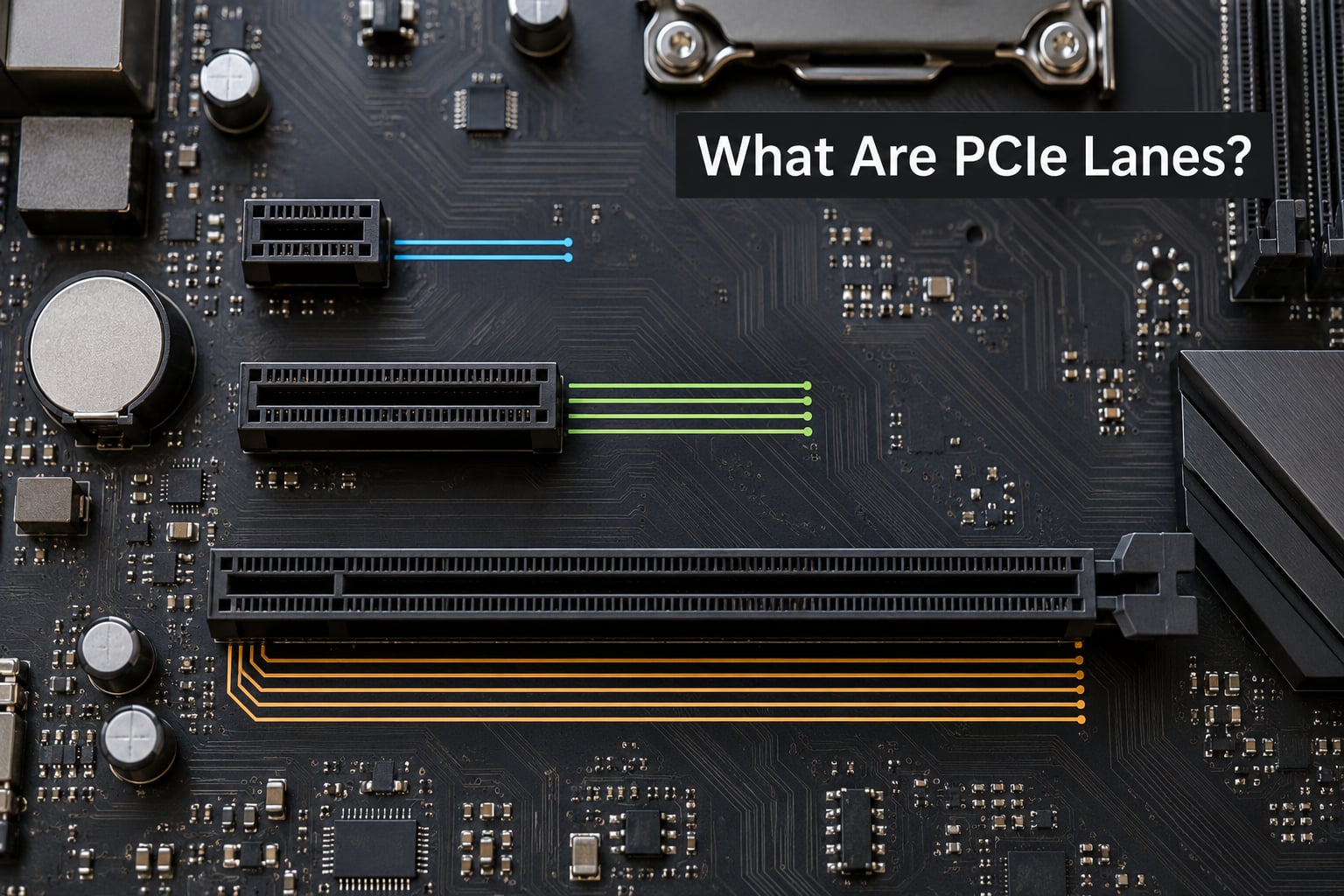
A PCIe lane is one dedicated point-to-point serial link between two devices. A slot labelled x16 contains sixteen of these links running in parallel, so it can move roughly sixteen times as much data per second as an x1 slot running at the same PCIe generation. Each lane is a separate transmit and receive pair, which is why PCIe is faster than the older parallel bus it replaced.
Think of a PCIe link as a motorway and the lanes as the carriageways. A car in one carriageway cannot borrow the road space of the next one at the exact same instant. More carriageways means more traffic per second, not faster cars.
Two words get mixed up constantly. The link is the whole connection between two endpoints, and the lane is one path inside it. So a PCIe 4.0 x8 link is one connection made of eight lanes, each running at 16 GT/s.
PCI-SIG, the industry consortium that owns the standard, has kept PCIe backward compatible since 2002. Every generation negotiates downwards cleanly, which is why a PCIe 5.0 card works in a PCIe 4.0 slot at reduced speed rather than refusing to boot.
How Do PCIe Lane Widths Work?
Lane width is simply a count: x1 means one lane, x4 means four, x16 means sixteen. PCIe slots exist in x1, x2, x4, x8 and x16 widths, and a link always settles at the narrowest point in the path between the device and the CPU.
| Lane width | Typical use | What it looks like in practice |
|---|---|---|
| x1 | Sound cards, USB expansion, Wi-Fi cards | The shortest slot; fits anywhere |
| x2 | Second M.2 slot on some boards, older NICs | Short slot, often shares with a neighbouring slot |
| x4 | NVMe SSDs, 10GbE NICs, capture cards, RAID controllers | Medium slot, about half the length of a full x16 |
| x8 | Older GPUs, server NICs, mid-range accelerators | Long slot wired electrically for eight lanes |
| x16 | Modern graphics cards, high-end accelerators | The long slot with the metal reinforcement |
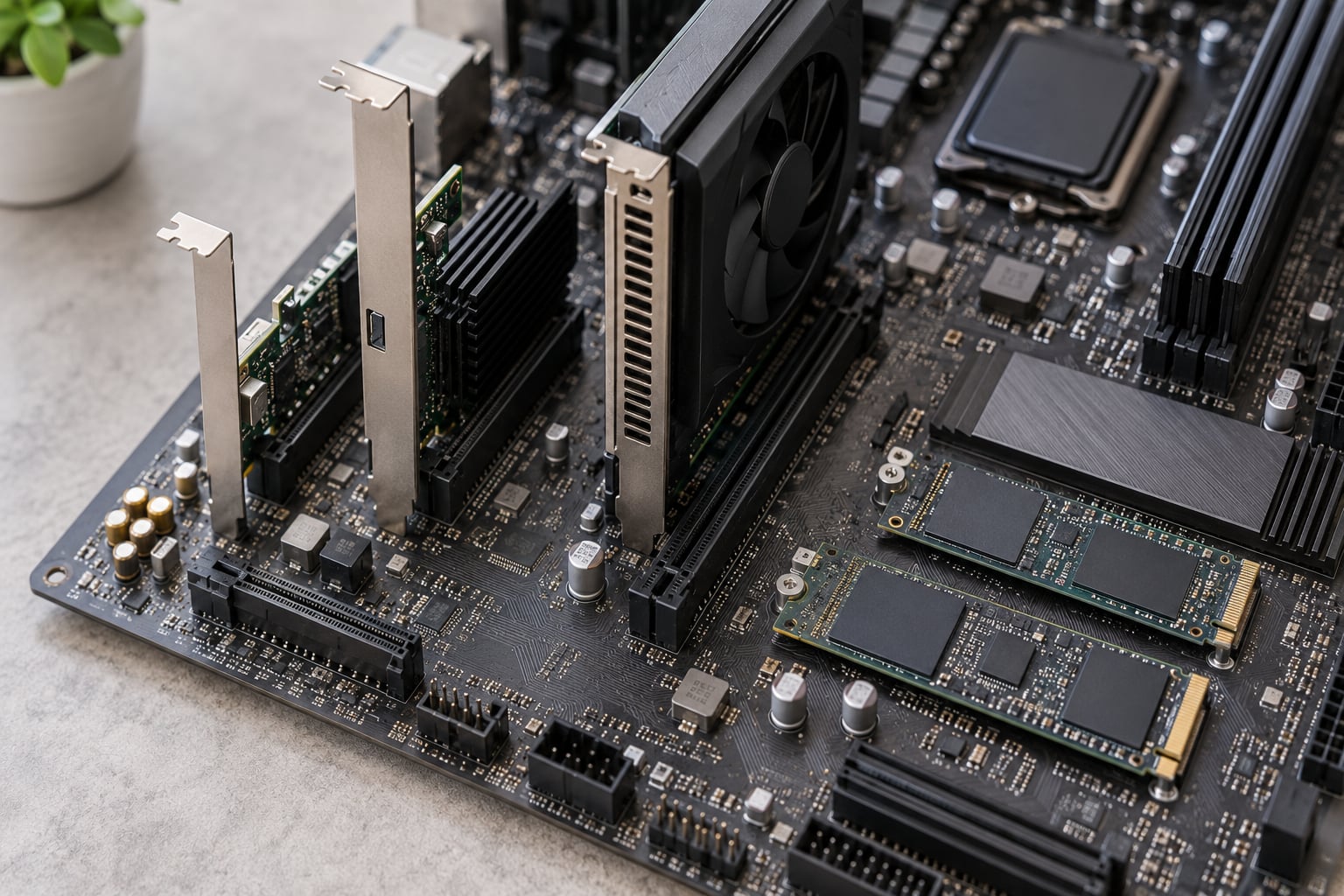
Here is the trap that catches almost every beginner. Physical length and electrical width are two different things. A long slot can be wired for only x4, and a short slot is never faster than its wiring just because it looks flimsy.
Manufacturer spec sheets usually list slot size as the physical dimension. You need the manual’s lane table to learn what the slot actually provides. Physical x-width describes how many contacts the slot exposes; logical link width describes how many lanes the link actually negotiates once the card is seated.
The reverse also works, and it is the good case. Put an x4 network card into a long x16 slot and it runs at x4, perfectly happy, with the remaining lanes simply unused. PCIe slots accept cards narrower than themselves all the time.
PCIe Lanes Explained for Beginners: A Simple Example
A concrete example settles the arithmetic faster than any definition. Take a 10GbE network card, the kind of card people add to a home lab or a file server, and assume it is a two-port x4 card.
Per-lane bandwidth for PCIe 4.0 is about 1.97 GB/s, so the calculation is simple multiplication:
- x1 at Gen 4: about 1.97 GB/s
- x4 at Gen 4: about 7.9 GB/s
- x8 at Gen 4: about 15.8 GB/s
- x16 at Gen 4: about 31.5 GB/s
The same two-port card in an x8 slot gives it roughly double the headroom of an x4 slot. It will not feel twice as fast if your traffic peaks at 3 GB/s, which is exactly why lane maths matters most at the edges of a workload rather than in the middle of it.
More lanes raise capacity. They do not lower latency, and they do not make a slow device faster. An NVMe drive that is bottlenecked by its own controller will not become quicker in a wider slot, and a network card limited by a 1GbE switch port will not care how many lanes it owns.
Nor does a wider link guarantee a faster build. Forum builders report dropping a GPU from x16 to x8 on modern boards and seeing no measurable change in games or in large model inference, which is the honest answer most of the time.
How Does PCIe Generation Affect Speed?
Generation sets how fast each lane moves data, width sets how many lanes move it. The two multiply together, and comparing an x8 link on one generation against an x16 link on another only works if you check both numbers.
| Generation | Per lane | x4 | x8 | x16 |
|---|---|---|---|---|
| PCIe 2.0 | 5.0 GT/s, ~0.5 GB/s | ~2.0 GB/s | ~4.0 GB/s | ~8.0 GB/s |
| PCIe 3.0 | 8.0 GT/s, ~1.0 GB/s | ~3.9 GB/s | ~7.9 GB/s | ~15.8 GB/s |
| PCIe 4.0 | 16 GT/s, ~2.0 GB/s | ~7.9 GB/s | ~15.8 GB/s | ~31.5 GB/s |
| PCIe 5.0 | 32 GT/s, ~3.9 GB/s | ~15.8 GB/s | ~31.5 GB/s | ~63.0 GB/s |
| PCIe 6.0 | 64 GT/s PAM4, ~7.9 GB/s | ~31.5 GB/s | ~63.0 GB/s | ~126 GB/s |
Those are theoretical ceilings. Encoding overhead, protocol headers, the behaviour of the device itself and whatever the platform actually wires up all sit between the number on the table and the number you measure.
The rule that settles most arguments is the equivalence one: a PCIe 4.0 x8 link moves about the same data per second as a PCIe 3.0 x16 link, roughly 16 GB/s, and both match a PCIe 5.0 x4 link. So a narrower link on a newer generation is frequently not a downgrade at all.
One more quirk is worth knowing because it surprises people. Several multi-GPU platforms wired their second full-length slot at Gen 3 speeds even on boards that advertised Gen 4 elsewhere. Read the manual’s footnote rather than the marketing headline.
What Is the Difference Between Physical and Logical PCIe Lanes?
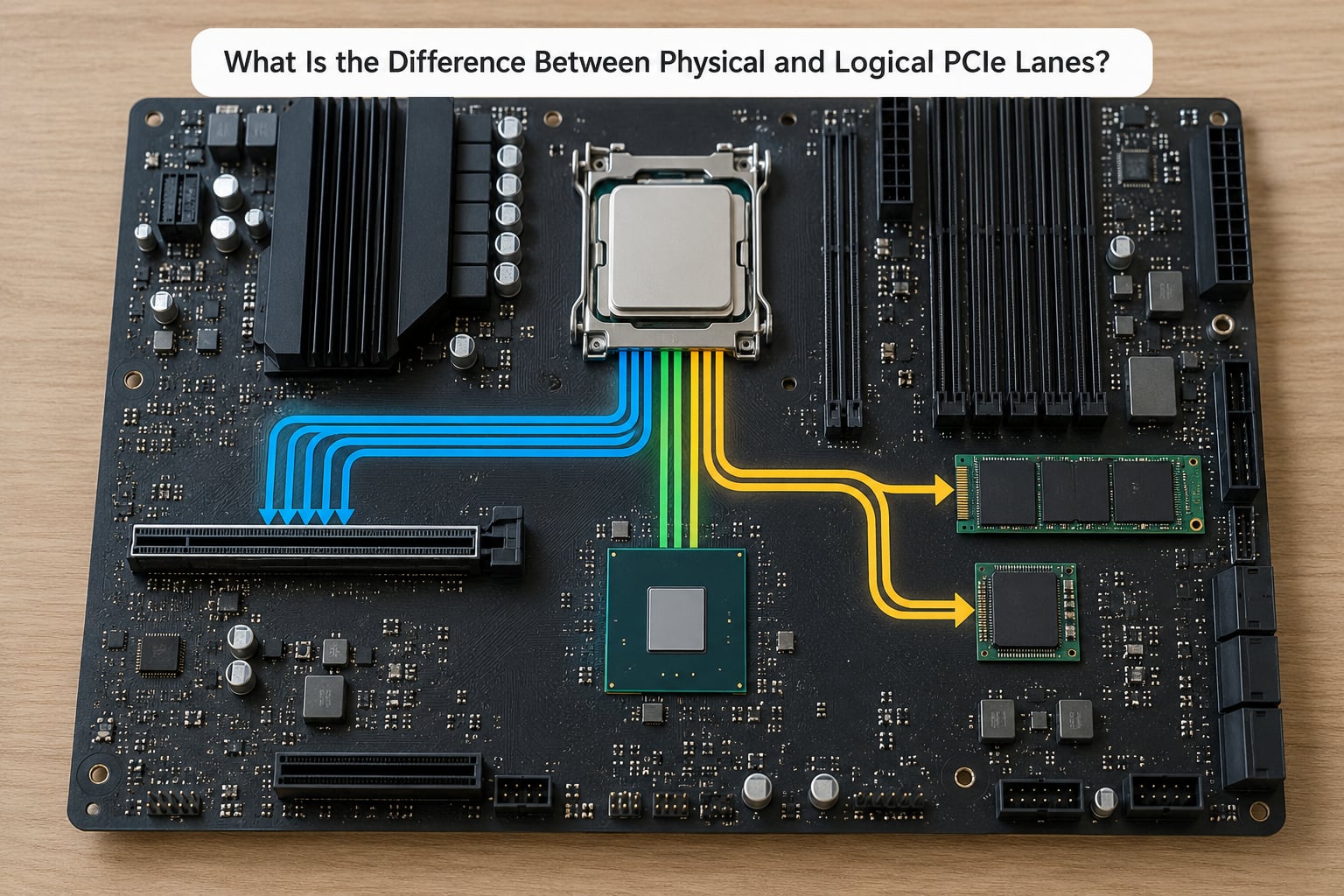
Physical x-width is how many contacts the slot has. Logical link width is how many lanes the card and the slot actually agreed on during link training. When those two numbers differ, something in the path limited the connection — usually lane sharing with another device.
A physical x16 slot running in x4 mode is the common case. It looks like a full graphics slot, the card fits, and the card runs at a quarter width because eight of the twelve lanes are serving an NVMe drive or a second card.
How CPU and chipset lane allocation works
The CPU owns a fixed number of lanes, typically 16 to 24 on a consumer desktop. Everything attached to the CPU directly draws from that budget, which is why the top M.2 slot and the first graphics slot are usually safe to populate at full width together.
The chipset adds more slots, and it also adds a catch. Every chipset device reaches the CPU through one uplink, commonly DMI at x8 on recent desktop platforms. All chipset traffic shares that uplink, so an NVMe drive in a chipset-attached M.2 slot is capped by it even when the drive itself is far faster.
| Platform family | Rough CPU-direct lane budget | Typical notes |
|---|---|---|
| Ryzen on AM5 | Up to 28 Gen 5 lanes | Usually split as one x16 plus several x4 for M.2 slots |
| Core on LGA1700 | 20 Gen 4 lanes | Typically x16 for graphics plus x4 for one storage device |
| Core Ultra on LGA1851 | Up to 24 Gen 5 lanes | Configurable split for graphics and storage |
| Threadripper (TRX50 and similar) | 64 to 88 Gen 5 lanes | Four or more full x16 slots without sharing |
| Threadripper Pro and EPYC | 128 lanes and above | Built for many NVMe drives and 100GbE networking |
| Xeon Scalable | 80+ lanes | Server platforms with high-speed NIC support |
Check this table against 2026 platform revisions rather than trusting it blindly, since vendors adjust lane splits across model years within a family.
Why Are Some PCIe Lanes Shared?
Lanes get shared because the budget is finite while the slot count is not. A board can present eight slots and still wire them all to eighteen lanes, because several slots point at the same physical lanes with a switch selecting between them.
There are two behaviours worth keeping straight. With lane sharing, both devices run, each at a reduced width. With lane switching, a slot serves one device or the other, never both, so the second device vanishes when the first is occupied.
Things that quietly claim lanes:
- A second graphics card, which on most consumer boards splits one x16 into x8/x8
- Each NVMe drive, which consumes x4 CPU-direct lanes when it sits on a CPU-attached slot
- High-speed NICs and capture cards, which are frequently x4 or x8 for reasons that have nothing to do with their port speed
- RAID controllers, which usually take a full x16 slot
Two things do not consume your budgeted lanes. SATA ports run off a separate controller in the chipset, and USB headers are unrelated to the PCIe lane budget. M.2 SATA drives also cost you nothing in lanes, because they are SATA controllers in an M.2 shape. The confusion is understandable: M.2 is a physical form factor, NVMe is a protocol that runs over PCIe.
When a board genuinely runs out, two escape hatches exist. Bifurcation splits one x16 slot electrically into four x4 links, if the board and CPU support it. A PCIe switch card adds lanes behind a switch chip, which is why storage-dense boards exist at all.
How Do PCIe Lanes Compare With SATA and USB?
PCIe, SATA and USB solve different problems, so ranking them on speed alone misleads. PCIe is the internal expansion backbone; SATA attaches drives; USB handles peripherals with plug-and-play hot swapping and a different, shared bandwidth model.
| Interface | Connection type | Common role | Approximate bandwidth |
|---|---|---|---|
| PCIe 3.0 | Internal serial point-to-point | Graphics, NVMe, NICs | ~1.0 GB/s per lane, ~15.8 GB/s at x16 |
| PCIe 4.0 | Internal serial point-to-point | Graphics, NVMe, NICs | ~2.0 GB/s per lane, ~31.5 GB/s at x16 |
| PCIe 5.0 | Internal serial point-to-point | Graphics, high-end NVMe, accelerators | ~3.9 GB/s per lane, ~63 GB/s at x16 |
| SATA III | Internal serial, one port per device | 2.5 inch and 3.5 inch drives | ~0.6 GB/s per port |
| USB 3.2 Gen2 | External, hot-pluggable | External drives, peripherals | ~1.0 GB/s per port |
| USB 3.2 Gen2x2 | External, two lanes combined | External SSDs | ~2.0 GB/s per port |
Even the slowest SATA drive is faster than any USB 2.0 peripheral, and even a PCIe 3.0 x1 slot outruns a single SATA port. The obsolete interface in this family is plain PCI, the parallel predecessor, which has been replaced rather than competed with.
How to Check the PCIe Lanes on Your Hardware
You can confirm the negotiated link in about five minutes. Start by identifying the device and which slot it occupies, then check the board’s lane table, then read the value the system reports at boot. The reported number is the truth; the manual is the explanation.
Checking PCIe link width with CPU-Z and GPU-Z on Windows
Install CPU-Z, open the Graphics tab and select the device. The Bus field shows Current Link Width and Maximum Link Width side by side. If current is lower than maximum, something in the path limited it. GPU-Z reports the same two values for the graphics card specifically.
On Linux, run lspci -vvvs and read the LnkCap line, which states the maximum the link supports, and the LnkSta line, which states what it actually settled at. When LnkSta shows a smaller width or speed than LnkCap, another device or the board wiring is the reason.
Two more angles are worth trying. BIOS or UEFI setup screens often list the detected device and its negotiated speed under a hardware or PCIe information page. Device Manager on Windows shows the device, though it rarely exposes link width directly.
Menu names, defaults and reported capabilities vary by motherboard model, laptop, device and firmware version, so treat any screenshot as an example of the format rather than a promise about your machine.
Common PCIe Lane Myths and Mistakes
Most lane confusion comes from a handful of repeated assumptions. Here is what is actually true.
- A long slot does not mean x16. Physical length tells you where the card fits, not what the wiring provides. Check the lane table.
- x16 does not make every device sixteen times faster. Most devices sit well below their link ceiling, so the difference you measure is usually zero.
- A card can fit and still negotiate fewer lanes. This is normal behaviour, not a fault, and it is silent during boot.
- The newest generation is not automatically the best upgrade. On current platforms, adding a fast NVMe drive is often the larger practical win.
- M.2 does not mean NVMe. An M.2 SATA drive uses no PCIe lanes at all, while an M.2 NVMe drive takes x4.
When a link comes up short, work through this list in order: reseat the card and confirm the slot is the one you think, check the manual’s occupancy matrix for the exact combination you have, update the board’s BIOS since lane routing tables do change, and confirm nothing else is installed in the sharing slots.
A drive reporting x2 rather than x4 is a normal downgrade on many boards. Forum consensus treats one NVMe in the CPU-attached slot as safe, and reports of storage running at x4 on a home lab server with two drives are routine.
Frequently Asked Questions
Do I need a PCIe x16 slot for a modern graphics card?
Yes, for any current gaming or rendering card. A modern GPU is built around a full x16 link and will fall back to a reduced width if you install it in an electrically narrower slot. What matters more is which slot is wired directly to the CPU versus the chipset, since a chipset slot adds a hop and extra latency. Check your board’s lane table before assuming any long slot is equivalent.
Why does my GPU show PCIe x8 instead of x16?
Usually because lanes are shared. A second graphics card, a populated M.2 slot on some boards, or a specific slot position can split the x16 into x8/x8. Verify by comparing Current Link Width with Maximum Link Width in CPU-Z or by reading LnkSta against LnkCap with lspci. On Gen 4 and Gen 5 platforms the performance loss is usually a small fraction of a percent.
Does PCIe lane width matter for an NVMe SSD?
It depends on whether your workload is saturated. An NVMe drive runs over x4, so anything wider is wasted on it. If your files stay under a few GB per second, an x4 link is not the bottleneck and a wider slot changes nothing. Sustained multi-gigabyte transfers or heavy RAID arrays are where link width and generation start to show up in benchmarks.
How can I tell whether a motherboard slot shares lanes?
Look for the slot and lane occupancy table in the motherboard manual, usually in the expansion slots section. It lists each combination of populated slots and M.2 drives alongside the resulting width. The simplest rule of thumb: anything below the first CPU-attached slot is worth checking, and any M.2 population beyond the first few can change the answer.
Can a PCIe card work in a slot with a different physical size?
Yes, in one direction only. A narrower card fits in a wider slot and runs at its own width, so an x1 or x4 card in an x16 slot works normally. A wider card will not physically fit into a shorter slot, though some boards ship x16 slots that are mechanically short for a dual-slot card. That is a clearance issue, not a lane issue.
Conclusion
PCIe lanes are parallel serial paths, and the width your device actually gets depends on the card, the slot, the CPU’s budget and whatever other devices are installed. Before you buy or upgrade, read the device specification, find the lane table in the motherboard or laptop manual, and work out the CPU lane allocation.
That is the whole of PCIe lanes explained for beginners: count the paths, check who else is drawing on them, then confirm with a utility. Most people who do it end up discovering their hardware was already fine, which is a satisfying kind of boring.