A CPU core is a physical hardware processing unit built into the processor die, while a thread is a sequence of instructions that a core executes. Put simply, a core is real silicon you can point at on a die shot, and a thread is a stream of work the scheduler hands to that silicon. The confusion starts because one physical core can expose two hardware threads, so a spec sheet listing “6C/12T” is describing six cores and twelve logical processors.
That distinction matters more than it sounds. A core count tells you how much real compute hardware you have. A thread count tells you how many independent instruction streams the chip and your operating system think it can keep in flight at once. Different workloads care about different numbers, and the answer changes depending on whether you are gaming, compiling, streaming or running virtual machines.
I’ve spent enough time reading benchmark charts and forum arguments about this that I still see people quoting thread counts as if they were core counts. So here is the full picture, from the hardware upward, with the commands to check your own machine at the end.
Table of Contents
- CPU Core vs Thread at a Glance
- What Is a CPU Core?
- What Is a CPU Thread?
- Physical Cores vs Hardware Threads
- CPU Core vs Thread in a Real Program
- How the Operating System Uses Threads
- Why More Cores or Threads Can Improve Performance
- Core Count vs Clock Speed for Real Workloads
- How to Check Your CPU’s Cores and Threads
- Which Should You Choose?
- Frequently Asked Questions
- Is a CPU thread the same as a CPU core?
- Are more CPU threads always faster?
- Why are CPU threads faster than physical cores?
- Do more CPU cores help gaming?
- Is 4 cores with 8 threads better than 8 cores?
- Should I count CPU cores or threads when buying a processor?
- Conclusion
CPU Core vs Thread at a Glance
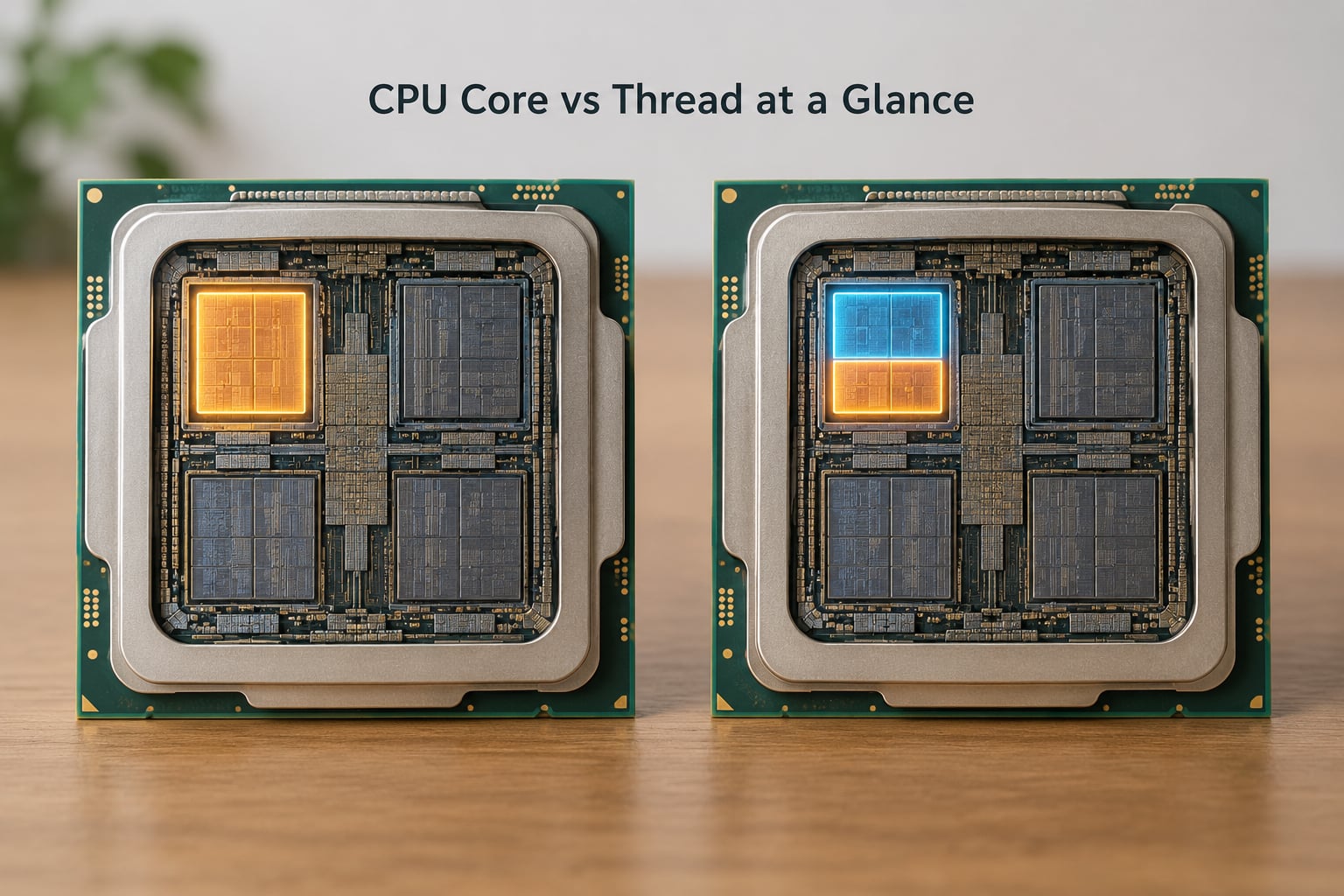
The table below is the shortest version of the whole argument. Everything after it is detail on these five rows.
| Criterion | CPU core | CPU thread |
|---|---|---|
| What it is | A physical processing unit built on the die | A sequence of instructions, or one logical processor exposed by that core |
| Where it exists | In the silicon, permanently | Created at runtime by the program and the operating system scheduler |
| Resources | Has its own execution resources and its own L1 and L2 cache | Shares the core’s execution resources and cache with its sibling |
| What the OS calls it | A physical core | A logical processor, numbered in Task Manager |
| How many per core | One, obviously | Usually one or two, depending on whether SMT is enabled |
| Effect on parallel work | Adds real parallel capacity | Fills idle execution slots, adding modest extra throughput |
One row deserves emphasis before we go further. “How many per core” is the only one you cannot answer by reading a definition, because it is a design decision made by the chip manufacturer and, in some cases, by a BIOS setting.
What Is a CPU Core?
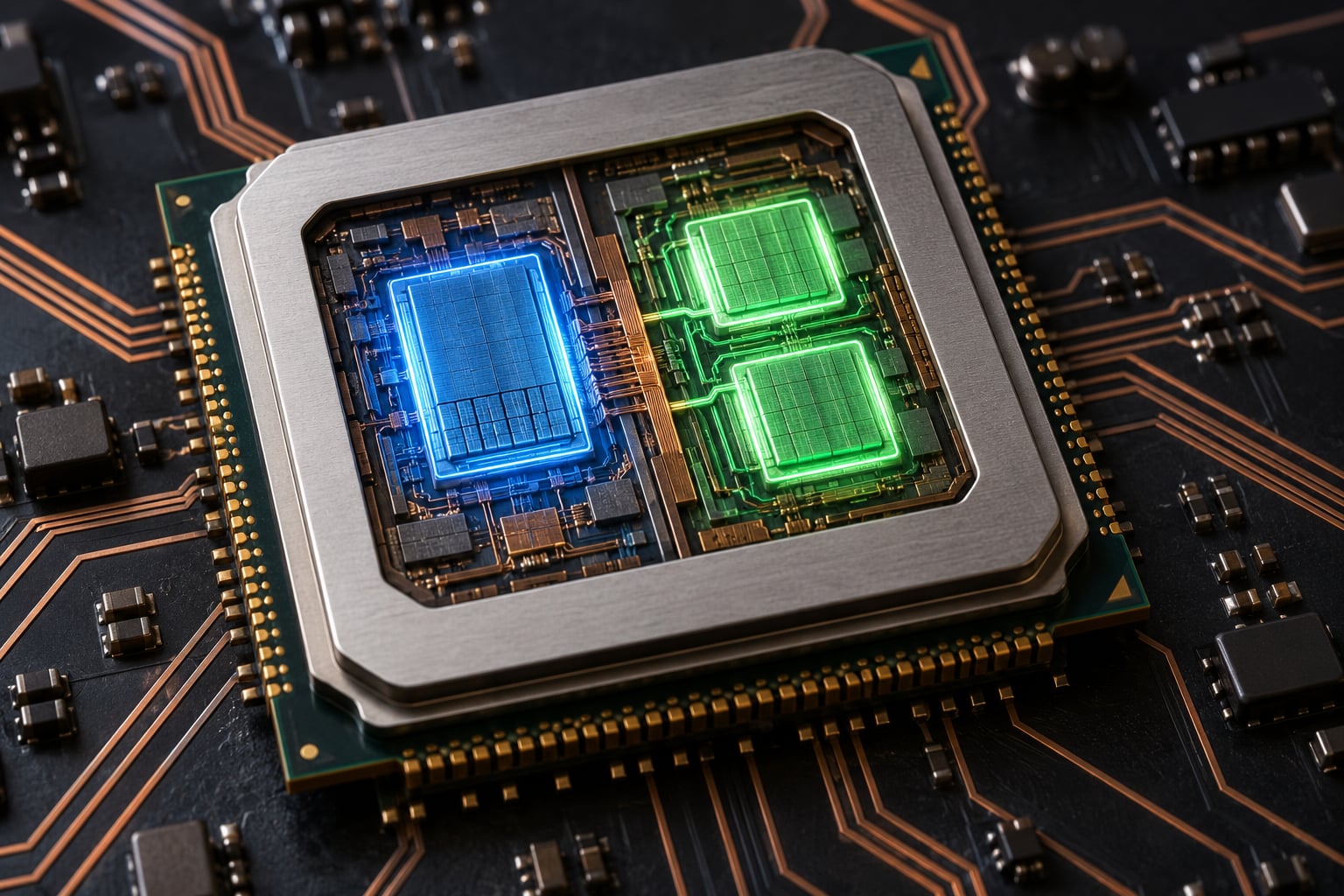
A CPU core is a physical processing unit built into the processor die. It is the actual hardware that fetches instructions, decodes them, runs integer and floating-point arithmetic, and holds its own first-level and second-level cache. When a spec sheet says a processor has eight cores, there are eight of those blocks on the die.
The terms around it get tangled fast, so three distinctions are worth keeping straight. The CPU, or processor, is the whole chip you buy. The package is the physical enclosure that holds one or more dies. The die is a slice of silicon containing the cores, cache and the memory controller. Cores live on the die, the die lives in the package, and the package is what ends up in the socket.
Take a common 6-core part as a concrete example. That processor contains six physical cores, each with its own execution resources and its own L1 cache of a few kilobytes per core, plus a small L2 cache that is typically private to each core or shared across a pair. The whole set also shares a larger L3 cache, which is how the cores pass work to each other when they need to.
On modern chips that get a boost clock, all six cores share a package power and thermal envelope. That shared budget is why adding cores on a small chip does not simply multiply performance. It is also why the top of a spec sheet tells you the base clock, the boost clock and the thermal design power, but never a thread count that adds to the core count for free.
What Is a CPU Thread?
A thread is a sequence of instructions that the processor executes in order. Think of a program that has to add up ten thousand numbers: one thread walks the list from start to finish. A program that can split that work into four separate lists and hand each to a different thread finishes roughly four times faster, and that is where the term comes from, from the image of a rope made of twisted strands.
Here is where the terminology collision happens, and it is the single biggest source of confusion I see in forum threads about this topic. There are two different things people call a thread.
A software thread is created by a program. A C++ application, a Java virtual machine, a browser tab, a database server, a video encoder, each spawns threads that the OS then schedules onto whatever logical processors are available. A software thread is not hardware at all; it is a scheduled stream of work with its own stack and registers.
A hardware thread, more precisely a logical processor, is what the operating system believes it can schedule onto. With SMT turned on, one physical core advertises two logical processors, so Task Manager shows a graph with twice as many lines as the core count. Each of those lines is a hardware thread, and each has a register file and its own view of the execution resources, but it shares almost everything with its sibling.
So when someone says “how many threads should I run on a machine with 6 cores and 12 threads”, there are two valid answers depending on which thread they mean. For software threads, run as many as your workload scales to, because the scheduler will interleave them. For hardware threads, there are exactly 12, and 12 is the number of program threads that can genuinely execute at the same instant.
Physical Cores vs Hardware Threads
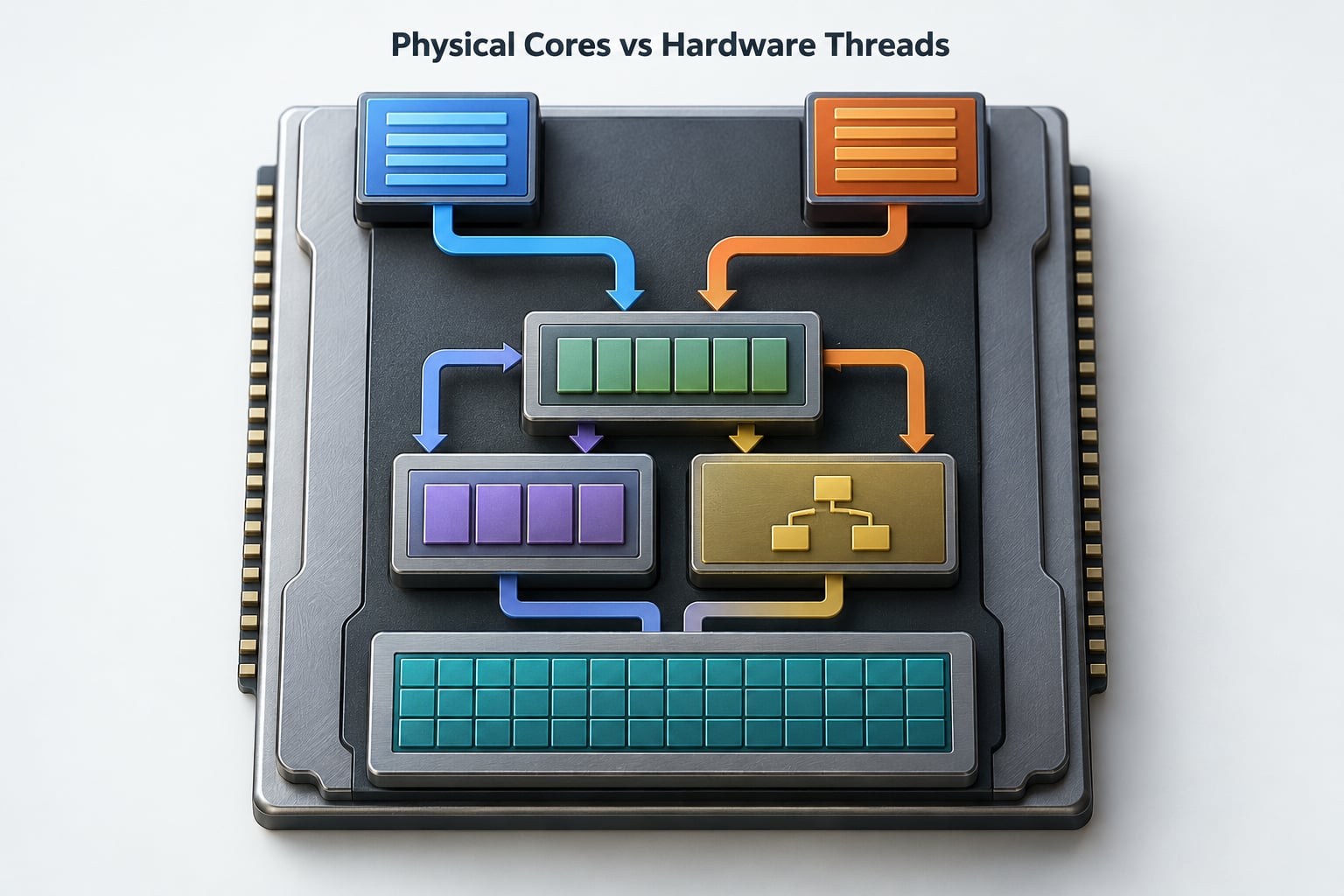
One physical core can expose two hardware threads through Simultaneous Multithreading. Intel sells it as Hyper-Threading and AMD sells it as SMT. They are distinct branded implementations of the same underlying technique, not the same product, and the difference matters if you are comparing two chips for the same job.
Each core holds a register file big enough for two architectural contexts. With SMT, the hardware saves one thread’s state, loads the other’s, and lets both issue instructions into the same integer and floating-point execution resources, the same branch predictor and the same cache. Two threads therefore fill bubbles that a single thread cannot, because one thread usually stalls waiting on a memory fetch or a dependency that takes far longer than a clock cycle.
Why only two per core? Because a third and fourth hardware thread on the same execution resources add contention rather than throughput. Intel’s research and AMD’s own guidance both land in the same place: going beyond two threads per core produces shrinking gains, so the extra silicon is better spent on more cores, more cache or a better memory subsystem. On modern consumer chips the usual ratio is two logical processors per physical core.
CPU Core vs Thread in a Real Program
Streaming a game with OBS is the clearest everyday example because it runs three different kinds of work at once. The game engine runs its simulation and rendering largely on a small number of high-priority threads. OBS runs its encoder, audio mixer and networking as its own set of threads. Windows adds its own compositor and audio threads underneath.
Watch Task Manager’s performance graph while this runs and you can trace the path yourself. Each hardware thread, numbered 0 through 11 on a 6C/12T chip, carries some share of the game threads, and where two sibling hardware threads land on the same physical core you will see that core’s total rise faster than either line alone. If you pin the encoder to specific cores through CPU affinity, the frame-time spikes disappear, which tells you the work was genuinely contending rather than merely queued.
That is the practical difference between the two words in one sentence. Cores decided how much work could happen genuinely at the same time. Threads decided how much idle space inside each core could be kept busy.
How the Operating System Uses Threads
The OS sees logical processors, not cores. Each one gets an entry in a run queue, and the scheduler moves software threads between those entries many times a second. A context switch is the moment the CPU saves one thread’s registers and loads another’s, and doing it thousands of times a second costs measurable time.
This is why software threads routinely outnumber the hardware by a wide margin. A database server may run 200 threads on a 12-logical-processor machine, and nothing is broken. The scheduler gives each thread a slice of time, and the aggregate throughput comes from the hardware underneath.
The same logic applies inside virtual machines, which matters for anyone running a homelab. A hypervisor presents vCPUs, and each vCPU is a software construct that gets queued onto a host logical processor by the same kind of scheduler. A dashboard showing “96 CPUs” in TrueNAS, Proxmox or VMware tells you about vCPU totals, not physical cores. Pinning vCPUs to cores and their sibling threads gives predictable results when a hypervisor balances by vCPU count alone.
Why More Cores or Threads Can Improve Performance
More physical cores scale work directly. Split a job into independent pieces and give each core its own, and the wall-clock time falls close to in proportion to the core count. That is true parallelism, and it is what compiling, rendering, encoding and scientific simulation are built around.
More hardware threads improve throughput differently, by hiding latency. A single thread that stalls on a cache miss leaves most of a core’s clock cycles unused, so a sibling thread can issue useful work during the stall. On well-parallelized workloads this typically lands somewhere around 15 to 30 percent extra throughput.
The trade-offs are real. Two threads sharing one core’s cache can push each other out of L1 and L2, and a branch predictor has to keep state for both. Some heavily threaded games are neutral or slightly worse with SMT on, because the second thread takes resources without adding frames. Power draw also rises, since the core is busier for the same instructions, and on a laptop that can show up as lower boost clocks.
Synchronization is the other cost. Work split across threads needs locks and barriers, and badly written parallel code spends more time waiting on other threads than doing arithmetic. This is why single-threaded performance still matters so much in 2026, even on a chip with a dozen cores.
Core Count vs Clock Speed for Real Workloads
Core count is the headline number and it is not the whole story. Clock speed decides how fast a core retires instructions, and instructions per clock decides how much each clock is worth. Two chips with identical core counts can differ hugely because one retires more work per cycle and sustains its boost clock better.
Cache is the quiet third factor. A core that misses to memory every time will not hit its advertised clock no matter how fast the clock itself is, so cache size and memory latency can outweigh a core-count difference in many real applications.
Architecture and thermals come after that. The same core count across two generations is rarely comparable, and a chip that cannot hold its boost clock under an all-core load will deliver less than its spec sheet suggests. Read base clock, boost clock and TDP as a set, not as decoration.
How to Check Your CPU’s Cores and Threads
On Windows, open Task Manager with Ctrl+Shift+Esc, pick the Performance tab, select CPU, and read Cores and Logical processors in the summary panel. The same two numbers appear in Settings, About, System. To see whether a program is multithreaded, watch the per-core graph under the CPU heading: load spread across many lines means many threads.
On Linux, lscpu lists cores per socket, threads per core and total logical processors, and nproc prints the logical processor count available to your shell. For a raw per-processor dump, cat /proc/cpuinfo shows a processor entry per logical processor along with its core id.
On macOS, About This Mac shows the chip and core count, and sysctl hw.physicalcpu returns physical cores while sysctl hw.logicalcpu returns logical processors. That distinction matters most on Apple silicon, where the performance and efficiency cores are different physical cores with very different speeds.
Those three commands take under a minute and settle almost any argument about what your machine actually has.
Which Should You Choose?
For gaming, prioritise single-thread speed and clock behaviour first, then core count for background systems. Extra hardware threads rarely move average frame rate, though they help when a game is already limited by a background task.
For streaming and encoding, thread count matters alongside cores, because the encoder wants its own threads to sit beside the game rather than fight it. For video editing and 3D rendering, cores carry the work directly, so a high core count is the priority.
For compiling and running test suites, cores win, because build tools scale across cores cleanly. For virtual machines and containers, count the logical processors you can actually keep busy and remember that vCPU overcommit is fine for idle guests and terrible for CPU-hungry ones.
For laptops, read the whole specification rather than one number. A processor with fewer cores but a higher sustained clock, a larger cache share and a better cooling design will usually feel faster than the raw core count suggests.
Nobody buys cores and threads on their own, so treat this as a prioritisation rule instead of a shopping formula: decide the workload first, then rank cores, threads, clock speed and cache for that job.
Frequently Asked Questions
Is a CPU thread the same as a CPU core?
No. A core is a physical processing unit made of silicon, with its own execution resources and cache. A thread is a sequence of instructions scheduled onto hardware. With SMT enabled, one core advertises two logical processors, which is why a 6-core chip often shows 12 threads in Task Manager. The second thread is not extra compute hardware, it reuses the core it lives on.
Are more CPU threads always faster?
No. Extra hardware threads add throughput by filling idle execution slots, typically around 15 to 30 percent on well-parallelized work. Some heavily threaded games are neutral or slightly slower, because sibling threads contend for shared cache and branch prediction resources without adding frames. More threads also draw more power, which can reduce boost clocks on a laptop.
Why are CPU threads faster than physical cores?
They are not faster, and the comparison itself is the misconception. Adding a physical core adds real parallel capacity. Adding a hardware thread keeps the same core busier by covering the stalls a single thread hits while waiting on memory or dependencies. One thread per core is limited by the core’s own throughput; two threads per core recover cycles that would otherwise sit idle.
Do more CPU cores help gaming?
Somewhat, but not as much as most buyers expect. Game engines lean heavily on a handful of threads, so what matters most is single-thread speed, clock behaviour and memory latency. More cores help when background systems such as streaming encoders, browsers or voice chat compete for the same cores. Cores past about eight add very little to average frame rate on most titles.
Is 4 cores with 8 threads better than 8 cores?
For compiling, rendering, encoding and running virtual machines, 8 cores wins, because real parallel capacity is what those workloads consume. For a game that mainly uses four threads, 4C/8T is close behind, and the gap widens once the machine is also streaming or running several apps. Neither wins everywhere, so match the chip to the workload rather than to the thread number.
Should I count CPU cores or threads when buying a processor?
Count cores first, since they represent real hardware, then treat threads as a bonus that depends on the workload. Shorten the decision by checking the target software for a recommended core count, then comparing clock speed, cache and architecture at that core count. Threads matter most for encoding, streaming and multi-tenant servers, and least for single-threaded game logic.
Conclusion
A core is hardware you can count on a die, and a thread is a stream of instructions that the operating system schedules onto it. Cores add real parallel capacity. Threads keep a core busy during stalls, usually worth 15 to 30 percent on parallel work and less than that on games.
Before buying anything, run the check commands above on your current machine and look at what your software actually uses. Then rank the specifications for that job: physical cores first, then clock speed and cache, with threads treated as useful extra rather than the headline number.