
A man in the middle attack is an interception attack: someone quietly positions their own machine between you and the site or service you think you are talking to, then reads or rewrites the traffic as it passes. Because the connection still loads and looks normal, the victim usually never notices it happening.
That invisibility is the whole problem. There is no malware to scan for, no file that looks wrong, no antivirus alert. The attack lives in the network layer, underneath the browser, and it works precisely because the path between two devices quietly stops being direct.
I have watched experienced sysadmins get caught out by the simplest version of this on hotel and airport Wi-Fi. The page renders perfectly. The padlock icon sits there. And the credentials go somewhere else entirely. Here is what is actually happening underneath, how attackers get in, how you spot it, and what actually stops it.
Table of Contents
- What Is a Man in the Middle Attack Explained?
- How Does a Man-in-the-Middle Attack Work?
- How Attackers Get Into the Communication Path
- Passive versus active interception
- Is a man-in-the-middle attack the same as a meet-in-the-middle crypto attack?
- What Do Man-in-the-Middle Attackers Target?
- Is HTTPS Protection Enough Against MITM Attacks?
- How to Recognize a Possible MITM Attack
- How to Prevent and Respond to Man-in-the-Middle Attacks
- Which technical controls actually stop a man-in-the-middle attack?
- Everyday habits that cut your exposure
- What to do in the first hour if you suspect interception
- Frequently Asked Questions
- Can someone perform a man-in-the-middle attack on HTTPS?
- What is the difference between MITM and phishing?
- Does a VPN stop all man-in-the-middle attacks?
- What does a certificate warning mean during a MITM attack?
- What should I do if I suspect I was intercepted?
- Conclusion
What Is a Man in the Middle Attack Explained?
A man in the middle attack is one in which an attacker inserts their own device between two communicating parties, usually a client and a server, then relays traffic in both directions while secretly reading it, recording it, or altering it. Neither side knows the other is not talking directly to them.
Three things make it work. The attacker controls a hop in the path, they can copy packets before forwarding them, and they can send modified packets onward while keeping the exchange looking legitimate to both ends.
The term covers anything from a passive tap on a switch to a proxy that rewrites a live banking session in real time. It is also called a MiTM attack, an interception attack, or an eavesdropping attack, and the session hijacking variant is where the attacker reuses a stolen cookie instead of stealing the password itself.
How Does a Man-in-the-Middle Attack Work?
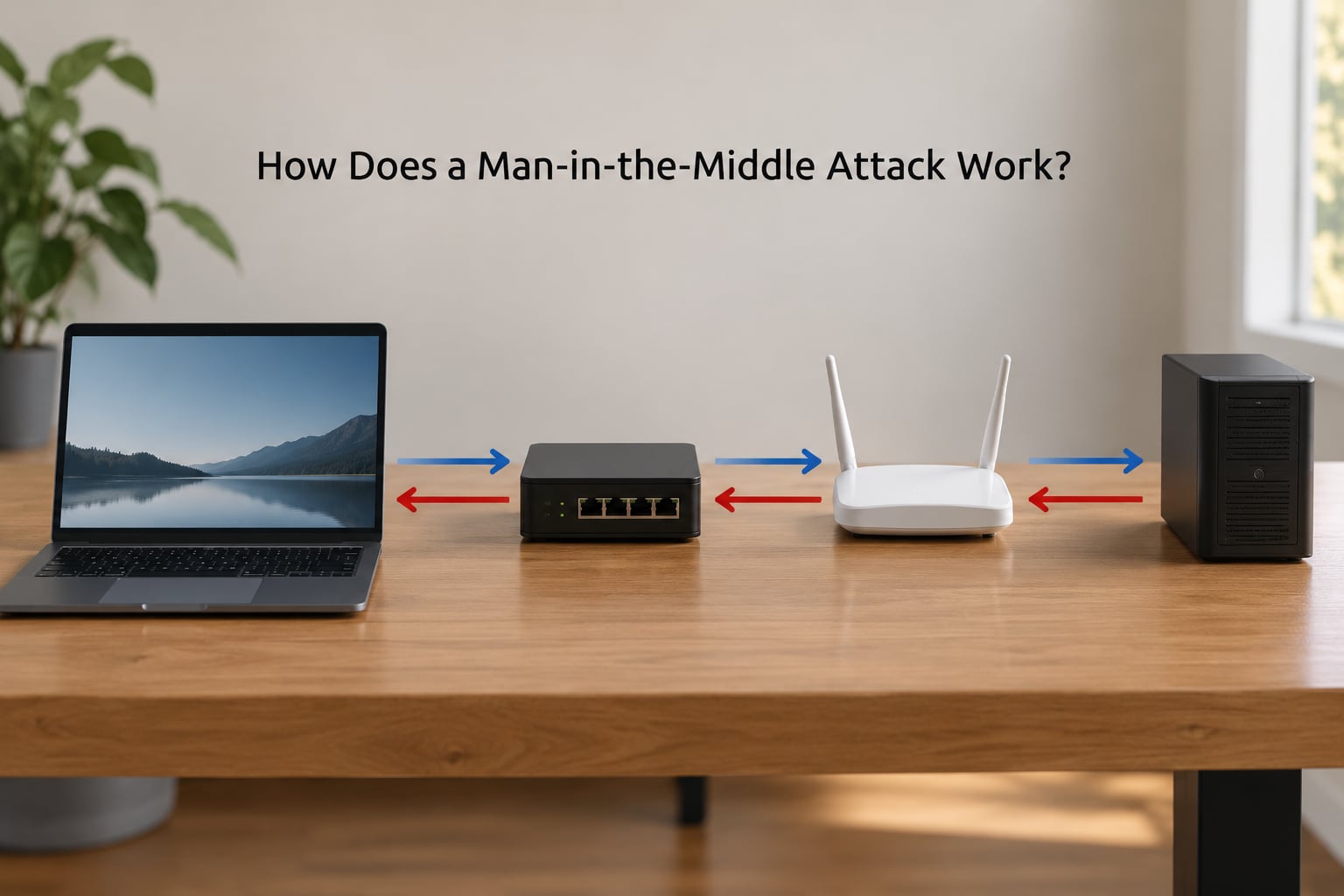
Picture you open your bank’s login page from a laptop on a shared network. Your machine resolves the bank hostname, sends an HTTP request, and expects a reply. Under a man in the middle attack, the request lands on the attacker’s machine first. They read the credentials, relay the same request to the real bank, capture the response, and pass it back to you. Both sides see a working session.
The attack normally unfolds in five stages:
- Reconnaissance. The attacker maps the local segment, lists neighbours via ARP or neighbour discovery, and identifies the gateway, DNS server, and hosts worth targeting.
- Positioning. They insert themselves into the path using cache poisoning, a rogue access point, a hostile proxy, or control of the router.
- Interception. Traffic is copied and forwarded so the victim sees normal latency and normal pages.
- Decryption or downgrade. Plain HTTP is read directly. HTTPS requires a downgrade trick, a rogue certificate the client accepts, or a trusted root already installed on the device.
- Exploitation. Credentials, session cookies, API tokens, or form data are collected, and in an active attack the responses are modified on the fly.
| Stage | What the attacker does | What they gain |
|---|---|---|
| Reconnaissance | Enumerates hosts, gateway, DNS resolver | A target list and a map of who trusts whom |
| Positioning | ARP cache poisoning, rogue AP, malicious proxy | Every packet between victim and server |
| Interception | Copies and forwards packets unchanged | Full visibility with no visible disruption |
| Decryption | SSL stripping, rogue certificate, installed root | Readable request and response bodies |
| Exploitation | Harvests credentials, tokens, cookies, payment data | Account takeover or data tampering |
How Attackers Get Into the Communication Path
ARP cache poisoning is the classic one on a wired LAN. Your machine believes the gateway lives at a MAC address, and the attacker sends frames claiming that MAC belongs to them instead. Your traffic goes to them, they forward it, and it looks fine to you.
DNS manipulation works one layer up. Reply to every lookup with an address you control and the browser connects to a server that looks identical. Rogue access points cover public Wi-Fi: broadcast an SSID matching a real hotel or cafe network and wait for someone to join instead of paying.
A malicious proxy sits quietly in the operating system or browser settings and relays everything. A compromised router owns the whole path for the devices behind it. Session hijacking skips the credential theft entirely and rides an already-authenticated cookie.
On shared home networks, people genuinely worry about a housemate running capture traffic. The risk is lower than on open Wi-Fi because WPA2 or WPA3 encrypts client-to-AP traffic, but a device holding the router admin password, or one running a DHCP or DNS service, has the same position an attacker on an open network would want.
Passive versus active interception
Passive means copy only. The attacker forwards everything byte for byte and collects whatever flows past. Active means modify: rewrite a payment amount in transit, inject script into a page, drop a malicious image tag, or strip the secure flag off a link. Active attacks change what the user sees and therefore carry a higher chance of detection, which is why attackers often start passive and only escalate when the payoff justifies the risk.
Is a man-in-the-middle attack the same as a meet-in-the-middle crypto attack?
No, and search results mix them constantly. A meet-in-the-middle attack is a cryptanalytic technique against block ciphers: the attacker encrypts a set of known plaintexts and separately decrypts a set of known ciphertexts, then matches the two lists to shrink the brute-force search space. No interception is involved. The names read the same way, the work has nothing in common.
What Do Man-in-the-Middle Attackers Target?
Credentials are the obvious prize: an HTTP login form sends the password in readable form, and SSL stripping can force that same page back down to HTTP on a site that redirects by default. Session cookies come next, since a captured cookie replays a login without any password at all.
Email and DNS are quieter targets. Intercepted mail gives account takeover on anything with password reset by email. A spoofed DNS response can send a hostname to a look-alike page that harvests credentials the moment somebody types them.
Developers take hits through API tokens and bearer tokens in headers, personal access tokens in CI logs, and developer proxies configured to trust a local certificate authority. That last one is the classic mistake: a machine-wide trust store that trusts a local interception CA makes every HTTPS session readable by design, with no warning shown to the user.
What does the attacker have to keep up to stay covert? Latency has to stay plausible, the certificate has to validate or get quietly accepted, the page has to render without layout shifts the victim would notice, and logs must not obviously mismatch. Careful operators test their setup from a clean device on the target network before they move, because a broken interception reveals itself faster than a successful one.
Is HTTPS Protection Enough Against MITM Attacks?
HTTPS with correct certificate validation is the strongest single control you have, and it defeats a great many passive taps. The weakness is in what happens when validation fails.
If a user clicks through a warning, the encryption is gone. If an attacker installs their own root certificate in the system or browser trust store, the client will negotiate TLS happily and display the padlock, because as far as the browser is concerned the connection is genuinely secure. Managed enterprise proxies work exactly this way by design.
HSTS removes the SSL stripping option by refusing plain HTTP outright, and preloading takes that further by baking the policy into the browser. Certificate pinning goes further still: the app accepts only the certificate or public key it expects, so even a trusted-but-wrong certificate fails. Pinning is where mobile apps and their users differ most, because a broken pin can take an entire banking app offline until a release ships an update.
Where HTTPS genuinely fails: an endpoint already under attacker control, a compromised endpoint trust store, a router that can block and rewrite packets before TLS starts, and certificate warnings that everyone has learned to dismiss.
How to Recognize a Possible MITM Attack
Certificate errors are the loudest signal. If a site you visit every day suddenly warns about an invalid, expired, or mismatched certificate, stop there rather than continuing.
Other signs worth taking seriously: a page that loads slowly only on some sites, an HTTPS site that quietly drops to HTTP, a login that fails while the network is otherwise fine, a DNS answer that resolves to an unfamiliar address, or a browser suddenly asking to install a certificate or a background program asking for proxy permissions.
From a terminal, a few checks catch most positioning attempts:
ipconfig /allon Windows andip addron Linux show the gateway, DNS servers, and any proxy configuration. An unfamiliar DNS server or a proxy you never set is a red flag.ip routeornetstat -rnshows the routing table. Extra routes to unknown subnets deserve a look.arp -aandip neighshow the neighbour cache. One MAC claiming to be several IPs, or a gateway MAC that keeps changing, points at cache poisoning.digagainst your intended resolver and a public resolver, then compare the answers, catches most DNS manipulation.
None of these are proof on their own, but a normal network should look boring and predictable. Surprise is the thing to act on.
How to Prevent and Respond to Man-in-the-Middle Attacks
Which technical controls actually stop a man-in-the-middle attack?
Authenticated, end-to-end encryption with correct certificate validation stops the network-level attacker from reading anything. HSTS stops downgrade tricks. Certificate pinning or mutual TLS removes the trusted-but-wrong-certificate path entirely, which matters most on mobile and in machine-to-machine traffic.
Layered on top: DHCP snooping and dynamic ARP inspection on switches kill most ARP poisoning at the port; DNSSEC validation blocks forged DNS answers; and network monitoring that flags a device answering for many MAC addresses catches positioning attempts even when nothing is stolen.
For IoT and machine identity, where devices often ship with shared keys and no certificate lifecycle, the gap is exactly the one an attacker wants. Every device holding a long-lived shared secret is a candidate to sit between that device and its service.
Everyday habits that cut your exposure
- Treat public Wi-Fi as untrusted. If you must use it, use a trustworthy VPN with modern encryption, and remember a VPN hides your traffic from the network while doing nothing about a compromised endpoint or a fake app.
- Never click through a certificate warning, and never type credentials into a page you reached through a redirect from an unexpected link.
- Type important addresses directly or use bookmarks instead of following links in chat messages and email.
- Change router admin credentials, keep the firmware current, and disable remote administration on the router itself.
- Use multi-factor authentication, and prefer hardware security keys where they are offered. A stolen session cookie usually cannot satisfy a challenge the attacker cannot meet.
- Remove any certificate or proxy configuration you did not install deliberately.
What to do in the first hour if you suspect interception
- Stop the session. Close the browser, disconnect from the network, and do not enter any more credentials or payment details.
- Move to a network you control, ideally a wired connection or a phone hotspot, and check whether the warning follows you. If it does not, the network was involved.
- From a trusted connection, review certificate warnings and proxy settings on the affected device, and remove anything unfamiliar.
- Rotate what the session touched: passwords, session cookies, API and personal access tokens, and any recovery codes.
- Revoke active sessions and review login history on each account, then enable multi-factor authentication where it was not already on.
- If it was a work device, report it. A single intercepted session on a managed laptop is a security incident, not an inconvenience.
Frequently Asked Questions
Can someone perform a man-in-the-middle attack on HTTPS?
Yes, but not by breaking the cryptography itself. The attacker needs the client to accept a certificate for the site that the attacker controls, which happens when a user clicks through a warning, when a rogue root certificate is installed in the device trust store, or when the attacker already controls the endpoint. HSTS blocks the downgrade trick, and certificate pinning or mutual TLS blocks the rogue certificate path.
What is the difference between MITM and phishing?
Phishing uses a fake message, form, or site to trick a person into handing over credentials. A man in the middle attack inserts the attacker into a real conversation the victim believes is legitimate, so no fake anything has to exist. Phishing can be pulled off by anyone with a convincing email. MITM usually needs a technical position on the network, which is why HTTPS and network hygiene matter so much more here.
Does a VPN stop all man-in-the-middle attacks?
No. A VPN with modern encryption hides your traffic from the local network, which defeats most rogue access point and ARP-based interception on the way to the VPN server. It does nothing about malware on your own device, a fake app, a hostile router that sits between you and the VPN endpoint, or a certificate warning you click through. Treat a VPN as one layer, not the whole defense.
What does a certificate warning mean during a MITM attack?
A certificate warning means the browser could not confirm that the site presenting itself as the one you asked for is genuinely that site. In an interception attack the server on the other end is not the real one, so its certificate does not match. The warning is your only reliable signal that encryption has been broken. Stop, do not continue, and check whether the warning appears on networks you trust.
What should I do if I suspect I was intercepted?
Stop the session first and move to a network you control. Then check the device for proxy settings and certificates you did not install, and see whether the warning follows you to a different network. From a trusted connection, rotate any password, session cookie, or API token the session touched, revoke active sessions on those accounts, and enable multi-factor authentication. Report it if the device is managed by an employer.
Conclusion
The core defense of a man in the middle attack is simple to state and hard to fake: make sure the connection you think you have really terminates where you believe it does. That means valid certificates, HSTS, pinning where you control both ends, and a network you have reason to trust.
If something feels wrong right now, do four things. Stop the session. Verify the destination and the certificate from a network you own. Switch off the questionable network entirely. Then rotate anything the session touched, because a session cookie can be enough on its own.