Network Address Translation (NAT) is what your router does to every packet leaving your home network: it rewrites the source IP address, usually swaps the port too, and remembers the pairing so the reply finds its way home. One public address, dozens of private devices, no manual bookkeeping by you. That is the whole trick, and once you see the table behind it, NAT stops being mysterious.
Most routers you own run this silently, all day, every day. The reason it matters is that a lot of home network problems — a game console that will not connect, a port forward that refuses to work, a server nobody can reach — come down to how this table is built. Below is the mechanics first, then the ways it breaks.
Table of Contents
- What Is Network Address Translation (NAT)?
- What Problem Does NAT Solve?
- How Does NAT Translate a Packet?
- How NAT works step by step for one outbound request
- What Is a NAT Table?
- What Is Port Address Translation (PAT)?
- How Does NAT Handle Incoming Connections?
- What Are the Main Types of NAT?
- How Is NAT Different from a Firewall?
- How Can You See NAT in Practice?
- What Happens to NAT on IPv6 Networks?
- Frequently Asked Questions
- Is NAT a security feature?
- Does NAT change my computer’s IP address?
- Can multiple devices share one public IP address?
- Why can I not receive incoming traffic without port forwarding?
- Is NAT still used with IPv6?
- Does a NAT router replace a firewall?
- Conclusion
What Is Network Address Translation (NAT)?
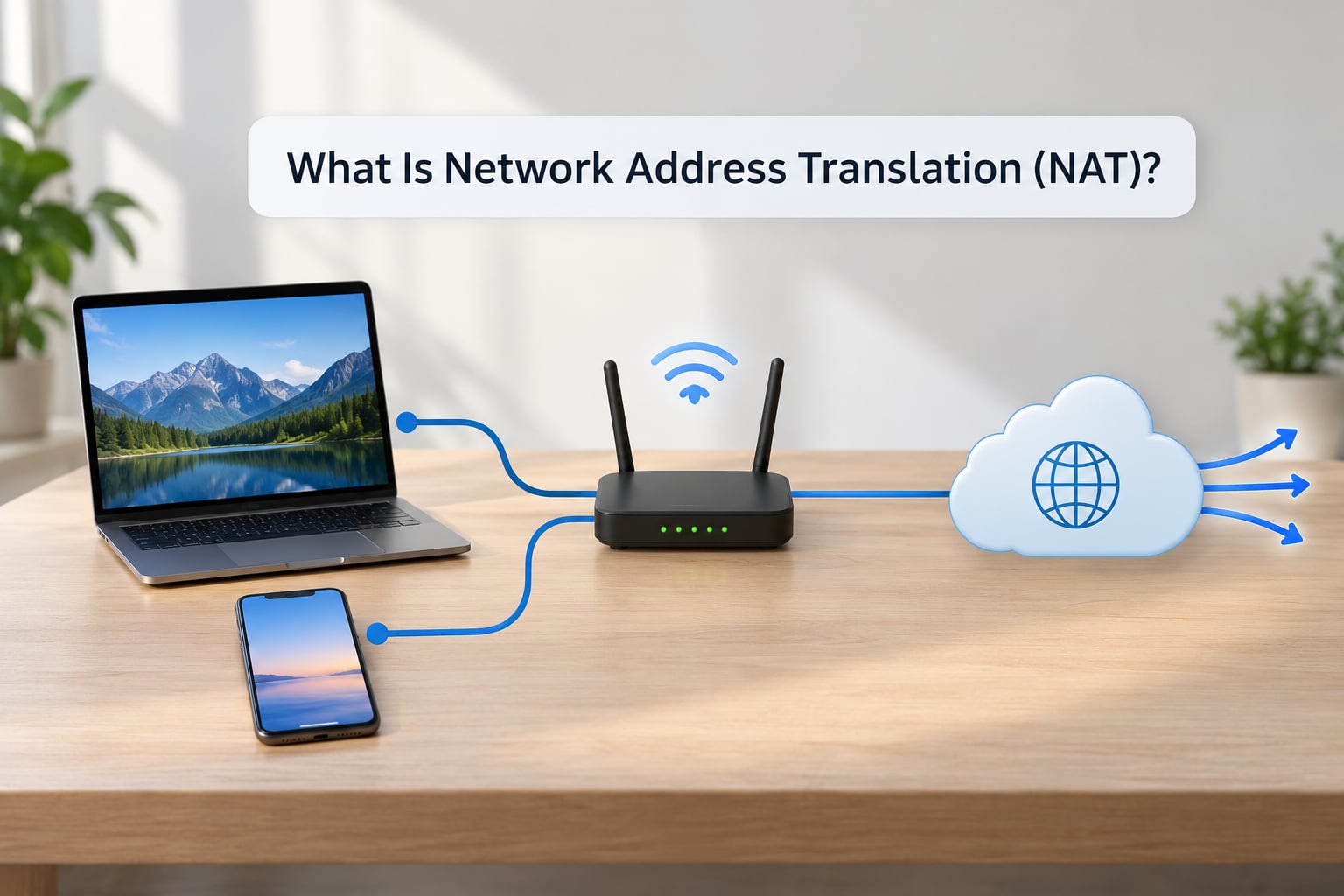
NAT rewrites addressing information in an IP packet header as it passes through a router. Your laptop sends a packet from 192.168.1.42, the router replaces that with its own public address on the way out, and when the response arrives the router reverses the substitution so the reply lands on the laptop instead of the router.
The classic way to picture it is a receptionist at a small office. Visitors never find the individual desks. They give their name at the front desk, the receptionist calls the right person internally, and the person walks out to the lobby to talk to them. The receptionist’s outward-facing name is the only one on the street, and every visitor shares it. Your router is the receptionist, the public IP is the desk, and the translation table is the appointment book.
It helps to separate NAT from a similar idea. Giving each device a real public IP address from your provider is a completely different mechanism, sometimes called dynamic public addressing, where the ISP hands out a public address directly to a machine. NAT does not do that. NAT keeps the internal device on its private address permanently and only borrows the public one for the duration of a conversation.
NAT also is not encryption and it is not anonymity. Anyone can see your traffic contents if they sit in the path, and while NAT hides which internal device originated a connection, it does not hide the fact that a connection exists.
What Problem Does NAT Solve?
IPv4 addresses are 32 bits, which gives roughly 4.3 billion of them. That sounded enormous in the early 1990s and ran out years ago. The fix that bought the internet the time it needed was reusing addresses, and NAT is the most successful version of that idea.
The trick starts with addresses that are reserved for internal use. RFC 1918 set aside three private ranges that no router on the public internet will ever route:
- 10.0.0.0 to 10.255.255.255
- 172.16.0.0 to 172.31.255.255
- 192.168.0.0 to 192.168.255.255
Any address in those ranges is free to reuse in every house on the planet. That is why your neighbours can both have a device at 192.168.1.1 without anything breaking. Packets with those source addresses are never routed across the public internet, so a company can use the same private scheme in every office and a packet cannot accidentally escape with an unroutable address.
In a typical home, the router sits between your LAN and the WAN connection to your ISP. Devices get private addresses, usually handed out by DHCP, and the router has a single public address that the whole internet can reach. NAT is the mechanism that makes that arrangement work, and it adds a side effect people rely on without noticing: unsolicited inbound traffic has nowhere to land, because no internal device ever holds a public address.
How Does NAT Translate a Packet?
Here is a single page load from a laptop, step by step. The laptop is 192.168.1.42, the router’s public address is 203.0.113.5, and the web server is 198.51.100.20.
How NAT works step by step for one outbound request
- The device picks a source port. Your operating system assigns an ephemeral port, say 51820, so this connection can be told apart from any other the laptop has open.
- The packet leaves the LAN. It is addressed to the destination server with source 192.168.1.42:51820. Nothing is rewritten yet.
- The router matches an existing entry. If a translation for this exact pairing already exists, the router reuses the same public port and the step ends there.
- Otherwise the router allocates a port. It picks an unused public port, say 41233, for the connection. This is the moment PAT comes into play.
- The router rewrites the source. The packet now reads source 203.0.113.5:41233. Checksums covering the header are recalculated.
- The router records the mapping. It writes an entry linking 192.168.1.42:51820 to 203.0.113.5:41233, plus a timeout counter.
- The packet crosses the internet. Every hop sees only the public address and never learns your laptop exists.
- The server replies to 203.0.113.5:41233. The reply is addressed to your router, not to your laptop.
- The router looks up the table. Port 41233 maps back to 192.168.1.42:51820, and the destination is rewritten on the way in.
- The reply reaches the laptop. The connection feels completely ordinary to both ends.
Two details in there cause most confusion. First, the router does not maintain one mapping per device; it maintains one mapping per connection. A laptop with a browser open to twelve sites can have a dozen entries at once. Second, the public port is chosen by the router, not chosen by you, and it changes every time the mapping is created.
That is also why a long-idle connection eventually stops working. The router drops entries after an inactivity timeout, and the other end keeps sending into a port nobody is listening on any more.
What Is a NAT Table?
The table is the entire mechanism. Experienced people on networking forums tend to say the same thing: understand the table and NAT clicks. It lives in router memory, is called the NAT table, connection tracking table, or conntrack table depending on the vendor, and every active connection gets one row.
A representative entry for the walkthrough above looks like this:
| Field | Value | What it is for |
|---|---|---|
| Protocol | TCP | Whether the rule applies to TCP, UDP or ICMP |
| Internal address | 192.168.1.42:51820 | Which device on the LAN sent the packet |
| External address | 203.0.113.5:41233 | The public address and port the internet replies to |
| Protocol state | ESTABLISHED | New, established, or related, used for return filtering |
| Timeout | Counting down | Entry is removed when it hits zero |
The state field is worth pausing on. Because the router tracks connection state, it can drop any inbound packet that does not match an existing row. Return traffic passes because a row already explains it. New inbound traffic has no row, so it dies at the router.
Entries expire. Typical timeouts run from a few minutes for UDP to an hour or more for established TCP, and long-lived sessions keep their row alive through keepalives. That table is also where many router admin pages hide their “connection tracking” or “active sessions” view, if the firmware exposes it.
What Is Port Address Translation (PAT)?
PAT, also called NAPT or NAT overload, is the flavour your home router almost certainly runs. Plain NAT maps one private address to one public address, which does not save anything if you have thirty devices. PAT adds the port number to the mapping so one public IP can serve every device at once, each with its own translated port.
Two devices can both want port 51820 at the same time and there is no conflict, because the external ports differ: 41233 and 41234. The port is the multiplier that turns address translation into something that actually conserves address space.
It also means there is no permanent public port belonging to your laptop. The public port is assigned per connection and released afterwards, so you cannot tell a neighbour “reach me on 41233” and expect it to work tomorrow. Any documentation claiming your machine sits on a fixed public port under PAT is describing static PAT, which is a deliberate manual configuration rather than the default.
If you have run packet captures on a home network, you will have seen the source address change mid-flight. That is normal. It is the rewrite from step five, not corruption.
How Does NAT Handle Incoming Connections?
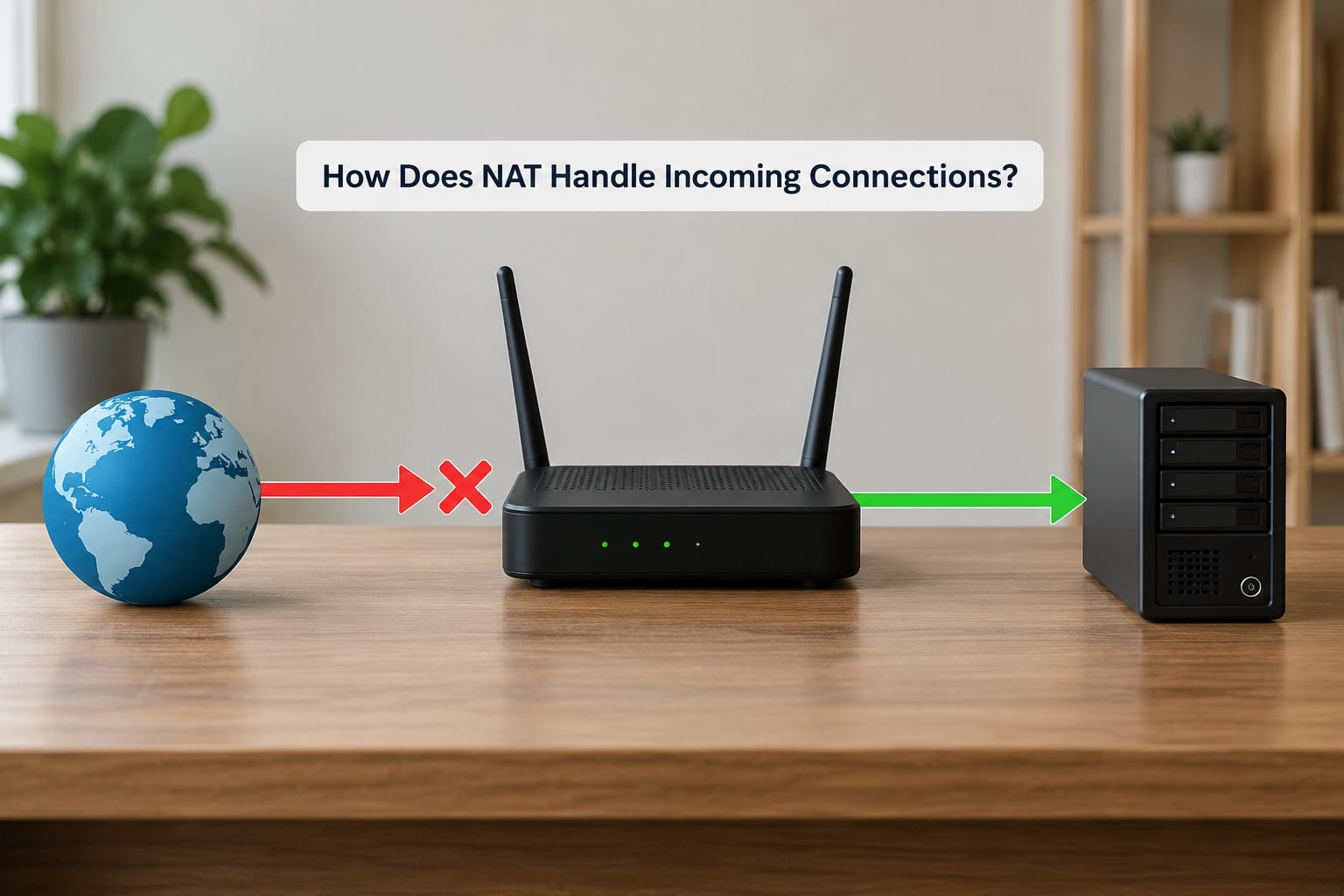
An inbound connection arrives at your public address with no prior context. There is no table row, because nothing inside your network asked for it. The router has two options: drop it, or find a rule that tells it where to send it. By default it drops it.
Port forwarding is the manual override. You create a rule that says traffic arriving on a specific public port goes to a specific internal address and port, for a specific protocol. That rule exists before the packet arrives, so the router now has somewhere to send it, and the service becomes reachable. This is how a game console, a home media server, or anything else you want visible from outside gets exposed.
Static NAT mapping is the address-level version: one internal device permanently paired with one public address. It costs you an address per machine and needs no port juggling, which makes it a good fit for a single server that must keep the same public identity.
DMZ-style forwarding is the blunt version. You point every port on the router at one internal address, leaving the firewall to do the actual filtering. It is convenient for isolated test machines and a bad idea for anything you care about, because you have handed the machine every unrequested connection the internet sends.
Hairpinning, sometimes called NAT loopback or split-horizon DNS support, is the odd one out. It lets a device inside your network reach another internal service using its public address and port. Without it, that request hits your public address, finds no matching inbound rule, and fails, even though the service works fine from the street. The result is a classic support question: my server is reachable from outside but not from my own laptop.
What Are the Main Types of NAT?
These four cover almost every real deployment you will meet.
| Type | Mapping | Typical use | Inbound behaviour |
|---|---|---|---|
| Static NAT | One private address always to one fixed public address | A single public-facing server that needs a stable identity | Reachable on its own public address without port forwarding |
| Dynamic NAT | Private address to a public address drawn from a pool, assigned on demand | Small offices that have more internal machines than public addresses | Blocked until a mapping exists; not predictable from outside |
| PAT (NAT overload) | Many private addresses to one public address, separated by port | Home routers and almost all consumer and small business gear | Blocked unless a specific port forward is configured |
| CGNAT (RFC 6598) | Many subscribers to one public address, at the ISP level | Mobile data, some fibre providers, crowded ISP infrastructure | Port forwarding cannot work, because the ISP router has no entry for you |
CGNAT deserves its own paragraph because it is the single most common reason port forwarding fails. Your provider puts a NAT router in front of you, so you have NAT inside NAT. A forward configured on your own router assumes an inbound packet can reach your public address, but on CGNAT it never does. It stops at the ISP’s router, which has no idea you exist.
A quick test is to compare the address your router reports as its WAN or internet address with the address the wider internet sees. If they differ, something upstream is translating too.
You will also hear the terms full-cone, restricted-cone, port-restricted-cone and symmetric NAT, which describe how strictly a router filters inbound packets and whether it reuses the same public port for the same internal device. They matter mostly to peer-to-peer applications, which use techniques such as STUN and ICE to negotiate a path through, or they show up as a NAT type of open, moderate or strict on a game console.
How Is NAT Different from a Firewall?
NAT and a firewall solve different problems. NAT rewrites addresses so traffic leaves and returns correctly. A firewall decides whether traffic is allowed at all, based on rules about source, destination, port and direction.
The confusion is understandable because NAT blocks unsolicited inbound traffic as a side effect of not having a table entry for it. That blocking is a by-product of address rewriting, not a deliberate security decision, and it has real holes. An outbound connection from inside your network creates a row that permits the matching return traffic, which means malware on a laptop can often open a path straight out and back in. A firewall you configured would have caught that.
So NAT should never be described as protection. It gives you address conservation and it gives most home networks some accidental obscurity. That is not a security model. If you care about filtering, run an actual stateful firewall and log what it drops.
The other reason the two get blended together is hardware. Most consumer routers implement NAT and a stateful firewall in the same box behind one web interface, so both settings live in the same menu. On virtualisation hosts and hypervisors the same thing happens in software, which is why NAT layers stack in home labs: your virtual machines pass through the hypervisor’s own NAT, then through your router’s, then out to your ISP.
How Can You See NAT in Practice?
You can watch translation happen on your own network in a few minutes, and menu names differ by router model and firmware version, so treat these as patterns rather than exact paths.
- Find your device’s private address. Look at the network settings panel on your operating system. A 10.x, 172.16.x to 172.31.x, or 192.168.x address means you are behind NAT.
- Note the gateway. It is almost always your router, commonly 192.168.1.1 or 192.168.0.1. Open it in a browser and sign in to the admin page.
- Find the WAN or internet address. Consumer firmware labels it WAN IP, Internet IP, or simply IP address on the status page. That is your public side.
- Compare with the outside view. Load an external IP lookup page. If it matches your router’s WAN address, you have one layer of NAT. If it differs, something else is translating too.
- Open a connection and watch the session list. Start a download on one machine, then look in the router’s active sessions, conntrack, or connection tracking view. You will see the private address and port on one side and the public port on the other.
- Check for double NAT. If the ISP supplied a modem that also routes, and you plugged your own router into it, you have two translation layers. Compare the modem’s WAN address with the public address you see externally. If they differ, bridging the modem or putting your router in DMZ on it removes a layer.
The same comparison tells you whether port forwarding can ever work. If you are behind CGNAT, no rule on your own router will help, and the fix is to ask your provider for a public or “bridged” address, or to host the service somewhere else.
What Happens to NAT on IPv6 Networks?
IPv6 has a 128-bit address space, which is large enough that address conservation is not a reason to translate anything. Devices commonly get globally routable addresses from their router, and most of the time there is no NAT involved at all.
That is the short answer. The longer answer is that IPv6 networks still see translation in a few situations. NAT66 translates IPv6 to IPv6, which vendors use in some carrier and enterprise deployments for address policy rather than scarcity. NAT64 lets IPv6-only clients reach IPv4-only services through a translator, and it is common in mobile networks. There is also 464XLAT for the same family of problems, and IPv6 firewalling in consumer routers tends to default to being more permissive than IPv4 filtering.
The practical consequence for beginners is that most IPv6 traffic is end-to-end addressable, so port-forwarding habits carry over less cleanly. Test what you actually have before assuming either behaviour.
Frequently Asked Questions
Is NAT a security feature?
Not properly. NAT rewrites addresses, and it blocks unsolicited inbound traffic only because no table entry matches. Malware inside your network can open an outbound connection that the return rule then permits. For real protection, run a stateful firewall with rules you configured, and check what it logs.
Does NAT change my computer’s IP address?
Your computer’s address stays exactly as assigned, usually a 192.168.x.x private address from DHCP. Only the packets in transit are rewritten, with the router substituting its public address and a chosen port. Your device has no idea this happens, which is why your settings screen never shows a public address.
Can multiple devices share one public IP address?
Yes, and that is the whole point of port address translation. The router keeps one entry per connection, not per device, and gives each entry a different translated port. Two devices can use the same internal port at the same moment without clashing, because the external ports separate them.
Why can I not receive incoming traffic without port forwarding?
Because nothing inside your network asked for that connection, so no translation table entry exists to tell the router where to send it. Port forwarding creates the entry ahead of time. If a correct forward still fails, check for double NAT or carrier-grade NAT upstream of your own router.
Is NAT still used with IPv6?
Far less for ordinary addressing, since IPv6 has enough addresses that conservation is unnecessary. You will still meet NAT66 in carrier and enterprise deployments, and NAT64 or 464XLAT where IPv6-only clients need to reach IPv4-only services. Translation exists there for policy and transition, not scarcity.
Does a NAT router replace a firewall?
No. Most consumer routers bundle both functions into one box, which is why the two get confused. A firewall decides whether traffic is permitted according to rules you set. NAT only rewrites addresses. If your router’s filtering is left at defaults, treat that as convenience rather than a deliberate security policy.
Conclusion
The mental model is short: your router swaps private source addresses for one public address, adds a port so nothing collides, and writes the pairing in a table it checks on every return packet. Outbound works because the table is created on the way out; inbound fails because nothing created it.
Start by writing down three things on your own network: your device’s private address, your router’s public address, and the port a live connection is using. Compare your router’s WAN address with what an external lookup shows you, and you will immediately know whether you have one layer of NAT or two. Everything else on this page follows from that table.