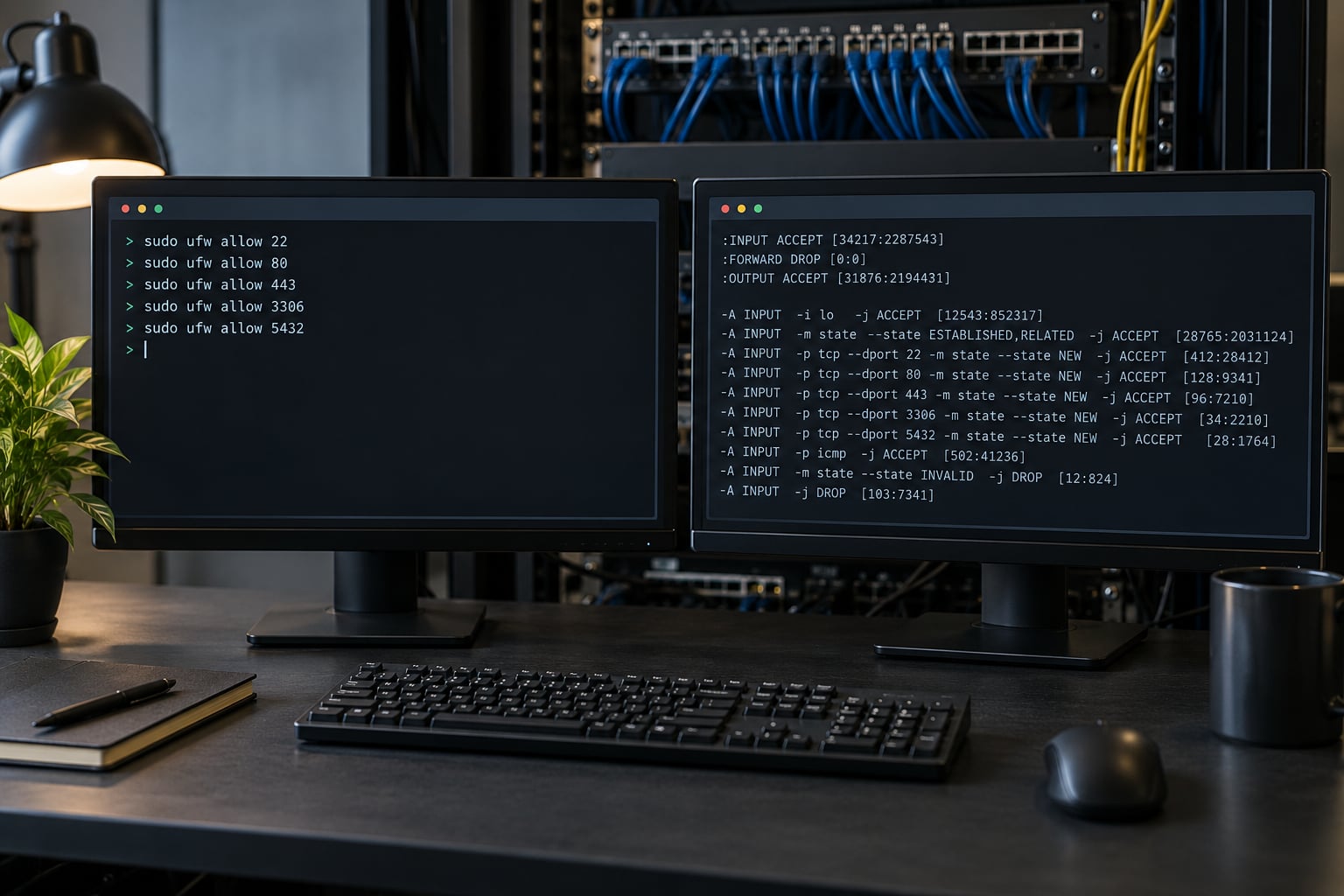
Use ufw on a single Ubuntu or Debian server when your rules are simple: allow SSH, open a web port, deny the rest. Use iptables when you need packet-level control ufw does not expose, and write new rules in nftables where you can. ufw is a management frontend; iptables is a userspace tool that programs the kernel’s netfilter subsystem. They are layers, not rivals.
That distinction is where most of the confusion on this topic comes from. Someone types ufw status, sees a short friendly list, and concludes the kernel firewall is only that. It isn’t. ufw writes rules into the same netfilter tables that raw iptables commands touch, so you can end up with two tools fighting over one rule set.
This guide breaks the choice down by layer, then by scenario: Docker hosts, cloud VMs, scripts, and troubleshooting. Command examples are literal, so you can paste them into a terminal as-is. Where behaviour varies by distribution, that is called out instead of smoothed over.
Table of Contents
- UFW vs iptables Which to Use at a Glance
- What Is ufw?
- What Is iptables?
- ufw vs iptables: Which Is More Flexible?
- Rate limiting and brute-force protection
- Connection tracking
- Header manipulation and queues
- Logging and audit
- ufw vs iptables for Docker and Cloud Servers
- Should you use ufw vs iptables on a Docker host?
- ufw vs iptables for Scripting and Automation
- ufw vs iptables for Troubleshooting
- ufw vs iptables on Modern Linux Distributions
- Which Should You Choose?
- Ubuntu or Debian laptop and desktop
- Single VPS running services
- Home lab or self-hosted server with routing and port forwarding
- Docker host
- Kubernetes node or anything with CNI-managed chains
- Multi-server fleet
- Anything you are building new in 2026
- Frequently Asked Questions
- What is the need of ufw if I have iptables in Ubuntu?
- Is UFW better than iptables?
- Does UFW use iptables or nftables?
- Is UFW or iptables more secure?
- Can I use UFW and iptables at the same time?
- Why does Docker ignore my UFW rules?
- How do I keep firewall rules after a reboot?
UFW vs iptables Which to Use at a Glance
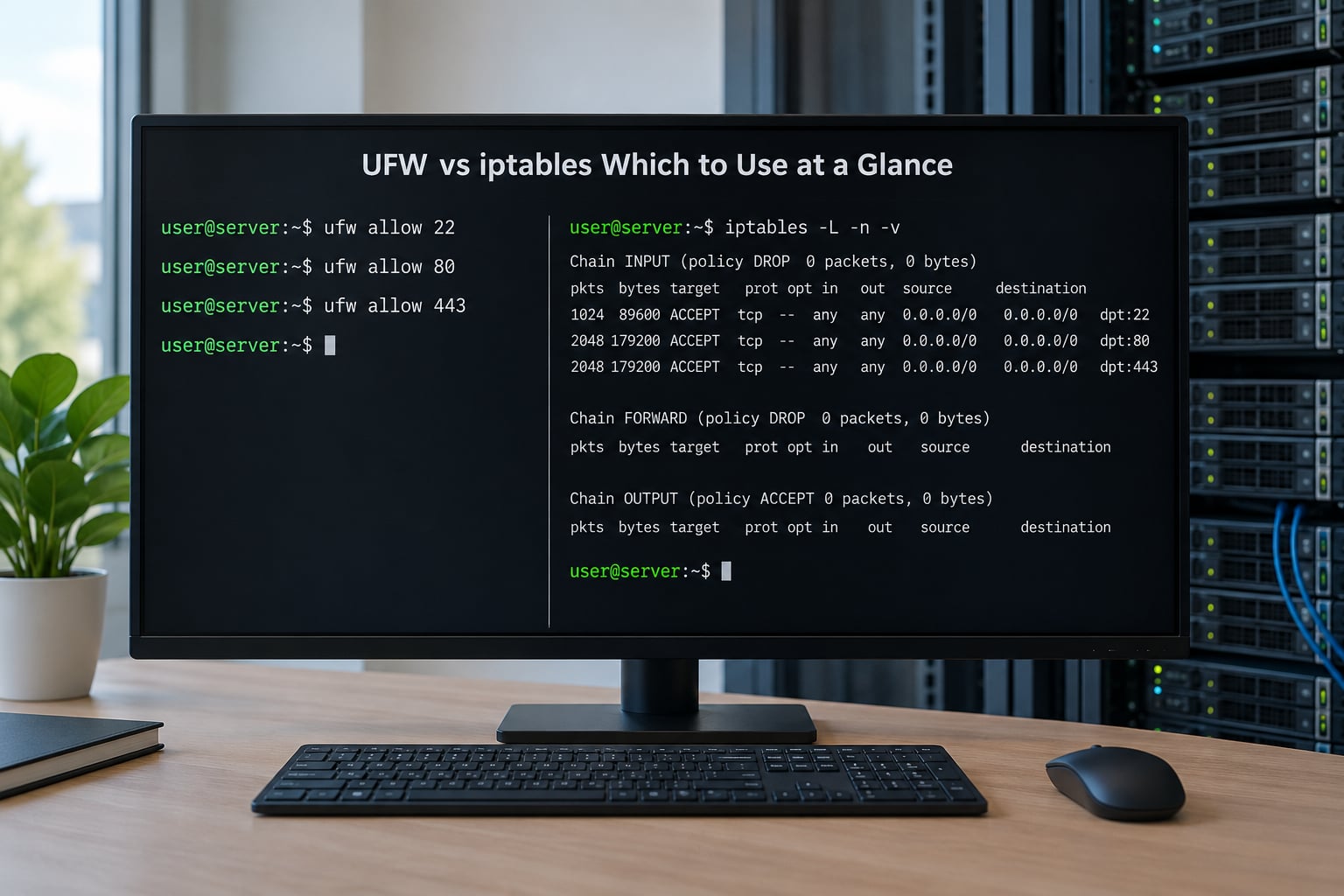
The short version: ufw wins on readability and speed of setup, iptables wins on expressiveness, and both of them lose to raw nftables for anything you build from scratch in 2026. The table below compares the two on the criteria that actually come up when people debug a firewall.
| Criterion | ufw | iptables |
|---|---|---|
| Abstraction level | Management frontend that generates rules | Userspace tool that programs netfilter chains directly |
| Learning curve | Low — a handful of verbs covers most needs | Steep — tables, chains, matches, targets, order |
| Default policy model | Default deny incoming, allow outgoing, set with one command | Set the policy per chain per table with -P |
| Rate limiting | Built in, ufw limit allows roughly 6 connections per 30 seconds per rule | Requires the limit match module, written by hand |
| Application presets | Yes — ufw allow OpenSSH resolves the profile’s ports | No, you write every port and protocol |
| Logging | One toggle per host via ufw logging | Per-chain and per-rule targets, plus NFLOG for structured logs |
| Raw, mangle and NAT work | Limited — needs raw rule passthrough for anything unusual | Full access to filter, nat, mangle and raw tables |
| Connection tracking | Implicit through allow rules, not directly configurable | -m conntrack with explicit state and timeout control |
| Persistence | Automatic once ufw enable is set | Manual via iptables-save and netfilter-persistent or iptables-persistent |
| Fleet management | None — rules are per host, no central server | None either, but templatable in configuration management |
| Visibility when debugging | Hides generated rules unless you read ufw status numbered or the backend | You see every rule the kernel has, in order |
| Container hosts | Misleading on its own — published ports bypass it | Also bypassed unless you use the DOCKER-USER chain |
One row deserves emphasis: persistence. ufw writes its ruleset to disk and reloads it at boot the moment you enable it. Raw iptables rules live in kernel memory only, and they vanish on reboot unless you install a persistence package. That single difference causes more broken servers than any rule syntax mistake.
What Is ufw?
ufw — Uncomplicated Firewall — is a command-line program that manages firewall policy by writing rules for you. It ships with an application profile directory, so ufw allow OpenSSH looks up which ports that service needs instead of making you remember 22.
The common commands are short enough to memorise in one sitting:
sudo ufw default deny incoming
sudo ufw default allow outgoing
sudo ufw allow OpenSSH
sudo ufw allow 443/tcp
sudo ufw limit 22/tcp
sudo ufw enable
sudo ufw status verbose
Behind the scenes, ufw maintains its own chains and inserts them into the kernel’s filter table, then sets the INPUT policy to drop anything not explicitly allowed. That default-deny stance is the practical value: after ufw enable, a service you forgot about is closed rather than quietly reachable.
Application profiles are the feature people underrate. Profiles live in /etc/ufw/applications.d/ and declare a title, ports, protocols, and whether the service is enabled by default. Adding a new service means dropping in a small text file, which is why ufw is comfortable in provisioning scripts even though the command set is small.
What ufw does not do is expose the whole netfilter subsystem. There is no first-class way to write a match on packet mark, TTL, or TCP window, no clean control over conntrack timeouts, and no access to the raw table. The documented escape hatch is a set of files — before.rules, after.rules and related paths — where you drop raw iptables syntax that ufw loads around its own rules.
What Is iptables?
iptables is a userspace command that writes rules into tables and chains maintained by netfilter, the kernel’s packet filtering framework. Every packet entering a Linux host walks the built-in chains — INPUT, OUTPUT, FORWARD, PREROUTING and POSTROUTING — and each rule in those chains is a match plus a target.
There are four tables you will meet immediately. The filter table handles accept, drop and reject. The nat table handles address and port translation, so port forwarding lives there. The mangle table alters packet headers and marks. The raw table runs before connection tracking, which is where you drop packets early.
Here is the same task the table above describes, written out the long way:
sudo iptables -A INPUT -p tcp --dport 22 -m conntrack --ctstate NEW,ESTABLISHED -j ACCEPT
sudo iptables -A INPUT -p tcp --dport 443 -j ACCEPT
sudo iptables -A INPUT -j DROP
sudo iptables -P INPUT DROP
That is the whole idea: append a rule, set a policy, and let the kernel do the rest. The power comes from the match modules. A single rule can key on interface, source subnet, destination address, port range, protocol, connection state, packet mark, TTL, rate, and more, combined with -m module loading.
iptables also works inside network namespaces, so per-container and per-VM filtering is a natural extension of the same syntax. Container runtimes and orchestration tools use this heavily.
Rules do not survive a reboot on their own. sudo netfilter-persistent save (Debian and Ubuntu) or sudo iptables-save > /etc/iptables/rules.v4 with the matching restore hook on RHEL-family systems is what turns a working ruleset into a durable one.
ufw vs iptables: Which Is More Flexible?
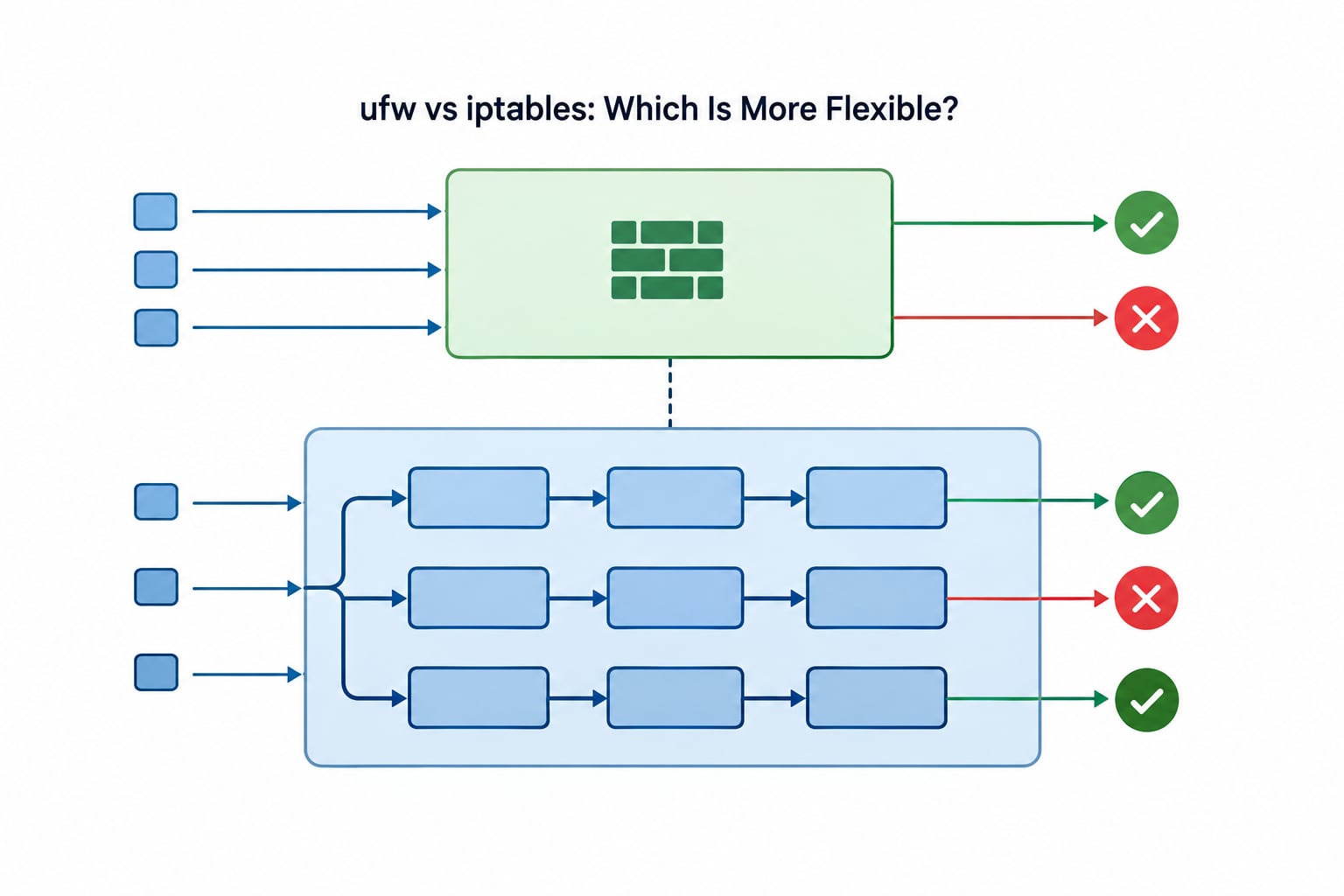
iptables is the more flexible of the two, and it is not close. ufw is a convenience wrapper over a subset of what iptables exposes, so every capability ufw lacks is still available one layer down — the real question is whether you want to maintain that layer yourself.
Four areas show the gap clearly.
Rate limiting and brute-force protection
ufw’s limit rule blocks a rule after more than a set number of new connections in a window — around six per 30 seconds — and a popular pattern is pairing it with fail2ban so repeat offenders get banned outright. With iptables you get the same -m limit match, but the thresholds and burst values are yours to set, and you can log hits selectively instead of globally.
Connection tracking
Both tools benefit from conntrack, but only iptables lets you target it. You can match on connection state, set timeouts per port, or bypass tracking entirely in the raw table for UDP-heavy or very high connection-rate workloads. ufw’s allow rules imply state matching; they do not let you tune it.
Header manipulation and queues
Traffic shaping, TOS marking and policy routing live in the mangle table. If your traffic needs to take a different path depending on source address, you are writing mangle rules, and writing them in iptables is the only option in this comparison.
Logging and audit
ufw gives you a single on or off switch. iptables lets you attach a LOG or NFLOG target to one specific rule, which matters when you are trying to answer a question like which address is scanning a closed port without drowning in noise from every other rejected packet.
Where ufw pulls ahead is correctness under change. Because it owns the whole ruleset, you cannot end up with contradictory ordering or a rule that a later flush removes. ufw is also easier to review in a pull request, which is why it survives contact with a small team. So on the flexibility question the two tools are not really rivals, and picking between ufw and iptables comes down to how much of netfilter you actually intend to manage yourself.
ufw vs iptables for Docker and Cloud Servers
Should you use ufw vs iptables on a Docker host?
Neither, on its own. On a host running containers, published ports are forwarded by the runtime before your host filter chain sees them in the way you expect. This is the single most common firewall surprise in this whole area: an operator runs ufw status verbose, sees the port closed, and ships it.
Here is what actually happens. Docker inserts its own rules into the nat table, and those rules perform destination NAT for published ports early in the PREROUTING path. The container’s traffic is already translated by the time it reaches the filter table, and the FORWARD chain — not INPUT — is where container traffic is judged. Your carefully written INPUT rules never see it.
The fix is the same whichever frontend you chose, which is the point. The runtime provides a DOCKER-USER chain specifically for host policy on forwarded traffic:
sudo iptables -A DOCKER-USER -p tcp --dport 5432 -j DROP
sudo iptables -A DOCKER-USER -m conntrack --ctstate RELATED,ESTABLISHED -j RETURN
sudo iptables -A DOCKER-USER -j RETURN
Once you are writing DOCKER-USER rules, you are using iptables regardless of what your frontend is. ufw status will not show them. This is also the answer to the recurring complaint that ufw allow does nothing for a container port — the rule went in, but it was never in the path the packet takes.
On cloud VMs, add a third layer before either tool. Security groups and network ACLs filter at the hypervisor, below the guest, and they are the right place for anything about who can reach the instance at all. A host firewall still matters for east-west traffic between containers and services on the same machine, and it still applies to traffic that arrives over an SSH tunnel or a private network link the security group allows.
For Kubernetes nodes the pattern repeats. The CNI and kube-proxy manage chains that interact with the filter table, and node-level policy usually means writing nftables or Calico or Cilium policy rather than a hand-managed ruleset. Deploy ufw-style simplicity on the node and a dedicated policy engine inside the cluster.
ufw vs iptables for Scripting and Automation
Automation is where the two tools diverge most in practice, and it is not the one people expect. The deciding factor is idempotency — whether running the same script twice leaves the same firewall as running it once.
ufw’s state lives in files under /etc/ufw/. ufw allow 443/tcp twice is harmless, because the second run sees an identical rule already present. You can commit /etc/ufw to a configuration management system and the target converges on apply. For a fleet of similar machines that is a genuine advantage: you write the intent once.
iptables commands are appends by default and are not idempotent. A provisioning script that runs twice gives you duplicate rules, and a script that runs after a manual cleanup gives you a different firewall than the one you tested. You can fix this with -C to check before adding, with iptables-restore to load a known-good file atomically, or with a purge-and-reload in the same script. It is more work, and the work is yours.
The flip side is that iptables exposes far more surface to a script. Bulk rule generation — one per tenant, per subnet, per container — is a loop, not a redesign. If your ruleset has structure that does not fit “service plus port”, iptables is the honest choice, and you should keep the canonical ruleset in a file and restore it rather than appending at runtime.
One middle path works well in mixed environments. Keep ufw as the owner of the base policy and drop extra raw rules into /etc/ufw/before.rules or after.rules. ufw reloads those files on start, so the rules persist without a second persistence package. Keep in mind ufw does not track those raw rules: a ufw reload reloads your file as written, and a ufw reset does not clean them for you.
ufw vs iptables for Troubleshooting
When traffic is not arriving, the tool that hides detail is the wrong tool for the moment. ufw is fine for adding a rule and terrible for answering why a packet died, which is why experienced operators keep both installed. That is the practical difference between ufw and iptables during an incident, and it is not the same answer you get when picking a tool to configure.
Start by confirming which backend your system actually uses, because this changed in the last several years and a lot of advice online is stale:
sudo iptables -V
sudo ufw status verbose
sudo nft list ruleset
iptables -V prints either nf_tables or legacy. On a current system it usually says nf_tables, which means your iptables command is translated into an nftables ruleset under the hood. nft list ruleset then shows the truth, including rules no frontend told you about.
Then read the rules with counters. sudo iptables -L -n -v --line-numbers shows how many packets and bytes have matched each rule, and a rule with zero packets on traffic you expect is the fastest clue you will get. For connection problems specifically, match on --ctstate INVALID or look at the FORWARD chain rather than INPUT.
Three more checks worth having in your pocket. Use conntrack -L to see what the kernel thinks your connections are. Use ip netns list and ip netns exec <name> iptables -S when containers or VMs are involved, because each namespace has its own ruleset. And confirm the interface is even up and holding the address you think it is with ip addr before blaming the firewall for a problem that is really a downed interface or a routing table that points somewhere else.
ufw’s own diagnostics are decent for simple cases: ufw status numbered shows rules with their indexes, which is what you need to delete a specific line. For anything beyond that, drop to iptables -S and read the real rule order.
ufw vs iptables on Modern Linux Distributions
This is the part that catches people out. iptables is no longer the kernel’s native firewall interface on most current distributions. nftables is, and the iptables command on a modern system is a compatibility shim that converts your syntax into an nftables ruleset. The tool you have been using still works, but it is a translator, not the engine.
| Distribution family | Default frontend | Default backend | Notes |
|---|---|---|---|
| Ubuntu and Debian | ufw (inactive by default) | nftables via the iptables-nft shim | firewalld available in Debian and Ubuntu as an alternative |
| RHEL, CentOS Stream, Fedora | firewalld | nftables | ufw is available but not the packaged default |
| Arch Linux | None — you choose | nftables | ufw and firewalld both in the repositories |
| Alpine | None by default; nftables or iptables packages | Configurable | Common in container and appliance images |
| Legacy RHEL 7 and CentOS 7 | firewalld | iptables-legacy | End-of-life; no nftables here |
That table explains a lot of the forum disagreement you will read. Someone on an end-of-life RHEL 7 box is describing a genuinely different stack from someone on a current Debian release, and both are describing “iptables” accurately.
firewalld is the third tool you will meet, and it is worth naming even though it is not the focus here. It manages policies as zones and services, pushes changes to running applications, and can reload without dropping connections. If you are on RHEL-family, it is the frontend to learn rather than ufw.
For new work, translate old rulesets before you start rewriting them by hand:
sudo iptables-translate -A INPUT -p tcp --dport 22 -j ACCEPT
Output goes to stdout so you can review it before committing. The same tool works the other way for checking what a nftables rule is doing, which is a fast way to understand a ruleset someone else wrote.
One rule of thumb for mixed fleets: check the backend before assuming a rule is doing nothing. If iptables -V says legacy while another tool wrote nftables rules, you have two active systems and neither knows about the other. That combination produces exactly the silent breakage people complain about.
Which Should You Choose?
Pick by scenario rather than by preference, because the wrong pick costs you time later.
Ubuntu or Debian laptop and desktop
ufw, and turn it on. Even the GUI front end gufw sits on the same rules, so anything you learn transfers. Enable it before you connect to unfamiliar networks.
Single VPS running services
ufw. The set of rules is a short list of ports, a default-deny policy, and done. Add ufw limit on SSH and pair it with fail2ban. Check the cloud security group first so you are not debugging a packet the hypervisor already dropped.
Home lab or self-hosted server with routing and port forwarding
If you already manage NAT and forwarding with iptables, stay there. Moving to ufw for the filter half means maintaining two tools without removing any work. Self-hosters reach this conclusion repeatedly, and it is the right one.
Docker host
ufw for the host’s own ports, plus explicit DOCKER-USER chain rules for container traffic. Know that you are writing iptables either way, and that ufw status will never show those rules.
Kubernetes node or anything with CNI-managed chains
Neither. Use a policy-aware network layer that understands workloads, and keep the node’s host-level filtering to ports the platform genuinely needs. Hand-written rules here are overwritten by component upgrades.
Multi-server fleet
Neither frontend gives you central management — ufw has none, and iptables has none either. Use configuration management, with iptables rulesets generated from templates when the rules are complex, or firewalld if you want live reloads without dropping connections.
Anything you are building new in 2026
Write nftables natively. It handles sets and maps, which collapse thousands of per-host rules into a few objects, it is the backend your distribution actually runs, and it removes the translation layer that still sits behind the iptables command. Use ufw for convenience on single machines you manage by hand; use iptables for control where you already have expertise or existing rulesets.
On security posture: the tools are not more or less secure. Security comes from the policy you wrote, the default-deny stance, keeping rules persistent, and knowing what is actually filtering your traffic. A friendly frontend with default-deny on beats a hand-rolled ruleset that accidentally allows the world in, every time.
Start with a two-minute check. Run iptables -V and nft list ruleset on the machine in front of you. Whatever backend answers is the one that matters, and every decision above follows from that.
Frequently Asked Questions
What is the need of ufw if I have iptables in Ubuntu?
Both exist because they do different jobs. iptables is the userspace tool that programs the kernel’s netfilter chains; ufw is a frontend that generates those same rules from a short command syntax and stores them in files. You keep iptables even when ufw is installed because ufw covers common cases, while anything ufw cannot express still needs the layer underneath. The two are not alternatives, and the confusion comes from seeing both commands available on a fresh Ubuntu install.
Is UFW better than iptables?
Better depends on the job, not the tool. ufw is better for a single machine with a short list of service ports, because you can read the whole policy in a minute and mistakes are obvious. iptables is better for per-packet conditions, NAT and mangle work, bulk generated rules and fine-grained logging. For a new ruleset written today, plain nftables is the better foundation of the three.
Does UFW use iptables or nftables?
It depends on the release. Older ufw versions wrote iptables-legacy rules. Newer versions can write nftables rules directly, and on a current distribution the iptables command itself is a shim that translates your syntax into an nftables ruleset. The reliable way to check your own system is to run iptables -V and look for nf_tables or legacy, then run nft list ruleset to see the rules that are actually loaded.
Is UFW or iptables more secure?
Neither is inherently more secure, because both express whatever policy you write. Security comes from a default-deny stance on incoming traffic, explicit rules for what you need, persistence across reboots, and visibility into what is actually filtering traffic. ufw makes the safe default easier because one command sets it, and it also makes it easier to leave a port open by accident during a hurried edit. A reviewed ruleset beats a friendly one every time.
Can I use UFW and iptables at the same time?
Yes, deliberately. ufw owns the rules it generated, and you add the exceptions through its raw-rule files, usually before.rules or after.rules, which it loads on every start and reload. The same applies to Docker hosts, where DOCKER-USER chain rules are written in iptables syntax and never appear in ufw status. Avoid ad hoc iptables commands run by hand, because ufw reload or reset will discard them without telling you.
Why does Docker ignore my UFW rules?
Because container traffic is forwarded, not delivered to the host’s INPUT chain. Docker inserts NAT rules early in PREROUTING to translate published ports, so the container’s packets reach the FORWARD chain with translated addresses, and your host filter rules in INPUT never see them. Enforce policy in the DOCKER-USER chain, which is created for exactly this purpose, and keep cloud security groups for anything about who can reach the host at all.
How do I keep firewall rules after a reboot?
ufw handles this for you once you run ufw enable, because the ruleset is written to disk and reloaded at boot. Raw iptables rules live in kernel memory only, so save them: install netfilter-persistent on Debian and Ubuntu, or iptables-persistent on RHEL-family systems, and run the save command before rebooting. Always verify with netfilter-persistent save, since a ruleset that was never saved comes back empty and leaves the host wide open.
Whichever way you go, the sequence is the same. Confirm the backend with iptables -V, set a default-deny policy for incoming traffic, allow SSH before you lock yourself out, add the ports your services actually use, and make the ruleset persistent. Then run nft list ruleset once and confirm what the kernel really loaded.