sudo runs a single program with the security privileges of another user, usually root, after checking a policy file and authenticating the caller. So what does sudo actually do, mechanically? It is a setuid-root binary: the kernel starts it as root, it validates you against /etc/sudoers, asks for your own password through PAM, replaces your process identity with the target user’s, runs the command, and writes a line to the system auth log.
Table of Contents
- What Does sudo Actually Do?
- How sudo Runs a Command
- What changes between the process that calls sudo and the process that runs your command
- sudo vs. su and Running Commands as Root
- What is the real difference between sudo su, sudo -s, and sudo -i?
- Where doas and Linux capabilities fit
- How sudoers Controls Allowed Commands
- Environment Variables, PATH, and Security
- What Happens During sudo Authentication and Logging
- Practical Examples of Safe sudo Use
- Common Misunderstandings and Security Mistakes
- Frequently Asked Questions
- Is sudo safer than logging in as root?
- What is the difference between sudo and being root?
- Why is sudo called sudo?
- Is sudo safe to use?
- What are the differences between doas and sudo in Linux?
- Where do sudo’s This incident will be reported messages go?
- Conclusion
What Does sudo Actually Do?
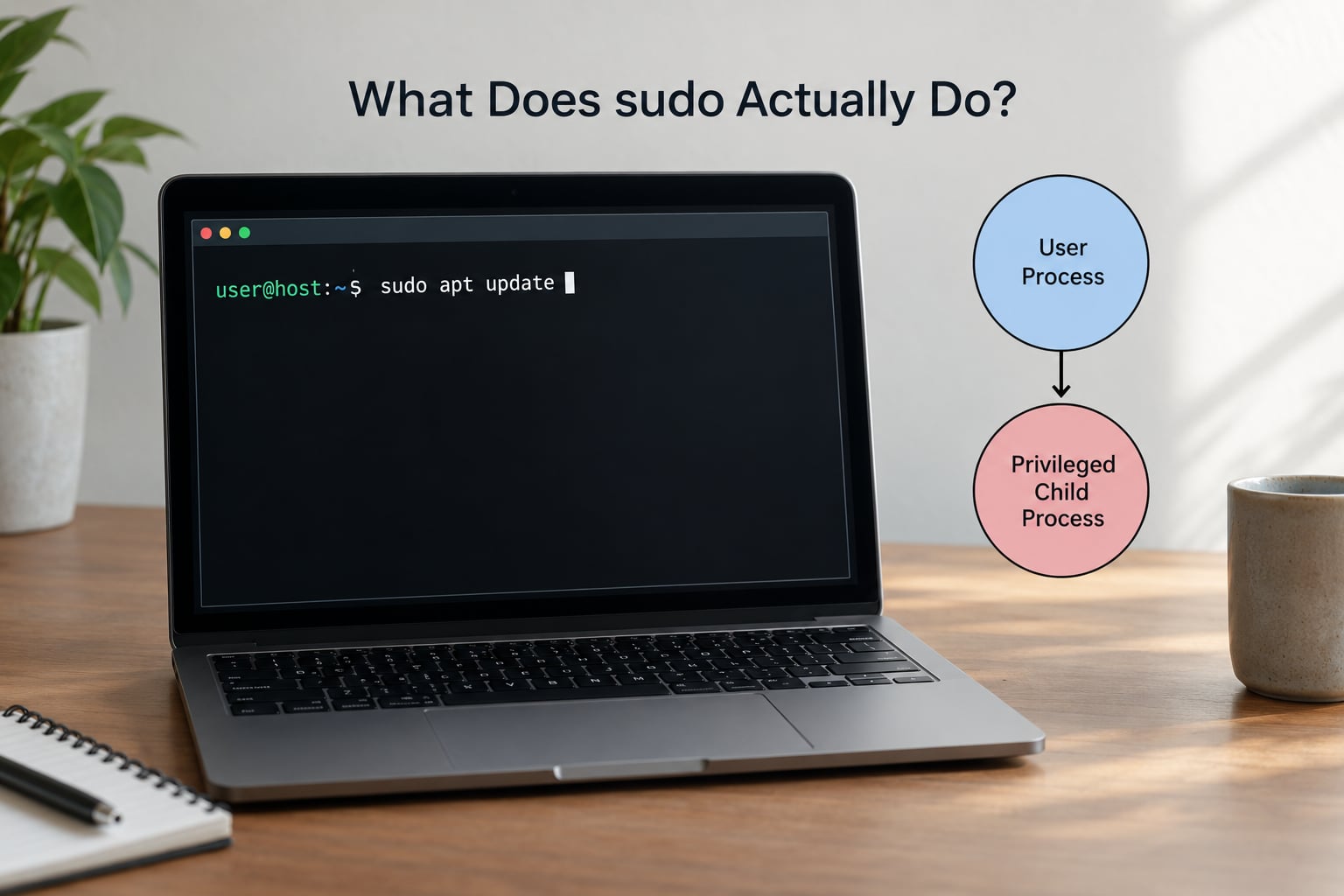
Here is the short version, without the marketing language. sudo does six things, and every one of them happens before or immediately after your command runs.
- Elevates privilege for one command, not for a session, unless you explicitly ask for a shell.
- Checks a policy file first. If no rule in
/etc/sudoersor/etc/sudoers.dmatches your account, host, command, and target user, it exits without doing anything. - Authenticates you with your own password, not root’s, through the PAM stack. Root usually has no password at all on a modern distro.
- Rewrites process credentials, changing real, effective, and saved set-user-ID to the target user and setting supplementary groups.
- Resets the environment, dropping inherited variables and replacing the PATH with the administrator’s
secure_path. - Records the invocation in the system auth log, whether it succeeded or failed.
The name comes from “superuser do,” which was accurate in 1980 when sudo was written and is a bit generous today. You can run sudo -u deploy systemctl status api as an unprivileged user, and no part of that touches root.
How sudo Runs a Command
When you type sudo systemctl restart nginx, this is the sequence that plays out. It takes milliseconds, and you only ever see steps four and five.
- The setuid bit does the first trick.
/usr/bin/sudois installed owned by root with the setuid bit set. When your shell callsexecve(), the kernel assigns the process an effective UID of 0 before the first line of sudo runs. This is the only part of the mechanism you did not ask for, and it is the reason nobody else can pretend to be sudo. - Flags are parsed and the command line is reduced to the tuple the policy cares about: who you are, which host, which command, which target user.
- The policy lookup happens. sudo reads
/etc/sudoersand then every file in/etc/sudoers.d, last match wins, and looks for a rule matching that tuple. - Credentials are checked through PAM, which is the same pluggable authentication stack used by your login session and your graphical desktop. If a valid timestamp ticket exists for your user and terminal, this is skipped.
- Identity is replaced. sudo calls
setresuid()to set the real, effective, and saved set-user-ID to the runas target, theninitgroups()to build the right supplementary group list. - The environment is sanitized, the working directory is set or reset, and sudo calls
execve()on your command. From that point the process is no longer sudo at all. - The outcome is logged through syslog, which on most systems means journald, and from there it is available to
journalctl.
That last point explains why you never see an error from sudo itself if the command fails. sudo is gone by the time your command complains.
What changes between the process that calls sudo and the process that runs your command
The distinction matters more than it looks, because it is where the privilege boundary actually sits.
| Property | Your shell | Command run under sudo |
|---|---|---|
| Real UID | your user (1000) | the runas target, usually 0 |
| Effective UID | your user (1000) | the runas target, usually 0 |
| Saved set-user-ID | your user | lets the process change back to itself |
| Environment | your login environment | filtered, unless -E |
| Audit entry | none | one line in the auth log |
Root is UID 0. That number is the whole of it: a process whose effective UID is 0 bypasses almost every permission check in the kernel, which is why running your shell as root is a much bigger deal than running one command with sudo.
sudo vs. su and Running Commands as Root
These four methods all produce root, but they differ in credential source, scope, environment handling, and how much they leave in the log.
| Method | Credential checked | Scope | Environment and shell | Audit entry |
|---|---|---|---|---|
| Logging in as root | root’s password or key | Full session | Full root login shell, all env | Login record only |
| su – | root’s password | Full session | Login shell as root | Recorded, often not enough detail |
| su | root’s password | Full session | Keeps most of your environment | Recorded |
| sudo command | your password | One command | Filtered, non-login | Full command line |
| sudo -i | your password | Full session | Root login shell, home changes | Full command line |
| doas command | your password | One command, by config | Minimal, single file | Full command line |
The practical difference between su and sudo is not power, it is accountability. su hands you a root session and often leaves a single generic entry, while sudo logs the exact command line against the account that asked for it. That log line is the difference between knowing and guessing after something breaks.
What is the real difference between sudo su, sudo -s, and sudo -i?
sudo surunssuas root. You land in a root shell that keeps your current directory and most of your environment variables, which is exactly the confusing middle ground people complain about.sudo -sruns your login shell with an effective UID of 0, but stays in your current directory and does not fully simulate a login.sudo -isimulates a full root login: it changes to root’s home directory, runs root’s login shell startup files, and resets the environment the way a real root login would. This is the closest to “become root” and the one to use when you genuinely need a root shell.
Where doas and Linux capabilities fit
doas was written as a smaller, single-config-file answer to the same problem. It logs the command the same way, but it has no per-user rules, aliases, or password caching, so it suits a single-admin machine rather than a server with delegated duties. Linux capabilities are a different tool entirely: CAP_NET_BIND_SERVICE lets a specific binary bind port 80 without any root process existing at all. For a service that needs exactly one privileged operation, capabilities are the narrower and better answer.
How sudoers Controls Allowed Commands
The policy file is /etc/sudoers, and everything in /etc/sudoers.d is read as part of it, sorted by filename with later entries overriding earlier ones. A rule has four parts that must all match.
- User or group:
alice,%wheel, or#1000for a group by GID. - Host: the machine name or IP the rule applies to, typically
ALL. - Runas list: which target user IDs you may become, such as
(ALL : ALL)or(root). - Command list: the exact binaries allowed, optionally with arguments in sudo 1.9.10 and later.
Delegating one specific command looks like this:
# /etc/sudoers.d/deploy-restart  (run: visudo -f /etc/sudoers.d/deploy-restart)
Cmnd_Alias RESTART_API = /usr/bin/systemctl restart api,
                        /usr/bin/systemctl status api
alice   ALL=(root) NOPASSWD: RESTART_API
Defaults!RESTART_API timestamp_timeout=0
That rule gives alice the ability to restart one unit and nothing else. It is the use sudo was originally designed for, and it is the reason a machine can have several semi-trusted operators without handing out root logins.
Always edit with visudo, not a plain editor. visudo takes a lock, checks syntax before it writes, and refuses to save a file it cannot parse, which is the difference between a mistake you fix in five seconds and a machine no one can get into.
To see what your own account is allowed to run right now:
$ sudo -l
Matching Defaults entries for alice on laptop:
    env_reset, mail_badpass,
    secure_path=/usr/local/sbin:/usr/local/bin:/usr/sbin:/usr/bin:/sbin:/bin

User alice may run the following commands on laptop:
    (ALL : ALL) ALL
    (root) NOPASSWD: /usr/bin/systemctl restart api
Read that output before you assume you are limited. If the only line is (ALL : ALL) ALL, your account is equivalent to root and nothing is being contained.
Environment Variables, PATH, and Security
sudo resets the environment by default. env_reset keeps a short allowlist of variables such as TERM, PATH, and HOME, and drops the rest, because an inherited variable can change what a command does without changing the command line itself.
PATH is the sharpest edge. If your PATH contains a directory you write to, then sudo somecommand may not run the binary you expect, because sudo searches with the administrator’s secure_path instead. The practical habit is to type the full path when it matters:
sudo /usr/bin/systemctl restart nginx
sudo /usr/bin/apt install -y nginx
The dangerous version is a variable like LD_PRELOAD, which loads a shared library into every program that starts. Blocking it by default is one of the reasons sudo was never simply a wrapper that ran su.
Two flags turn that protection off deliberately. sudo -E preserves your existing environment, and sudo -H sets HOME to the target user’s home directory. Both are occasionally needed, and both belong in reviewed scripts rather than in daily typing, since -E from an untrusted caller is close to giving away root.
What Happens During sudo Authentication and Logging
The prompt you see comes from PAM, not from a check against a stored root password. A successful authentication writes a timestamp ticket scoped to your user ID, the parent terminal, and a short session identifier. On many distros the default timeout is 15 minutes, so the second sudo in a row does not ask again.
That caching is also why sudo -k exists. It destroys your cached ticket immediately, which matters on a shared or remote machine.
sudo -k                 # invalidate the cached credential
sudo -v                 # verify and refresh the ticket, run nothing
sudo -n command         # run only if a valid ticket exists, never prompt
Now the message everyone has wondered about. “This incident will be reported” is fixed wording in the sudo source and it is not aimed at you. Every attempt, successful or not, is written to the host’s auth facility, which lands in journald on systemd systems and in /var/log/auth.log or /var/log/secure on older ones.
sudo journalctl _COMM=sudo
sudo journalctl -u sudo --since "09:00"
grep sudo /var/log/auth.log
Nobody reads those entries in real time. It is a log, and its value is entirely in how fast you go looking after an incident, not in the threat of immediate detection.
Practical Examples of Safe sudo Use
Install a package. One command, one password, no lingering root session:
sudo apt install -y nginxRestart a service and check it came back:
sudo systemctl restart nginx
systemctl status nginx --no-pager
Edit a file that only root can write, and hand it back immediately:
sudoedit /etc/ssh/sshd_config
sudoedit /etc/nginx/sites-available/default
sudoedit copies the file to a temporary location, runs your editor as yourself, and copies the result back with elevated rights. It is the right tool for config files because a stray keystroke in a root-owned editor session is not a recoverable mistake.
Run something as a different user without becoming that user:
sudo -u www-data nginx -t
sudo -u postgres psql -c "SELECT now();"
Use it in scripts. Never feed a password into a script, and never let a prompt appear inside a pipeline that has nobody to answer it:
sudo -n systemctl reload nginx || echo "no valid sudo ticket"If a job genuinely needs root, the correct answer is a systemd service with the narrowest ExecStart you can manage, not a cron job that calls sudo.
Common Misunderstandings and Security Mistakes
“sudo gives me more granular root.” This is the belief that costs people the most. If your rule is (ALL : ALL) ALL, you have everything root has, and sudo adds nothing but a log line. Granularity is something the sudoers file grants, not something the command provides.
“sudo is a shell.” It is not. It is a program that runs another program. The moment it starts your command it has exited, which is exactly why every child process you start inherits that elevated identity.
“My password protects root, so sudo protects root.” Your password authorizes a policy decision. Anyone who can get a root shell, a shell running as root, or a container with root inside can act as you.
NOPASSWD without a command list. A rule reading alice ALL=(ALL) NOPASSWD: ALL hands over an unattended root login to anything that reaches alice’s account, including a malicious script and anything an attacker writes into her crontab.
Long-lived root sessions. Once you are in sudo -i, every typo runs with no permission checks at all. A rm -rf in a root shell can destroy the machine, and the filesystem will not stop you because root is exempt from the write-protection bits that would otherwise fail the operation.
Piping installers into a shell as root. curl something | sudo bash hands the downloaded script the identity of a running web server with no prompt, no review, and no signature check. Download it, read it, then run it.
The pattern that avoids all of this is unglamorous: run one command, read the output, let the process end. If a task seems to need a permanent root shell, the task is usually doing too much.
Frequently Asked Questions
Is sudo safer than logging in as root?
For day-to-day work, yes, mainly because of scoping and the audit trail. Each elevation is a separate logged event tied to your own account, and a mistake in an unprivileged shell cannot touch system files. The moment you run sudo -i or sudo su, though, you are root with full access and sudo contains nothing. Treat any root shell with the same caution as a logged-in root session.
What is the difference between sudo and being root?
Root is a user account, UID 0, with the ability to do anything. sudo is a setuid-root program that runs one command on your behalf after checking a policy file and your password. Being root is a permanent state with no record of what you did. Using sudo is a single event that appears in the auth log with the exact command line.
Why is sudo called sudo?
It originally stood for superuser do, written when sudo was created in the 1980s. The name oversells it today, because a sudo rule can name any user as the target, not just root. sudo -u deploy systemctl status api runs as an ordinary unprivileged account. The command was built for scoped delegation, and the label stuck anyway.
Is sudo safe to use?
Yes, provided you run the narrowest command that works rather than dropping into a root shell. The real risks are configuration mistakes: a NOPASSWD rule with no command list, running everything from sudo -i, or piping an unreviewed script into a root shell. On a correctly configured system sudo is the safest way to do administration, and the log gives you an audit trail.
What are the differences between doas and sudo in Linux?
Both authenticate you, run one program with another user’s privileges, and log the invocation. doas keeps its policy in a single small config file and has no per-user rules, command aliases, or credential caching, which makes it easy to read and easy to misread. sudo has far more features, more ways to go wrong, and is what nearly every Linux distribution ships.
Where do sudo’s This incident will be reported messages go?
That line is fixed wording in the sudo source and is not aimed at you. Every attempt, successful or failed, is written to the host’s auth facility. On systemd systems that means journald, readable with journalctl _COMM=sudo. Older setups keep it in /var/log/auth.log or /var/log/secure. Nothing is sent to a human in real time.
Conclusion
sudo is a small setuid program that checks a policy file, authenticates you, swaps your process identity for a moment, runs one command, and writes it down. That is the whole model, and everything people get confused about comes from expecting it to be something more protective than it is.
Start by finding out which privilege you actually need, rather than reaching for the biggest one. Run sudo -l to see what policy already permits, prefer a narrow command over sudo -i, use sudoedit for config files, and when a job needs root repeatedly, give it a named rule instead of handing over an unrestricted one.