
A self signed certificate is an X.509 certificate that signs itself using its own private key instead of a public certificate authority. It still encrypts traffic, but nothing independent vouches for who issued it, so clients accept it only after you install it as a trusted root. Use one when you control every client that connects. Anywhere else, buy a publicly trusted certificate.
I have run local HTTPS on a dev box, a home lab and a handful of internal services, and I still generate a self signed certificate every time. Nothing about it is exotic. What trips people up is the trust half of the story: encryption and authentication are separate jobs, and a self signed certificate does the first one well and refuses to do the second one.
That refusal is not a flaw. It is the design. Once you understand exactly what a self signed certificate does and does not give you, the “should I use one” question stops being a debate about security and turns into a short checklist about who connects to your server.
Table of Contents
- What Is a Self-Signed Certificate?
- How a Self-Signed Certificate Is Created and Trusted
- What Is Inside the Certificate
- When to Use a Self-Signed Certificate
- When Not to Use One
- Self-Signed vs CA-Signed Certificates
- How to Use One Without Causing TLS Errors
- Common Self-Signed Certificate Mistakes
- Frequently Asked Questions
- Is a self-signed certificate less secure than a CA-signed certificate?
- Do browsers and operating systems trust self-signed certificates automatically?
- Can a self-signed certificate be used for HTTPS on a public website?
- Should I trust the server certificate or a separate certificate authority?
- Can I use one self-signed certificate for multiple internal servers?
- Conclusion
What Is a Self-Signed Certificate?
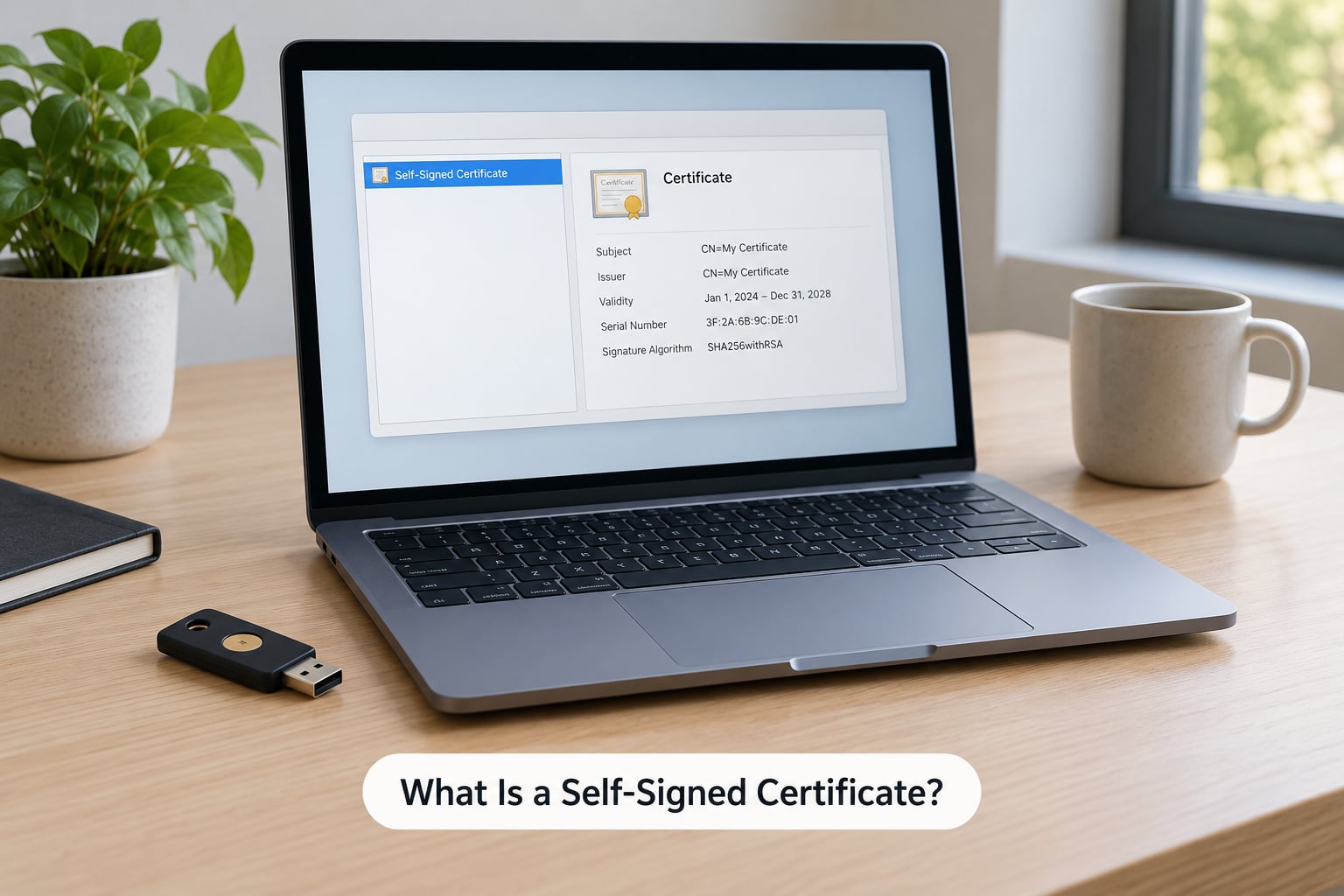
A self signed certificate is an X.509 certificate that is signed by the same entity that created it, rather than by a trusted certificate authority. The holder generates a key pair and signs the certificate with their own private key, so there is no third-party identity check and no chain of trust back to a root the client already knows. It provides encryption without authentication.
Four words in that last sentence carry the whole argument, so it helps to pull them apart. Encryption means nobody on the wire can read the traffic. Authentication means the client can prove who it is actually talking to. A CA-signed certificate gets you both, because a paid, accountable third party checks the paperwork first and vouches for the domain name in the certificate.
A self signed certificate gives you the encryption and skips the vouching. The certificate still contains a public key, a subject name, validity dates and a signature. What it does not contain is a signature from anybody the client has agreed to believe.
How a Self-Signed Certificate Is Created and Trusted
The mechanics are the same cryptography a CA uses. Generate a key pair, describe the identity you want in a certificate signing request, then sign it. The only difference is the last step, because there is no one to send the CSR to.
Here is the sequence in order:
1. Generate the key pair. OpenSSL produces a private key and its matching public key. The private key stays on the server. The public key goes into the certificate.
2. Build the certificate signing request. The CSR carries the public key plus the distinguished name fields you care about, such as a common name of dev.myapp.local.
3. Sign it with your own private key. With a normal certificate, that signature comes from the CA’s key. Here it comes from yours, which is exactly what makes the certificate self signed.
4. Distribute the certificate to the clients. This is the step everyone forgets. Until the certificate sits in the trust store of every machine, container, runtime and mobile device that talks to your server, each of them will treat the connection as untrusted.
There is a neat way to tell whether a certificate is self signed: open it and compare the issuer and the subject. When they are identical and the signature verifies against the certificate’s own public key, it signed itself.
What Is Inside the Certificate
Whatever issued it, a modern X.509 certificate carries a handful of fields worth knowing by name, because most confusing error messages come down to one of them.
- Subject and Issuer. Both read the same on a self signed certificate. That match is the tell.
- Public key. The half that clients encrypt to, typically RSA 2048, or an ECDSA prime256v1 key.
- Subject Alternative Name (SAN). The hostnames and IPs the certificate is valid for. Browsers ignore the old common name field entirely.
- Validity period. Not before and not after dates. You choose these, and nothing reminds you when they pass.
- Serial number and signature algorithm. The serial identifies the certificate, and SHA-256 is the sensible signature algorithm now that SHA-1 is dead.
None of those fields authenticate anything on their own. They describe identity; trust is a separate decision made by the client.
When to Use a Self-Signed Certificate
Use a self signed certificate when you control the whole path from key generation to the client that connects, and when a browser warning would not reach anybody you care about. Concretely, that means these situations.
Local development on your own machine. This is the classic case, and the reason it exists. Some browser APIs only work in a secure context, so a frontend calling getUserMedia, the push API, service workers or anything on the clipboard will refuse to run over plain HTTP on localhost. A self signed certificate makes your dev server behave like production without waiting on issuance.
CI runners and test containers. A build pipeline that spins up an ephemeral service, tests TLS against it and throws it away gains nothing from a short-lived public certificate. The container is gone before automation would renew it.
Homelab and self-hosted services. Home Assistant, a reverse proxy, a self-hosted password manager, a small internal API. You are the only client, you can import the certificate once, and you avoid exposing a public hostname to scanners.
Air-gapped or isolated lab networks. Machines that physically cannot reach a certificate authority still need encryption, and self signing is the only option on the table.
Bootstrapping a private certificate authority. A root CA has to sign itself. This is the one place a self signed certificate is not a compromise but a requirement, because there is nobody above it to sign.
Long-lived pinned connections. Mobile apps and IoT devices that ship the expected certificate or public key inside the build can authenticate a self signed server directly, with no trust store involved.
The prerequisite in every one of those cases is the same: you know every client, and you can hand each one the right trust anchor. Lose that condition and the answer changes.
When Not to Use One
Skip the self signed certificate the moment a client you do not control has to connect. The reason is not that the cryptography is weaker. It is that authentication is gone, and on a public network an unauthenticated channel is an invitation rather than a service.
Server Fault puts the argument sharply: a self signed certificate cannot be authenticated, which means any man in the middle could replace it with one of their own and the client would have no way to object. That is the failure mode, and no amount of strong key material prevents it.
Public websites. Visitors will see a full-page interstitial, and many will leave. Some browsers make it impossible to click past at all. Search engines and automated crawlers treat the warning page as the content.
APIs consumed by unknown clients. Every SDK, mobile app and partner integration would need your certificate before it could talk to you. That never works out.
Anything handling logins, payments or personal data. Compliance frameworks from PCI DSS to HIPAA and FedRAMP expect a chain of trust to a publicly trusted authority. An auditor will write it up, and you cannot argue your way out of it.
Production services with many internal clients. Once more than a handful of machines connect, distributing and rotating certificates by hand becomes an outage waiting for a date. A private CA usually serves you better.
Mobile app distribution. Android and iOS both treat an untrusted TLS chain as a hard failure on modern versions, and pinning your own certificate into the app locks you into it for the life of the release.
One nuance from the sysadmin trenches is worth keeping: these certificates do not meaningfully weaken security unless you distribute them as trusted across a network. Where you push trust is what determines the risk, not the key size or the signature algorithm.
Self-Signed vs CA-Signed Certificates
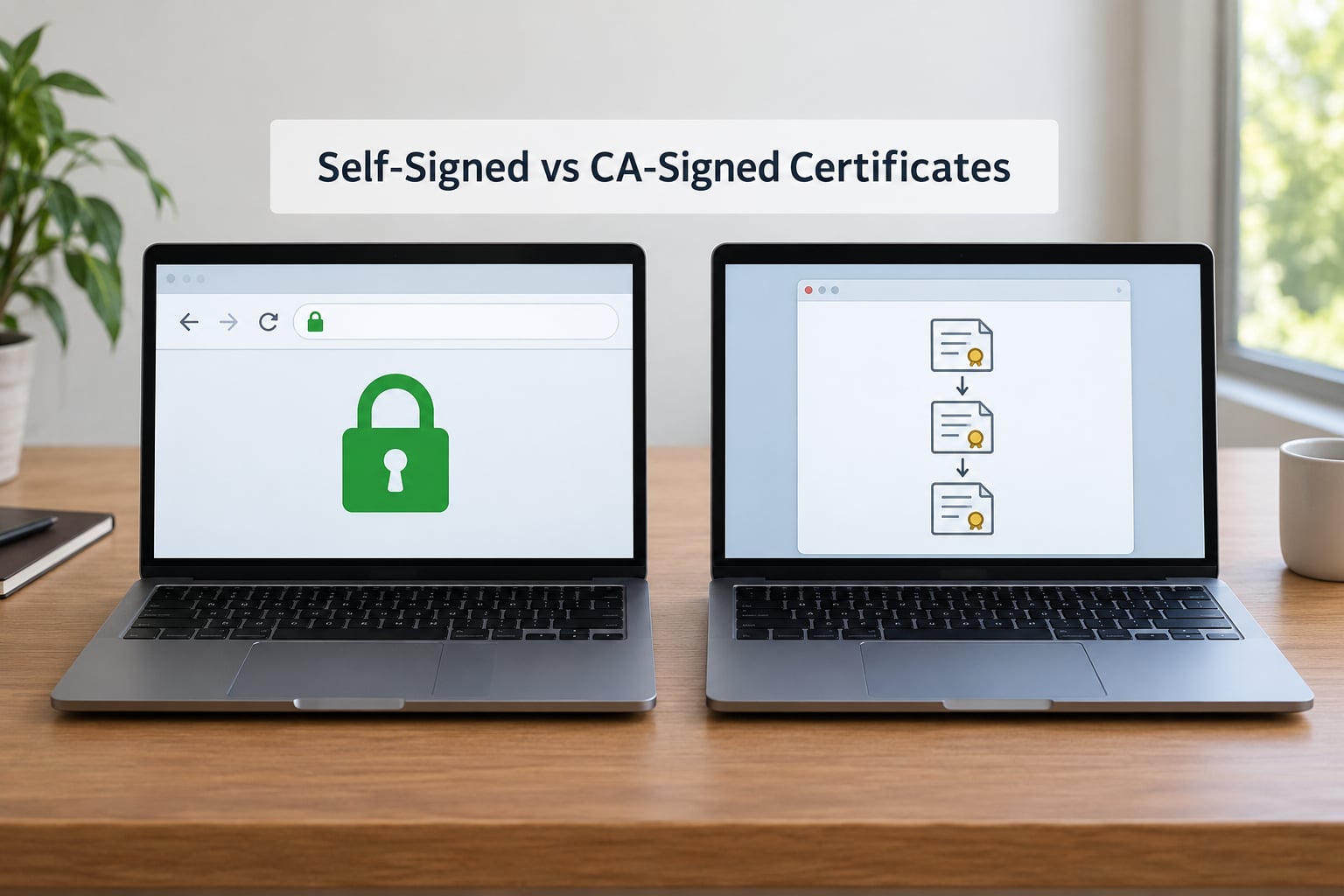
The differences below are structural, not a matter of degree. A publicly trusted certificate outsources the identity check to an accountable third party, and that outsourcing is exactly what you give up when you sign for yourself.
| Attribute | Self signed certificate | CA-signed certificate |
|---|---|---|
| Issuer | The certificate holder | A certificate authority acting as an independent party |
| Identity verification | None. You assert your own name | The CA validates control of the domain or organisation |
| Browser and OS trust | Manual import into each trust store, then full trust | Trusted by default on most devices |
| Warning behaviour | Hard error such as NET::ERR_CERT_AUTHORITY_INVALID until installed | Clean padlock in any modern browser |
| Revocation | Not possible. The certificate stays trusted until it expires | CRL and OCSP let the CA withdraw it early |
| Renewal | Manual. A missed date becomes an outage | Automatable through ACME clients such as certbot |
| Validity limits | Whatever you set, commonly months or years | Capped by the CA Browser Forum, with the maximum stepping down steadily for publicly trusted certificates |
| Cost to issue | Free and instant, no external dependency | Paid or free-tier through a public CA such as Let’s Encrypt |
| Best fit | Dev, test, homelab, air-gapped, CA bootstrap | Anything reachable by clients you do not control |
One caveat on the CA side. A CA signature does not make a certificate safe by itself. An undersized RSA key or a certificate with an empty SAN still fails verification, and modern clients treat SHA-1 signatures as untrusted outright.
Between the two extremes sits the private certificate authority, and for most teams it is the real answer. A private CA is itself a self signed root, but you distribute that one root to your clients and then issue ordinary certificates from it. Every leaf then renews automatically and gets its own serial number.
Tools like smallstep’s step-ca, HashiCorp Vault PKI and Microsoft Active Directory Certificate Services all do this without much ceremony. The practical distinction is worth holding onto: a locally trusted root is self signing with a reusable root certificate, and that reuse is what removes the per-machine pain.
How to Use One Without Causing TLS Errors
Most TLS failures with self signed certificates come from three things: a missing SAN entry, a client that never received the certificate, and a mismatch between what the server serves and what you installed. Work through them in that order.
Generate the certificate with the hostnames in the SAN. Save this as openssl.cnf, adjusting the alt_names list:
[req]
default_bits       = 2048
prompt             = no
default_md         = sha256
distinguished_name = dn
x509_extensions    = v3_req

[dn]
CN = dev.myapp.local

[v3_req]
subjectAltName = @alt_names
basicConstraints = CA:FALSE
keyUsage = digitalSignature, keyEncipherment
extendedKeyUsage = serverAuth

[alt_names]
DNS.1 = localhost
DNS.2 = dev.myapp.local
IP.1  = 127.0.0.1
Then create the key pair and sign it in one pass:
openssl req -x509 -nodes -days 365
  -newkey rsa:2048 -sha256
  -keyout server.key -out server.crt
  -config openssl.cnf
Verify what you actually made before serving it:
openssl x509 -in server.crt -noout -text -datesFor an ECDSA key instead, swap the newkey argument for ec -pkeyopt ec_paramgen_curve:P-256. Smaller keys handshakes faster and are fine for internal traffic.
Give every client the exact certificate the server presents. This is the step that consumes the most time in practice. The location differs per platform:
- Windows: import into Trusted Root Certification Authorities on the Local Machine store, not the Personal store. A cert in Personal is the wrong store for acting as an anchor.
- macOS: add it with Keychain Access, set it to Always Trust, and expect a restart of some apps before they notice.
- Linux: drop the PEM file into
/usr/local/share/ca-certificates/and runupdate-ca-certificates. Most distributions expect that directory rather than the older/etc/ssl/certspath. - Java: Java keeps its own trust store, so import with
keytool -importcert. A browser trusting the cert says nothing about the JVM. - Node.js and Python: Node uses its bundled CA list unless you pass
NODE_EXTRA_CA_CERTS; Python’srequeststakes averifypath to the PEM file. - Docker: bake the CA into the image or mount it and point the service at it, rather than relying on the host store.
- Reverse proxies: Nginx and Apache need both the certificate and the key file configured explicitly, plus
ssl_trusted_certificatefor OCSP stapling where you use it.
Then test with the client that actually failed rather than the one you happen to have open. curl --cacert server.crt https://dev.myapp.local tells you far more than a browser tab.
Keep the key and certificate together. A PKCS#12 bundle makes this painless for applications that want one file:
openssl pkcs12 -export -out bundle.p12
  -inkey server.key -in server.crt
  -name dev.myapp.local
Common Self-Signed Certificate Mistakes
These are the failures that come up again and again, and most of them announce themselves with an exact error string you can search for.
| Error | Cause | Fix |
|---|---|---|
| NET::ERR_CERT_AUTHORITY_INVALID in Chrome or Edge | The certificate is not in the browser’s trust store | Import it into Trusted Root Certification Authorities and restart the browser |
| SSL certificate problem: self-signed certificate in certificate chain when running git clone | Git has no copy of the anchor | Point git at the PEM with http.sslCAInfo or add it to the system store |
| Hostname mismatch or ERR_CERT_COMMON_NAME_INVALID | The host you typed is not in the SAN list | Regenerate with that exact name or IP in subjectAltName |
| Certificate has expired | Validity dates passed with nobody watching | Issue a longer certificate and put renewal on a calendar or a script |
| unable to get local issuer certificate | You installed the leaf but the client expected the CA that signed it | Install the CA or issuing certificate instead of the server certificate |
| Works in the browser, fails in Java or .NET | Those runtimes use separate trust stores | Import into the Java keystore or the Windows certificate store used by the app |
| Key and certificate do not match | Regenerated the key without reissuing the cert | Compare the moduli and reissue the certificate |
The one mistake worth singling out is switching verification off. curl -k, git config http.sslVerify false and rejectUnauthorized: false in a Node client all remove the authentication that made the certificate worth having, which means the connection can now be intercepted silently.
It is fine for a thirty-second test. It is not fine in a script that ships, because it removes the protection from every future connection too, not just the one that annoyed you.
Two smaller habits pay off too. Keep an inventory of where your certificates live and when they expire, because untracked duplicates cause exactly the outage everyone dreads. And never reuse a certificate across unrelated servers, since a single leak then exposes all of them and you cannot revoke any of them individually.
Frequently Asked Questions
Is a self-signed certificate less secure than a CA-signed certificate?
No. Both use the same cryptography, so the traffic is equally encrypted. The difference is authentication: a CA-signed certificate proves the server is who it claims to be, while a self-signed one only proves the holder of the private key presented it. On an isolated network where you install the certificate as a trusted root, the practical security is comparable.
Do browsers and operating systems trust self-signed certificates automatically?
No. Chrome, Edge, Firefox, macOS, Windows and Linux all ship with a fixed list of trusted root certificates, and a self-signed one is not on it. Until you import it into each client trust store, every request fails with an authority error. Some browsers also refuse to let you click past the warning permanently.
Can a self-signed certificate be used for HTTPS on a public website?
Technically yes, practically no. Visitors will hit a full-page security warning that many cannot dismiss, some will assume the site is unsafe and leave, and search engines may index the warning instead of your content. Public sites should use a publicly trusted certificate from a CA such as Let’s Encrypt, which can be automated.
Should I trust the server certificate or a separate certificate authority?
For a one-off dev machine, importing the server certificate itself as a root is fine and fast. For anything with more than a few clients, build a small private CA, install that root once, and issue leaf certificates from it. You then get automatic renewal and per-certificate serial numbers instead of manual installs.
Can I use one self-signed certificate for multiple internal servers?
You can, but it is a bad habit. The certificate’s SAN field still has to list every hostname clients actually use, or you get hostname mismatch errors. If one key is compromised, every server using it is compromised, and you cannot revoke any of them separately. Issue one certificate per server.
Conclusion
Use a self signed certificate when you control the environment and you can install the right trust anchor on every client: local development, CI runners, home lab services, air-gapped networks and the root CA you have to bootstrap yourself. The moment clients you do not control have to connect, switch to a publicly trusted certificate.
Start with the certificate itself, not the client. Generate it with OpenSSL, put every hostname and IP in the SAN field, and check it with openssl x509 -noout -text. If more than a handful of machines will connect, set up a private CA with step-ca or Vault rather than distributing certificates by hand.