
If you run any server with a network interface, the basic firewall rules every server should have come down to one idea: everything is blocked unless you say otherwise, then you permit only the specific ports, protocols and source addresses the service actually needs. Get that baseline in place and most of the internet-facing attack surface on the box disappears. The rest of this guide walks through the ten rules I would put on a fresh Linux or Windows server in 2026, with commands you can test before you commit them.
This is written for people who administer the box themselves: sysadmins, DevOps engineers, VPS owners, and home-lab operators who have inherited a server and no idea what is listening. Nothing here assumes a vendor appliance. Everything works with nftables, UFW, iptables, Windows Defender Firewall, or a cloud security group, and I say which one applies where each time.
One warning up front, because it is the single most common way people break their own servers. Admin sysadmins on r/selfhosted and r/linuxadmin describe locking themselves out of remote systems repeatedly by enabling a firewall without first permitting SSH. Every example below assumes you open your administration path first, and that you keep a second session open while you test. A console access option from your provider is worth setting up before you touch anything.
The terms used throughout: default deny means the fallback decision when no rule matches is to drop the packet. Least privilege means a rule grants the smallest access that still lets the service work. Explicit allow means you write each permission as a named rule rather than inheriting a broad group. Stateful inspection means the firewall tracks connections and lets reply traffic through without you writing a rule for it.
Table of Contents
- 10 Basic Firewall Rules Every Server Should Have at a Glance
- 1. Default-Deny Inbound Traffic
- Where the basic firewall rules every server should have start
- 2. Allow Only the SSH or RDP Port You Actually Use
- 3. Allow Required Web Traffic Only on HTTP and HTTPS
- 4. Permit Essential DNS, DHCP, and NTP Traffic Only When Needed
- 5. Restrict Database Access to Application Servers
- 6. Allow Outbound Traffic Deliberately, Not Blindly
- 7. Restrict East-West Traffic Between Server Subnets
- 8. Drop Invalid or Untracked Traffic
- 9. Rate-Limit or Block Administrative Brute-Force Traffic
- 10. Log, Test, and Maintain the Rules
- Frequently Asked Questions
- Should a server firewall allow all outbound traffic by default?
- How do I find which ports a Linux server is listening on?
- Should I use UFW, firewalld, nftables, or iptables?
- Can cloud security groups replace a host firewall?
- How do I test firewall rules safely without locking myself out?
- Why should database ports not be open to the public internet?
- Conclusion: Establish a Deny-by-Default Baseline
10 Basic Firewall Rules Every Server Should Have at a Glance
The table below is the whole baseline on one screen. Each row gives the rule, what it does, a typical example, and what goes wrong when it is missing.
| Rule | Purpose | Typical example | Risk if omitted |
|---|---|---|---|
| 1. Default deny inbound | Drop anything not explicitly permitted | Policy drop on input chain | Every new listening service becomes internet-reachable |
| 2. One admin port only | Limit remote administration to a single protocol | Allow SSH on 22 from the office range only | Password-guessable admin port scanned continuously |
| 3. Web traffic on 80 and 443 | Permit public HTTP and HTTPS, nothing else | TCP 80 and 443 inbound | Site breaks, or admin panels exposed on odd ports |
| 4. DNS, DHCP and NTP by role | Allow core network services where the server needs them | UDP 53 to the resolver subnet only | Open resolver abuse, or a broken time sync and cert issues |
| 5. Databases limited to app servers | Keep data stores off the public internet | TCP 5432 from 10.0.1.20 only | Direct database access, credential stuffing at scale |
| 6. Deliberate outbound policy | Control and observe what the server sends out | Allow outbound to package mirrors only | Silent data exfiltration after a compromise |
| 7. East-west segmentation | Stop one compromised host reaching every other service | Allow app tier to database tier, deny the reverse | Lateral movement across the whole subnet |
| 8. Drop invalid and untracked traffic | Discard packets with no valid connection state | Drop conntrack-invalid packets | Log noise, malformed traffic reaching services |
| 9. Rate-limit admin attempts | Slow down and log repeated admin login failures | Limit SSH connections per source address | Unlimited credential attempts against an exposed port |
| 10. Log, test and maintain | Prove the rules work and keep them current | Weekly log review, quarterly ruleset audit | Rules rot into permanent wide-open holes |
1. Default-Deny Inbound Traffic
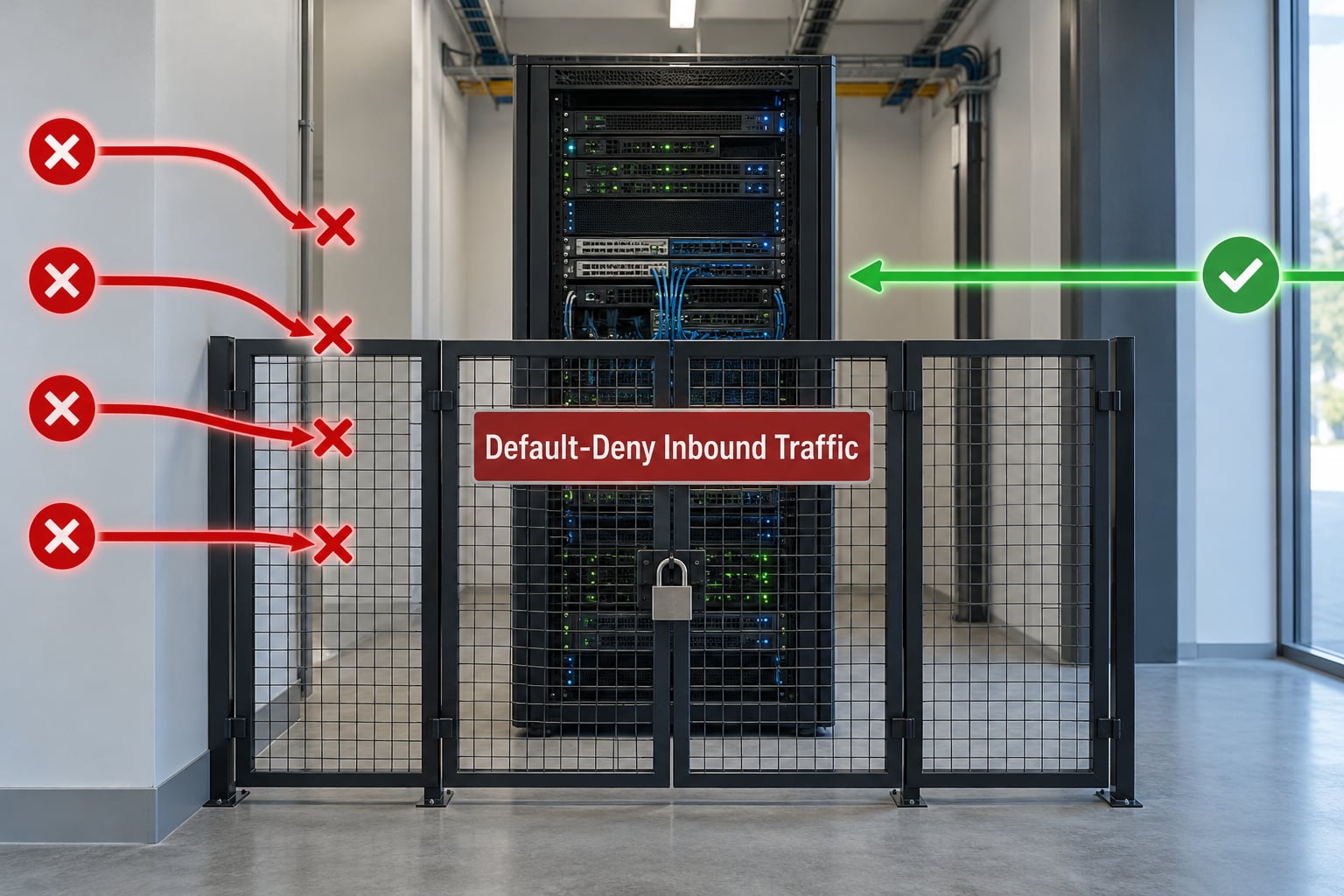
Default deny is the foundation. With no matching rule, the firewall drops the packet instead of forwarding it. Applied as a policy rather than a rule, it means a service you install tomorrow cannot quietly accept traffic from the internet just because it binds to port 443.
The practical pattern is simple: an admin path from a trusted network, then one explicit allow per public service, then the default drop. With nftables on Linux that looks like this, where 10.0.0.0/24 is your office or VPN range:
table inet filter {
  chain input {
    type filter hook input priority 0; policy drop;
    ct state established,related accept
    iif lo accept
    ip saddr 10.0.0.0/24 tcp dport 22 accept
    ip saddr 10.0.0.0/24 tcp dport 3389 accept
    tcp dport 80 accept
    tcp dport 443 accept
  }
  chain forward { type filter hook forward priority 0; policy drop; }
  chain output { type filter hook output priority 0; policy accept; }
}
UFW expresses the same policy with far fewer lines, which is why I use it for quick work and nftables when I need anything beyond a flat port list:
sudo ufw default deny incoming
sudo ufw default allow outgoing
sudo ufw allow from 10.0.0.0/24 to any port 22 proto tcp
sudo ufw allow 80/tcp
sudo ufw allow 443/tcp
sudo ufw enable
Run sudo ufw status verbose afterwards and confirm the status reads active with the default deny policy in place. On a remote box, schedule the enable behind a delayed command so a mistake does not strand you: sudo shutdown -r +1 "rebooting to load firewall" gives you a minute to cancel with sudo shutdown -c from your second session.
Where the basic firewall rules every server should have start
Everything after this rule is a narrowing. If your default policy is still accept, each additional rule is just an extra thing somebody can forget. Setting the policy to drop first turns your ruleset from a blacklist into a short allowlist, and a short allowlist is something you can actually read in a year.
2. Allow Only the SSH or RDP Port You Actually Use
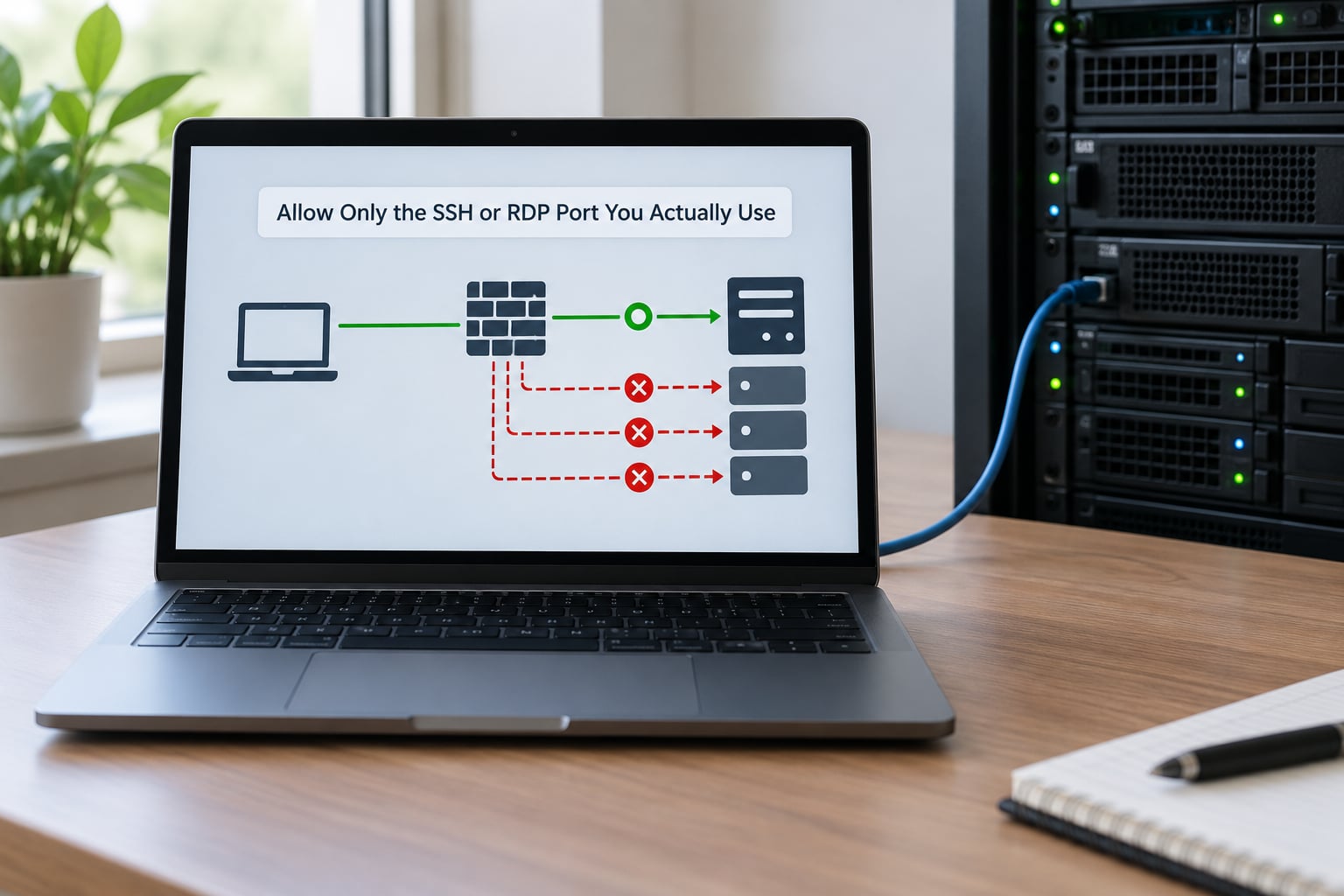
A server should have exactly one remote administration path. Not SSH and RDP and a web admin panel, all at once. Every additional entry point is another password database on the internet and another thing to patch.
Start by finding what is actually listening, because plenty of servers run more than the owner remembers:
sudo ss -tulpn
sudo systemctl list-units --type=service --state=running
If you use SSH, keep port 22 restricted to your admin ranges where you can, and turn off password authentication in sshd_config with PasswordAuthentication no and PermitRootLogin no, then reload the service. On a network where the source address is unpredictable, moving SSH to a high port such as 2222 cuts the automated noise considerably, though it is obfuscation rather than protection.
sudo ufw allow from 10.0.0.0/24 to any port 22 proto tcp comment 'admin ssh'
sudo ufw limit from 10.0.0.0/24 to any port 22 proto tcp
On Windows, the equivalent is Defender Firewall with an inbound rule scoped to the same source range. Administrators repeatedly find that RDP was reachable from anywhere simply because the rule said Any for both profile and source. Scope it to the private profile and the specific remote address range instead, and if you need it away from the office, put it behind a VPN rather than opening it broadly.
A bastion or jump host is the cleaner answer once a team is involved. Only the jump host holds the SSH rule, and everything else accepts administration traffic from the jump host address alone.
3. Allow Required Web Traffic Only on HTTP and HTTPS
A public web server needs two inbound ports and nothing more: TCP 80 and TCP 443. Everything else on that box, including your monitoring dashboards and staging sites, should stay off the public interface.
Keep port 80 open even on a TLS-only site, because it carries the redirect to HTTPS and certificate-based clients expect that redirect to answer:
sudo ufw allow 80/tcp comment 'http redirect'
sudo ufw allow 443/tcp comment 'https'
Two mistakes show up constantly here. The first is opening 8080 or 8000 for a development server and forgetting it is there. Developers on forums describe leaving test servers on port 8000 reachable from the internet for weeks. The second is binding the admin interface and the public site to the same interface; a listen 127.0.0.1 or a separate internal-only interface solves it without any firewall complexity at all.
On a cloud instance the same idea applies one level up. A security group that permits 80 and 443 from anywhere, and SSH from your office range, is the correct outer layer, with the host firewall doing the finer work.
4. Permit Essential DNS, DHCP, and NTP Traffic Only When Needed
Core network services are exactly where blanket allows do the most damage. A DNS server that answers queries from any source becomes an open resolver, which gets abused for amplification attacks and gets your address blocklisted.
Allow each one based on the server’s actual role rather than on habit. A DNS resolver needs UDP and TCP 53 from the networks it serves, and nothing more. A DHCP server needs UDP 67 and 68 from its client scope, usually a single VLAN. Every server benefits from UDP 123 to your time source, since clock drift breaks certificate validation and log correlation.
sudo ufw allow from 10.0.10.0/24 to any port 53 proto udp comment 'dns clients'
sudo ufw allow from 10.0.10.0/24 to any port 53 proto tcp comment 'dns tcp'
sudo ufw allow from 10.0.10.0/24 to any port 123 proto udp comment 'ntp'
sudo ufw allow from 10.0.20.0/24 to any port 67:68 proto udp comment 'dhcp scope'
If a server does not resolve names for anyone or hand out leases, add no DNS or DHCP rule at all. Most application servers need neither, and the honest answer for them is zero rules.
5. Restrict Database Access to Application Servers
Database ports should never be reachable from the public internet. Port 3306, 5432 and 1433 are among the most heavily scanned ports there are, and the scanners know exactly what to try against an exposed instance.
The rule names the application servers as the source. Nothing about the destination is open to the world:
table inet filter {
  chain input {
    type filter hook input priority 0; policy drop;
    ct state established,related accept
    ip saddr 10.0.1.20 tcp dport 5432 accept comment 'orders app to db'
    ip saddr 10.0.1.20 tcp dport 3306 accept comment 'legacy app to mysql'
  }
}
Two refinements make this stronger. Terminate the database on the internal interface only, so it is not listening on the public address at all, and have the application authenticate the database user by source address as a second layer. If the app tier sits behind NAT or in containers, be precise about the source range, because a container subnet that also runs other workloads is not the same thing as one application.
The same reasoning covers caches and queues. Redis on 6379 and Memcached on 11211 are routinely exposed without authentication, which makes them a favourite target for insertion and lateral movement.
6. Allow Outbound Traffic Deliberately, Not Blindly
Outbound is where most guides stop, and it is where breaches get interesting. A default-allow outbound policy lets a compromised process reach command and control, resolve data and ship it out, and you will not see anything unusual in your inbound logs.
You do not need to lock every server down to a handful of destinations, which is how people break package managers. A workable middle ground is to keep outbound open for package mirrors and your provider’s resolvers, then log the rest, review the volume of traffic per destination, and alert on a host that suddenly talks to unfamiliar addresses. On a small fleet that log review often takes minutes a week and catches real cases; one sysadmin described a host firewall catching malware that had walked straight past the router.
Where you do want restrictions, write them by destination and role. A build server reaching an artifact repository, an application server reaching an internal API, and a backup host reaching object storage are all reasonable narrow allows. A web server that never needs to initiate outbound connections at all is worth locking down properly.
7. Restrict East-West Traffic Between Server Subnets
East-west traffic is the traffic between your own servers, and it is the reason a single compromised host does not stay a single compromised host. Segmentation turns one breach into one box.
The standard layout uses three zones: a DMZ for public-facing web services, an internal or application tier, and a management network for administration. Traffic flows in one direction. The web tier reaches the application tier, the application tier reaches the database tier, and nothing reaches back up.
table inet filter {
  chain forward {
    type filter hook forward priority 0; policy drop;
    ip saddr 10.0.10.0/24 ip daddr 10.0.20.0/24 tcp dport 443 accept
    ip saddr 10.0.20.0/24 ip daddr 10.0.30.0/24 tcp dport 5432 accept
    ip saddr 10.0.99.0/24 accept comment 'management to all'
  }
}
The management exception matters. Once everything else is segmented, a change to a ruleset can lock you out of everything at once. Keeping a management path, through a VPN or a jump host, means segmentation does not become an outage.
Cloud environments get the same shape through private subnets, security groups and routing. The mechanism differs, the concept does not.
8. Drop Invalid or Untracked Traffic
Connection tracking, usually conntrack on Linux, records each connection’s state. Reply traffic on a tracked connection is accepted automatically, which is why you never write an outbound rule for every service your server talks to.
Packets that arrive with no tracked state, or a state the kernel calls invalid, have no legitimate reason to reach your services. Dropping them costs nothing and keeps them out of the logs:
table inet filter {
  chain input {
    type filter hook input priority 0; policy drop;
    ct state established,related accept
    ct state invalid drop
    iif lo accept
  }
}
Rate-limit the logging on that drop rule too. Forum sysadmins describe firewall logs filling a disk after an outage or a scan, and a full disk takes down services that have nothing to do with security. A cap of a few packets per second on log-only rules preserves the signal without the risk.
If you run a modern distribution, nftables handles this and IPv6 through the same inet family table shown above. Older iptables setups need a separate ip6tables ruleset, and an IPv6 host with no IPv6 rules is a host with open ports on half its addresses.
9. Rate-Limit or Block Administrative Brute-Force Traffic
Any password you can try from the internet can be tried a few hundred times a minute. Key-only authentication removes the guessing problem, and rate limits make each attempt more expensive for whoever is running the list.
UFW has a built-in rate limiter that accepts connections until a threshold and then rejects briefly:
sudo ufw limit from any to any port 22 proto tcp comment 'ssh rate limit'In sshd_config, MaxStartups 10:30:60 reduces the number of unauthenticated connections and drops some of them as load rises. fail2ban adds another layer by watching auth logs and adding temporary bans through the firewall, and it works well when it owns the ban chain and does not fight hand-written rules. The pattern that works is to let fail2ban insert rules at the top of its own chain, and to review the resulting bans periodically, because an aggressive jail behind a shared NAT can ban colleagues.
None of this prevents a determined attacker. It raises the cost, shortens the window, and generates log entries you can act on, which is what matters for most servers.
10. Log, Test, and Maintain the Rules
A ruleset nobody verifies is a guess. The tenth rule is the habit that keeps the other nine honest.
Keep a written record of every rule: what it allows, why it exists, who requested it, which ticket it belongs to, and when it should be reviewed. Rules without an owner or an expiry date tend to outlive the service that justified them. Back up the configuration on every change, and keep the backup somewhere the server cannot overwrite.
Test from both directions. From a trusted network, confirm each permitted service still answers. From an untrusted one, confirm the ports you expect to be closed actually are closed; a port scanner run from a phone on mobile data is a fast check that does not depend on your own routing. Then reload the ruleset rather than assuming the running state matches the file.
Audit on a schedule. Quarterly is usually enough for small setups, and the audit is mostly a hit-count review: rules that have never matched are candidates for removal, and rules that match constantly deserve a second look at whether they should exist. Do the same quarterly check for IPv6, which is where silent gaps hide.
Finally, know your cloud provider’s layer. AWS security groups, GCP firewall rules and Azure network security groups sit in front of the host, and they do not replace a host firewall, because traffic arriving over loopback or a local interface never reaches them. Use both, keep them consistent, and document where each rule lives.
Frequently Asked Questions
Should a server firewall allow all outbound traffic by default?
Most servers can start with outbound allowed, but you should log and review it rather than ignore it. A compromised process needs outbound access to reach command and control or ship data away, and that traffic leaves no trace in inbound logs. A workable middle ground keeps outbound open to package mirrors and your resolvers, then logs the rest and alerts on hosts talking to unfamiliar destinations. On high-value boxes, narrow allows per destination and role are worth the extra work.
How do I find which ports a Linux server is listening on?
Run sudo ss -tulpn to list listening sockets with the process attached to each one, or netstat -tulpn on older systems. Add the sudo or you will only see your own user’s processes. Cross-check against what should be running with systemctl list-units –type=service –state=running, because a service can be listening on a port you have no rule for and still be invisible to a quick scan. Compare the two lists, then write an allow rule for each legitimate listener.
Should I use UFW, firewalld, nftables, or iptables?
Pick one layer and let it own the ruleset. UFW is a simple interface over nftables or iptables and is a good fit for a single server with a flat rule list. firewalld suits hosts that manage zones and services dynamically, such as desktops and some Red Hat estates. Raw nftables gives you full control and handles IPv4 and IPv6 in one ruleset. Raw iptables still works but is the older interface. Mixing wrappers and manual rules on one host is where confusion starts.
Can cloud security groups replace a host firewall?
No. Security groups and network security groups filter traffic before it reaches the instance, so they never see anything generated locally or arriving over the loopback interface. A host firewall covers that, moves with the instance, and keeps working when the machine is cloned or moved. Use the cloud layer as a coarse outer perimeter that limits which addresses reach the host at all, then use the host firewall for port and source specificity. Keep the two consistent so you can reason about the whole path.
How do I test firewall rules safely without locking myself out?
Allow your administration port before enabling the firewall, keep a second session open while you test, and schedule the change with a delayed reboot you can cancel. Test permitted services from the trusted network, then test that closed ports are actually closed from an untrusted one such as a phone on mobile data. Confirm the running ruleset, not just the file, and know your provider’s console or out-of-band access path before you make changes. That last step is what turns a lockout into an inconvenience.
Why should database ports not be open to the public internet?
Ports like 3306, 5432 and 1433 are scanned continuously, and an exposed instance invites credential attacks at a scale no human can match. Many databases ship with weak default accounts or no authentication on the network path, so a single guess is often enough. Restrict the database to the source addresses of the application servers, and preferably bind it to the internal interface only. That way even a firewall mistake does not put the data store on the public network.
Conclusion: Establish a Deny-by-Default Baseline
Start by running ss -tulpn on the box and writing down every port that legitimately needs to answer traffic. Turn the default inbound policy to drop, add one explicit allow per required service with its source address and port spelled out, keep a single administration path, and leave everything else closed.
Then test it from a trusted and an untrusted network, write the rules down with an owner and a review date, and check the logs a week later. Review the whole ruleset quarterly, including IPv6. That loop is what keeps the basic firewall rules every server should have current as your services change, rather than letting them drift into whatever the box happened to need two years ago.