
For a small site, either server will hand back a cached page in well under a tenth of a second, so the benchmark numbers floating around the web are the least interesting part of nginx vs apache for a small site. Pick nginx if you want a lean memory footprint and one readable config file. Pick Apache if your site leans on .htaccess rules or a module that already exists.
That is the honest version. Almost every comparison on this topic answers a different question: which server handles fifty thousand concurrent connections better. You have maybe two hundred visitors a day and a 1 GB VPS. The gap between the two servers is real, it is just not where your site lives.
What actually decides it for you is how much RAM the server leaves for your application, how long it takes to configure the first time, whether your CMS assumes Apache, and how much maintenance you want to take on as the sole person responsible. Below I walk through each of those and tell you where I would stop reading if I were you.
Table of Contents
- Nginx vs Apache for a Small Site at a Glance
- Performance and Resource Usage for Small Websites
- Nginx vs Apache for a small site: where the speed difference actually shows
- Configuration and Day-to-Day Administration
- Compatibility with PHP, Applications, and Existing Hosting
- Security, Updates, and Maintenance Burden
- Static Sites, Dynamic Sites, and Traffic Spikes
- Which Should You Choose?
- Frequently Asked Questions
- Is Apache better than NGINX?
- Which is better, NGINX or Apache?
- What are the disadvantages of NGINX?
- Is the Apache server outdated?
- Do I need Apache or nginx for a small blog?
- Which web server uses less memory?
- Conclusion: Make the First Server Choice
Nginx vs Apache for a Small Site at a Glance
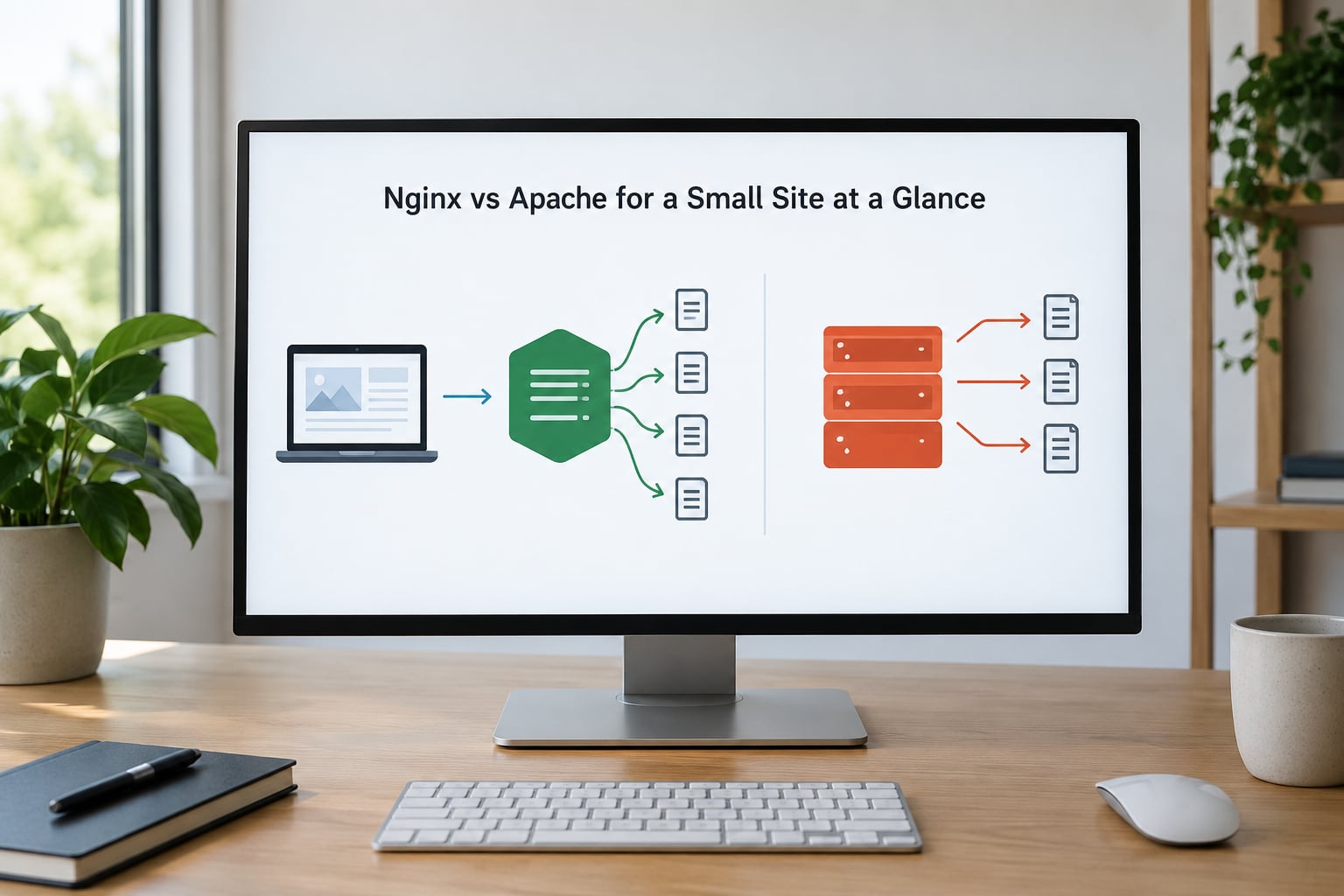
| Criterion | Nginx | Apache (httpd) |
|---|---|---|
| Architecture | Event-driven, non-blocking, a fixed pool of worker processes | Process or thread per connection, chosen through an MPM |
| Typical idle memory | Single-digit megabytes with default worker settings | Roughly 30-60 MB with prefork and a normal module set |
| Configuration | One nginx.conf with a server block per site | httpd.conf plus virtual hosts, plus optional .htaccess files |
| Directory-level overrides | Not supported, rules are compiled into the config | .htaccess works per directory, no reload needed |
| PHP handling | Hands off to PHP-FPM over FastCGI | Runs mod_php in-process, or can also use PHP-FPM |
| Rate limiting | Built in via limit_req_zone and limit_conn_zone | Needs mod_ratelimit or a WAF such as mod_security |
| Rewrite rules | location blocks and rewrite directives, syntax differs from mod_rewrite | mod_rewrite, which most CMS documentation assumes |
| Protocols | HTTP/2 and HTTP/3 support | HTTP/2 supported; no native HTTP/3 |
| Reverse proxy role | Its natural job, load balancing and TLS termination are core features | Possible through mod_proxy, less commonly its main use |
| Best fit for a small site | Static sites, WordPress with PHP-FPM, proxying an app server | Legacy .htaccess rules, unusual modules, shared hosting |
Two rows in that table matter more than the other eight. The memory row is the one you will feel on a cheap VPS, and the .htaccess row is the one that decides whether a migration takes an afternoon or a weekend.
Performance and Resource Usage for Small Websites
Nginx was written in 2004 by Igor Sysoev to solve a specific problem: holding a very large number of mostly idle connections open without paying for them. It starts a master process, reads the config, and forks a small set of worker processes. Each worker runs an event loop, so a request that is waiting on a slow disk or a slow upstream application does not block the next one.
Apache takes a different route. It has been around since 1995 and is maintained by the Apache Software Foundation, and it handles connections through Multi-Processing Modules. The prefork MPM gives each connection its own process, worker mixes processes and threads, and event frees threads from connections that are just sitting in keep-alive. That flexibility is real, and it is also why an Apache install carries more memory.
Apache also walks the directory tree looking for .htaccess files on every single request unless you turn that off with AllowOverride None. On a site with a deep upload structure and lots of directories, that is a lot of filesystem stat calls for something most small sites never use.
Nginx vs Apache for a small site: where the speed difference actually shows
Here is the part most comparisons leave out. The gap between the two servers becomes measurable when you are sustaining something in the range of a few hundred simultaneous requests per second, not hundreds of visitors. Nginx holds thousands of idle connections in a handful of workers; prefork Apache needs a process per connection and starts hitting the memory ceiling well before that.
A personal blog with forty visits a day generates requests in the single digits per second, averaged across the day. A WordPress hobby site might briefly reach a few dozen per second when a link gets shared. At those levels both servers answer from page cache and finish before your application even warms up. The 150 ms versus 275 ms figures that get copied between comparison blogs come from load tests on busy machines, and nobody attaches the test conditions, so treat them as decoration.
What is measurable at your scale is memory, not milliseconds. An idle nginx process tree sits in single-digit megabytes. A default Apache install with prefork and a few modules commonly lands somewhere in the 30-60 MB range before your database even starts. On a 1 GB box that gap decides how much room WordPress, MariaDB and an image resizer have to work with, and running out of RAM is a much more common small-site problem than running out of CPU.
If you want real numbers for your own site rather than someone else’s benchmark, run a short load test against localhost with ab or hey and watch memory at the same time with free -m during the run. Five thousand requests at concurrency 20 will tell you plenty for a site at your size.
Configuration and Day-to-Day Administration
Nginx keeps its configuration in one place, usually /etc/nginx/nginx.conf, with a server block per site. It is strict about syntax, indentation and semicolons, and a stray brace will stop the server from reloading. Once you accept that, the file is short and readable.
server {
    listen 80;
    server_name example.com www.example.com;
    root /var/www/example;
    index index.html;

    location / {
        try_files $uri $uri/ =404;
    }
}
Apache splits the same job across /etc/apache2/apache2.conf, an optional sites-available/ entry per site, and modules loaded by a2enmod. The vocabulary is larger but so is the documentation, and every CMS guide ever written assumes this layout. A typical virtual host is a little longer:
<VirtualHost *:80>
    ServerName example.com
    DocumentRoot /var/www/example

    <Directory /var/www/example>
        Options -Indexes +FollowSymLinks
        AllowOverride All
        Require all granted
    </Directory>
</VirtualHost>
The word AllowOverride All is the interesting bit. It is what lets a CMS drop a .htaccess file into the WordPress root and start redirecting to HTTPS without you touching a config file. Nginx has no equivalent, which is why moving a WordPress site means translating every rewrite rule into a location block by hand.
Day to day, both reload rather than restart. nginx -t checks the config and systemctl reload nginx applies it; apachectl configtest and systemctl reload apache2 do the same job. Reloads are graceful, so live connections finish on the old config instead of dropping. If you edit .htaccess you do not even need a reload, which is genuinely convenient when you are uploading files over FTP and do not have shell access.
Installing either on Ubuntu is a single package:
sudo apt update && sudo apt install -y nginx
sudo apt update && sudo apt install -y apache2
Neither is harder to install. The difference is what the documentation expects of you six months later when a plugin rewrites your permalinks and the site suddenly 404s.
Compatibility with PHP, Applications, and Existing Hosting
PHP is where the two servers get misjudged most often. Apache can run mod_php, loading the PHP interpreter as a module inside each worker process. That is the traditional setup and it is why old WordPress guides say Apache. Nginx cannot do this at all; it starts PHP-FPM as a separate service and passes requests to it over FastCGI, which keeps memory in one place and lets you restart PHP without touching the web server.
For a small site the difference is close to academic. Mod_php is slightly simpler because there is no second service to configure, and it is entirely adequate at low traffic. PHP-FPM is the better default in 2026 because it is what every current tutorial, Docker image and control panel uses, and because you avoid loading a PHP interpreter into processes that only serve images and CSS.
WordPress runs fine on either, and permalinks are the only real translation job. The Apache version is a few lines of mod_rewrite in .htaccess. The nginx version is a try_files directive, which is why the rules above already contain it.
Other stacks split along similar lines. Python and Ruby applications never ran inside the server to begin with; they sit behind a WSGI or application server, and at that point nginx is the usual front door for SSL, static assets and proxying. Node and Go applications do the same. A Flask or Django project on a small VPS is typically nginx in front, gunicorn or uvicorn behind, with nginx handling TLS and static files.
The Reddit thread that ranks for this exact question makes the sharpest version of the point: for a small project you often do not need a reverse proxy in front of the app server at all. If your application server already serves static files and terminates TLS, adding nginx on top is one more thing to keep patched. Decide that before you install anything.
Hosting is the last compatibility wrinkle. Shared hosting is Apache by default and you usually cannot change that, which makes the .htaccess support the deciding factor for anyone on a cheap plan. Managed VPS platforms increasingly ship nginx only. Control panels like cPanel and Plesk can do either, but the presets and the documentation lean Apache.
Security, Updates, and Maintenance Burden
Both servers are actively maintained and both receive security patches promptly. Neither is the weak link on a small site, and the idea that one is finished is mostly marketing noise rather than a technical fact.
The differences are in the defaults and in how much you have to remember. Nginx gives you rate limiting as a core feature, so a few lines protect a login endpoint from password guessing. Apache needs mod_ratelimit for the same job, or mod_security if you want a fuller web application firewall. Mod_security is powerful and it is also a rule set you now have to tune, which is a bad trade for someone running one blog.
On the Apache side, AllowOverride All is the thing to watch. It means any process that can write a file into your document root can also change how requests are handled, so a plugin or upload path that should be inert gains influence. Setting it to None and moving rules into the virtual host closes that off, at the cost of needing a reload for every change.
Module surface is the other half. Apache loads a large ecosystem through DSO shared objects, which is a genuine advantage when you need one specific module and a liability when you are carrying fifteen of them to get a feature you will not use. Nginx’s third-party module set is smaller, so anything beyond the standard build usually means compiling or using a distribution package.
As for how often small sites get attacked: automated scans hit a public IP within hours of it going live, whether or not your server is Apache or nginx. What matters is boring. Keep the OS and the web server on automatic security updates, run the app and the web server as separate unprivileged users, use HTTPS, and keep ports closed. Both servers make that equally easy, and neither will save you if you skip it.
Realistically, nginx asks slightly less of you on updates because there is one service instead of a service plus a PHP module embedded in it, and no .htaccess behaviour to reason about after a CMS update rewrites the file. Apache asks less of you on first-time configuration because the documentation matches what your CMS expects. That is the maintenance trade, and it is smaller than the marketing suggests.
Static Sites, Dynamic Sites, and Traffic Spikes
For a purely static site, the choice barely matters and the argument mostly disappears. Nginx serves files with sendfile and no PHP process at all, which is tidy. Apache serves them just as well, and if your static site has thousands of HTML files in nested directories, AllowOverride None or an equivalent beats repeated .htaccess lookups. Pick whichever your static site generator documents, usually whichever you are already running elsewhere.
For WordPress on a VPS, nginx with PHP-FPM is the smoother default in 2026 because it is the stack tutorials and images assume, and it leaves the clearest memory profile. Apache with mod_php is the smoother default if you are migrating from shared hosting and want your existing .htaccess to keep working untouched.
For a small API or a containerised app, put nginx in front. It is what reverse proxying is for, it terminates TLS in a few readable directives, and it gives you request limits, gzip and access logs without extra modules. The extra step is worth it once there is an application process behind it, because the proxy genuinely divides the work.
Traffic spikes are the case people cite, and it is a fair one, but not for the reason usually given. A spike is mostly a cache-miss problem. Put a CDN or a page cache in front of both servers and you will absorb a large multiplier on traffic before either web server notices. After caching, the difference between nginx and Apache under load is the difference between a slow afternoon and a slower afternoon, not between serving and falling over.
If you genuinely do face a large sustained jump, or start serving a containerised app across several processes, that is when I would migrate to nginx. The order of operations is: install nginx on a new port, translate the .htaccess rules into location blocks, point PHP-FPM at the same database, run both for a week, then move DNS. Do not uninstall Apache first. You keep it as the fallback until the new config has survived a real traffic day.
Which Should You Choose?
Choose nginx if the site is mostly static files, if you are proxying an application server, if you want the smallest possible memory footprint on a small VPS, or if you are starting fresh and learning one of them properly. Choose Apache if you have existing .htaccess rules you would rather not translate, if you need a specific module from the Apache ecosystem, if you are on shared hosting where you cannot choose, or if you already know it and can get answers quickly.
There is a third option worth naming, and the forum answer to this question keeps landing on it. If your app server already terminates TLS and serves static files, and you are handling a trickle of traffic, run no web server in front of it at all. Fewer moving parts means fewer patches and fewer places a request can get stuck.
Two other servers deserve a mention, because they show up constantly in community answers and in almost none of the comparison articles. Caddy gets HTTPS certificates automatically with no renewal cron and no extra service, which removes the single most common small-site failure. LiteSpeed and OpenLiteSpeed read .htaccess natively while using an event-driven core, which is why hosts selling WordPress plans tend to offer it. Neither is a default choice unless one of those two things is your actual problem.
One last thing worth checking before you commit: what does your hosting panel support? A server you can install is a weak argument next to a server your control panel can manage, and most small sites are not a fit for hand-rolled server management anyway.
Frequently Asked Questions
Is Apache better than NGINX?
For a small site, Apache is better in exactly one situation: when your existing content depends on .htaccess or a module only it provides. Otherwise nginx is the easier long-term choice because it uses less memory and keeps one central config. Apache is not worse technology, it just asks for more of your attention on a 1 GB VPS.
Which is better, NGINX or Apache?
Nginx wins for static file serving, proxying application servers and predictable memory use. Apache wins for legacy .htaccess rules, shared hosting you do not control, and unusual module requirements. For a low-traffic blog or small business site, the practical difference is memory headroom and documentation, not response speed.
What are the disadvantages of NGINX?
Nginx has no .htaccess support, so every rewrite rule has to be written into the central config and reloaded. Its third-party module ecosystem is smaller than Apache’s, and unusual needs can mean compiling from source. It also cannot run mod_php, so a PHP site needs a separate PHP-FPM service. Beginners hit these three walls first.
Is the Apache server outdated?
No. Apache httpd is actively maintained, and the Apache Software Foundation ships regular security releases. It is still the default on most shared hosting, and it runs a large share of the web. What changed is that nginx became the default choice for new deployments, which makes Apache look dated in blog posts while it keeps working exactly the same.
Do I need Apache or nginx for a small blog?
You need one of them, and almost any modern host will hand you either. If your blog is self-hosted on a small VPS, nginx with PHP-FPM is the smoother default because current tutorials and images assume that stack. If you are on shared hosting you will probably get Apache, and its .htaccess support is the reason your permalinks keep working.
Which web server uses less memory?
Nginx, by a wide margin on a small VPS. An idle nginx worker pool typically sits in single-digit megabytes, while a default Apache install with prefork and a handful of modules commonly lands around 30-60 MB before your database starts. On a 1 GB plan that gap decides how much room your application has left.
Conclusion: Make the First Server Choice
Nginx is the safer default for a new small site because it leaves more memory for your application and keeps one config file to read. Apache is the right call when legacy .htaccess rules, a specific module or a hosting panel you do not control decide the outcome. Whichever way you go, the speed difference matters far less than the setup you can actually maintain.
So do one thing before installing either. List the rewrite rules your site currently relies on, write down what the app needs to run, check whether your host lets you choose the server, and note the traffic you realistically expect. If that list is empty and the site is static, install either one and stop thinking about it.
That one afternoon of inventory is the whole decision. Work through it and the nginx vs apache for a small site question answers itself.