logrotate explained with examples: logrotate is the standard Linux utility that rotates, compresses, and deletes log files on a schedule you define in /etc/logrotate.conf and /etc/logrotate.d. It runs once a day from cron or a systemd timer, renames the active log into a numbered archive, gzips older ones, deletes anything past your retention count, and creates a fresh empty file so the application keeps writing. This guide walks through the whole cycle with copy-pasteable configs. Updated for 2026.
There is no product to buy here. Everything you need ships with the base system on Debian, Ubuntu, RHEL, Fedora, and Arch, and the whole job is a text file plus a signal to your application. What takes people an afternoon is the mental model: logrotate renames files, it does not stop your daemon from writing, and that single fact explains most of the broken logrotate setups I have seen.
Table of Contents
- What Is logrotate and Why Does It Matter?
- Where the configuration lives, and how to install it
- How Does logrotate Decide When to Rotate a Log?
- The override rule that surprises everybody
- What the Main logrotate Configuration Options Do
- A Basic logrotate Configuration with a Complete Example
- What the directory looks like after a few rotations
- How to Configure Weekly, Monthly, and Size-Based Rotation
- How to Rotate Several Logs with Separate Rules
- What Happens During a Rotation?
- Why the new file stays empty
- How postrotate and prerotate Scripts Reload Applications
- How to Test logrotate Without Waiting for a Scheduled Run
- How Permissions, Ownership, and SELinux Affect Rotated Logs
- Common logrotate Problems and How to Fix Them
- Frequently Asked Questions
- How do I rotate logs manually in Linux?
- What is the difference between rotate and maxsize in logrotate?
- Why are my compressed log files numbered without a date extension?
- Does logrotate send a signal to the application writing the log?
- Can logrotate delete old logs automatically?
- Conclusion: Start With a Small, Tested Configuration
What Is logrotate and Why Does It Matter?
logrotate is a scheduled utility, not a daemon. It wakes up once a day, reads every configuration block, and for each block that is due it renames the active log to a numbered archive, shifts the older archives up by one, compresses them if you asked for it, deletes the archive beyond your rotate count, creates a new empty file with the ownership and mode you specified, and finally runs your postrotate hook so the application reopens its log.
Rotation is not deletion. Deleting a log throws away history and frees space now. Rotating preserves a bounded window of history at a fraction of the size, because a gzipped text log is usually ten to twenty times smaller than the same log uncompressed.
Why it matters comes down to three things. Unrotated logs fill the filesystem, and a full root filesystem takes a whole server down in ways that have nothing to do with logging. Small active logs also write faster, since the kernel is appending to a file that fits in cache instead of one that has grown to 40 GB. And a rotate count gives you a retention policy you can point an auditor at.
Every mainstream distro bundles logrotate preconfigured with stanzas for syslog, rsyslog, and whatever else the package owns. You are adding your own files to an existing system, not building one from nothing.
Where the configuration lives, and how to install it
Two places matter. /etc/logrotate.conf is the master file owned by the distribution package, and it typically holds a few global defaults plus an include /etc/logrotate.d line. /etc/logrotate.d holds one snippet per service, and that is where your files belong. Package upgrades overwrite the master file; they leave the snippets alone.
| Location | What it holds | Who owns it | Safe to edit on upgrades |
|---|---|---|---|
/etc/logrotate.conf | Global defaults such as weekly, rotate 4, create, and the include directive | The distro package | No |
/etc/logrotate.d/ | One block per service, for example nginx or myapp | You | Yes |
/var/lib/logrotate/status | State file recording when each log last rotated | logrotate | Never by hand |
Check that it is installed and see which version you have:
logrotate --version
# Debian and Ubuntu
sudo apt install logrotate
# RHEL, CentOS, Fedora
sudo dnf install logrotate
How Does logrotate Decide When to Rotate a Log?
Rotation triggers fall into two families: calendar intervals and size. You normally pick one per block, and logrotate rotates when the trigger you set has been satisfied.
hourlyrotates once an hour. It only works if something runs logrotate hourly, so you need your own systemd timer or cron entry.daily,weekly,monthly,yearlyrotate on the matching calendar period. The default when you specify nothing isweekly, and it falls back to therotatevalue in the master config if your block does not set one.size 50Mrotates once the log is at least 50 MB, checked when logrotate runs rather than continuously.minsize 10Madds a size threshold to a time interval, so a quiet week with a small log is skipped.maxsize 500Mrotates on the calendar interval even if nothing is due, but also rotates early if the log blows past that size. This is the safety valve for a service that suddenly goes quiet and noisy in the same day.
The override rule that surprises everybody
Size and time directives override each other, and the last one declared in the block wins. If you write daily and then size 100M, you have a size-based block, not a daily one. This is the single most common reason a daily config does not rotate daily, and almost no guide says it out loud. Check for it first when a schedule seems ignored.
The first rotation after you add a block happens at the next scheduled run, not immediately. That is normal. Force one with -f when you want to see it work now.
logrotate also keeps a state file at /var/lib/logrotate/status recording the last rotation time for every log it manages. That is how it knows a daily log is overdue, and why a forced run with the state file intact behaves differently from a run on a fresh machine. The status file is also where two overlapping logrotate runs collide, because both try to lock it.
What the Main logrotate Configuration Options Do
This is the reference table I keep open. Directive names are case-sensitive, blocks are wrapped in braces, and a filename or glob starts the block on its own line.
| Directive | What it does | Typical value |
|---|---|---|
daily | Rotate once per calendar day | daily |
weekly | Rotate once a week, the default interval | weekly |
monthly | Rotate once per calendar month | monthly |
hourly | Rotate once an hour, needs an hourly scheduler | hourly |
size | Rotate when the file reaches this size; overrides time directives declared before it | size 50M |
minsize | Skip a scheduled rotation below this size | minsize 1M |
maxsize | Rotate early if the file exceeds this size even when not due | maxsize 500M |
rotate | How many archives to keep; the one past this is deleted | rotate 14 |
missingok | Skip the block if the log file does not exist instead of erroring | missingok |
notifempty | Do nothing if the log is zero bytes | notifempty |
compress | Gzip archives after rotation | compress |
delaycompress | Wait one cycle before gzipping, so the newest archive stays plain | delaycompress |
create | Make a new log after renaming, with optional mode, owner, and group | create 0640 www-data adm |
dateext | Name archives with a date suffix instead of a number | dateext |
dateformat | Format for the dateext suffix, defaults to a daily style stamp | dateformat -%Y%m%d |
olddir | Move rotated files into this directory instead of alongside the log | olddir /var/log/archive |
copytruncate | Copy to the archive then empty the original in place; ignores create | copytruncate |
sharedscripts | Run the hook once per run rather than once per matched log | sharedscripts |
postrotate | Commands run after rotation, typically a reload signal | postrotate systemctl reload nginx |
prerotate | Commands run before rotation, ending with endscript | prerotate ... endscript |
su | Run the block as a different user and group, needed for logs in directories the daemon cannot rotate itself | su root adm |
errorsaretroublesome | Fail loudly with a nonzero exit code when a hook or rotate step errors | errorsaretroublesome |
A block that names several files with a glob runs its hook once per file unless you add sharedscripts. That is why a directory of ten app logs with a postrotate reload fires ten reloads on every run.
A Basic logrotate Configuration with a Complete Example
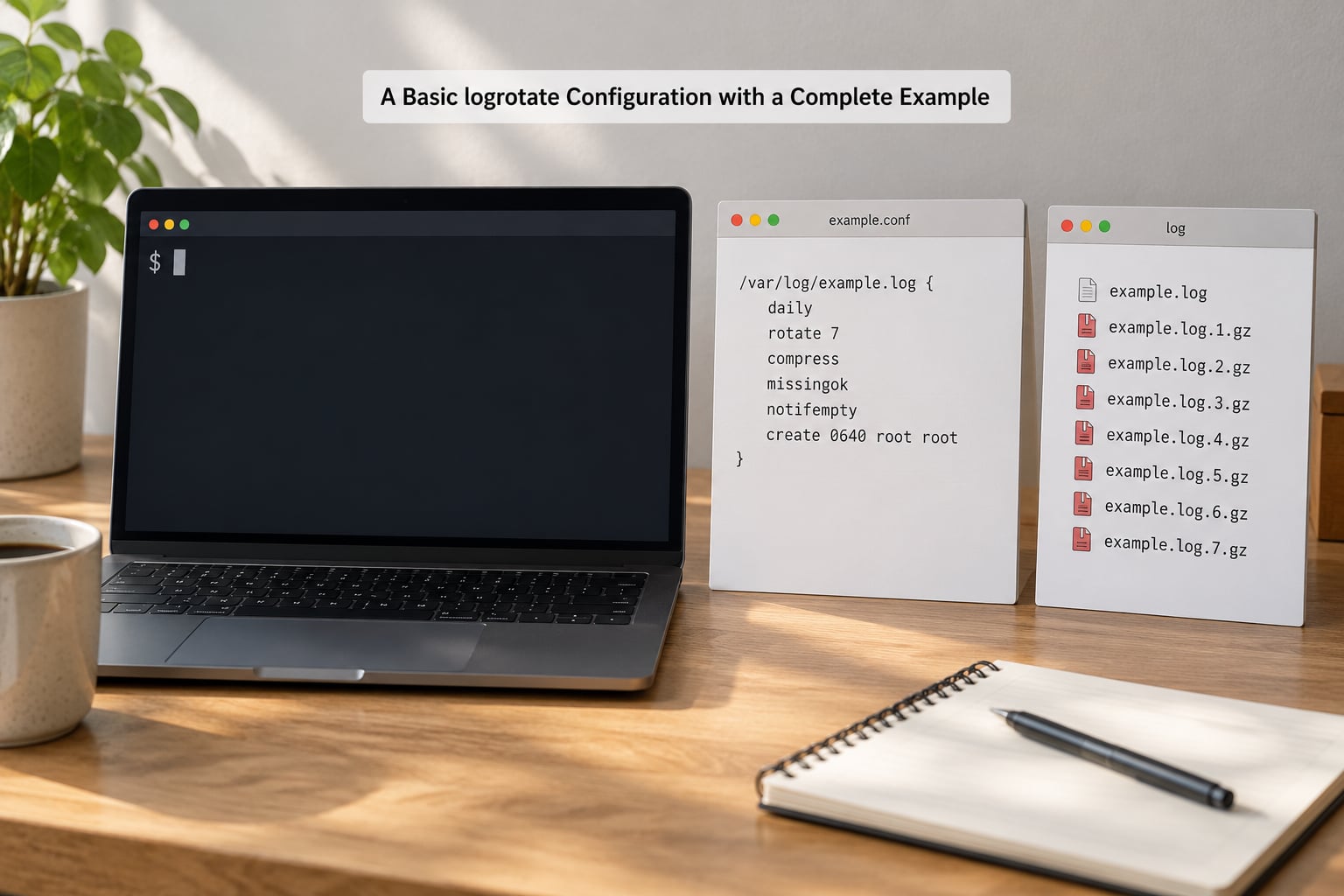
Here is a complete, production-shaped stanza for an application writing to /var/log/myapp/app.log. Save it as /etc/logrotate.d/myapp with mode 0644, which is required or logrotate silently skips the file.
/var/log/myapp/*.log {
    daily
    rotate 14
    missingok
    notifempty
    compress
    delaycompress
    create 0640 myapp myapp
    dateext
    sharedscripts
    postrotate
        systemctl reload myapp.service > /dev/null 2>&1 || true
    endscript
}
Every line earns its place. daily sets the trigger and rotate 14 keeps two weeks of history, so a crash on a Tuesday leaves you somewhere to look. missingok means the app being down does not generate an error every night, and notifempty stops a burst of empty archives when a service writes nothing. compress reclaims space and delaycompress leaves yesterday’s archive as plain text, which is what you want when you are grepping yesterday’s failure at speed.
create 0640 myapp myapp is the part people leave out. Without it, the new file inherits root ownership and your daemon loses write access after the first rotation. dateext gives you named archives instead of numbers, and sharedscripts collapses the reload into a single call even though the glob matches several logs.
Redirecting the hook output to /dev/null matters more than it looks. Without it, a successful reload mails root every night and the useful error in that mail gets scrolled past.
What the directory looks like after a few rotations
With dateext the archive names carry dates rather than numbers:
/var/log/myapp/
  app.log            2.1M   active, currently being written
  app.log-20260928   3.4M   yesterday, plain because of delaycompress
  app.log-20260927.gz 412K  gzipped on the following cycle
  app.log-20260926.gz 389K  gzipped
Drop dateext and you get the numbered ladder instead: app.log.1, app.log.2.gz, app.log.3.gz, with anything past rotate removed.
How to Configure Weekly, Monthly, and Size-Based Rotation
Match the interval to how fast the log grows and how far back you need history. Weekly suits low-traffic services where a daily archive is mostly noise. Monthly suits audit logs and anything a compliance rule keeps for a quarter.
Size-based rotation wins on unpredictable services, where a log might write 200 KB on a quiet day and 30 GB on a busy one:
/var/log/busy/service.log {
    size 500M
    rotate 10
    missingok
    compress
    delaycompress
    create 0640 busy busy
    postrotate
        systemctl reload busy.service > /dev/null 2>&1 || true
    endscript
}
The catch with size is that logrotate only checks once a day, so a runaway process can write past your threshold and keep going until the next run. On a disk-constrained box, pair it with maxsize and run logrotate more often than daily so the check happens more often.
For a service that genuinely needs hourly archives, add a timer. Copy /etc/cron.daily/logrotate to /etc/cron.hourly/logrotate and give the block hourly, or write a unit pair:
# /etc/systemd/system/logrotate-hourly.service
[Unit]
Description=Hourly log rotation
[Service]
Type=oneshot
ExecStart=/usr/sbin/logrotate /etc/logrotate.conf

# /etc/systemd/system/logrotate-hourly.timer
[Unit]
Description=Run hourly log rotation
[Timer]
OnCalendar=hourly
Persistent=true

[Install]
WantedBy=timers.target
Then sudo systemctl daemon-reload && sudo systemctl enable --now logrotate-hourly.timer. Leave the daily timer alone as well; they coexist, and the last run to fire is the one that counts.
How to Rotate Several Logs with Separate Rules
Two logs in one directory can have completely different retention and compression, as long as each gets its own block. Here is a working nginx pair where the access log is kept for weeks and the error log is kept for months:
/var/log/nginx/access.log {
    daily
    rotate 14
    missingok
    notifempty
    compress
    delaycompress
    create 0640 www-data adm
    sharedscripts
    postrotate
        test -f /run/nginx.pid && /usr/sbin/nginx -s reopen || true
    endscript
}

/var/log/nginx/error.log {
    weekly
    rotate 20
    missingok
    notifempty
    compress
    create 0640 www-data adm
    dateext
    dateformat -%Y-%m-%d
}
Order does not matter because logrotate matches blocks by log path, not by file order. A block with a glob catches only what the other blocks did not already claim, so be careful with a broad pattern like /var/log/nginx/*.log that would sweep up a third-party file living in the same directory.
missingok earns its keep on multi-server fleets where a given host may not run a given service. Without it, every nightly run on the host that lacks the daemon exits with an error and mails root.
What Happens During a Rotation?
One cycle, in order: logrotate shifts app.log.5.gz to app.log.6.gz, moves the rest of the ladder up, deletes the archive past the rotate count, renames app.log to app.log.1, creates a fresh empty app.log with your mode and owner, compresses the older archives that have already been compressed once, and finally runs postrotate.
That rename is the whole trick and the whole trap. Renaming does not copy, it does not delete, and it does not touch the kernel’s open file table. Your daemon still holds a descriptor pointing at what is now app.log.1, so it goes on writing into the archive.
That is the mechanism behind the most reported symptom on the linuxadmin and devops forums: rotation runs, the file names change, and the new app.log sits at zero bytes forever while the archive grows past your size threshold.
Why the new file stays empty
An open file handle points at an inode, not a name. After the rename the inode still exists under the new name, and the application’s writes land there. logrotate created a brand-new inode, and nobody told the application about it.
Two ways out. Pair create with a postrotate hook that signals the application to reopen its logs, which is lossless and the default choice when the daemon supports it. Or use copytruncate, which copies the live file to the archive and then truncates the original inode in place, so the application’s handle stays valid. No cooperation needed, but lines written between the copy and the truncate are gone, and create does nothing under it because the original file was never renamed.
The size of that loss window is the part most guides leave vague. It is however many lines the application wrote during the copy, which on a busy service can be a few hundred and on a slow disk under heavy write load can be more. A copy of a 2 GB log is not instantaneous. If a few dropped lines would hurt your incident timeline, use create plus a reload.
How postrotate and prerotate Scripts Reload Applications
A postrotate hook runs after the files move, and its job is to make the application open the new file. The usual form is a signal rather than a full restart, because a restart drops in-flight requests.
postrotate
    systemctl reload nginx > /dev/null 2>&1 || true
endscript
For nginx specifically, nginx -s reopen is the tidiest option because it reopens the log handles without touching worker processes. rsyslog reacts to a plain HUP: killall -HUP rsyslogd, or systemctl kill -s HUP rsyslog on a systemd host. Apache httpd uses USR1 for graceful log reopening, which is why you see apachectl graceful in so many postrotate blocks. Check your daemon’s documentation for the exact signal; HUP means reload, USR1 means reopen, and getting them backwards is a bad afternoon.
prerotate runs before anything moves, which is where you stage work: flushing a buffered logger with logger before the rename, or archiving yesterday’s file to remote storage so a postrotate script can compress it out of the way. Both hooks end with endscript.
Add sharedscripts whenever a block matches more than one file. Without it the hook runs once per file, so a ten-log wildcard triggers ten service reloads and ten chances for one of them to fail and leave the run with a nonzero exit.
How to Test logrotate Without Waiting for a Scheduled Run
Test before you trust. The -d flag is a dry run that changes nothing on disk, -v makes it talk, -f forces a real rotation even when nothing is due, and you can combine them. Run the first two as root, since parsing needs to read every config file.
logrotate -d /etc/logrotate.conf          # dry run, no changes
logrotate -dv /etc/logrotate.conf         # dry run with reasoning
logrotate -f /etc/logrotate.conf          # force a real rotation
logrotate -vf /etc/logrotate.conf         # force it and print every action
logrotate -d /etc/logrotate.d/myapp       # debug one snippet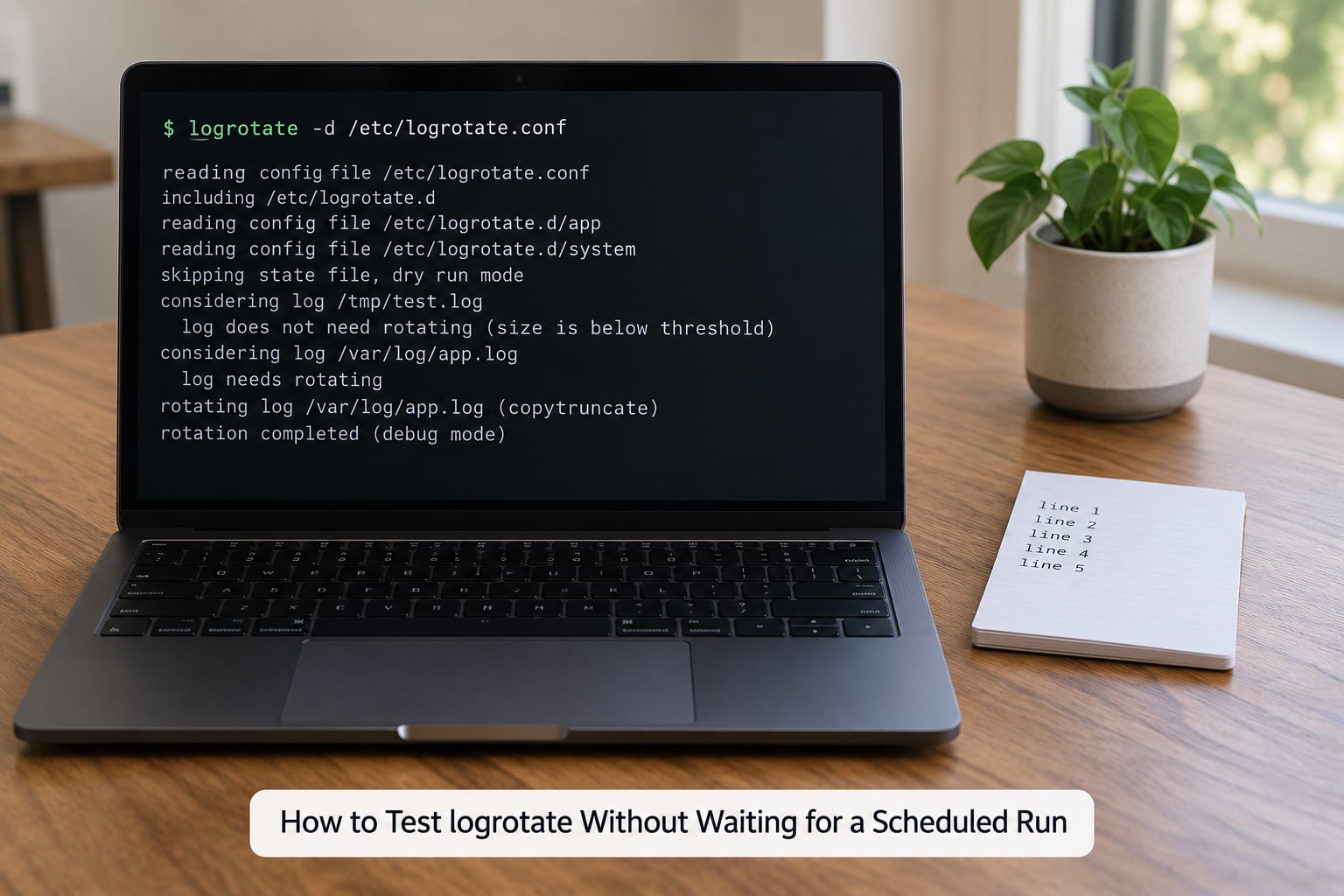
That last line carries a subtlety worth knowing. Debugging a snippet on its own does not load the defaults from /etc/logrotate.conf, so a block that inherits rotate and create from the master file looks broken when it is actually fine. Always debug the master file to reproduce what cron runs.
To watch a real rotation with output worth reading, build a throwaway log first:
head -c 10M /dev/urandom | base64 > /tmp/test.log
cat > /tmp/test-logrotate.conf <<'EOF'
/tmp/test.log {
    size 1M
    rotate 3
    compress
    missingok
    notifempty
    create 0644 root root
}
EOF
logrotate -vf /tmp/test-logrotate.conf
ls -la /tmp/test.log*
The output names each action it takes: rotating pattern, the log path, count of archived files to remove, the renames as each archive shifts up, the compress step, and the creation of the new file with its mode and owner. If a step is missing from that output, it is not happening.
To confirm a scheduled run actually did something later, check the timer and the state file:
systemctl list-timers | grep logrotate
sudo grep myapp /var/lib/logrotate/status
ls -la /var/log/myapp/
How Permissions, Ownership, and SELinux Affect Rotated Logs
The create directive takes a mode, an owner, and a group, and all three matter. create 0640 www-data adm gives nginx a file it can write and a group that can read logs for auditing, without making them world readable. Logs holding credentials or session data deserve create 0600 and a dedicated owner, and that is what auth.log and secure typically ship with on Debian and Ubuntu.
If the log lives in a directory your logrotate user cannot write, the rename fails. The su directive handles that: su root adm runs the block with those privileges and switches group ownership of the created files to adm, which is the usual group for readable logs on Debian-derived systems.
On RHEL, CentOS, and Fedora with SELinux in enforcing mode, correct Unix permissions are not always enough. Renaming a file out of a directory with a non-standard label can leave the new file with the wrong context, and the daemon then gets permission denied on a file that looks correctly owned. Fix it with restorecon on the directory, or label the whole directory once with semanage fcontext -a -t var_log_t '/var/log/myapp(/.*)?' followed by restorecon -Rv /var/log/myapp. On Ubuntu and Debian, AppArmor does not normally intervene in log file rotation.
Common logrotate Problems and How to Fix Them
Start with the empty new log, since it comes up more than anything else. The rename worked, the archive has the data, and the new file is empty because the application never reopened it. Confirm it by running ls -i /var/log/app/app.log* and comparing inodes, then add a postrotate reload signal, or switch to copytruncate if the daemon has no reopen mechanism.
Logs not rotating at all usually comes down to one of four things. The file in /etc/logrotate.d has permissions other than 0644, and logrotate skips such snippets without a word, so fix that with chmod 0644. The block is under the global notifempty and the log is zero bytes. You declared size after daily and the override rule bit you. Or the state file says the log is not due yet, in which case logrotate -fv /etc/logrotate.conf settles the question.
Duplicate log lines after rotation usually mean two applications are writing to the same file, often an app started by systemd and again by a supervisor or an init script. Check with lsof /var/log/app/app.log and stop the stray writer.
Archives that never become .gz mean you have compress but not delaycompress, which is the intended behaviour: the newest archive stays plain until the next cycle. If you never see gzipped files at all, check that compress is actually in the block you think it is and that the block is being read.
Cron mail full of gzip: stdout: Broken pipe or a warning that the file changed while zipping comes from compressing a file an application is still writing. delaycompress prevents the common case by compressing on the following cycle, when the file is closed.
Permission denied in a postrotate script is usually the reload command itself failing, not the rotation. Add 2>&1 temporarily to see the real error, and add || true once you have confirmed the cause, so one failed hook does not abort the whole run.
Wrong ownership on the fresh log means create had no owner and group, or the snippet inherits the wrong defaults. Be explicit: create 0644 myapp myapp.
Disk still filling up despite rotation points at retention, not at logrotate. Check df -h and du -sh /var/log/*, then look for logs nobody owns a stanza for, which is usually a container log or an application that writes outside /var/log. Putting /var/log on its own partition is the standard advice from sysadmins on the linuxadmin forums for a simple reason: it means a runaway log takes down logging, not the server.
Two boundaries catch people out. The systemd journal does not use logrotate at all; you cap it with SystemMaxUse in journald.conf and reclaim space with journalctl --vacuum-size=200M. And Docker’s json-file driver writes logs the daemon owns and appends to, so rotating them out from under it is a bad idea; configure log-opts with max-size and max-file in daemon.json instead, then restart the daemon.
If you ship logs onward with Filebeat, Splunk, or an ELK pipeline, check that the input follows rotated archives rather than only the active filename, otherwise events land in app.log.1 and quietly disappear from your dashboard.
Frequently Asked Questions
How do I rotate logs manually in Linux?
Run logrotate with the force flag against the master config: logrotate -f /etc/logrotate.conf. Add -v to see every action it takes. Use logrotate -d /etc/logrotate.conf first, which is a dry run that changes nothing and shows whether a block is due. To rotate one snippet on its own, pass its path, but remember that running a snippet directly does not load the defaults from /etc/logrotate.conf.
What is the difference between rotate and maxsize in logrotate?
rotate is a retention count: it sets how many numbered or date-stamped archives to keep before the oldest is deleted. maxsize is a trigger: it makes logrotate act even when the schedule is not due, if the log has grown past that size. So rotate 7 maxsize 500M keeps seven archives and forces an early rotation on a file that reaches 500 MB.
Why are my compressed log files numbered without a date extension?
Because numbering is the default archive naming and dateext is what you have to ask for. Without dateext, archives become app.log.1, app.log.2.gz and so on. Add dateext, and optionally dateformat to control the suffix, to get names like app.log-20260928. Keep in mind that numbered names make age obvious only by position, which is why dateext is easier to reason about when you are cleaning up old logs by hand.
Does logrotate send a signal to the application writing the log?
No. logrotate only manipulates files: it renames, compresses, deletes, and creates. Restarting or reloading the application is your job, which is why a create directive should always be paired with a postrotate hook that sends a signal or runs a reopen command. Without that hook the application keeps writing to the renamed archive through its open file handle, and the new log stays empty.
Can logrotate delete old logs automatically?
Yes, and that is the default behaviour once you set a rotate count. Each cycle shifts the existing archives up by one and deletes the one that falls past the count, so a block with rotate 14 and daily keeps two weeks and deletes anything older. If logs are still accumulating, the block is probably missing a rotate value, is matching a different file than you think, or the logs are owned by something logrotate does not manage, such as the systemd journal or Docker json-file output.
Conclusion: Start With a Small, Tested Configuration
Back up the config first, then write one narrow stanza for one log file in /etc/logrotate.d and nothing else. Set chmod 0644 on it, run logrotate -d /etc/logrotate.conf and read the output rather than scrolling past it, then run logrotate -vf /etc/logrotate.conf and confirm the rename, the new file’s owner, the compression, and that your application reopened the log. Add the reload signal before you add more blocks, not after.
That is the whole workflow, and once one block behaves, the rest are copies. That is what logrotate explained with examples comes down to: the directives are simple, but the mental model of rename plus reopen is the part that decides whether your logs actually rotate.