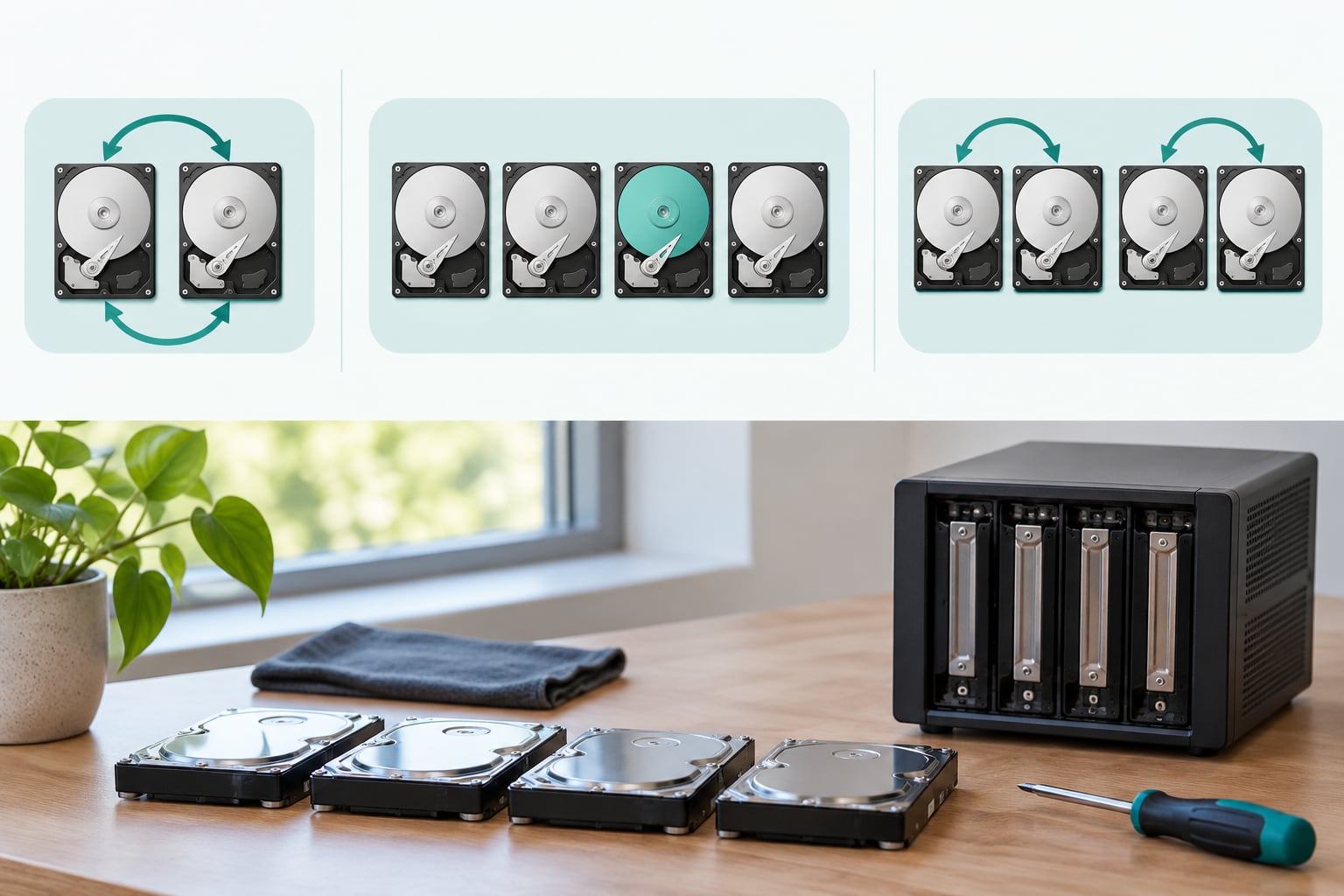
Raid 1 vs Raid 5 vs Raid 10 explained in one line each: RAID 1 buys simplicity with a 50 percent capacity tax, RAID 5 buys capacity with single-disk tolerance and a punishing write penalty, and RAID 10 buys performance and fast rebuilds at the same 50 percent tax. Everything else on this page is the reasoning behind those three sentences.
Before we go further, the thing that trips up almost every new sysadmin: RAID is not a backup. It keeps a volume readable when a drive dies. It does nothing about deletion, corruption, ransomware, theft, or a fire in the room. Arrays fail as a unit sometimes, and the whole recovery model has to sit on top of them.
Here is the fast verdict for most people reading this. Two bays, small data set, boot volume or a personal photo archive: RAID 1. Three or four bays, mostly reading media files, budget fixed, backups verified: RAID 5 works. Four or more bays, database or virtualization host, latency matters: RAID 10. Now the details.
Table of Contents
- Raid 1 vs Raid 5 vs Raid 10 at a Glance
- Raid 5 Explained: Striping With Distributed Parity
- Raid 10 Explained: Mirrored Stripes
- Performance and Rebuild Trade-Offs
- Raid 1 vs Raid 5 vs Raid 10 Explained in One Table
- Which RAID Level Should You Choose?
- Frequently Asked Questions
- Is RAID 10 better than RAID 5?
- How many disks do I need for RAID 1, RAID 5, and RAID 10?
- Can RAID 5 survive two disk failures?
- Does RAID protect my data if the array fails?
- Is software RAID or hardware RAID better for a home server?
- Conclusion
Raid 1 vs Raid 5 vs Raid 10 at a Glance
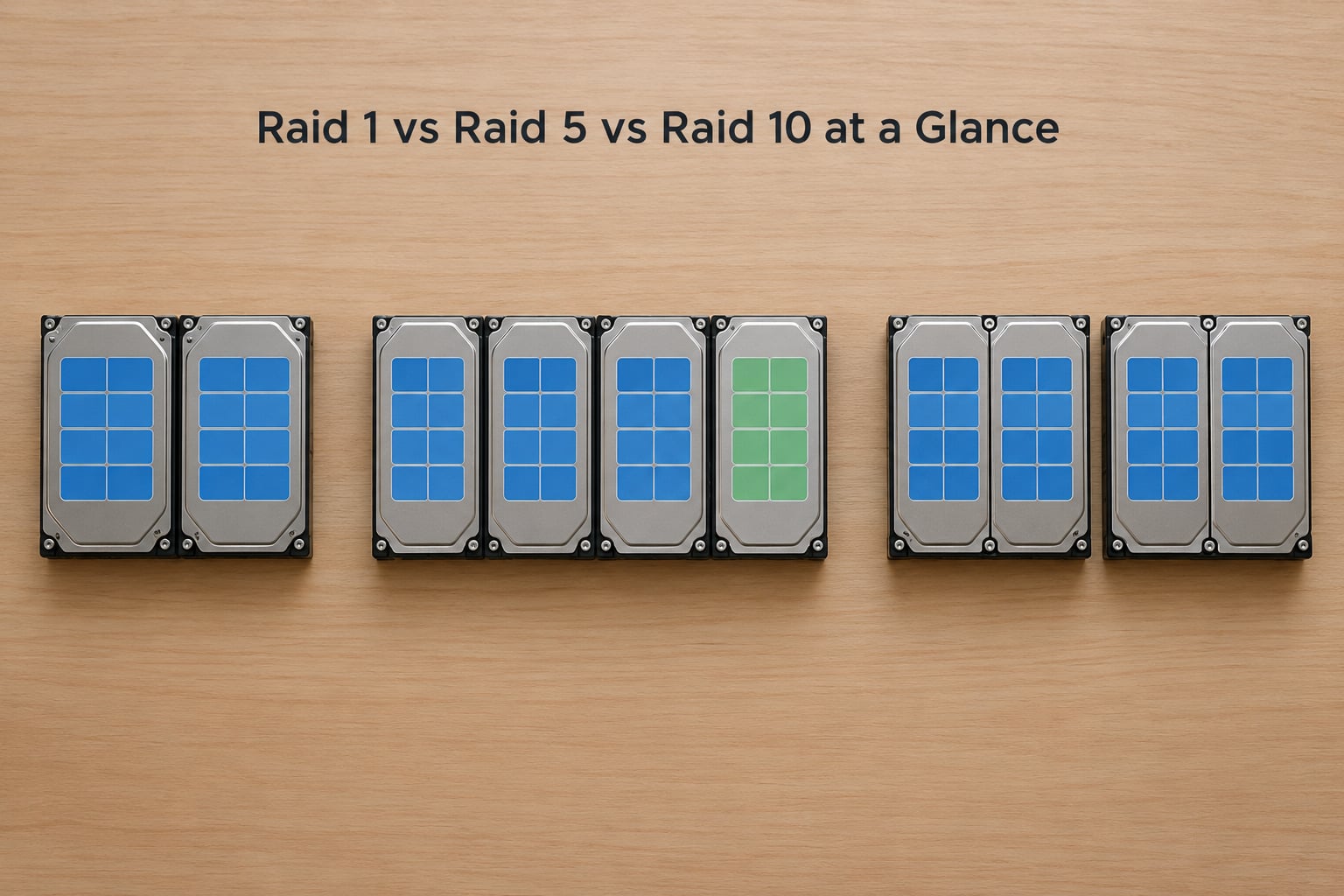
RAID 1 duplicates every block across two or more drives. A write goes to all of them at once, so all copies stay identical, and a read can come from whichever drive is least busy. That is the entire mechanism, and it is why RAID 1 is still the first thing anyone learns.
With two drives you get one drive of usable space. With three drives in a RAID 1, the controller treats it as a mirror set of two plus a spare, not as three-way replication, because odd counts waste capacity. Same with four: two mirror sets, two usable-equivalent worth, not four.
Reads benefit from the duplication. Two disks can service two simultaneous reads, so a workload with any parallelism at all sees a real improvement over a single disk. Latency per read is roughly one disk seek, not two, because the controller picks the first one available.
Writes are the honest part of RAID 1. Every write must land on every member, so a two-drive mirror has the write throughput of the slower of the two drives. It is not slower than a single disk, but it is nowhere near the striping levels.
Rebuilds are where RAID 1 feels modern. A replacement disk gets a straight copy of its partner, nothing more complicated. On a healthy 8 TB drive that is a few hours of sequential write, not the all-day slog a parity rebuild can turn into.
Capacity math is easy. Two 8 TB drives in RAID 1 give 8 TB usable. Four 8 TB drives in RAID 10 give 16 TB usable. Both cases have 50 percent overhead, so the real question for RAID 1 is whether two drives are enough, and for four or more the honest answer is that RAID 10 is just RAID 1’s stripes.
Where RAID 1 genuinely wins is small systems. A boot volume, an application install, a database that fits on one disk, a photo archive that does not need scaling. There is no parity maths, no degraded rebuild puzzle, and behaviour you can explain in one sentence to a colleague.
Raid 5 Explained: Striping With Distributed Parity
RAID 5 splits data into blocks, spreads those blocks across every drive in the array, and stores one block of parity per stripe group. The parity block rotates between drives so no single disk carries a disproportionate write load. That rotating single parity is what makes RAID 5 RAID 5 and not the older, mostly abandoned RAID 4.
Usable capacity is N minus 1 drives worth. Four 4 TB disks give 12 TB, six give 20 TB, eight 8 TB disks give 56 TB. This is the only level in this comparison where adding drives actually buys you usable space instead of buying redundancy.
Parity itself is just XOR. Each bit of the parity block is the exclusive-or of the same bit on every data disk in the stripe, which is why a missing block can be reconstructed mathematically from the survivors. Simple idea, but the way it gets used is where the cost shows up.
Here is the write penalty in four steps. For a full-stripe write the controller computes the new parity, reads the old parity block, reads the old data block for the target position, computes the new data block, and then writes both the new data and new parity. A full 128 KB stripe costs roughly two reads and two writes of extra work.
For small writes it is worse. The controller has to read the target data block and the current parity block, compute the replacement parity, and write both. That is a read-modify-write cycle, and it is why RAID 5 writes are dramatically slower than RAID 1 or RAID 10 writes on the same hardware.
For random reads RAID 5 is excellent. Several disks seek in parallel, so a workload pulling many small blocks gets roughly N times the IOPS of one drive. Media libraries, file servers, and archive storage love this, which is where RAID 5 got its reputation in the first place.
Then the rebuild. Lose a drive and the array is still readable, but the controller now reads every surviving block and recalculates the missing one. It is CPU-heavy, disk-heavy, and sequential, and with large drives it runs for a very long time.
That window is the real argument against RAID 5 today, and it is worth being honest about the arithmetic rather than just asserting it. Consumer drives are commonly sold with an unrecoverable read error rate of about 1 in 10^14 bits. A rebuild reading multi-terabyte volumes touches bits in the hundreds of trillions, so a second read error during a long rebuild is not exotic. When it happens, you have lost the array.
Nobody is debating whether RAID 5 works. It works, it is proven, and it is not broken. The debate is whether a one-disk tolerance combined with an all-day rebuild window and an unreadable-block risk underneath it is a good trade in 2026 for your data. On drives above roughly 10 TB, plenty of sysadmins and forum regulars say no, and the consensus on r/sysadmin and r/homelab leans that way too.
Raid 10 Explained: Mirrored Stripes
RAID 10 builds mirror pairs first and then stripes across those pairs, so it is RAID 1 nested inside RAID 0, written as 1+0. Every write lands on both members of a mirror set, and different stripes land on different sets, which is what makes it fast rather than just redundant.
Four drives is the real minimum. Two drives can only make a RAID 1. Six drives give three mirror sets, eight give four, ten give five. Usable capacity is always half of raw, no matter how many sets you add.
Reads are the best in this comparison. With four drives and two sets, the controller can read from two disks at once in parallel, so small random reads scale roughly with the number of sets. Sequential throughput is about two to four times a single drive on a four-disk array depending on the workload.
Writes avoid parity entirely. There is no read-modify-write cycle because there is no parity block to reconcile. Two members of a mirror set write in parallel, so write latency lands between one and two disk writes instead of the four-ish operations a RAID 5 full-stripe write needs. This is why virtualization hosts and databases land on RAID 10 so consistently.
Rebuilds are fast for the same reason RAID 1 rebuilds are. A failed disk is replaced by copying its mirror partner. No parity calculation, no long sequential read of the entire array, so the window where a second failure could hurt is short.
Now the myth that needs correcting. RAID 10 does not survive any two drive failures. It tolerates one failure in each mirror set. If you lose two drives that are partners in the same mirror set, the array is gone. Lose two drives from different sets and it survives, which is a real but conditional guarantee, not the blanket two-failure protection a lot of vendor marketing implies.
The nested order matters too, though it is academic now. RAID 1+0 mirrors first, then stripes, so a failure damages one set. RAID 0+1 stripes first, then mirrors the whole thing, so one failure wipes out two mirror copies. Both are technically called RAID 10 by some hardware, but 1+0 is the correct order and the only one anyone should build on new hardware.
One more RAID 10 benefit that gets less attention: on SSDs, mirroring halves the writes each drive absorbs compared with a parity level, which extends write endurance. Parity maths roughly doubles the write amplification of the underlying NAND, and drive endurance is usually the first thing to run out in a write-heavy virtualisation workload.
Performance and Rebuild Trade-Offs
Workload shape decides the winner more often than hardware does. Sequential reads scale with every level that has more than one disk. Random writes are where the levels separate hard, and the gap between RAID 5 and RAID 10 on small random writes is not marginal, it is a different class.
Degraded operation deserves its own paragraph because it is the state you will actually live in after a failure. RAID 5 in degraded mode loses one disk of parallelism, so performance drops noticeably until the rebuild finishes. RAID 10 degraded still works from surviving mirror sets. RAID 1 degraded is a single disk, which is fine but obviously not much of an array any more.
Rebuild duration is the operational number to plan around. A hot spare turns a degraded array into an automatic overnight rebuild. Without one, you are running unprotected while you wait for a replacement drive, and for RAID 5 on large drives that wait can be days.
Hardware versus software RAID matters mostly for home labs. Hardware controllers cost money, need model-matched batteries, and lock you into their management software. Software RAID on Linux with mdadm, or ZFS RAID-Z1 in TrueNAS or OpenMediaVault, costs nothing, rebuilds in the background, works on any SATA or NVMe drive, and gives you scrubbing and checksumming that hardware controllers rarely do. For a home server I would take software RAID almost every time.
ZFS RAID-Z1 is not exactly RAID 5. It adds a self-healing copy-on-write model, checksums on every block, and a write-ahead log, which changes the rebuild risk profile substantially. It also has an odd-width drive memory overhead, so four 4 TB disks give a little under 16 TB of pool. Worth it if you are starting fresh and willing to read the documentation.
Raid 1 vs Raid 5 vs Raid 10 Explained in One Table
The same comparison, turned into the decision criteria people actually argue about.
| Decision criterion | RAID 1 | RAID 5 | RAID 10 |
|---|---|---|---|
| 2 drives | Supported | Not possible | Not possible |
| 3 drives | Mirror set plus spare | Supported | Not recommended |
| 4 drives | Two mirror sets | Supported | Supported, the sweet spot |
| 4 x 4 TB usable | 8 TB | 12 TB | 8 TB |
| 8 x 8 TB usable | 32 TB | 56 TB | 32 TB |
| Scales past 50 percent efficiency | No | Yes | No |
| Write-heavy database | Acceptable small | Poor | Best choice |
| Virtualization host | Too small usually | Acceptable | Best choice |
| Home NAS of irreplaceable photos | Fine if it fits | Only with solid backups | Fine if it fits |
| Requires hot spare | Recommended | Strongly recommended | Recommended |
Which RAID Level Should You Choose?
Start with your bay count, not with your preference. Two bays means RAID 1 or a striped-with-no-redundancy setup, and that is the whole menu. Three bays gives you RAID 5 as the only redundant option. Four bays opens up RAID 10, which is where most homelab builders end up.
If two drives meet your capacity need, RAID 1 wins on simplicity. There is no parity to think about, rebuilds are a plain copy, and failure behaviour is easy to reason about at 2am. That is why RAID 1 is still the default answer for boot volumes on rack servers, where a failed disk at 3am is the whole problem.
If capacity is the binding constraint, RAID 5 is the honest answer with caveats. Four 4 TB drives in RAID 5 give 12 TB against 8 TB in RAID 10, and the gap widens as you add disks. Accept it only with verified backups, a hot spare, and drives that are not enormous. If the data is irreplaceable, consider RAID 6 instead, which stores two parity blocks and survives two simultaneous failures at the cost of one extra drive of capacity and a heavier write penalty.
If latency or IOPS drive the decision, RAID 10. Databases, virtualisation hosts, busy file servers with lots of small writes. You pay 50 percent capacity and you get no parity maths at all, which is a good trade whenever the workload writes more than it reads.
A few smaller calls that come up constantly. RAID 0 is not a contender here because it tolerates nothing. RAID 6 is the safer RAID 5 if you have the bays for it. SHR on Synology and similar flex layouts let you add disks one at a time later, which is a real advantage when bay count is fixed but disk count is not.
Workload table, if you want the one-line version:
- Boot and system volume: RAID 1.
- Home NAS of photos and media: RAID 1 if it fits, RAID 10 if you have four bays.
- Write-heavy database: RAID 10.
- Virtualization host: RAID 10.
- File server, read-heavy: RAID 5 or RAID 6, sized generously.
- Backup target or cold archive: RAID 5 or RAID 6.
Frequently Asked Questions
Is RAID 10 better than RAID 5?
Yes, if your workload writes a lot. RAID 10 has no parity block, so it skips the read-modify-write cycle that makes RAID 5 writes slow, and its rebuilds finish in hours instead of a day or more. RAID 5 wins on one thing only: usable capacity. Four 4 TB drives give 12 TB in RAID 5 and 8 TB in RAID 10. For databases and virtualisation hosts, take RAID 10. For read-heavy bulk storage on a fixed budget, RAID 5 is still reasonable.
How many disks do I need for RAID 1, RAID 5, and RAID 10?
RAID 1 needs 2 drives minimum and gives 50 percent usable capacity; three drives behave as a mirror set plus spare. RAID 5 needs 3 minimum and gives you N minus 1 drives of usable space. RAID 10 needs 4 minimum and also sits at 50 percent usable, so four 8 TB drives give 32 TB. Odd drive counts are wasted on RAID 1 and RAID 10. If you have only two bays, your only redundant option is RAID 1.
Can RAID 5 survive two disk failures?
No. RAID 5 stores a single parity block per stripe, so one failed drive is reconstructable and a second is not. If the second failure happens mid-rebuild, the array is usually unrecoverable. That is why a hot spare matters: it keeps the unprotected window down to hours instead of however long it takes you to source a replacement drive. RAID 6 is the level that tolerates two simultaneous failures, at the cost of one extra drive of capacity and slower writes.
Does RAID protect my data if the array fails?
No. RAID handles a single hardware drive failure. It does not protect against accidental deletion, ransomware, filesystem corruption, controller faults, theft, or fire. Arrays can and do fail as a unit, particularly RAID 5 during a rebuild. You still need a separate backup on different media, ideally offsite or off-machine, plus a tested restore. Think of RAID as uptime insurance, not as a copy of your data.
Is software RAID or hardware RAID better for a home server?
Software RAID is usually better for a home server. Linux mdadm, or ZFS RAID-Z1 in TrueNAS or OpenMediaVault, costs nothing, works with any drive model, rebuilds in the background, and adds scrubbing and checksums that hardware controllers rarely include. Hardware controllers need model-matched cache batteries, tie you to vendor management software, and often cap array size. Choose hardware only if you need battery-backed write cache and your controller supports it well.
Conclusion
Measure four things before you pick: how much usable space you actually need, how many bays you have, what your workload does with writes, and whether your backups are verified. RAID 1 for small and simple, RAID 5 for read-heavy capacity with backups you trust, RAID 10 for anything write-heavy or latency-sensitive.
Then build the backup plan first, test a restore, and treat the array as uptime insurance rather than a second copy of your data.