A serial port sends data one bit at a time over a small number of wires, and the hardware on each end frames every byte with start and stop bits so the receiver knows where one character ends and the next begins. That approach is old, but it is still in service in 2026 because it is cheap to implement, deterministic to diagnose, and physically tough enough for cables that run hundreds of metres through noisy factories.
This guide walks through how serial ports work at the bit level, what the UART chip actually does, how RS-232, RS-422 and RS-485 differ electrically, and how USB-to-serial adapters let you connect old equipment to a modern computer. It is written for developers and sysadmins, and it does not assume an electronics background.
Table of Contents
- What Is a Serial Port?
- How Serial Ports Work
- How Data Is Encoded on the Wire
- What Does a UART Do?
- RS-232, TTL, RS-422 and RS-485 Compared
- How Flow Control Prevents Data Loss
- Why Serial Ports Still Exist
- How USB Serial Adapters Preserve the Interface
- Serial Ports in Linux and Windows
- Common Serial Communication Problems
- No data at all
- Garbled text
- Data loss and dropped characters
- Intermittent or unstable connection
- One-way communication
- Frequently Asked Questions
- Are serial ports and USB the same thing?
- Is baud rate the same as data transfer speed?
- Do RS-232 and TTL serial devices use the same voltage levels?
- Why does a serial device show a different COM port after reconnecting?
- How far can a serial cable reliably carry data?
- Conclusion
What Is a Serial Port?
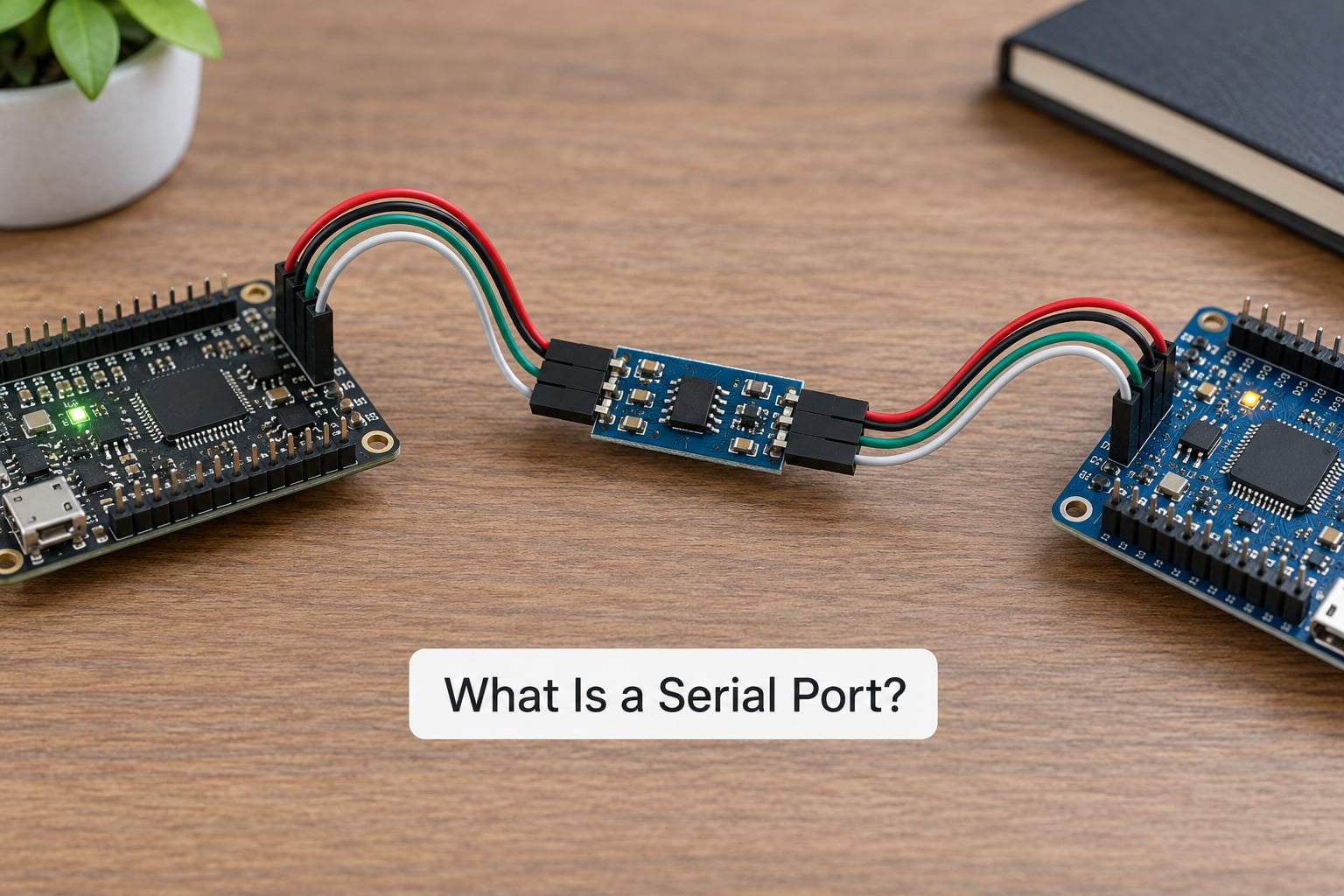
A serial port is a communication interface that moves information one bit at a time, sequentially, along a pair of wires plus a shared ground. The word “port” here means a logical endpoint, not a physical socket: one serial port is exposed as a byte stream that software reads and writes.
Serial communication is the opposite of parallel communication. A parallel port moves an entire word, eight or sixteen bits at once, across eight or sixteen lines. Serial moves a single bit down one line and uses far less wiring, at the cost of speed per wire.
Four things make up a typical link. The transmitter takes a byte and serialises it. The receiver reverses the process. The UART does both, generates the timing, and adds the framing bits. The physical medium is copper, typically a twisted pair cable or a ribbon cable on a circuit board.
On a PC the port shows up as COM1, COM3, or COM14. On Linux it appears as a device file such as /dev/ttyS0, /dev/ttyUSB0, or /dev/ttyACM0. Same interface, different naming conventions per operating system.
How Serial Ports Work
Data travels in one continuous stream, and the receiver must stay in lockstep with the sender without a shared clock wire. Asynchronous serial solves that by putting an idle state on the line and treating the transition out of idle as a synchronisation event.
Serial links come in two forms. Asynchronous is the common one, with no clock signal and a start bit per character. Synchronous serial runs a separate clock line alongside the data, which is faster and more complex, and shows up in things like SPI buses on microcontrollers.
How Data Is Encoded on the Wire
Every character is framed. The line idles high, then drops low for one bit time to mark the start bit. The data bits follow, least significant bit first. An optional parity bit comes next, and then one or two stop bits hold the line high so the receiver can catch up before the next start bit.
The shorthand everyone uses is 8-N-1: eight data bits, no parity, one stop bit. That configuration transmits ten bits on the wire for every eight bits of useful data, so a 9600 baud link carries about 960 bytes per second.
| Format | Data bits | Parity | Stop bits | Bits transmitted per byte |
|---|---|---|---|---|
| 8-N-1 | 8 | None | 1 | 10 |
| 8-N-2 | 8 | None | 2 | 11 |
| 8-E-1 | 8 | Even | 1 | 11 |
| 8-O-1 | 8 | Odd | 1 | 11 |
| 7-N-1 | 7 | None | 1 | 9 |
Baud rate is the number of signal changes per second on the line, and each signal change carries one bit in this scheme. Both ends must agree on it. If one side sends at 9600 and the other listens at 115200, the receiver samples the wrong moments and you get unreadable characters rather than an error message.
What Does a UART Do?
The UART, short for Universal Asynchronous Receiver/Transmitter, is the chip that makes serial ports work. It sits between your CPU and the wires and handles everything the software does not want to think about.
On transmit, the UART takes a byte from a FIFO buffer, appends the start bit, the data bits in the configured order, the parity bit if enabled, and the stop bits, then shifts them out on the TX line at the configured baud rate. A baud-rate generator, usually a divisor off the system clock, sets the pace.
On receive, the UART watches the RX line, detects the high-to-low transition that marks a start bit, waits about one and a half bit times to sample in the middle of the first data bit, and then samples once per bit time. It resynchronises on every start bit, so small clock differences between the two ends do not accumulate into failure across a long transfer.
Flow-control lines such as RTS, CTS, DTR and DSR sit alongside the data pins so the two sides can tell each other to pause. Modern UARTs also include a small receive buffer, and if the software never drains that buffer the overflow flag latches, which is one of the most common causes of silent data loss.
Many microcontroller pins have a UART peripheral built in, which is why a two-wire debug console needs so little hardware. Cheaper chips bit-bang the same protocol from ordinary GPIO pins instead, which is why a one-cent microcontroller can still talk serial.
RS-232, TTL, RS-422 and RS-485 Compared
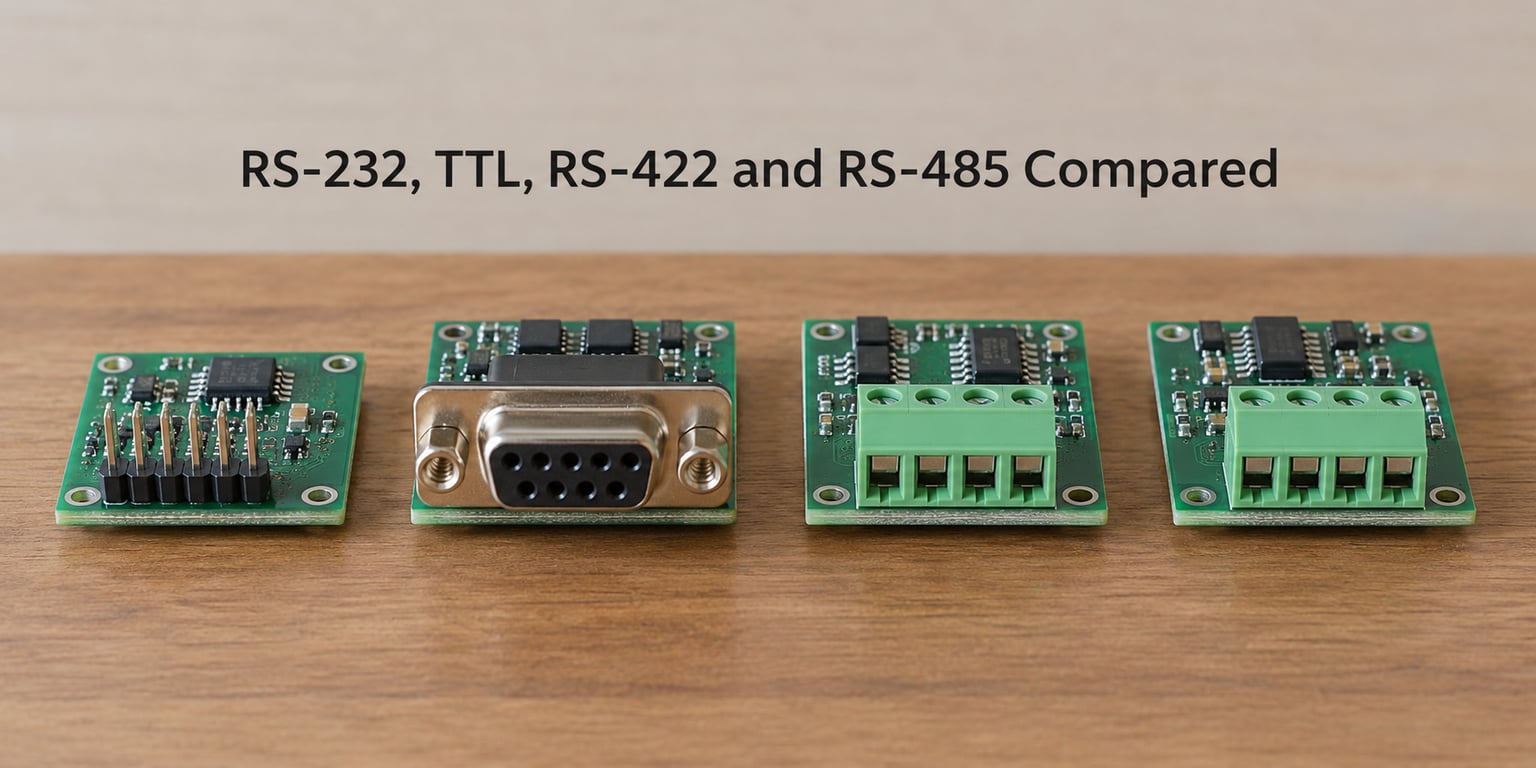
RS-232 is the name people use for a serial port, but it is really one electrical standard among several, and mixing them up is the fastest way to destroy hardware. The UART underneath may be identical in every case. What changes is the voltage, the topology, and how noise is handled.
| Standard | Signal type | Typical voltage | Topology | Direction | Max distance | Ground needed |
|---|---|---|---|---|---|---|
| TTL / CMOS logic | Single-ended | 0 to 3.3V or 5V | Point to point | Full duplex | About 1 m | Yes |
| RS-232 | Single-ended, inverted | Plus or minus 3V to 15V | Point to point | Full duplex | About 15 m at 9600 baud | Yes |
| RS-422 | Differential | Around 2V differential | Point to point, one driver per pair | Full duplex, four wires | Up to 1200 m | Recommended |
| RS-485 | Differential | Around 2V differential | Multi-drop bus, up to 32 unit loads | Half duplex, two wires | Up to 1200 m | Recommended |
Never connect an RS-232 port directly to a TTL pin. RS-232 uses positive voltage for logic zero and negative voltage for logic one, the opposite of TTL, and the swings are far larger than a microcontroller pin tolerates. A level shifter such as a MAX232 is what converts between them, and that chip is on almost every RS-232 transceiver board you will meet.
Differential standards send the signal twice, once on each wire, with the receiver reading the difference. A noise spike that hits both wires equally cancels out, which is the entire reason RS-485 works across a factory floor and RS-232 does not.
Distance and speed trade against each other on every one of these. The 1200 metre figure is achievable at modest baud rates such as 9600. Push the rate to a megabit and you are back to short runs, and the transceivers have to be chosen for the bandwidth you actually need.
How Flow Control Prevents Data Loss
Flow control exists because the sender can outrun the receiver. A UART transmitting at 115200 baud can push more bytes into its output than a slow application on the other end removes from its input buffer, and once that buffer overruns, the data is simply gone with no error raised.
Hardware handshaking uses dedicated wires. RTS, request to send, means the receiver is ready for more. CTS, clear to send, is the transmitter’s permission slip. The line is asserted and deasserted automatically by the driver, so no application code is involved. DTR and DSR form a similar pair, and on a network console DTR or DCD often doubles as a carrier-detect signal telling the software the cable is present.
Software handshaking drops the extra wires and puts special byte values on the data line itself. XON, which is 0x11, tells the other end to pause. XOFF, 0x13, tells it to resume. Both ends have to be configured for it, and any binary payload that happens to contain those bytes can stall the link if nobody is coordinating.
Three practical notes. Most USB-to-serial adapters support hardware handshaking but ignore software handshaking unless a driver option enables it. Many embedded devices expose no flow-control pins at all, so buffering and careful read timing carry the load. Mismatched settings are worse than none: if one side waits for CTS that the other side never drives, the conversation simply never starts.
Why Serial Ports Still Exist
The reason serial ports still exist is not nostalgia. Each of these use cases is being built with serial interfaces in 2026, and the reasons are practical.
- Microcontroller consoles and firmware flashing. A board with two pins for TX and RX can output boot logs and accept a firmware image. USB would need a descriptor, a host driver, and more current than a coin-cell-powered sensor can spare.
- Industrial automation. PLCs, motor drives, and sensor buses run on RS-485 multi-drop networks. The equipment is expected to outlive any given computer, and the serial interface has been there for the whole life of the plant.
- Networking equipment consoles. Routers, switches, and firewalls keep an out-of-band serial console so you can reach them when the network stack, the IP configuration, or the device itself is broken. That is exactly the moment you need it.
- Robotics, CNC machines, and 3D printers. Motion controllers stream position updates and accept motion commands over a serial link. Forum discussions about 3D printers typically note that the host connection is RS-232 emulated over USB, not a real port.
- Point-of-sale hardware and barcode scanners. Receipt printers, scales, card terminals, and scanners sit in environments where a simple, driver-light interface beats a high-bandwidth one.
- GPS, scientific instruments, and medical devices. Field technicians describe updating a medical device over a serial console with a documented procedure that nothing about USB would improve on.
- Legacy and long-lived equipment. Anything bought twenty years ago may still be supported, and a USB-to-serial adapter is the cheapest way to keep it serviceable.
The benefits that persist are unglamorous and real. Simplicity means a multimeter and a terminal program are enough to debug a link. Differential signalling means cable length and noise immunity. Low pin count means it fits on a microcontroller that has sixteen pins in total. Long-established tooling means the software, drivers, and documentation already exist.
Serial also works when nothing else does. A console port does not need a network, a host operating system, or a working USB stack. That independence is precisely what out-of-band management is for.
How USB Serial Adapters Preserve the Interface
A USB-to-serial adapter bridges two worlds. Inside it sits a real UART chip, and a small controller on the other side presents that UART to the computer as a virtual COM port.
Some adapters use the USB Communications Device Class, which needs no manufacturer driver on current Windows, macOS, and Linux. Others use a vendor chip with its own driver that creates a COM port under a vendor name. Both expose the same byte-stream interface your application expects.
Baud rate handling differs between adapter types. A USB serial bridge will typically accept any rate you ask for and generate the timing in hardware, so 9600 and 115200 both behave correctly. Legacy UARTs built for PCs used a divisor table, which is why older hardware topped out at odd rates like 115200 or offered a special 57600 entry that was really 57600.
Pick the right electrical type for your device. An adapter labelled RS-232 is not a drop-in for a 3.3V TTL header, and an RS-485 adapter usually needs bias resistors and termination fitted before it will talk to a bus. There is no universal serial adapter, only the right level for the port you have.
Buyers on hardware forums ask why two identical adapters get different names. On Windows the COM number is remembered per device instance, so the same adapter in a different USB port keeps the number it was assigned on first use. On Linux the kernel names adapters by driver and connection order, which is why /dev/ttyUSB0 and /dev/ttyUSB1 can swap after a reboot.
Serial Ports in Linux and Windows
On Windows, ports are named COM1, COM2, and upward. The port shows up in Device Manager under Ports (COM & LPT), and a USB bridge appears under a separate USB controllers section where you can also find the driver. PuTTY is the usual terminal program for console work, and PowerShell can talk to ports directly through the System.IO.Ports.SerialPort class.
On Linux, ports are character device files. /dev/ttyS0 is the first built-in UART, /dev/ttyUSB0 is a USB serial bridge, and /dev/ttyACM0 is a USB CDC device. The kernel logs connection events, so dmesg or the journal tells you which name appeared when you plugged something in.
The standard tools are worth knowing. screen /dev/ttyUSB0 115200 opens a raw session. stty -F /dev/ttyUSB0 sets the line discipline without launching an interactive program, which makes it handy in scripts. minicom and picocom are full-featured terminals. Exact device names and menu layouts vary by distribution, kernel version, and adapter, so read the documentation for your own system rather than trusting a menu path from an article.
Common Serial Communication Problems
Most serial faults come down to four settings and three wires. Work through them in order, starting with configuration.
No data at all
If nothing comes back, check the wiring first. TX on one side must reach RX on the other, and TX to TX will never work. Then confirm both devices share a common ground, which almost gets forgotten. Finally, verify the baud rate, data bits, parity, and stop bits match exactly on both ends.
Also check whether the two devices are both DTE. Two DTE devices wired pin to pin connect TX to TX. A null modem cable crosses the transmit and receive lines, and that is the standard fix when neither device provides a DCE port.
Garbled text
Readable-looking noise, random symbols, or correct characters at the wrong rate point at a baud mismatch or a missing ground reference. A ground connection is what gives the receiver its reference for the signal swing, and without it the receiver interprets whatever the noise floor looks like as data.
Voltage mismatch causes garbled output too, and it is more dangerous. If a TTL-level device is wired to a true RS-232 port, the receiver sees swings far outside anything it can tolerate.
Data loss and dropped characters
Characters that vanish at high volume mean the receiving buffer is overflowing. Enable hardware flow control on both sides, or slow the sender down with a delay between writes. Binary payloads sent with XON/XOFF enabled can deadlock on a stray 0x11 or 0x13 byte.
Intermittent or unstable connection
Flinkering links over longer runs point to cable quality, a missing ground, or electrical loading that exceeds what the transceiver can drive. On RS-485 multi-drop buses, termination at both ends and bias resistors somewhere in the run fix most of these.
One-way communication
If you can send but never receive, the receive line is probably open or miswired. On half-duplex RS-485 systems, the driver enable pin has to be asserted, and if the transceiver never releases the bus the other device stays deaf.
Frequently Asked Questions
Are serial ports and USB the same thing?
No. A serial port moves data one bit at a time over a pair of wires, with a UART adding start and stop bits around each byte. USB is a packet-based protocol over a differential pair with far more bandwidth, built-in power, and enumeration. A USB-to-serial adapter contains a real UART inside, so your software still sees a serial port even though the cable and transport are USB.
Is baud rate the same as data transfer speed?
Not exactly. Baud rate is the number of signal changes per second on the line. In standard serial framing, one bit carries one symbol, so baud and bit rate match, but the useful data rate is lower because framing bits are overhead. At 9600 baud with 8-N-1 formatting, ten bits travel for every eight bits of payload, giving roughly 960 bytes per second.
Do RS-232 and TTL serial devices use the same voltage levels?
No, and this is the most common way people damage hardware. TTL logic uses 0 to 3.3V or 5V with positive voltage meaning one. RS-232 swings between roughly negative and positive 12 volts, and it inverts the meaning. Connecting a microcontroller pin directly to an RS-232 port can destroy the pin. Use a level shifter such as a MAX232 between them.
Why does a serial device show a different COM port after reconnecting?
Windows assigns a COM number per device instance and remembers it in the registry, so the same adapter keeps its number unless you change the port setting in Device Manager. Linux names devices by driver and detection order instead, so two identical adapters can swap between ttyUSB0 and ttyUSB1 after a reboot. Either way, check the port name after plugging in rather than hard-coding it.
How far can a serial cable reliably carry data?
It depends on the standard and the baud rate. RS-232 is specified for about 15 metres at 9600 baud, and distance falls as speed rises. RS-422 and RS-485 use differential signalling and run up to 1200 metres at modest rates. Unshielded cable in a noisy industrial environment shortens every one of those figures, so shielding and correct grounding matter as much as the distance rating.
Conclusion
Serial communication survives because it does one job with very few parts and stays predictable for decades. The protocol has barely changed while the transport underneath it moved from DE-9 sockets to USB adapters and now to network-attached console servers.
Before you troubleshoot or connect anything, write down four things: the voltage standard on both ends, the pinout, the baud rate with data bits, parity, and stop bits, and the flow-control mode. In that order. Most “dead” serial connections are a voltage mismatch or TX wired to TX, and both are visible in a minute if you know what to look for.