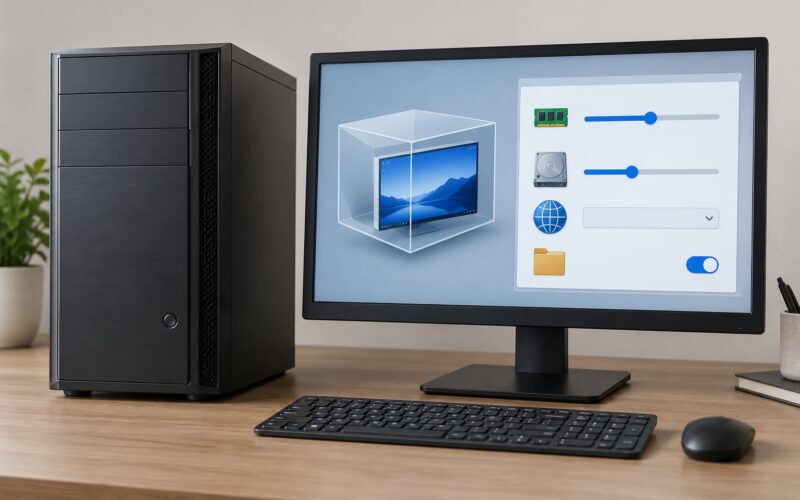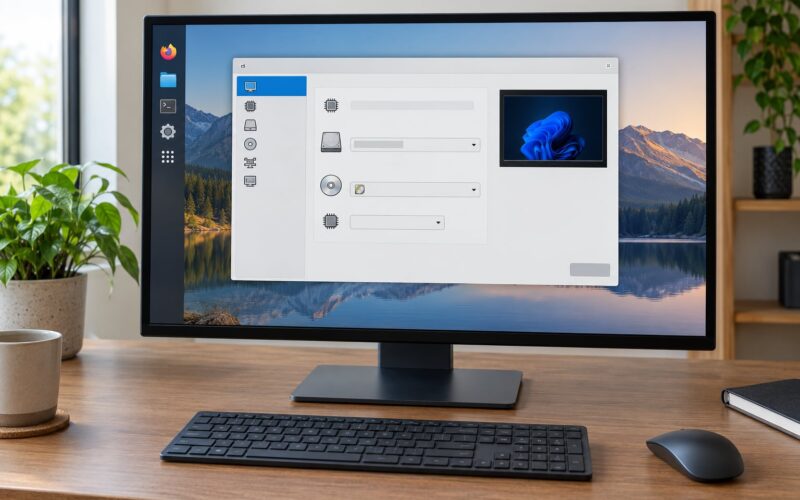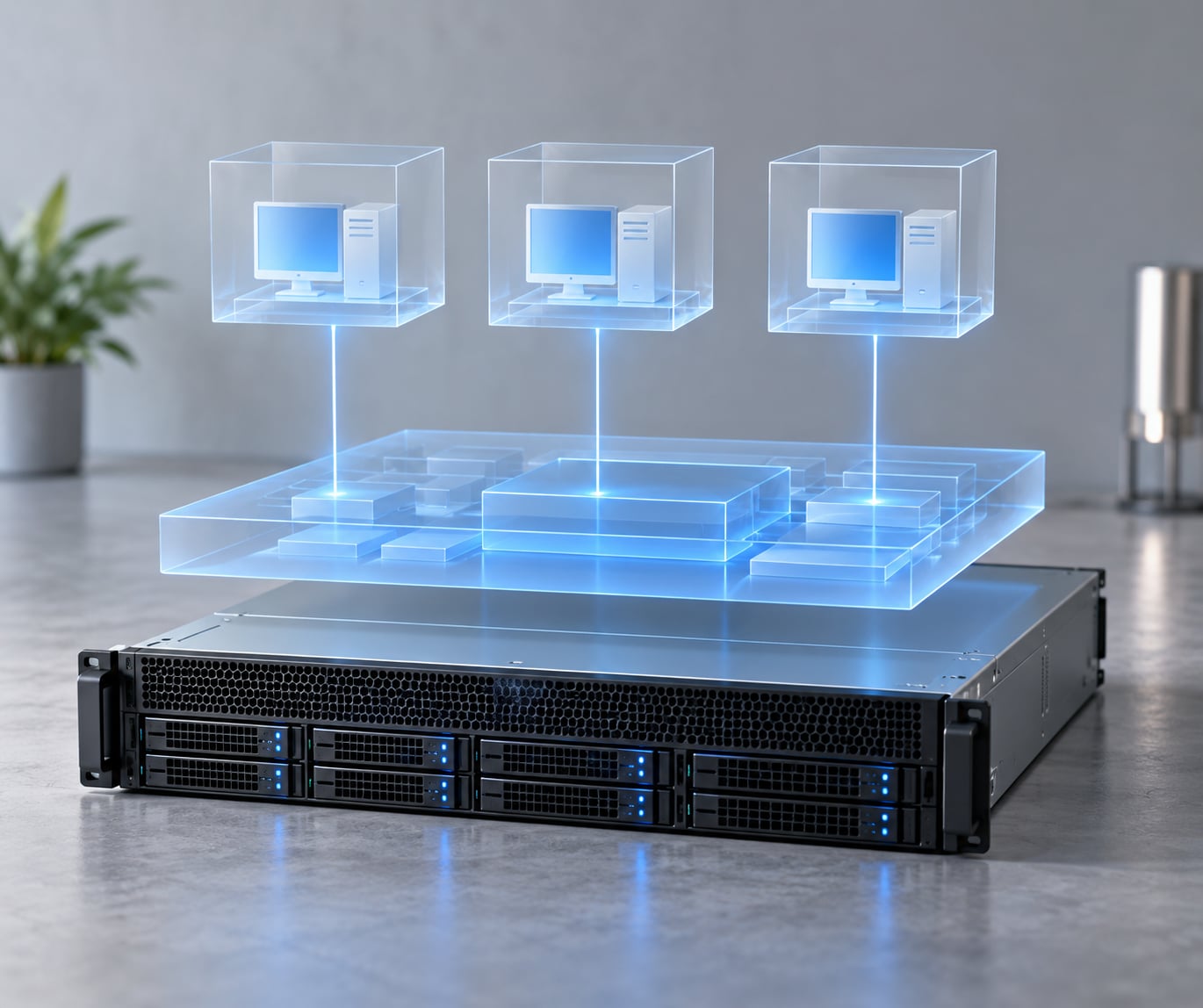
A hypervisor, also called a virtual machine monitor (VMM), is a software layer that lets multiple virtual machines run on a single physical computer by abstracting and allocating CPU, memory, storage and network resources while isolating each guest from the others. That one sentence covers what a hypervisor is; the rest of this guide unpacks how a hypervisor works in practice.
The short version: the hypervisor is the layer that fakes a whole computer for each guest. If you have ever booted a Linux VM on a laptop, snapshotted a server, or rented an instance from a cloud provider, a hypervisor was doing the work underneath.
Table of Contents
- Key Takeaways
- What Is a Hypervisor?
- What the hypervisor is not
- How Does a Hypervisor Work?
- 1. Abstraction: turning one device into many
- 2. Allocation: dividing the real resources
- 3. Isolation: keeping guests apart
- 4. Mediation: catching privileged requests
- What happens when a guest wants to write a file
- What Does the Hypervisor Actually Do?
- It hands out CPU time
- It maps memory
- It fakes storage
- It presents devices
- It fails over and moves VMs around
- Type 1 vs. Type 2 Hypervisors
- Where Hyper-V fits, and why it confuses people
- Hybrid hypervisors
- How Virtualization Support Works in CPUs
- Intel VT-x and AMD-V
- Extended page tables
- IOMMU and device isolation
- Nested virtualization
- How Does a Hypervisor Manage Memory and Devices?
- How a memory access becomes real
- How storage is presented
- Full virtual devices vs. paravirtual devices
- Network modes, briefly
- What Is the Difference Between a Hypervisor and a Virtual Machine?
- Where containers fit
- What Are the Main Hypervisor Examples?
- What Are the Security and Performance Tradeoffs?
- Overhead, and how to see it
- The security boundary is a target
- Resource contention
- When virtualization is the wrong tool
- Frequently Asked Questions
- What is a hypervisor for dummies?
- Can you give me an example of a hypervisor?
- Is Windows 10 a hypervisor?
- What are the three types of virtualization?
- What are the top 5 hypervisors?
- What are the downsides of using a hypervisor?
- Conclusion
Key Takeaways
- A hypervisor is a virtual machine monitor (VMM) that sits between physical hardware and one or more guest operating systems.
- Its four jobs are abstraction, allocation, isolation and mediation.
- Type 1 hypervisors install directly on the hardware. Type 2 hypervisors install on top of an existing operating system.
- Intel VT-x and AMD-V let the CPU trap sensitive instructions in hardware instead of software, which is why virtualization is fast today.
- Isolation is a boundary, not a guarantee. The hypervisor itself is the most privileged and most attacked code on the machine.
What Is a Hypervisor?
A hypervisor is a layer of software, or sometimes firmware, that presents each guest operating system with what looks like its own computer. It owns the real CPU, RAM, storage and network adapters, and it hands each guest a controlled slice of them.
The term virtual machine monitor came first, from researchers who noticed the same job was being done under several names. Modern documentation uses both, so search results that say VMM are talking about the same component.
Two other words need sorting out early. The host is the physical machine and, in a Type 2 setup, the operating system running on it. A guest is any virtual machine running on top. When people say bare metal, they mean a hypervisor installed directly on the hardware with no host OS underneath.
What the hypervisor is not
The hypervisor is not the virtualization technology itself. Virtualization is the outcome: running several independent computers out of one. The hypervisor is the component that produces that outcome.
It is also not the same thing as a container runtime. Containers share the host kernel rather than carrying their own, so a container platform has no hypervisor underneath unless it runs inside a virtual machine. That distinction comes up constantly, so it gets its own section later.
How Does a Hypervisor Work?
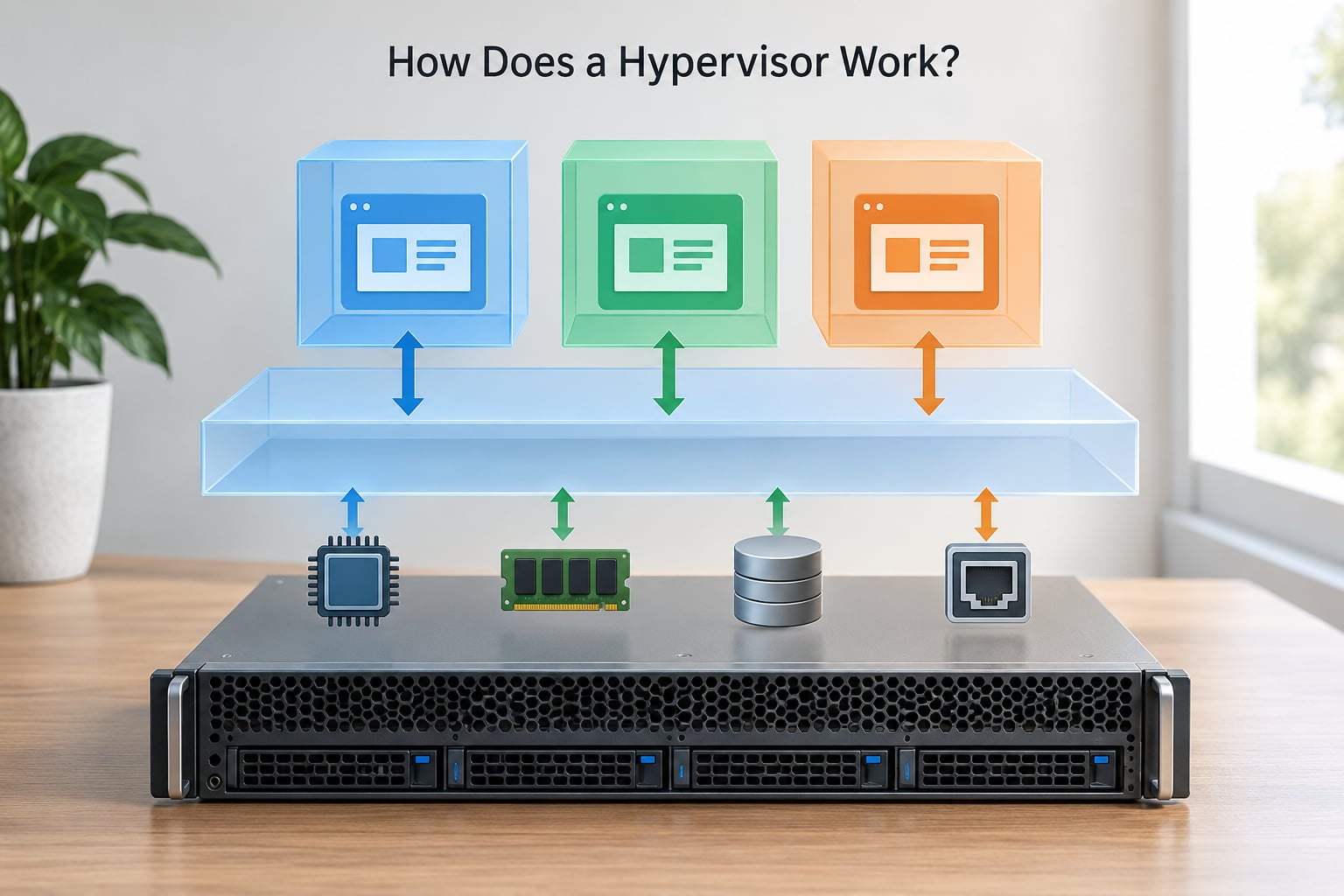
Every guest thinks it owns the machine. In reality each guest’s instructions run on a real CPU under supervision, and the hypervisor intercepts anything that could affect hardware shared with another guest.
1. Abstraction: turning one device into many
The hypervisor creates virtual counterparts of real hardware: vCPUs instead of cores, a virtual disk controller instead of an NVMe drive, a virtual NIC instead of a physical port. The guest OS boots against these and never touches the silicon directly. It also works the other way, intercepting the guest’s view of physical memory and translating it into host addresses.
2. Allocation: dividing the real resources
You assign a guest a number of vCPUs, a memory size and a disk. Under the hood the hypervisor turns that into a slice of physical time and space. CPU work is handed to physical cores in time slices through a scheduler, and memory pages are mapped as the guest touches them. Because mapping is lazy, an idle guest costs close to nothing.
3. Isolation: keeping guests apart
Each guest gets its own kernel, its own page tables and its own view of devices. A kernel bug in one guest corrupts its own memory and usually nothing else. That property is why sandboxes, malware analysis boxes and multi-tenant cloud hosting all lean on virtualization.
4. Mediation: catching privileged requests
Some instructions are dangerous by design. On x86 those live in ring 0, which only the operating system was supposed to reach. A hypervisor moves itself into the highest ring, so every attempt to execute a privileged instruction traps into the hypervisor first, and the hypervisor decides what happens next.
The old approach was trap and emulate: intercept the instruction, work out what the guest really wanted, do it on its behalf, and hand back a result. It worked, but every interception cost time, so early virtualization was slow.
That is where hypercalls come in. Instead of the guest guessing at an instruction the hypervisor will intercept anyway, paravirtualized guests call a hypervisor routine directly. A disk write becomes one clean call rather than a series of trapped port instructions.
What happens when a guest wants to write a file
It issues a write to a virtual disk. The CPU runs that in ring 3 as ordinary code, the block device driver hands the request to a virtual controller, and the hypervisor translates it into a real I/O submission on the physical disk. The guest is convinced it wrote a sector. In practice that request may be batched with a dozen others before anything moves.
What Does the Hypervisor Actually Do?
Strip away the diagrams and the hypervisor does a short, unglamorous list of jobs. Knowing which job you are dealing with tells you which knob to turn.
It hands out CPU time
A scheduler time-slices physical cores across every vCPU that wants to run. Fair-share, fixed reservation and priority weighting are the usual options, and they decide what happens when two guests both demand the whole CPU.
It maps memory
Guest physical pages get paired with host physical pages. This is what makes zeroing and copy-on-write tricks possible, and it is also where the isolation boundary physically lives.
It fakes storage
A virtual disk is usually a file on the host, backed by a thin-provisioning layer. Guest disks can grow to the full provisioned size while consuming only what is actually written, and snapshots work by freezing that layer and starting a new one.
It presents devices
Every disk, network adapter, keyboard and graphics device a guest sees is a model the hypervisor created. The model decides how much translation work each request costs.
It fails over and moves VMs around
A mature hypervisor tracks which hosts are alive and can restart a failed guest elsewhere. Live migration copies a running guest’s memory to another host and hands over execution mid-flight, so maintenance on one box does not stop the workload.
Type 1 vs. Type 2 Hypervisors
The classification is about where the hypervisor sits. That one fact drives most of the differences that follow.
| Criterion | Type 1 (bare metal) | Type 2 (hosted) |
|---|---|---|
| Runs on | Physical hardware directly | On top of a host operating system |
| Host OS | None, the hypervisor is the OS layer | Required and part of the request path |
| Performance | Near-native, lower CPU and I/O overhead | Extra layer, more noticeable under heavy I/O |
| Management | Remote, multi-host, designed for many servers | Local desktop window or console |
| Live migration and HA | Core features | Often missing or limited |
| Guest OS support | Wide, server and desktop | Wide, good for testing odd OS versions |
| Security boundary | Strong, fewer layers beneath guests | Weaker, hypervisor is a program on a general OS |
| Best for | Data centres, cloud, homelabs, production | Laptops, developer testing, learning |
| Examples | VMware ESXi, Microsoft Hyper-V Server, KVM, Xen, Proxmox VE, XCP-ng, Nutanix AHV | Oracle VirtualBox, VMware Workstation, VMware Fusion, Parallels Desktop |
Where Hyper-V fits, and why it confuses people
Hyper-V is the recurring source of arguments. The Hyper-V role on a Windows client machine is generally described as Type 2, because the Windows desktop sits between the hypervisor and the hardware. The standalone Hyper-V Server role, with Windows Server as the management layer rather than the host, is described as Type 1. Community discussion lands on the same split, and the practical advice is to judge by what sits underneath.
Hybrid hypervisors
Some products sit between the two. A desktop hypervisor that can also run a virtual machine container directly on the host hardware has a Type 1 path and a Type 2 user experience. They are convenient on a workstation, not a pattern you would design a data centre around.
How Virtualization Support Works in CPUs
For most of x86 history, catching privileged instructions was a software job and virtualization crawled. Two extensions changed that.
Intel VT-x and AMD-V
When the processor starts in ring 0, a normal OS owns the hardware and a hypervisor has no legal way in. VT-x on Intel and SVM on AMD add a way for the hypervisor to take the top ring before anything else loads. The processor gains an extra privilege level, and instructions that would touch shared state cause a clean VM exit instead of doing damage.
Extended page tables
Page table virtualization matters just as much. Without help, every guest page lookup walks the shadow page tables the hypervisor maintains, and that cost shows up on every memory access. Intel’s EPT and AMD’s nested page tables let the CPU walk guest and host mappings in hardware, so the hypervisor only steps in on a fault.
IOMMU and device isolation
An IOMMU, exposed through VT-d on Intel or IOMMU on AMD, gives devices a translation layer of their own. That lets the hypervisor hand a physical device to one guest while keeping it away from the others, which is what device passthrough and GPU virtualization depend on.
Nested virtualization
Nested virtualization means running a hypervisor inside a guest. The inner hypervisor needs the same hardware help, so the outer one exposes VT-x or AMD-V to it. It works, and it is slower and fussier than running on real hardware, which makes it a poor fit for anything performance-sensitive or timing-sensitive.
How Does a Hypervisor Manage Memory and Devices?
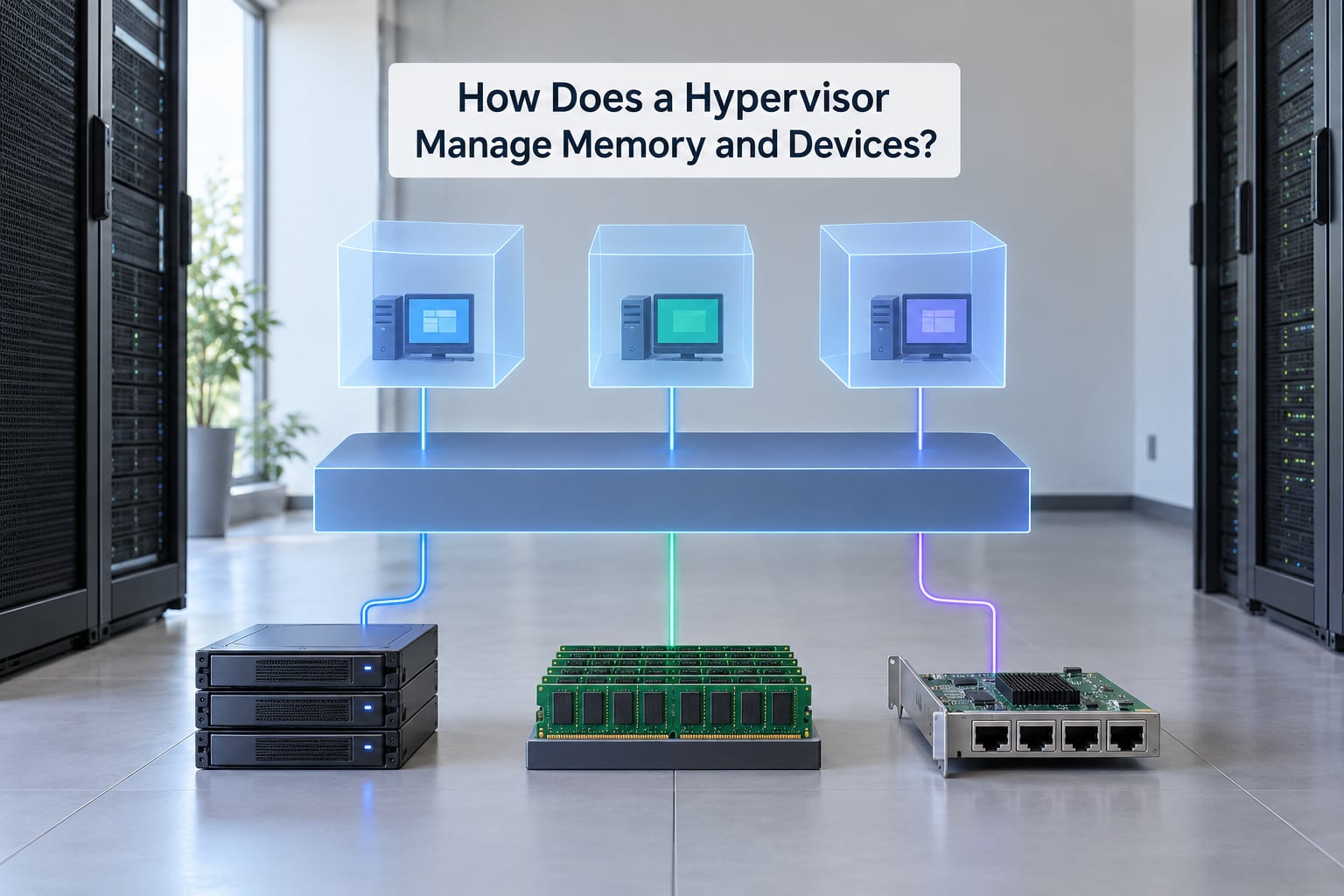
Memory is the clearest example of the abstraction idea, so it is worth following one page from guest to host.
How a memory access becomes real
The guest issues a load from a virtual address. Its own page tables translate that to a guest physical address, which is not a real location. The second stage of translation, controlled by the hypervisor with EPT or NPT, maps that guest physical page to a host physical frame. Two translations, both in hardware on modern CPUs, and the load lands in real RAM.
The hypervisor also overcommits. It will happily let you assign more total vRAM than the host physically holds, because pages are only backed when touched. Set every guest to a size the machine cannot back simultaneously and the host starts thrashing, which is the usual cause of the overcommitment complaints you see in home lab threads.
How storage is presented
Thin provisioning is the default model. The guest writes, the hypervisor records the mapping, and only the written blocks consume real space. Snapshots are a layering trick: the current layer is frozen and a new one takes new writes, so creating one is fast and reverting is instant.
Full virtual devices vs. paravirtual devices
| Aspect | Full virtualization | Paravirtualization |
|---|---|---|
| Guest sees | A model of the real hardware | A purpose-built virtual device |
| Guest changes needed | None, unmodified OS | Paravirtualized drivers or a modified kernel |
| Translation cost | Higher per request | Lower, closer to a hypercall |
| Compatibility | Best, any OS | Good, mainstream guests have the drivers |
| Used by | Unknown or exotic guests | Windows and Linux guests on mainstream platforms |
Full virtualization caught sensitive instructions in software and made any guest work, slowly. Paravirtualization accepted a small amount of guest cooperation in exchange for much lower per-request overhead. Modern platforms mostly ship both and let you pick per device.
Network modes, briefly
Bridged gives the guest its own address on your real network and it behaves like a second physical machine. NAT puts the guest behind the host, which reaches outward through the host address and is invisible to the LAN. Host-only links guest and host with no route outward, which is the right choice for isolated test networks. The mode you pick changes what a guest can reach, and picking wrongly is the single most common early networking stumble.
What Is the Difference Between a Hypervisor and a Virtual Machine?
A virtual machine is the thing you boot. It is a set of virtual hardware plus the operating system and applications running on it, and from inside it everything looks like an ordinary computer.
The hypervisor is the control layer underneath, and one hypervisor hosts many virtual machines at once. There is no one-to-one relationship: the whole reason virtualization pays off is that a single VMM hands out resources to a dozen guests and keeps them apart.
Where containers fit
Containers answer a similar isolation problem with a different mechanism. Each container is a normal process with its own filesystem and network namespace, but it shares the host kernel instead of carrying its own. That is why a container starts in milliseconds while a VM takes seconds, and why a kernel flaw affects every container on the host.
Containers do not need a hypervisor. In practice most container platforms run inside virtual machines anyway, because the VM supplies the kernel boundary and the isolation tenants expect. Kubernetes clusters are usually a layer of containers sitting on virtual machines on bare metal.
What Are the Main Hypervisor Examples?
Once the concept is clear, the products split cleanly by where they run and who runs them.
| Hypervisor | Type | Best for |
|---|---|---|
| VMware ESXi (vSphere) | Type 1 | Enterprise virtualisation and large fleets |
| Microsoft Hyper-V Server | Type 1 | Windows-heavy estates and Azure Stack style private cloud |
| KVM with QEMU | Type 1 | Linux servers and cloud infrastructure |
| Xen and XCP-ng | Type 1 | Research, telecom and unbranded bare-metal management |
| Proxmox VE | Type 1 | Home labs and small business, VMs plus containers |
| Nutanix AHV | Type 1 | Hyper-converged infrastructure |
| Oracle VirtualBox | Type 2 | Free cross-platform guest testing |
| VMware Workstation and Fusion | Type 2 | Day-to-day desktop development |
| bhyve | Type 1 | A small, BSD-native hypervisor on FreeBSD |
In home lab discussions Proxmox VE comes up most often, valued for a web interface, a permissive licence and equal support for virtual machines and containers. XCP-ng gets recommended as an unbranded alternative for people who want ESXi-style bare-metal management without a commercial licence. ESXi still wins on raw performance and tooling, but the licence and account rules since the Broadcom acquisition push plenty of hobbyists elsewhere. That is a licensing reality, not a technical verdict.
What Are the Security and Performance Tradeoffs?
Virtualization trades a little speed for a lot of flexibility. Both halves of that trade have a cost worth understanding.
Overhead, and how to see it
Compute-heavy guest workloads run close to native on VT-x and AMD-V hardware. The gap widens with heavy I/O through heavily translated devices, deep shadow-paging paths, or a hypervisor doing background work like deduplication and live migration. Measure it the honest way: run the same benchmark bare metal and in the guest, and compare. Intuition is usually wrong about which workload suffers.
The security boundary is a target
Escaping from a guest into the hypervisor is the goal that matters, because the hypervisor can reach every guest. That makes it the most privileged and most examined code on the machine. Attackers go after device emulation and management interfaces, so firmware updates, restricted admin access and removing unused virtual hardware are real security work, not housekeeping.
Device passthrough narrows isolation by design. Handing a physical device to one guest gives that guest a path to the underlying hardware, so treat passthrough as a deliberate exception for a workload that needs it, not a default.
Resource contention
Overcommitting vCPUs or vRAM is easy to do and easy to regret. Overcommitted memory produces swapping or host-level thrash that every guest feels. Overcommitted vCPUs are worse, because a guest waiting for a vCPU that never gets a physical core sees latency, not throughput.
When virtualization is the wrong tool
Some workloads should not be virtualized at all. Games with anti-cheat often refuse to run inside a VM or block passthrough. Hard real-time control loops dislike scheduling jitter. Anything needing direct access to a specific piece of hardware you cannot pass through cleanly belongs on bare metal.
Frequently Asked Questions
What is a hypervisor for dummies?
A hypervisor is software that pretends one physical computer is several. It sits between the real CPU and memory and the operating systems above it, hands each one a share of those resources, and keeps them from interfering. Think of it as the building manager who decides who gets the hot water and who parks where.
Can you give me an example of a hypervisor?
VMware ESXi is a Type 1 hypervisor that boots straight onto server hardware and runs many enterprise virtual machines. On a home lab, Proxmox VE is the same idea with a web interface and no licence cost. On a laptop, VirtualBox is a Type 2 example running on top of an already-installed operating system.
Is Windows 10 a hypervisor?
Windows 10 is not itself a hypervisor, but it ships with the Hyper-V role available. Because Windows sits between that hypervisor and the hardware, it behaves like a Type 2 setup, while Windows Server running the standalone Hyper-V Server role is normally treated as Type 1. Check BIOS virtualization support, because it is off by default on a lot of hardware.
What are the three types of virtualization?
The three most useful groupings are server virtualization, desktop virtualization such as VDI, and application or container virtualization. Server virtualization is what data centres and cloud providers run. Desktop virtualization gives each user a desktop on shared hardware. Container virtualization shares the host kernel instead of running a full guest operating system per workload.
What are the top 5 hypervisors?
For production estates, VMware ESXi, Microsoft Hyper-V Server, KVM with QEMU, Xen and Nutanix AHV are the usual shortlist. For home labs, Proxmox VE and XCP-ng take the place of two or three of those, because both are free and manage their hosts through a web interface. For laptops, VirtualBox and VMware Workstation cover development testing.
What are the downsides of using a hypervisor?
The real costs are overhead, contention and a wider attack surface. Emulated devices and shadow paging slow down some workloads, and overcommitting vCPUs or memory makes everything slow at once. The hypervisor itself is privileged code on the machine, so it needs regular updates. And workloads needing direct hardware access may simply not fit.
Conclusion
The mental model to keep is a three-layer stack: physical hardware at the bottom, the hypervisor in the middle, guest operating systems on top. The hypervisor owns every real resource, gives each guest a slice, translates what the guest asks for, and stops one guest from reaching another.
When you look at a hypervisor on a server, workstation, cloud platform or home lab, check four things first. Confirm the hypervisor type by what sits underneath it. Confirm the CPU has VT-x or AMD-V enabled. Look at whether vCPUs and vRAM are overcommitted against the real hardware. And check the firmware version, since the most privileged code on the machine is usually the least updated.