The short version: use sed when you want to rewrite characters inside lines, and awk when you want to treat the input as records made of fields and compute something from them. That is the whole awk vs sed when to use each question, and once the rule clicks, choosing between them stops being guesswork.
I still reach for both daily, mostly in shell scripts and CI pipelines where the input is a config file, a log or a CSV export. Neither is going away, and neither is going to be replaced by Python for the small, fast jobs they were built for.
Below is the decision rule I use, followed by worked examples where the same task is solved both ways so you can see where the line sits.
Table of Contents
- awk vs sed When to Use Each at a Glance
- What Is sed Best At?
- What Is awk Best At?
- How Do You Choose Between sed and awk?
- Practical Examples: sed vs awk
- Print the second column
- Delete a block of lines between two markers
- Filter rows and add a warning column
- When to Use sed for Quick Text Substitutions
- When to Use awk for Fields, Filters, and Reports
- Which Should You Choose?
- Frequently Asked Questions
- Is sed or awk better for replacing text?
- What is the main difference between awk and sed?
- Can awk replace sed for simple substitutions?
- Which tool is better for CSV and log files?
- Does awk support regular expressions?
- When should I use awk in a shell script instead of sed?
- Conclusion
awk vs sed When to Use Each at a Glance

Both tools read input line by line, but they disagree about what a line is. To sed a line is a string of characters to be modified. To awk a line is a record containing numbered fields that can be compared, printed or totalled.
| Dimension | sed | awk |
|---|---|---|
| Primary strength | Substitution, deletion, insertion of text | Field extraction, counting, summing, grouping |
| Unit of work | The pattern space, usually one line | The record, split into fields |
| Logic available | A fixed set of one-letter commands | Variables, arrays, loops, conditionals, functions |
| Typical input | Text files, config files, code, log lines | CSV, TSV, whitespace columns, log formats |
| Output | Edited copy of the input | Whatever you build: columns, counts, totals, a report |
| Edits the file in place | Yes, with -i | No, you redirect to a new file |
| Typical one-liner | sed 's/old/new/g' file | awk '{ print $2 }' file |
| Learning curve | Low, a few commands go a long way | Steep, but pays off much further |
Two things in that table decide most cases. If the job ends with the file edited, sed is the honest answer. If the job ends with a number on your screen, awk is.
What Is sed Best At?
sed is a stream editor: it copies its input to output while applying a small, fixed set of editing commands to each line. The line being worked on lives in something called the pattern space, and the commands you write are mostly single letters wrapped in braces or slashes.
ssubstitutes text, the one command you will use most.ddeletes the whole line.iandainsert text before or after a line.pprints a line, which turns sed into a filter.qquits, so you can stop processing a huge file early.
A global find and replace is the canonical sed job, and it is a one-liner you can read out loud:
sed 's/old-host/db.internal/g' config.ymlInput:
upstream: old-host
backup: old-host-2
Output:
upstream: db.internal
backup: db.internal-2
sed is also good at deleting ranges of lines, stripping tags, and swapping delimiters. Deleting everything between two markers is two words long:
sed '/BEGIN/,/END/d' config.iniWhat sed cannot do is remember much. It has a hold space, a second buffer you can copy lines into, and multi-line edits are done by shuttling text between the two spaces with commands like H, G and x. It works, but scripts built that way are famously hard to read six months later. If your edit spans many lines and needs a decision per line, that is the signal to switch tools rather than to learn the hold space.
What Is awk Best At?
awk is not an editor, it is a small programming language built around one idea: a pattern, and an action to run when the pattern matches. Structure is always pattern { action }, and when the pattern matches, the action runs.
awk '$3 > 200 { print $1, $2, $3 }' sales.txtThe line gets split into fields using the field separator (any whitespace by default, or -F, for CSV). $1 is the first field, $NF is the last, NF counts them and NR counts records. Inside the action you have real programming: arithmetic, if and else, for loops, functions, string concatenation and associative arrays.
Here is what makes awk the right tool for reports. This counts requests per status code in a log, which sed simply cannot do:
awk '{ count[$9]++ } END { for (s in count) print s, count[s] }' access.logSwap in a comma separator and you can total a column of a CSV without loading anything into memory:
awk -F, 'NR>1 { total += $4 } END { printf "%.2fn", total }' orders.csvBEGIN and END blocks run before the first record and after the last, which is where setup and summaries live. That pairing is what turns a stream of lines into a report, and it is why awk handles CSV, log analysis and multi-file aggregation so much better than sed.
How Do You Choose Between sed and awk?
Ask these questions in order. The first one that lands decides it, and in practice the first question settles most cases.
- Is the input made of columns? If the lines have a regular delimiter and you care about what sits in each column, use awk. A TSV, a CSV export,
psoutput, asstable: awk. - Do you need a result that is not just the edited file? A count, a sum, an average, a grouped summary, a filtered subset? Use awk.
- Do you need a decision that depends on a value? Comparisons, arithmetic, loops, arrays? Use awk. sed has
/pattern/matching and nothing else. - Is it a straight text rewrite? Find and replace, delete a line, insert a line, strip a prefix, fix a date format? Use sed.
- Only failing everything above? Use both. Very often the honest pipeline is
grepto select, sed to rewrite, awk to summarise.
| Task | Use sed | Use awk |
|---|---|---|
| Replace text in a file | Yes, native fit | Workable but clumsy |
| Delete or insert lines | Yes | Possible, verbose |
| Extract a column or field | Awkward | Yes, built for it |
| Sum, average or count values | No | Yes |
| Conditional logic per line | Pattern match only | Full conditionals |
| Process many files at once | Yes but no shared state | Yes, with one script over all files |
| Remove text between delimiters | Yes | Possible, less readable |
| Multi-line block replacement | Hold space gymnastics | Cleaner, or use a real editor |
One platform trap deserves its own warning. On Linux, sed -i edits in place. On macOS the BSD sed requires an argument, so sed -i 's/a/b/' file writes a backup and changes nothing to the original. Write sed -i.bak 's/a/b/' file and it works identically on both, leaving you a file.bak you can delete once you are happy.
Practical Examples: sed vs awk
Sample input for every example below:
region,host,cpu
eu-west,web-01,88
eu-west,web-02,14
us-east,web-03,91
Print the second column
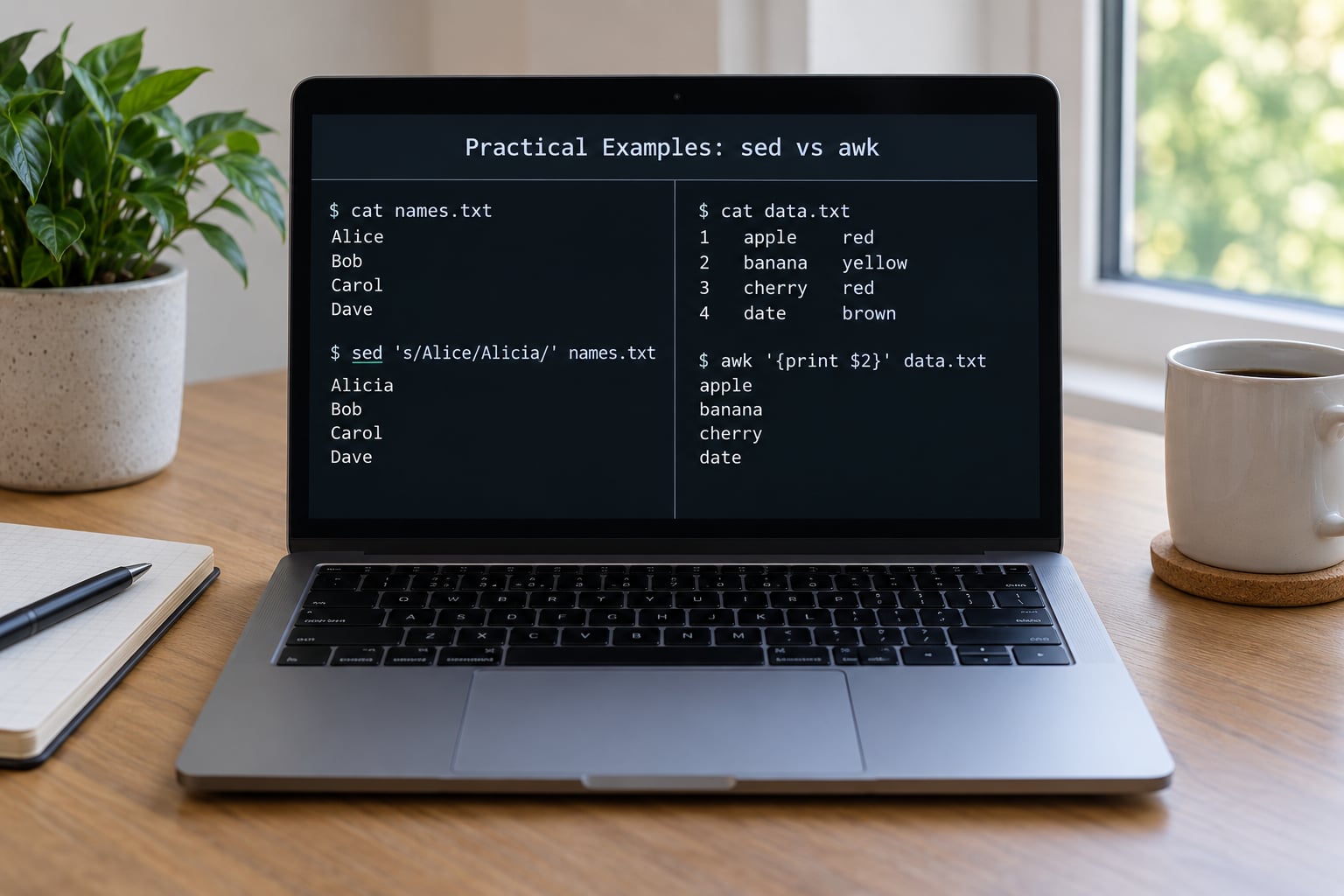
sed has no idea what a column is, so the honest sed version hardcodes positions and quietly breaks the moment the layout shifts:
sed -n 's/.*,//p' metrics.csvawk names the field, so the intent survives a reorder:
awk -F, 'NR>1 { print $2 }' metrics.csvOutput for both is web-01, web-02, web-03, but the awk version tells you what it means.
Delete a block of lines between two markers
Both tools handle a start/end range cleanly, and here sed wins on brevity:
sed '/^BEGIN/,/^END/d' settings.iniThe awk equivalent keeps everything except the marked block:
awk '/^BEGIN/,/^END/ { next } { print }' settings.iniUse sed when the block markers are the whole story, and awk when you also want to count or transform the lines you keep.
Filter rows and add a warning column
Filter on a value and compute something new. This is awk territory end to end:
awk -F, 'NR>1 && $3 > 50 { printf "%s,%s,HOTn", $1, $2 }' metrics.csvOutput:
eu-west,web-01,HOT
us-east,web-03,HOT
There is no sed version of this worth reading.
When to Use sed for Quick Text Substitutions
Reach for sed when the change is textual, the pattern is obvious, and you want the smallest readable command. Bulk find and replace across a code base is the classic case, as is editing a value in a config file or a .env file without opening an editor.
sed -i.bak 's/^DB_HOST=.*/DB_HOST=db.internal/' .env
sed -i.bak 's#http://#https://#g' deploy.sh
sed -i.bak 's/[[:space:]]*$//' whitespace.py
Use a different delimiter than / when your pattern or replacement contains slashes, as in the second line. That single habit removes most of the escaping headaches beginners hit.
sed also earns its place when you only want some lines printed. Filtering out blank lines, keeping lines that match a pattern, printing a range by line number, all stay readable in sed and turn into noise in awk.
Two safety habits worth keeping. Run without -i first and read the output, because in-place editing is not reversible from your shell history. And remember that awk is never the right tool for a plain find and replace, however tempting it looks when the command is already long.
When to Use awk for Fields, Filters, and Reports
awk earns its keep when the data has structure. Delimited files, command output that arrives in columns, and logs with a predictable layout are all cases where the field separator does the parsing for you.
Beyond extraction you get arithmetic, which turns a report into an answer:
awk -F, 'NR>1 { sum += $3; n++ } END { printf "avg cpu: %.1f over %d hostsn", sum/n, n }' metrics.csvOutput:
avg cpu: 64.3 over 3 hostsAssociative arrays handle grouping, and one pass over the file is enough:
awk -F, 'NR>1 { total[$1] += $3; count[$1]++ }
  END { for (r in total) printf "%s total=%d avg=%.1fn", r, total[r], total[r]/count[r] }' metrics.csv
Output:
eu-west total=102 avg=51.0
us-east total=91 avg=91.0
Other jobs where awk wins cleanly: filtering on a numeric comparison rather than a text match, printing the last field of every line, deduplicating by a chosen column with !seen[$1]++, joining several files in a single script, and any summary that has to appear after all records are read.
Set the separator with -F, or inside the program with FS= so you can switch on the first line, as with quoted CSV that carries a header. If quoting and embedded commas get hairy, cut loses and a real CSV parser wins, which is worth knowing before you fight awk for an hour.
Which Should You Choose?
By use case, the decision is short. Config files, code edits, bulk find and replace, stripping prefixes: sed. CSV and TSV files, log parsing, column extraction, counting, summing and grouping: awk. A pipeline that filters, rewrites and then summarises: use all three.
If you are deciding which to learn first, learn sed, then awk. Sed teaches you regular expressions, quoting and pipes in a handful of commands, which is exactly the groundwork awk assumes. People describe the two learning modes differently in forum threads: sed is learned by drilling patterns, awk by reading a chapter or two, and the second stage is where the bigger payoff lives.
Both are still worth learning in 2026. They ship with every Linux and macOS install, they are everywhere in init scripts, shell libraries, CI configurations, Docker entrypoints and Kubernetes manifests, and they have no startup cost worth measuring. Python beats awk on very large datasets once you reach for vectorised libraries, and ripgrep or perl give you a richer regular expression dialect, but for the small to medium jobs a shell script usually runs, sed and awk still finish first.
Two habits that make both tools safer: quote your patterns, and run without in-place flags until the output is what you expected. Silent no-output failures usually mean a pattern that matched zero lines, not a broken command.
Frequently Asked Questions
Is sed or awk better for replacing text?
sed, without much debate. A substitution command is short, it reads like a sentence, and you can preview the result without writing to the file first. awk can technically replace text, but it needs a loop or a gsub call to hit every occurrence on a line, which is more syntax for the same outcome.
What is the main difference between awk and sed?
sed treats each line as a string of characters and applies a fixed set of editing commands, so its output is an edited copy of the input. awk treats each line as a record split into numbered fields, and it lets you write real logic, so its output can be a new table, a count or a total rather than a copy of the file.
Can awk replace sed for simple substitutions?
It can, but you would be writing more code to get the same result, and the result will be harder for the next person to read. awk is a general text processing language, so it can do anything sed can. The substitution command is one place where the smaller tool is genuinely the better tool.
Which tool is better for CSV and log files?
awk, in almost every case. It splits each line on a field separator, exposes the fields as u0026#036;1, u0026#036;2 and u0026#036;NF, and supports comparison and arithmetic, so filtering on a number and producing a summary takes one line. Log files work the same way when their layout is predictable. Quoted CSV with embedded newlines is the case where a real parser wins.
Does awk support regular expressions?
Yes, awk patterns are POSIX extended regular expressions, the same dialect sed uses for address matching and substitutions. That means no non-greedy quantifiers, no lookbehind and no shortcuts like digit classes that you may know from Perl, Python or JavaScript. For anything beyond ordinary patterns, ripgrep, perl or grep with PCRE is the tool that fits.
When should I use awk in a shell script instead of sed?
Use awk when the script needs to remember something between lines, decide on a value, count occurrences or total a column. Those need variables, associative arrays and arithmetic, which sed does not have. Sed stays the right choice whenever the script only rewrites text and each line can be handled on its own.
Conclusion
Use sed to edit text and awk to read data. If you are finishing with a modified file, write sed; if you are finishing with a number, a summary or a different set of columns, write awk. Learn sed first because it is the smaller tool and the better teacher of patterns and pipes, then move into awk as soon as your data starts arriving in columns.