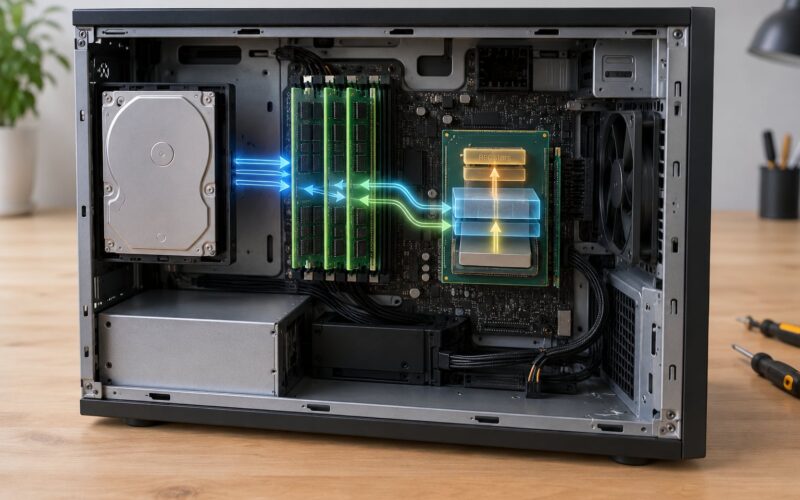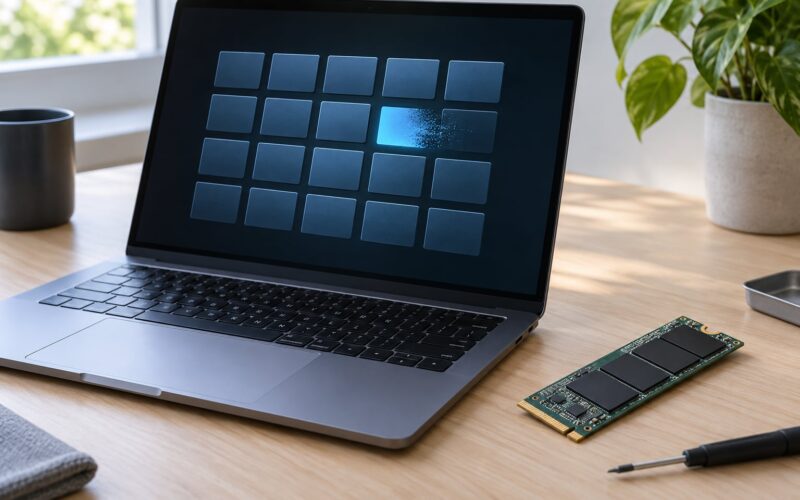
A page fault is a trap the CPU raises when a program touches a virtual memory page that is not currently backed by physical RAM. The operating system resolves it, the process resumes, and nothing appears to have happened. That resolution is the whole point of virtual memory.
Here is the short version. Further down we walk through why the trap fires, the six steps a page fault handler runs, how minor and major faults differ, and how to read the fault counters on Windows and Linux.
Table of Contents
- What Is a Page Fault?
- What is a page fault and why it happens the first time you touch a page
- Why Does a Page Fault Happen?
- What Happens During a Page-Fault Handler?
- What Is the Difference Between Minor and Major Page Faults?
- Are All Page Faults Errors?
- PAGE_FAULT_IN_NONPAGED_AREA is a different thing entirely
- How Do Page Tables Connect Virtual and Physical Memory?
- How Can You Diagnose a Page Fault?
- Frequently Asked Questions
- Is every page fault an error?
- What is the difference between a minor and major page fault?
- Does a null-pointer dereference always cause a page fault?
- Why does accessing memory for the first time cause a page fault?
- Can increasing RAM eliminate page faults?
- How do I find the virtual address that caused a page fault?
- Conclusion
What Is a Page Fault?
A page fault is a hardware exception raised by the memory management unit when a process accesses a virtual address whose page table entry says the page is not present in physical memory. The kernel then supplies the page, updates the mapping, and restarts the instruction that caused the fault.
It sounds alarming because the word fault shows up in crash dialogs too, but the mechanism itself is normal and expected. Every process you start takes thousands of them before it reaches its first frame of user interface.
What is a page fault and why it happens the first time you touch a page
Memory is allocated lazily. When your program loads, the OS maps the executable file and reserves address space for the heap and stack, but it does not copy anything into RAM yet. Those pages are marked not present.
The first time your code reads a global variable, the MMU walks the page table, finds the present bit cleared, and traps. The kernel loads the page from the file, sets the present bit, and replays the load. Every later read hits RAM and never faults again.
Two terms come up constantly here. A page hit is an access where the page was already resident. A page miss is an access that triggered a fault. Search results often treat those as synonyms for fault and hit respectively, which is a tidy shorthand but hides the file-backed versus memory-backed distinction we get into below.
Why Does a Page Fault Happen?
Seven situations account for nearly every fault a modern system produces.
- First touch. A newly mapped page is referenced for the first time, so the kernel has to populate it.
- The page was swapped out. Memory pressure pushed it to the paging file or swap partition, and the mapping survives without the contents.
- Copy-on-write writes. After a fork, parent and child share physical pages read-only. The first write in either process faults so the kernel can give it a private copy.
- Stack growth. A deep call chain runs past the mapped stack region. The kernel extends the mapping and the fault disappears.
- Memory-mapped files. Calling mmap or CreateFileMapping produces page faults as the pages get touched, whether or not you ever issue a read.
- Shared libraries and the page cache. Loading libc or a DLL faults its pages in, often from a cache another process already populated.
- The access is genuinely invalid. A null pointer, a dangling pointer, or a buffer overrun references an address no mapping covers. This one really is a bug.
The first six are work the operating system does for you. Only the last one is a fault in the everyday sense.
What Happens During a Page-Fault Handler?
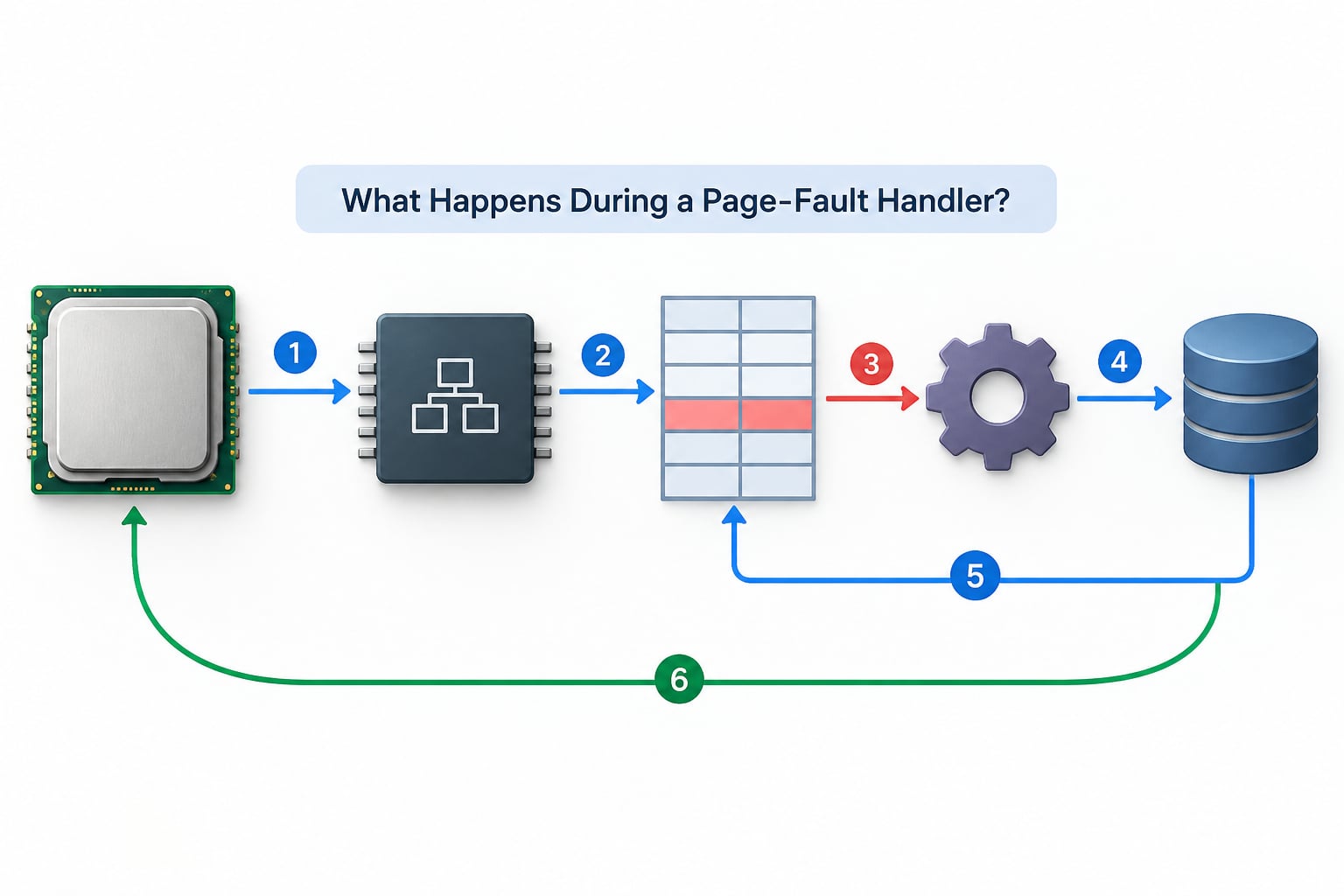
Demand paging turns a disk reference into a memory reference lazily, and the handler is what pays the cost. The sequence runs in kernel mode and takes microseconds for a minor fault, tens of microseconds to milliseconds for a major one.
- The CPU traps. The MMU finds the present bit clear in the page table entry and transfers control to the kernel’s fault handler, saving the faulting address and access type on the way.
- The kernel pulls the address. The exception frame gives the exact virtual address and whether the access was a read or a write. This is the number you will see in a crash dump.
- The page table is inspected. The handler walks the process’s tables to see whether the virtual address is inside a valid region at all. If it is not, the process gets a segmentation violation or access violation and dies.
- The page is located. If the address is valid but not present, the handler finds the page in the page cache, the swap or paging file, or a memory-mapped file. A write to a shared page is upgraded here: that is the copy-on-write fault.
- A physical frame is filled. A free frame is reserved, the contents are read in, the page table entry is updated with the frame number, and the present bit is set. Protection flags get tightened to match what the process is actually allowed to do.
- The instruction is restarted. The saved program counter is rewound and the faulting instruction runs again. This time the present bit is set, so the MMU completes the access normally and the process never learns it stalled.
The reason for restarting rather than resuming is that by the time the handler runs, the instruction may already have performed part of its work. Replaying is safe only because the CPU saves a precise program counter before the side effects begin.
What Is the Difference Between Minor and Major Page Faults?
The split is about where the page came from. A minor fault is satisfied from memory, a major fault needs a read from storage. Windows calls these soft and hard faults; Linux calls them minor and major. They are the same two categories under different names.
| What to compare | Minor (soft) page fault | Major (hard) page fault |
|---|---|---|
| Where the page comes from | Already in physical memory, usually the page cache or a zeroed anonymous page | Backing store: swap, paging file, or a memory-mapped file on disk |
| Disk I/O | None | One or more reads, often with a write-back for anonymous pages |
| Typical cost | Low microseconds, mostly lock contention and mapping work | High microseconds to milliseconds, dominated by I/O latency |
| Typical trigger | First touch of a file-backed page in cache, copy-on-write write, stack growth | First touch of a page that must come off disk, fault after a period of swapping |
| Linux counter | min_flt | maj_flt |
| Windows counter | Soft Page Faults | Page Faults (the Task Manager column corresponds to this) |
That effective access time is easy to reason about. If your working set fits in RAM, page hits dominate and faults barely register. Let the working set spill over, the hit rate drops, and every miss drags in a storage read, which is where stalls start showing up in games and builds.
Are All Page Faults Errors?
No. Demand paging, copy-on-write and stack growth are all faults that the kernel handles quietly and your program never sees. Genuine errors are the subset where the faulting address falls outside every valid mapping for the process.
On Linux that path ends in a segmentation fault signal, and a null pointer dereference is the classic case since address zero is deliberately left unmapped. On Windows the same class of bug surfaces as an access violation, with the faulting address recorded in the crash dump.
A useful heuristic: if the fault happened during normal operation and the program kept running, it was demand paging. If the process died or was killed by the kernel, that was an invalid access.
PAGE_FAULT_IN_NONPAGED_AREA is a different thing entirely
Search results routinely mix these two together, and the collision causes a lot of confusion. PAGE_FAULT_IN_NONPAGED_AREA is a Windows stop code, usually written 0x50, and it refers to a fault inside kernel memory that must never be paged out. The non-paged pool holds structures the kernel needs at high interrupt priority and cannot wait for disk.
Getting there usually means something corrupted a pointer in kernel space, commonly a faulty driver or failing RAM. Forum threads on the topic repeatedly trace crashes back to specific drivers, including USB audio stacks, or to memory that fails its own tests. Check your RAM first, then update or reinstall the drivers named in the dump.
How Do Page Tables Connect Virtual and Physical Memory?
The CPU splits a virtual address into a page number and an offset. It uses the page number to index a hierarchy of page tables and reaches a page table entry, which holds the physical frame number plus flags: present, read/write, user/supervisor, and dirty.
Those flags are the whole mechanism. Present means the frame holds the page. Clear it and the access cannot proceed, so the MMU traps to the kernel. Clear or restrict the write bit on a shared page and the CPU traps on a write so copy-on-write can take over.
A cleared present bit on a valid address means normal demand paging. A missing entry entirely, or a protection flag that refuses the access, means the program asked for something it was never given.
How Can You Diagnose a Page Fault?

Start by separating counts from rates and from context. A four-digit total on a machine that has been up for a week means nothing. A sustained rate of hard faults alongside high disk queue length and near-full committed memory means something real.
On Linux, the kernel keeps per-process counters in the process statistics file, so this shows the two numbers directly.
ps -eo pid,min_flt,maj_flt,commFor system-wide trends, the vmstat command prints faults and paging activity per interval, and the pagemap file under the proc filesystem gives per-process page residency detail for a given process ID.
vmstat 1
dmesg | tail -n 50
On Windows, Task Manager’s Performance tab shows a Page Faults counter, Resource Monitor groups it under memory, and the Performance Monitor exposes soft and hard faults as separate counters so you can watch which one is climbing. Process Explorer and RAMMap add a working set view and a use count view respectively, and Event Viewer holds the crash records when a process dies from an access violation.
Cross-check rather than guessing. Sustained hard faults plus a busy disk and committed memory near the limit points at memory pressure or an undersized paging file. A spike in minor faults after a process starts is just that process loading its libraries.
Frequently Asked Questions
Is every page fault an error?
No. Most page faults are the normal operation of demand paging. When a process first touches a page that is not yet resident, the CPU traps, the kernel loads it, and the instruction restarts. Copy-on-write faults after a fork and stack-growth faults are normal too. Only the subset where the faulting address is outside every valid mapping for the process is a real error, and that is what ends in a segmentation fault on Linux or an access violation on Windows.
What is the difference between a minor and major page fault?
A minor fault is satisfied entirely from physical memory, so no disk read happens and the cost is low microseconds. A major fault requires reading the page from a backing store such as swap, a paging file, or a memory-mapped file, which costs from tens of microseconds up to milliseconds depending on the storage. Windows calls these soft and hard faults, Linux calls them minor and major.
Does a null-pointer dereference always cause a page fault?
Usually yes, because operating systems leave the zero page unmapped, so reading or writing through a null pointer traps immediately. But a null pointer stored in a struct field, or a pointer that was already offset or advanced, can land inside a mapped region and appear to work until it corrupts something else. That silent case is far harder to catch than the immediate crash.
Why does accessing memory for the first time cause a page fault?
Because memory is allocated lazily. The OS maps a file or reserves address space without copying anything into RAM, leaving those pages marked not present. The first access finds the present bit clear and traps so the kernel can populate the page from the file or the page cache. From then on the page is resident and further accesses hit RAM without faulting.
Can increasing RAM eliminate page faults?
No. Adding RAM lowers the major fault rate by giving the working set more room to stay resident, which is where the real performance cost lives. Minor faults still happen on every new page first touch, every copy-on-write after a fork, and every stack growth, regardless of how much memory you install. A machine with plenty of RAM can still show a very high total fault count and run perfectly.
How do I find the virtual address that caused a page fault?
On Linux, dmesg prints the faulting address and the faulting instruction whenever a process dies from a segmentation fault, and the same address appears in a core dump you can open with a debugger. On Windows, the crash dump recorded by WinDbg or Event Viewer contains the faulting address in the exception record. For processes that keep running, there is no crash address because nothing went wrong.
Conclusion
A page fault is the mechanism that makes virtual memory possible, not a malfunction. The kernel raises it precisely so the operating system can supply a page, update the page table and let the instruction succeed without the program knowing anything happened.
The error cases are the narrow ones where the faulting address sits outside every valid mapping. So when you look at a fault counter, ignore the total and check the rate, then look at disk activity and committed memory next to it. That pairing tells you whether you are watching demand paging do its job or watching memory pressure build a problem.