An operating system schedules processes by keeping everything that could run in a ready queue, then picking one whenever a CPU becomes free. The CPU scheduler takes the top process, gives it the processor for a slice of time, and switches away when that slice ends, the process blocks on I/O, or something more important needs the core.
That is the whole idea in a sentence. Everything below it is mechanism: where the information lives, what the kernel writes down when it switches away, and how two very different operating systems, Linux and Windows, actually make the choice.
Table of Contents
- What Process Scheduling Means
- What Data Does the Operating System Use?
- How an Operating System Schedules Processes
- How Run Queues and Priorities Affect Process Selection
- Why an Operating System Uses Preemption and Time Slices
- What Happens During a Context Switch
- How Scheduling Differs Between Linux and Windows
- How to Observe Scheduling on Your Own System
- Frequently Asked Questions
- What is meant by scheduling in an operating system?
- What is process management in an OS?
- Which CPU scheduling algorithm is best?
- What is the time quantum in round robin scheduling?
- What happens during a context switch?
- Does high CPU usage mean a process is scheduled well?
- Conclusion
What Process Scheduling Means
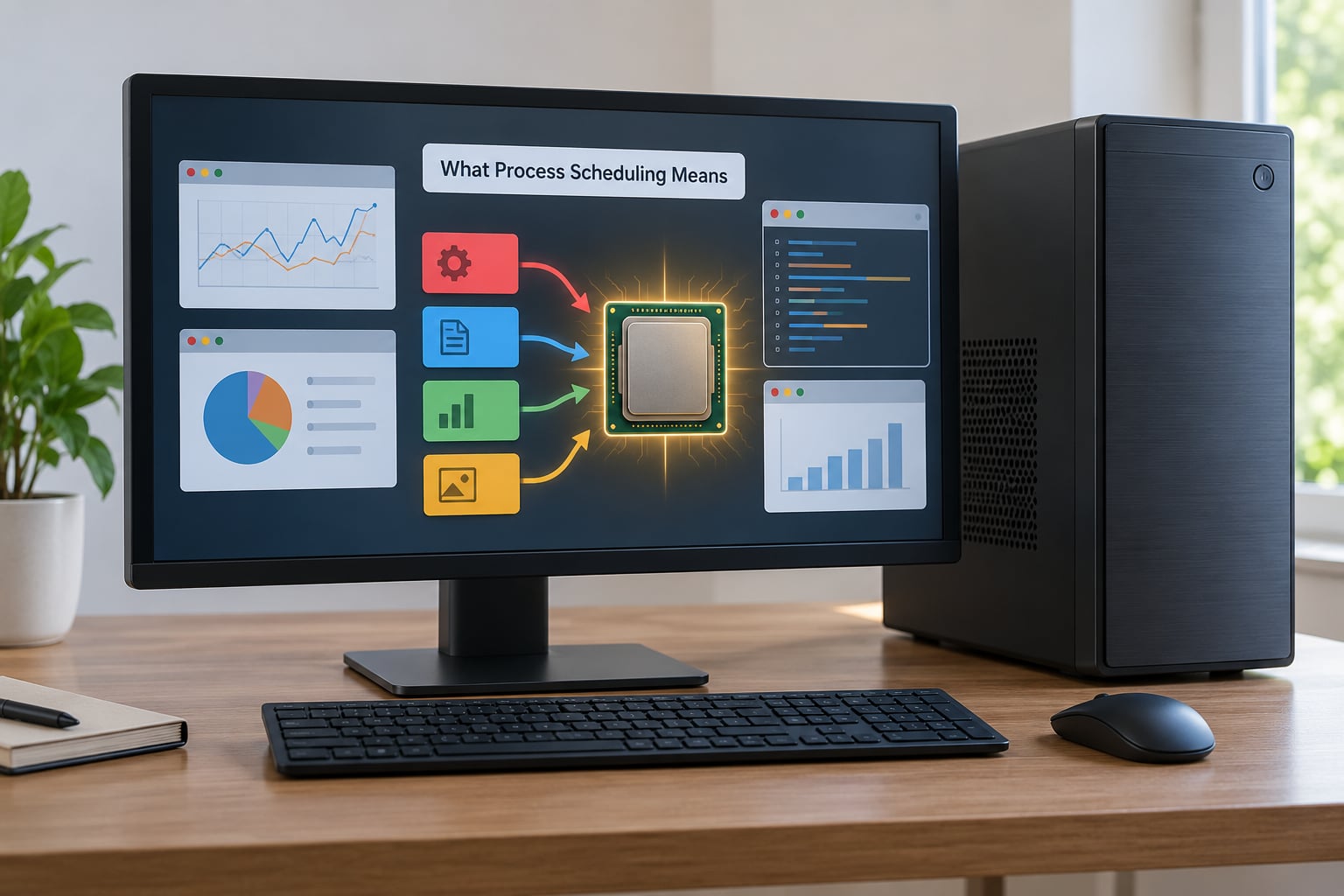
Scheduling is the activity of choosing which process occupies the CPU right now and for how long. It matters because a modern machine routinely holds more runnable processes than it has cores, and every one of them wants the processor at the same time.
It is worth separating scheduling from three things people often blur together.
Process creation is the act of admitting a new program into memory and building its control block. Scheduling happens after that, repeatedly, for as long as the process lives. Multitasking is the result people see: several programs appearing to run at once. Scheduling is the decision-making behind the illusion, not the illusion itself.
One caveat up front. An operating system schedules threads more often than it schedules whole processes. On Linux a process is a container and each thread has its own program counter and registers, so the unit the scheduler actually picks is the thread. I come back to that in the Linux and Windows section, because it explains why a task manager shows many more entries than the number of apps you have open.
What Data Does the Operating System Use?
The scheduler is not making a judgement from scratch each time. It reads a small set of fields the kernel maintains for every process, most of them in the process control block, and uses them to rank candidates.
| Item | Where it lives | How it affects a scheduling decision |
|---|---|---|
| Process state | One field per process: new, ready, running, waiting, terminated | Only ready processes are candidates; a blocked process sits on a device queue instead of the ready queue |
| Program counter | Register saved in the thread context, then spilled to memory | Marks exactly where execution resumes after a switch; it is what makes a context switch reversible |
| CPU context | Registers, stack pointer, flags, floating-point state | The bulk of what gets written to memory on a switch out, and read back on a switch in |
| Priority or nice value | Task struct on Linux, priority class and thread priority on Windows | Sorts candidates before the queue is consulted; a higher priority process is chosen first |
| CPU usage history | Per-task accounting counters maintained by the kernel | Lets the scheduler decide whether a task is CPU-bound or has been mostly waiting on I/O |
| Affinity mask | Per-thread CPU set | Narrows the search to particular cores, which is how a server pins a database to one socket |
| Time slice or budget | Remaining quantum for the running task | Sets the deadline after which the running process becomes preemptable |
The program counter deserves a second look, because it is the piece students skip. A process that is stopped is not paused like a video. The kernel has to write down where it was, which is a single register value, so that when the process is picked again it continues from that exact instruction rather than starting over.
How an Operating System Schedules Processes

The full path runs through three separate schedulers that operate at wildly different speeds. Calling them all the scheduler is the usual source of confusion, so here they are separately.
| Scheduler | What it selects | How often it runs | Speed requirement |
|---|---|---|---|
| Long-term (job) | Which jobs from the job queue get admitted into memory | Seconds to minutes | Slow is fine |
| Medium-term | Which resident processes get swapped out to disk and later brought back | Every few seconds or minutes | Moderate |
| Short-term (CPU) | Which ready process runs next on a given core | Thousands of times per second | Must be extremely fast |
Only the short-term scheduler does what most people picture when they say the OS scheduler. It runs on every timer interrupt, every system call return, and every time a process blocks, so it is implemented for speed, usually with a compact data structure and no locks in the hot path.
From the moment a program is submitted, the path looks like this:
- Admission. The long-term scheduler pulls the job from the job queue and creates its process control block in memory. How many it admits sets the degree of multiprogramming, and picking too many is what causes thrashing.
- Ready state. The process lands on the ready queue. It is runnable but not currently running.
- Selection. The CPU scheduler picks one process from the ready queue, usually the highest-priority one that is eligible right now.
- Dispatch. The dispatcher performs the context switch, loads the saved state, and jumps to the saved program counter.
- Running and preemption. The process runs until it finishes, blocks on I/O, or its time slice runs out and the timer interrupt hands control back to the kernel.
- Return or terminate. On a time slice it goes back to the ready queue. On completion it moves to terminated and its memory is reclaimed.
Worked example. Suppose a video encode, a browser tab and a backup agent are all ready on a single core. The scheduler picks the encode, and 20 milliseconds later the timer interrupt fires. The kernel saves the encode state, notes the browser is I/O-bound and waiting on network data anyway, picks the browser, and the encode waits its turn without losing a single instruction boundary.
How Run Queues and Priorities Affect Process Selection
The ready queue is the scheduler’s shortlist, but it is rarely one flat list. Blocked processes sit on per-device queues and come back only when their I/O completes, so a process waiting on a disk read is not competing with one that is ready to compute.
Priority then decides ordering within the ready set. A higher-priority process is chosen before a lower-priority one, which is efficient when you know which work matters but dangerous when it is applied too rigidly, because lower-priority work can be postponed indefinitely. That indefinite postponement is starvation.
Aging is the fix. The scheduler periodically raises the effective priority of anything that has waited a long time, so no process can be starved no matter how low its static priority. Most real schedulers do something similar without calling it aging, by boosting processes that have been waiting or that have just come out of I/O.
The textbook algorithms differ mainly in how they order that queue, and how they decide when a running process must give way.
| Algorithm | Preemptive? | Strength | Weakness | Where you see it |
|---|---|---|---|---|
| First come, first served | No | Simple, fair in arrival order, zero context switch overhead | Convoy effect: one long job blocks every short one behind it | Print queues, simple batch systems |
| Shortest job first | Yes, if preemption is enabled | Minimises average waiting time, provably optimal when burst lengths are known | Starves long jobs; the OS cannot know true burst length in advance | Analytically important, rarely used alone |
| Priority scheduling | Usually | Expresses importance directly | Starvation without aging; low-priority work never runs | Windows priority classes, Linux nice |
| Round robin | Yes | Every runnable process gets a predictable share, good response time | Quantum too small means pure context-switch overhead; too large and it degenerates toward FCFS | Time-sharing systems, embedded RTOS cores |
| Multilevel queue | Yes | Cheap separation of interactive and batch work by fixed class | A process stuck in a low class can still starve | Classic batch-and-interactive hybrids |
| Multilevel feedback queue | Yes | Infers behaviour from history, so CPU-bound and I/O-bound tasks land where they work best | Tuning the number of queues and quantum growth rules is fiddly | The most widely used family in real systems |
Which algorithm is best depends entirely on the workload, and pretending otherwise is the usual answer in textbooks. Interactive work cares about response time. Batch work cares about throughput and turnaround. A general-purpose system ends up using a multilevel feedback approach, because it can move a task between queues without being told what kind of task it is.
Multilevel feedback queue deserves the emphasis because it is what almost everything real is a variation of. Each process starts in a high-priority queue and earns its way down by using more CPU. A process that blocks for I/O early keeps its position; a CPU hog sinks. That single rule approximates the I/O-bound versus CPU-bound distinction without the kernel being told which one it is.
Why an Operating System Uses Preemption and Time Slices
In cooperative scheduling, a process keeps the CPU until it voluntarily gives it up, usually by making a system call or blocking. In preemptive scheduling, the kernel can take the CPU back at any point it decides to. Every operating system you use today is preemptive.
Cooperative scheduling only works if every program is written to be polite, and one badly behaved program can hang the machine. Preemption moves the decision into the kernel, where the operating system controls it.
The mechanism is a hardware timer. The kernel programs a timer to fire on a fixed interval, and when the interrupt lands, control transfers to kernel mode. The scheduler then decides whether the running process keeps the CPU. If the kernel uses a fixed interval, that is round robin and the interval is the time quantum.
Quantum size is a genuine tradeoff. Short quanta give excellent response time but spend a large share of the CPU switching between processes. Long quanta cut switch overhead but make anything interactive feel laggy, because your keystroke may wait behind a whole slice of someone else’s work.
Modern kernels are less literal about this. Linux has moved from fixed tick-based preemptions toward a tickless model, and its scheduler grants time based on a virtual runtime figure rather than a flat quantum. The principle of a bound on how long a process can hold a core survived all the same.
What Happens During a Context Switch
A context switch is the mechanical work the kernel does to move the CPU from one thread’s saved state to another’s. It is the reason time slicing is possible and the reason too-frequent slicing hurts.
The sequence, in the order the kernel does it:
- Save the outgoing context. General-purpose registers, the stack pointer, flags, and on x86 the floating-point and vector state get pushed onto the outgoing thread’s kernel stack and then written into memory.
- Switch the address space. The page tables for the new process are loaded, either through the ordinary page table base register or through the TLB manipulation that avoids a costly full flush.
- Restore the incoming context. Registers are popped back off the new thread’s kernel stack, restoring its program counter, stack pointer and flags.
- Return to user mode. The kernel restores the user stack and returns from the interrupt, and execution resumes at the instruction the program counter pointed to.
The metrics that describe this in scheduling theory are worth writing down, because they make any example checkable:
- Turnaround time = completion time minus arrival time
- Waiting time = turnaround time minus CPU burst time
- Response time = first run time minus arrival time
A process waiting through four rounds of a 10 millisecond quantum spent 40 milliseconds in the ready queue. That waiting time is the practical cost of the scheduler’s choices, and it is what round robin optimises.
What does a switch cost in time? On current server and desktop hardware a switch with a warm cache typically lands in the low microseconds, and it can climb an order of magnitude on a machine under heavy memory pressure or with a very large working set. The cost per switch is small; the cost of millions of needless switches is not. That is why context switch rate is one of the first numbers I look at when a machine feels slow despite low CPU usage.
How Scheduling Differs Between Linux and Windows
The textbook queue model is the same on both platforms. The differences are in what the kernel actually optimises for and what knobs it exposes.
| Aspect | Linux | Windows |
|---|---|---|
| Core model | Completely Fair Scheduler, with EEVDF-style virtual runtime targeting since Linux 6.6 | Priority-class scheduler with quantum lengths per class |
| User-facing priority | nice values from -20 to 19, plus ionice for I/O priority | Priority classes from Idle to Real-Time, plus base and dynamic thread priority |
| Queue structure | Per-CPU run queues, with a red-black tree keyed on virtual runtime | Ready lists per processor, with dynamic priority boosts for interactive work |
| Multicore behaviour | Periodic migration to balance load, tunable by cost model | Group affinity, processor groups for large machines, per-job limits |
| What to watch | /proc/PID/schedstat, sched, vmstat cs column | Get-Counter for context switches, Process Explorer thread columns |
The single biggest conceptual difference is fairness versus responsiveness. Linux treats fairness as the primary goal: every task accrues virtual runtime proportional to its weight, and the scheduler runs the task with the least. Nice values set that weight, so lowering a process’s nice value makes it accumulate virtual runtime more slowly and run more often.
Windows optimises for perceived responsiveness, with a static priority class setting a quantum and a dynamic priority that the kernel raises when a thread blocks and drains when it consumes CPU. A thread that just returned from I/O looks more deserving of the CPU, which is the same intuition as multilevel feedback queues, implemented in hardware-assisted terms.
A practical consequence: on Linux, CPU-heavy work that should not disturb the machine is lowered with renice and ionice. On Windows, the equivalent is dropping the priority class in Task Manager or through the priority property of a job object. Neither changes whether the scheduler preempts; both change where a process sits in the ordering.
How to Observe Scheduling on Your Own System
The theory becomes much easier to trust once you can watch it. These are Linux tools, and they work on current distributions; where behaviour changed in recent kernels I have noted it.
See what is running and how it is weighted. top with the -H flag shows a row per thread, and htop does the same in a tree. The NI column is the nice value; a lower number means more CPU weight. ps -eo pid,ppid,ni,pri,stat,pcpu,comm --sort=-pcpu | head gives you the same picture as a sortable list, and the STAT field shows the process state: R for running or ready, S for interruptible sleep, D for uninterruptible sleep, T for stopped, Z for zombie.
Read the scheduler’s own accounting. cat /proc/PID/sched prints a block of scheduling statistics for one thread, including how much time it has run on the CPU, how often it was switched out, and its scheduling policy. That file is the closest thing to looking inside the short-term scheduler’s decisions. On older kernels the fields differ, and some of the run-queue internals moved between /proc/PID/stat fields, so read the header line of the file on your system rather than trusting field positions from a tutorial.
Check whether a policy is in play. chrt -p $(pgrep -n yourapp) prints the current policy and priority, and chrt -f 50 -p 0 PID puts it under SCHED_FIFO. Run ps -eLo pid,tid,cls,rtprio,pri,comm to see thread scheduling class and real-time priority for everything running. If you change real-time policy, know that a runaway real-time thread will hang the machine, so keep the console on a different core or use chrt with care.
Measure switch rate and scheduler delay. vmstat 1 prints a context switch count in the cs column once per second, which is the fastest way to spot a scheduling pathology. perf stat -e context-switches,page-faults -a sleep 10 gives you aggregate counts, and perf sched record followed by perf sched report shows latency between when a task should run and when it actually did, which is scheduler latency in practice.
On Windows, Get-Process | Sort-Object CPU -Descending | Select-Object -First 10 gives the heaviest processes, and Get-Counter 'SystemProcessor Queue Length' reports the ready queue depth, where a value persistently above the core count means the machine is oversubscribed. Get-Counter 'SystemContext Switches/sec' gives you the switch rate, and Get-CimInstance Win32_PerfFormattedData_PerfProc_Process exposes thread counts and per-process priority class in one shot. Process Explorer from Sysinternals remains the most convenient way to read thread-level columns without scripting.
If you want to reason about scheduling trade-offs before tuning anything, three questions cover most of it. Is the workload interactive or batch? Do you care about average waiting time or worst-case response? And is the machine oversubscribed, meaning the ready queue is longer than the number of cores? Most tuning mistakes come from answering those differently than the workload actually requires.
Frequently Asked Questions
What is meant by scheduling in an operating system?
Scheduling is how the operating system chooses which process gets the CPU next. It keeps every runnable process on a ready queue and, whenever a core frees up, a short-term scheduler picks one, hands it the processor through the dispatcher, and later switches away when the time slice expires, the process blocks, or it finishes.
What is process management in an OS?
Process management is everything the kernel does around a program while it runs: creating it, tracking its state, allocating memory, scheduling it, handling system calls and interrupts, and reclaiming its resources on exit. Scheduling is the part of that work that decides who gets the CPU and when.
Which CPU scheduling algorithm is best?
There is no single winner because the algorithms optimise different criteria. Shortest job first minimises average waiting time but starves long jobs. Round robin gives fair shares and good response times. In general-purpose systems a multilevel feedback queue wins in practice, because it places CPU-bound and I/O-bound work automatically. Match the algorithm to whether you care about response time, throughput or fairness.
What is the time quantum in round robin scheduling?
The time quantum is the fixed slice of CPU time each process gets before the scheduler preempts it and moves on. Set it too small and most CPU time goes into context switches; set it too large and round robin degrades toward first come, first served, hurting responsiveness. Common values in teaching examples fall between 10 and 100 milliseconds.
What happens during a context switch?
The kernel saves the outgoing thread’s registers, program counter, stack pointer and flags, swaps the page tables for the incoming thread, restores its saved state, and returns from the interrupt into user mode at the saved program counter. The interrupted process never notices, because its instruction stream resumes exactly where it stopped.
Does high CPU usage mean a process is scheduled well?
Not necessarily. High CPU usage can mean a process is doing useful work, or that it is spinning, retrying, or stuck in a tight loop while starving everything else. Useful signals are per-process CPU share, context switch rate, and ready queue depth: a long ready queue with a saturated core points to scheduling pressure rather than efficient scheduling.
Conclusion
The scheduling model in short: the kernel keeps runnable processes on a ready queue, ranks them by state, priority and history, dispatches the winner, and preempts it on a timer, an interrupt or a block. On your own machine, start by looking at four things, in this order: process state, priority, run-queue behaviour, and context switch rate. Those four explain most of what you will ever need to know about why something felt slow.